Web siteniz için Anlık Bildirim Widget'ı
Sayfanızın köşesine kayan, solan, zıplayan veya yakınlaşan animasyonlu, tarayıcı tarzı bir bildirimle dikkat çekin ve ziyaretçilerle yeniden etkileşim kurun. Bir başlık, mesaj, görsel ve buton ekleyin, isteğe bağlı bir ses çalın ve zamanlama, konum, sıklık ve hedeflemeyi kontrol edin; hepsini her yere yerleştirebileceğiniz ücretsiz, kodsuz bir widget ile yapın.
Hemen oluşturun - Ücretsiz!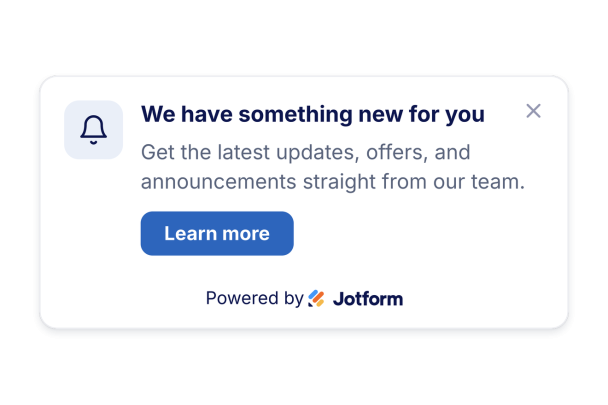

Anlık Bildirim widget'ı nasıl oluşturulur
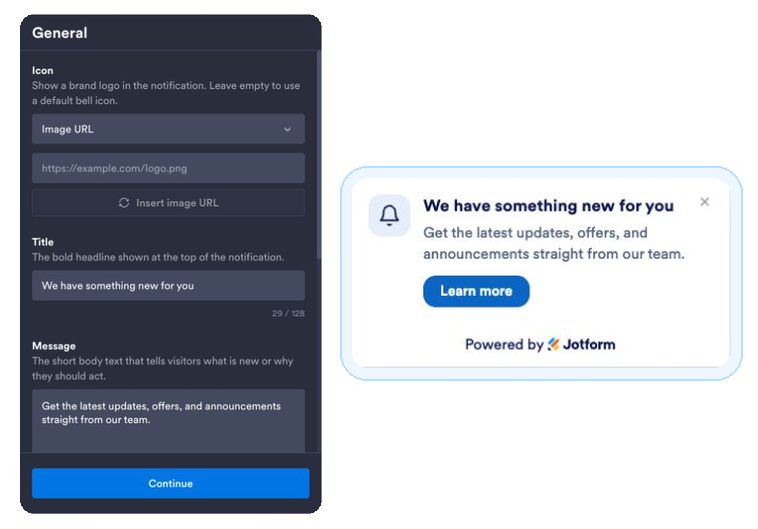
Bildiriminizi yazın
Bir başlık, mesaj, isteğe bağlı bir simge veya görsel ve harekete geçirici bir buton bağlantısı ekleyin.
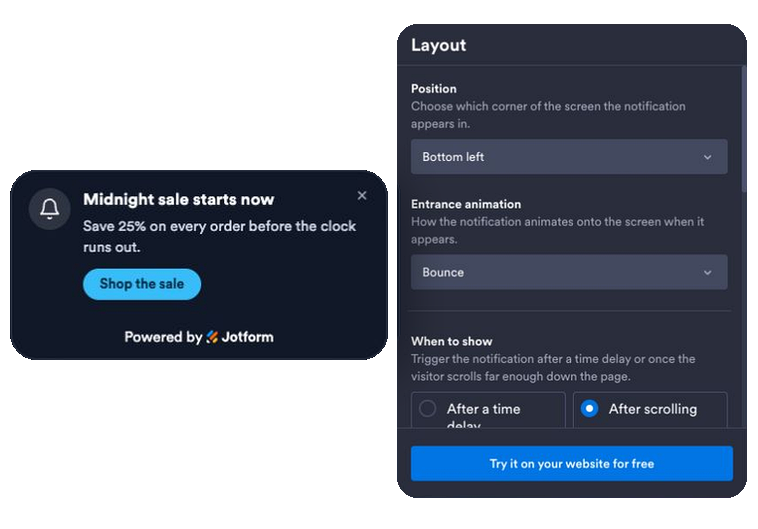
Animasyonu, zamanlamayı ve kuralları ayarlayın
Bir giriş animasyonu seçin, bir zaman veya kaydırma tetikleyicisi belirleyin, isteğe bağlı bir sesi veya gerçek bir tarayıcı bildirimini açın ve bildirimi gösterecek konumu, sıklığı, sayfaları ve cihazları ayarlayın.
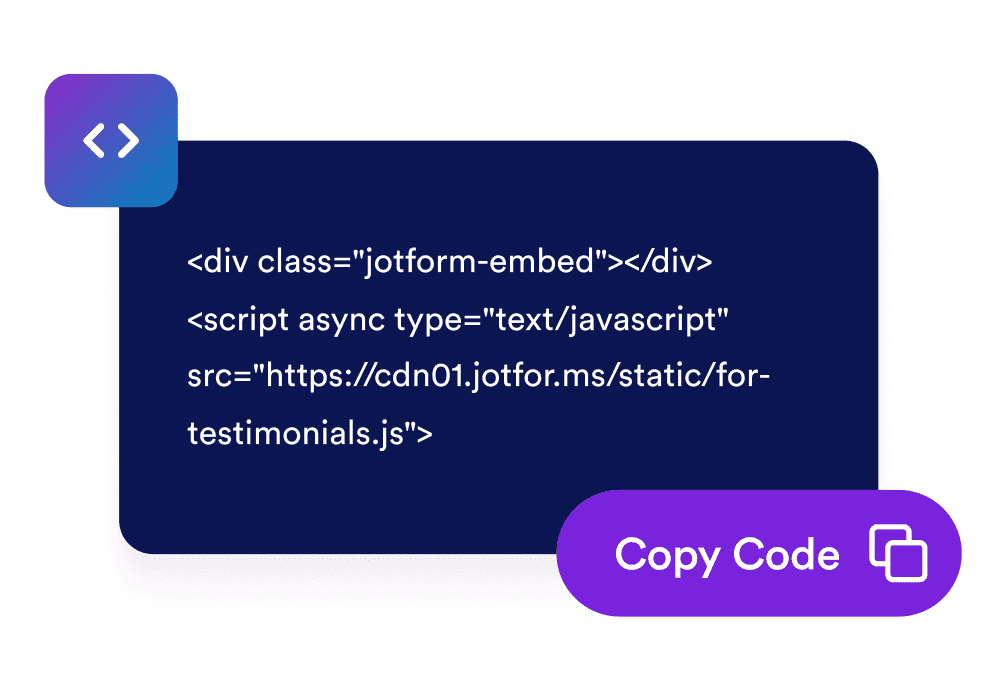
Sitenize yerleştirin
Oluşturulan yerleştirme kodunu kopyalayın ve bildirimi anında başlatmak için web sitenizin herhangi bir yerine yapıştırın.
Pasif ziyaretleri etkileşime dönüştürün
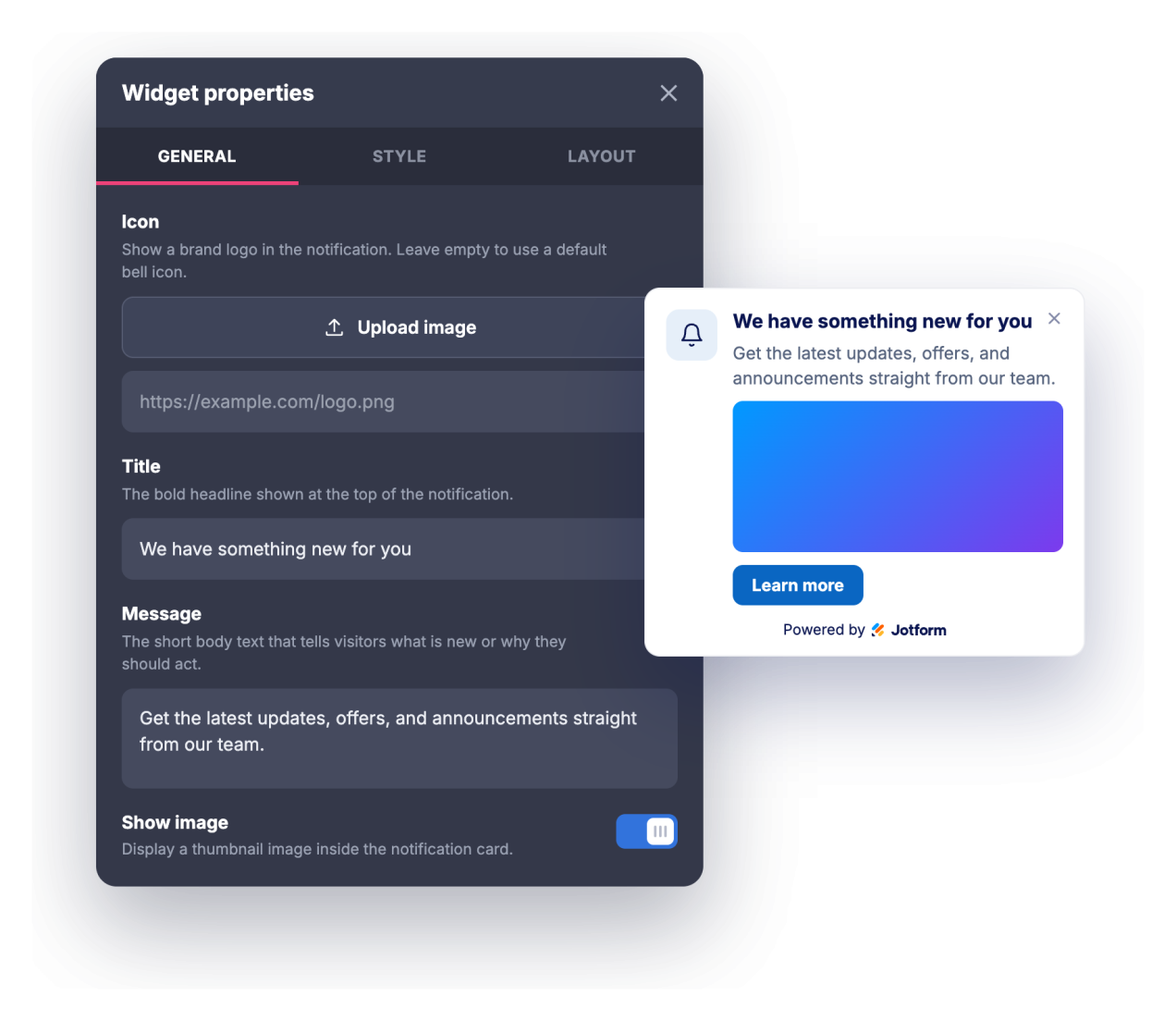
Doğru zamanda dikkat çeken bir mesaj iletin
Tarayıcı bildirimi görünümündeki kart; başlık, mesaj ve butonla birlikte sayfanızın bir köşesinde animasyonla belirir. Böylece promosyonlar, güncellemeler ve duyurular tüm ekranı kaplamadan ziyaretçilerin dikkatini çeker.
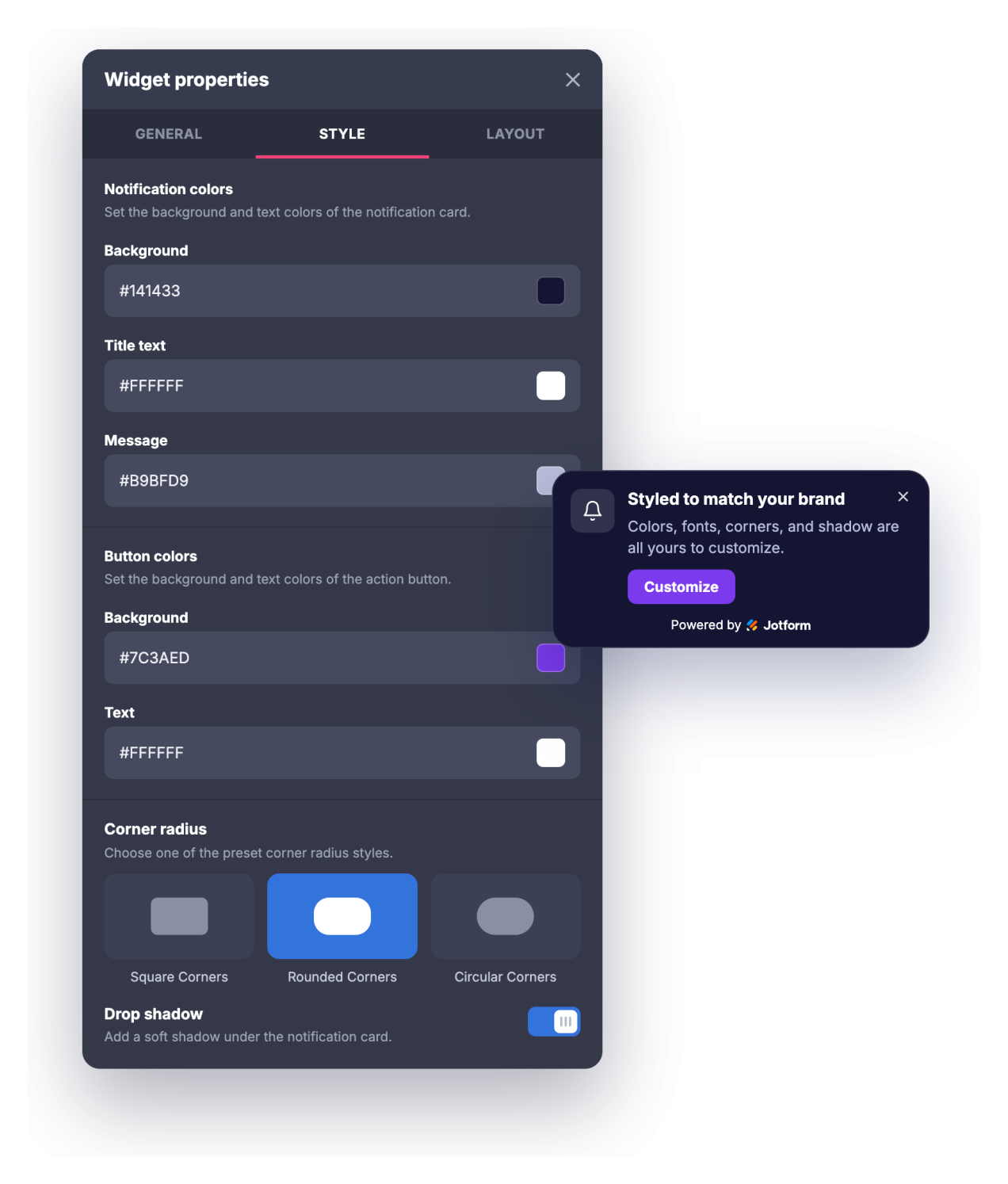
Markanıza birkaç tıklamayla uyum sağlayın
Bildirimin genel bir açılır pencere yerine sitenizin doğal bir parçası gibi görünmesi için arka planı, başlığı, mesajı ve buton renklerini, başlık ve mesaj boyutlarını, köşe yuvarlaklığını ve gölgeyi ayarlayın.
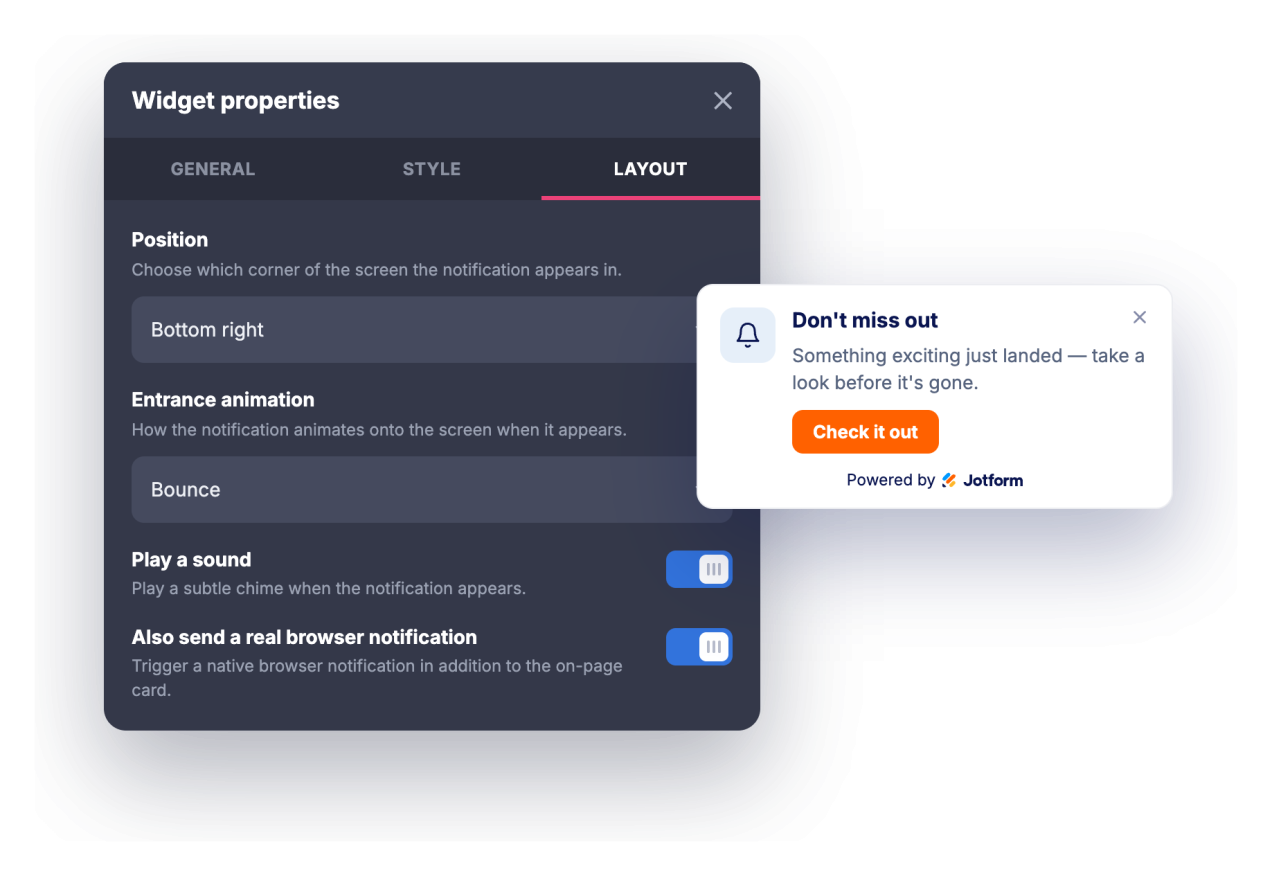
Ziyaretçilerin dikkatini yeniden çekin ve gösterim sıklığını kontrol edin
İsteğe bağlı bir bildirim sesi veya ziyaretçilerin izin vererek alabileceği gerçek bir tarayıcı bildirimiyle dikkat çekin. Ardından bildirimin belirli bir süre sonra mı yoksa ziyaretçi sayfayı belirli bir noktaya kadar kaydırdığında mı gösterileceğini, ne kadar süre sonra otomatik kapanacağını ve ne sıklıkla yeniden gösterileceğini ayarlayın.
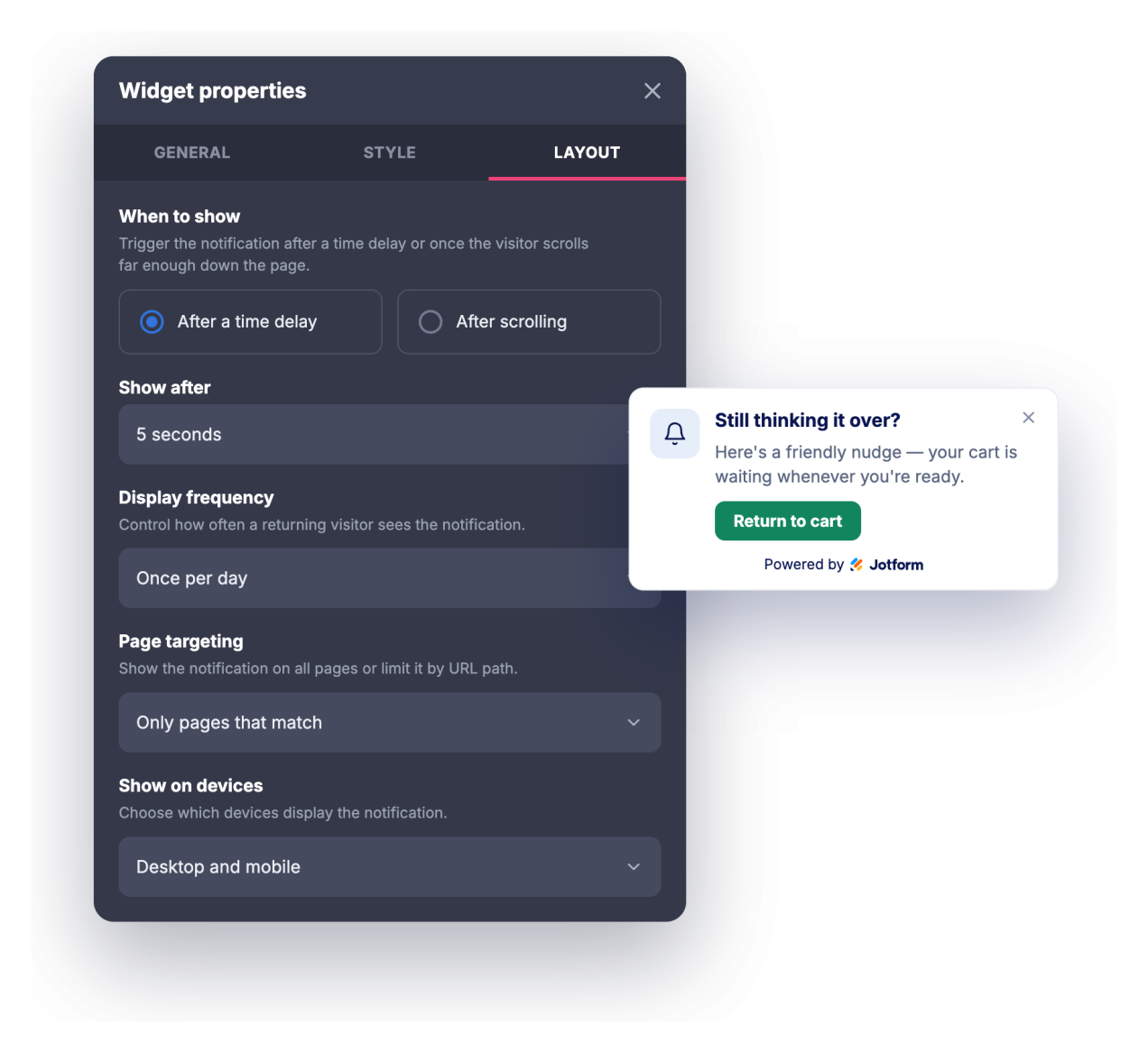
Doğru sayfaları ve cihazları hedefleyin
Bildirimi her sayfada, yalnızca URL'si eşleşen sayfalarda veya eşleşen sayfalar dışında her yerde gösterin, ardından masaüstünde, mobilde veya her ikisinde görünüp görünmeyeceğini seçin.
Jotform Web Site Widget'ları neden öne çıkıyor
Jotform'un widget'ları web sitenizi daha etkileşimli hale getirir ve dönüşümleri artırır. Yıldızlı değerlendirmelerden ve kullanıcı görüşü kaydırıcılarından sosyal kanıt açılır pencerelerine ve medya yerleştirmelerine kadar birçok araç mevcut. Veri toplamak, kanıt göstermek ve potansiyelmüşteri yakalamak için kod yazmanıza gerek olmadan formlarınıza veya açılış sayfalarınıza widget'lar ekleyin.
Basit bir yerleştirme koduyla Jotform widget'larını web sitenize ekleyin. Bir geliştiriciye ihtiyaç duymadan widget'ı özelleştirin, nasıl göründüğünü önizleyin ve özel HTML ya da yerleştirme bloklarını destekleyen herhangi bir sayfaya yapıştırın.
Potansiyel müşterileri toplamak, müşteri geribildirimlerini göstermek, sosyal kanıt sunmak, medya içeriklerini yerleştirmek veya kullanışlı web sayfası araçları eklemek için Jotform Website Widget'larını kullanın. Her widget, ziyaretçilerin işletmenizle doğrudan web sitenizden etkileşime geçmesine yardımcı olur.
Widget'ınızı kurma, özelleştirme, yerleştirme veya sorun giderme konusunda yardıma ihtiyacınız olursa, Jotform'un müşteri destek ekibi 7/24 hizmetinizdedir. İhtiyacınız olduğunda yardımın hazır olduğunu bilerek güvenle ilerleyebilirsiniz.
Anlık Bildirim widget'ınızı nerelerde kullanabilirsiniz
Sayfayı kaplamadan, doğru zamanda gösterilen kısa bir mesajla ziyaretçileri bir sonraki adıma yönlendirmek istediğiniz her yerde widget'ı kullanın.
Ziyaretçiler gelir gelmez sınırlı süreli bir fırsatı, lansmanı veya potansiyel müşteri kazanmaya yönelik bir içeriği öne çıkarmak için açılış sayfalarında
İndirimleri, ücretsiz kargo limitlerini, indirim kodlarını veya yeniden stoklanan ürünleri köşe bildirimiyle duyurmak için online mağazalarda
Okuyucular sayfayı kaydırırken bülteni, ilgili bir yazıyı veya erişim için kayıt gerektiren bir kaynağı tanıtmak için bloglarda ve içerik sitelerinde
Yeni özellikleri, değişiklik kayıtlarını, web seminerleri veya deneme sürümü çağrılarını doğru ziyaretçilere göstermek için SaaS ve ürün sayfalarında
Kayıt son tarihlerini, erken kayıt fırsatlarını veya program hatırlatmalarını duyurmak için etkinlik ve kurs sayfalarında
Kullanıcıları durum güncellemelerine, yeni kılavuzlara veya iletişim seçeneklerine yönlendirmek için destek ve dokümantasyon sayfalarında
Jotform Form Oluşturucu ile müşteri adaylarını ödeme yapan müşterilere dönüştürün
Jotform ile etkileşimi eyleme dönüştürün. Potansiyel müşterileri yakalayan, ödemeleri alan ve yanıtları otomatikleştiren güçlü formları tek bir yerde oluşturun. Her yanıt, takip edebileceğiniz veya favori uygulamalarınızla bağlantı kurabileceğiniz Jotform Gelen Kutusu'na ulaşır.
Hemen Başla — Ücretsiz!
SSS
Anlık Bildirim widget'ı nedir?
Anlık Bildirim widget'ı, tarayıcı bildirimi görünümüne sahip, web sitenizin bir köşesinde animasyonla beliren ve başlık, mesaj, görsel ve CTA butonu gösterebilen yerleştirilebilir bir karttır. Giriş animasyonları, isteğe bağlı ses, tipografi ayarları, zamanlama ve hedefleme kuralları sunar. İzin veren ziyaretçiler, sitenizdeyken gerçek bir tarayıcı bildirimi de alabilir.
Nelere animasyon ekleyebilirim?
Ses çalabilir mi?
Ziyaretçilerin izin vermesi gerekiyor mu?
Bildirimin ne zaman görüneceğini kontrol edebilir miyim?
Yalnızca belirli sayfalarda gösterebilir miyim?
Tasarımı özelleştirebilir miyim?
Mobil cihazlarda çalışır mı?
Kullanmak için kod yazmam gerekir mi?
Anlık Bildirim widget'ı ücretsiz mi?