SOFTWARE DE GESTIÓN
Software de gestión de aprobaciones gratuito
¡Acelere la forma en que aprueba o rechaza solicitudes con el software gratuito de gestión de aprobaciones de Jotform, Jotform Flujos de trabajo! Personalice una plantilla gratuita de gestión de aprobaciones con nuestro creador de arrastrar y soltar para crear el flujo de aprobación perfecto para su empresa. Asigne tareas y envíe correos electrónicos automáticamente.
Cree su Flujo de trabajo — Es gratis
PLANTILLAS
Plantillas de flujo de trabajo gratuitas
Empiece con las plantillas de gestión de aprobaciones ya hechas. Todas las plantillas son completamente personalizables con nuestro sencillo creador, para que las modifique de acuerdo a sus necesidades exactas.
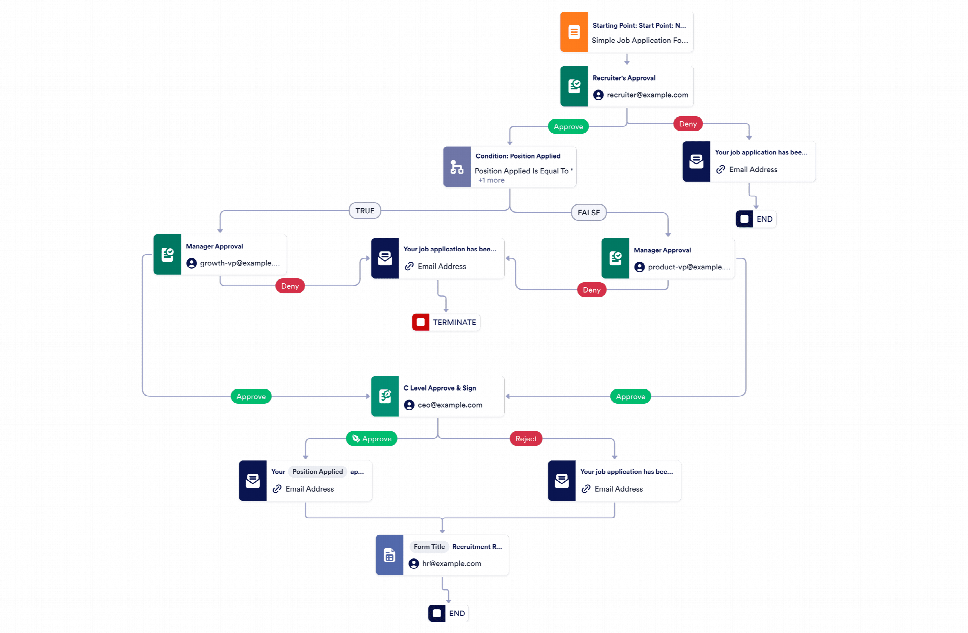
Aprobación de nuevas contrataciones
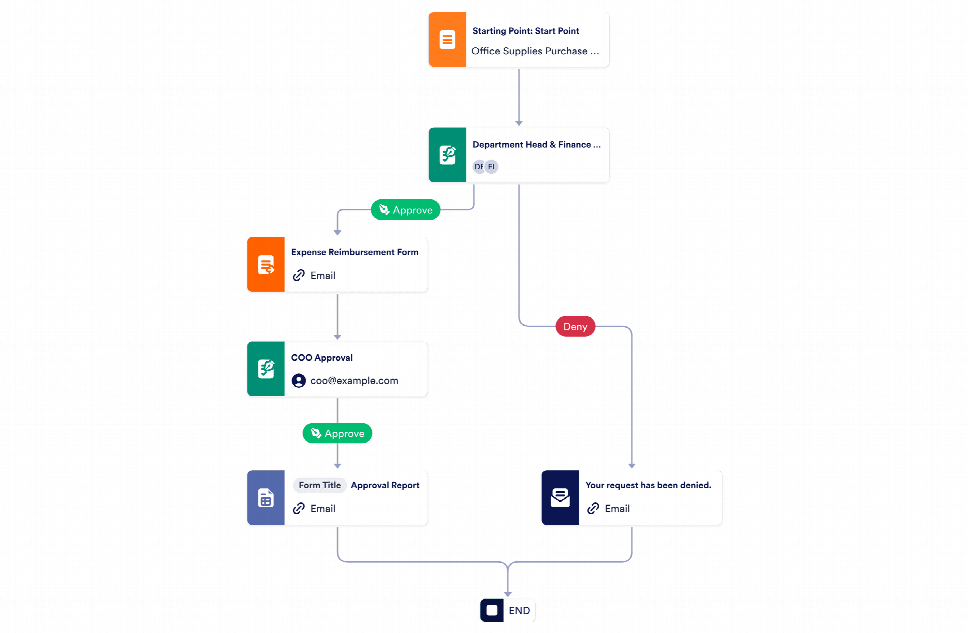
Aprobación de órdenes de compra
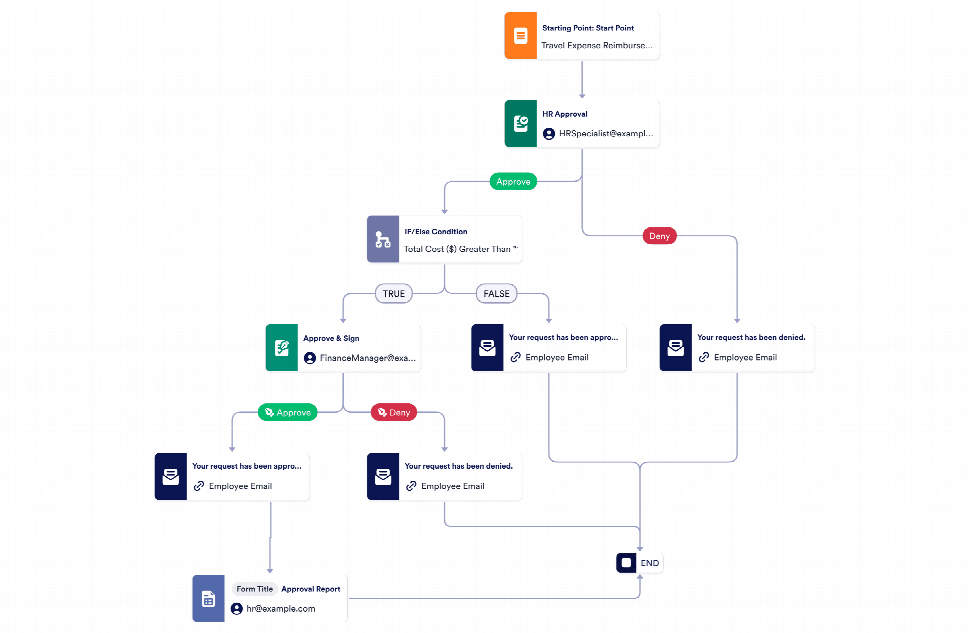
Travel Expense Reimbursement Approval
Inicie su Proceso de Aprobación
Discover what you can do more with Jotform Workflows — without any coding!
Ahorre tiempo con la automatización
Cree un flujo de aprobación que se adapte al máximo a su empresa en pocos clics. El sistema de gestión de aprobaciones de Jotform incluye un creador sencillo para que pueda modificar rápidamente su flujo de trabajo, sin necesidad de codificación.
Cree su Flujo de trabajo — Es gratis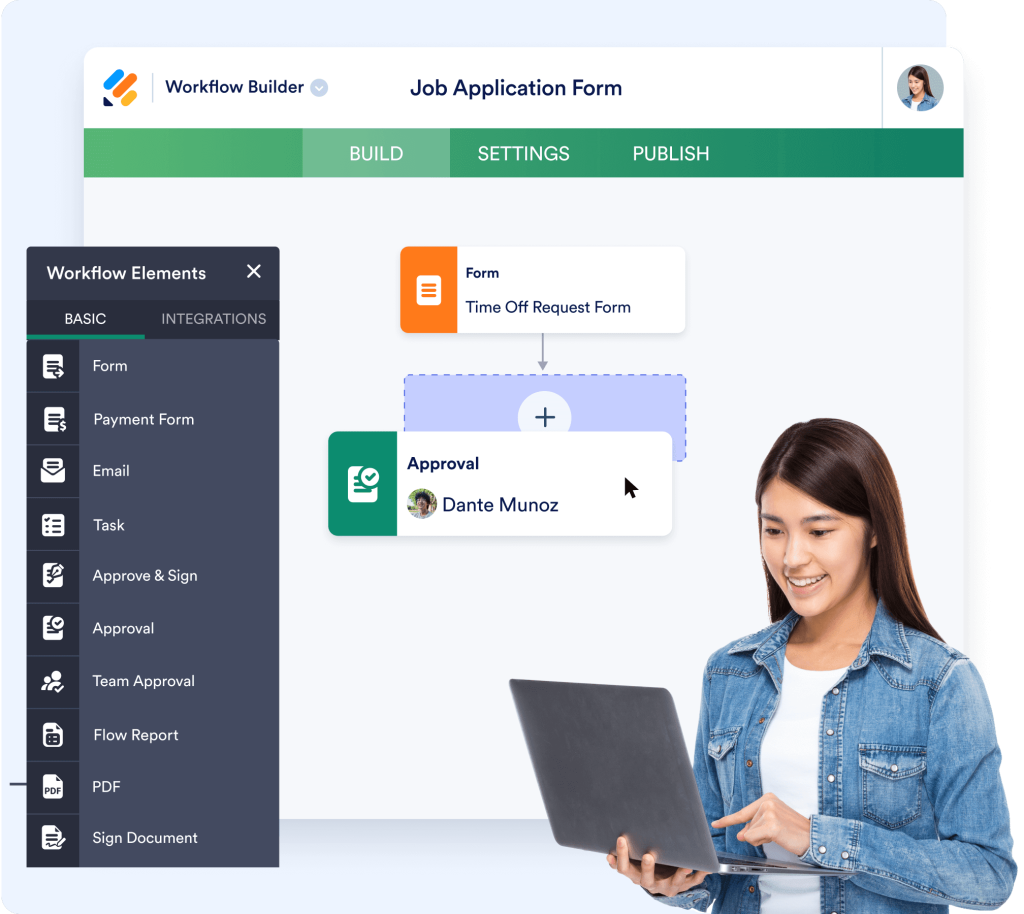
Añada funciones avanzadas de aprobación
Mejore su proceso de aprobación mediante ajustes que respondan con exactitud a sus intereses. Cree resultados a la medida, añada condiciones lógicas, configure emails recordatorios y fechas de caducidad, deje comentarios, reasigne tareas y mucho más.
Cree su Flujo de trabajo — Es gratis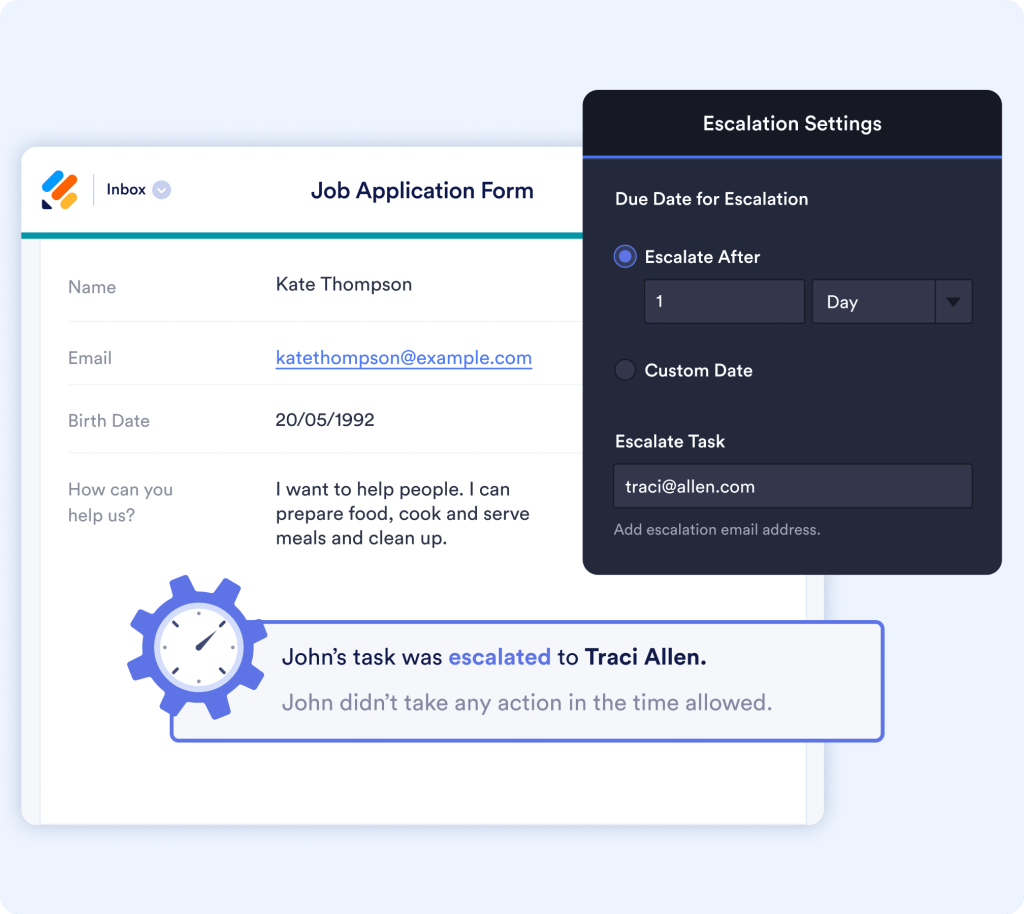
Ahorre tiempo con la automatización
Let our approval management software do the thinking for you. With the Jotform Workflows conditional branching feature, you can set up your approval flow to automatically take actions — such as forwarding tasks or sending emails — based on the conditions you set.
Cree su Flujo de trabajo — Es gratis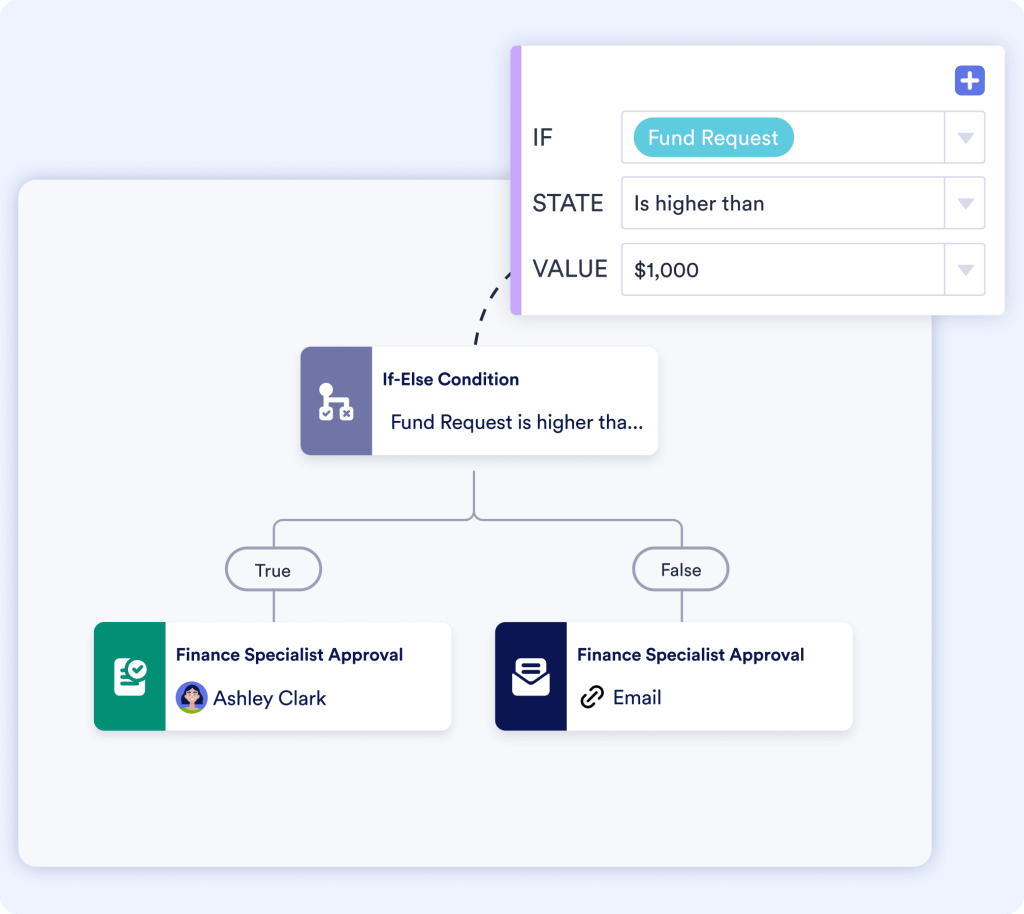
Preguntas Frecuentes
What is Jotform Approval Management Software?
Jotform Approval Management Software is a no-code, drag-and-drop tool that lets you automate and streamline approval workflows in just a few clicks. Whether you're handling PTO requests, budget sign-offs, document reviews, or any kind of internal process requiring approval, this tool helps you route submissions to the right people, collect decisions, and keep everything organized — all without needing a developer.
Who is Jotform Workflows best suited for?
Jotform Workflows is designed for teams of all sizes and across industries. HR teams use it for onboarding and time-off requests, finance departments manage expense and budget approvals, while marketing and creative teams streamline content and campaign sign-offs. Whether you're a nonprofit, school, startup, or enterprise, if you have processes that require approvals, Jotform can save you time and hassle.
How does the approval workflow builder work?
Our intuitive visual builder lets you create custom approval flows using simple logic and drag-and-drop blocks. You can assign approvers, set conditional paths, send automated emails, and define outcomes based on responses — all from a single dashboard. It's as easy as building a form.
Can I connect forms to approval workflows?
Yes! You can link any Jotform form directly to an approval workflow. For example, a vacation request form can trigger an approval flow that notifies a manager, collects a decision, and sends a confirmation to the employee — all automatically.
What happens when an approver doesn't respond?
You can set time limits and auto-reminders for approvals. If someone doesn't respond within your specified timeframe, Jotform can send follow-ups or escalate the request to another person. That way, nothing slips through the cracks.
Can I track the status of each request?
Yes. Every approval submission has a full activity log. You can see who approved or denied it, when the decision was made, and even view comments or attachments. It's full transparency at your fingertips.
Do I need to code or hire a developer to set it up?
Not at all. Jotform Workflows is 100% no-code. Anyone — regardless of technical background — can build powerful approval workflows using our intuitive interface. It's perfect for busy professionals who need quick solutions.
How much does it cost to use Jotform Workflows?
Jotform Workflows is included with all Jotform plans, including the free tier. However, features like HIPAA compliance and higher submission limits are available on paid plans. You can start free and upgrade as your needs grow.
Can I integrate Jotform Workflows with other tools?
Sí. Jotform admite integraciones con plataformas populares como Slack, Google Drive, Dropbox, Trello y Airtable, entre otras. También puede emplear Jotform Tablas y el Creador de reportes Jotform para gestionar y visualizar los datos de aprobación.
How can Jotform Workflows help streamline HR processes?
Jotform Workflows automates HR workflows like PTO requests, employee onboarding, policy acknowledgments, and performance reviews. By routing requests to the appropriate managers and automating notifications and decisions, HR teams save hours of manual follow-ups.
Can HR documents and employee records be stored securely?
Sí. Todos los envíos pueden almacenarse en Jotform Tablas o integrarse con servicios en la nube como Google Drive. Los controles de acceso aseguran que sólo el personal de RRHH autorizado pueda ver los registros confidenciales, y hay disponibles opciones compatibles con la HIPAA para mayor seguridad.
Can I use Jotform Workflows for student or faculty requests?
Absolutely. Schools and universities use it for absence approvals, club activity requests, faculty travel authorizations, and more. You can create multi-step flows involving students, faculty heads, and administration — with full audit trails.
Do I need IT support to build approval workflows for my school?
Nope! Jotform is entirely no-code and user-friendly. Teachers, admins, or office staff can set up and manage workflows without needing technical help.
Is Jotform HIPAA-friendly for healthcare approval workflows?
Yes, with a Gold or Enterprise plan, Jotform offers HIPAA compliance, making it safe for collecting and routing PHI (protected health information). Healthcare teams use it for patient referrals, internal requests, and even medical leave approvals.
Can I use Jotform Workflows for internal operations like supply orders or lab requests?
Definitely. Many healthcare clinics use Jotform Workflows for internal logistics — such as lab result approvals, purchase requests, or equipment sign-offs — streamlining operations and maintaining clear accountability.
How can nonprofits use Jotform Workflows?
Nonprofits use Jotform Workflows for managing volunteer sign-ups, donation fund disbursements, grant application reviews, and internal requests. You can automate multi-layer approval chains for transparency and faster response times.
Does Jotform offer nonprofit discounts?
Yes! Jotform proudly offers a 50% discount to eligible nonprofit organizations. You can apply via the nonprofit discount page.
Can I manage content or campaign approvals with Jotform?
Yes. Jotform Workflows is perfect for reviewing creative briefs, social media posts, ad campaigns, and brand assets. You can add multiple approvers (e.g., designer, brand manager, director) and track all feedback in one place.
Can I collect client approvals or feedback using this tool?
Definitely. Share your form and approval process with external clients via email. They can approve, deny, or leave feedback — and you can automate follow-ups based on their response.
Obtenga soluciones profesionales con Jotform Empresarial
Descubra cómo Jotform Empresarial puede beneficiar a su organización. Automatice, colabore, y escale con facilidad.