Formularios médicos y plantillas
Ponga en marcha el diseño de su formulario con una plantilla profesional de formulario médico de Jotform. Son totalmente personalizables y fáciles de editar.
Favor siga las normas HIPAA para asegurarse que el manejo de la información personal de salud cumpla con la HIPAA.


Formularios médicos Form Templates


Healthcare Forms are digital forms specifically designed to be customized to help meet the complex and varied needs of the healthcare industry. These forms can help with streamlining a multitude of operational tasks such as patient intake, medical history documentation, appointment scheduling, and feedback collection. In real-world scenarios, Healthcare Forms are utilized by hospitals, clinics, and private practices to facilitate efficient patient data management and improve overall service delivery. By digitizing these processes, healthcare providers can focus more on patient care rather than administrative burdens, with the goal of providing a higher standard of service and care continuity.
Jotform stands out as the leading online form builder for creating Healthcare Forms. It provides healthcare professionals with tools to customize forms effortlessly, allowing them to tailor specific operational requirements. This customization is complemented by the ability to automate data collection, significantly reducing the time spent on manual data entry. With Jotform Tables, data management becomes centralized and streamlined communication across departments. This approach helps healthcare providers maintain accurate and up-to-date records, enhancing both operational efficiency and patient satisfaction.
Why Use Healthcare Forms?
- Healthcare Forms can help reduce manual data-entry errors data collection, which is crucial in the healthcare industry where precision is a matter of patient safety and care quality. Customers can review information from forms to help maintain high standards of data integrity.
- Speed is another significant advantage, as digital forms can be filled out and processed much faster than traditional paper forms. This rapid processing can be helpful for efficient information collection and management.
- Jotform offers security features designed to help safeguard data, such as through the use of encryption. These security measures can help with maintaining compliance with regulations such as HIPAA, which governs the protection of patient information.
- Healthcare Forms also enable easy integration with other digital systems, enhancing workflow efficiency. This means that patient data can be seamlessly transferred between systems, which helps with ensuring that healthcare professionals always have access to the most current information.
- The ability to incorporate electronic signatures can help streamline consent and authorization processes, while reducing the need for physical paperwork. This not only helps save time but also helps with documenting and obtaining approvals.
- Customization options allow healthcare providers to tailor forms to specific needs, helping capture relevant information accurately. This flexibility is helpful for adapting to the unique processes of different healthcare organizations.
Common Problems Solved by Healthcare Forms
- One of the most common issues in healthcare is the overwhelming amount of paperwork required for patient intake, billing, and record-keeping. Healthcare Forms can help alleviate this burden by digitizing processes, potentially reducing the need for physical document handling.
- Manual data entry is not only time-consuming but also typically prone to errors. By automating data collection through digital forms, healthcare providers can help reduce these risks, collecting accurate and reliable patient records.
- Lost or misplaced data can lead to critical gaps in patient care. Healthcare Forms help ensure that all data is securely stored and easily accessible, help prevent information from being lost and enable quick retrieval when needed.
- Compliance with healthcare regulations typically requires meticulous record-keeping and data protection. Healthcare Forms help support compliance efforts by providing security measures for data storage and audit trails, which can make it easier to align with regulatory requirements.
- Communication breakdowns between departments may impede patient care. By centralizing data management, Healthcare Forms can facilitate smoother communication and coordination among healthcare teams, helping improve service delivery.
Matching Use Cases to Features
- The Drag-and-Drop Form Builder is designed for creating intake forms, allowing healthcare providers to easily configure forms or adjust fields to help collect essential patient information, which can enhance data collection efficiency.
- Conditional Logic can be applied to Healthcare Forms to streamline complex workflows, such as triage forms, by dynamically configuring questions based on previous answers to collect only relevant information.
- For payment collection, integrating one of the 30+ available payment gateways like Stripe or PayPal helps secure the processing of patient payments, reduce administrative overhead and improve cash flow.
- Electronic Signatures (Jotform Sign) are integral for consent forms, allowing patients to sign documents digitally, which can help simplify the process and speed up the approval process for patient care like treatments and procedures.
- The PDF Editor enables the automatic generation of professional PDF documents from form submissions like creating comprehensive patient reports and discharge summaries.
- Using the Report Builder, healthcare providers can generate insightful reports from collected data, which can be used to help in decision-making and the evaluation of patient trends or treatment outcomes.
- Offline Data Collection via Jotform Mobile Forms allows healthcare professionals to collect patient data in areas with limited internet access, helping ensure that no data is lost and accessibility to healthcare services.
How to Create a Healthcare Form
- Start by browsing the Template List for a suitable Healthcare template or choose to start from a blank form to build a customized solution from scratch.
- Customize the design and fields using the Drag-and-Drop Form Builder, ensuring that the configuration collects necessary information and the form aligns with your specific workflow requirements.
- Publish and share the form via Direct Link, Email, or Website Embed, making it accessible to authorized individuals like patients and staff, facilitating immediate use and data collection.
Top Use Cases for Healthcare Forms
- For Managers: Healthcare Forms can provide managers with the ability to help oversee and streamline administrative processes. By using digital forms, managers can monitor workflows in real-time, helping manage the overall operational efficiency of the healthcare facility.
- For Teams: Healthcare teams benefit from using Healthcare Forms through configuring forms to help improve coordination and communication. These forms enable seamless data sharing between team members, ensuring authorized individuals can have access to the same up-to-date information. This can help improve collaboration and reduce potential risk of miscommunication.
- For Customers: Patients and their families can experience a more streamlined and user-friendly process when interacting with healthcare providers that configure their digital forms. Online forms can help save time and avoid the hassle of paperwork during visits. This convenience can help improve the patient experience, foster better communication with healthcare providers, and encourage proactive engagement in their own healthcare journeys.
Summarizing Healthcare Forms
Healthcare Forms, configured using Jotform's online form builder, can help provide support for the healthcare industry’s challenges with data management and workflow efficiency. By digitizing and automating various processes, these forms can help enhance accuracy, speed, and security in data handling, supporting patient care and streamlined operations. Jotform's customizable features and seamless integrations help healthcare providers configure forms to meet their needs.

Historia Clínica Paciente
Un formulario de historial del paciente es una plantilla de formulario diseñada para recopilar información médica de los pacientes.

Formulario De Registro De Pacientes Y Control De Vacunación
Formulario que registras datos generales de pacientes, útil para médicos de clínicas privadas o personal sanitario de hospitales.
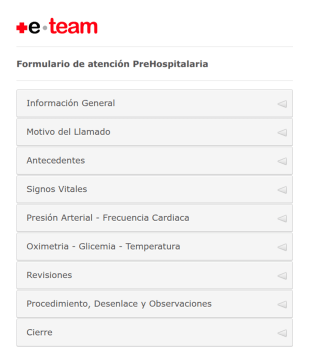
Formulario De Atención Prehospitalaria
Formulario de atención prehospitalaria
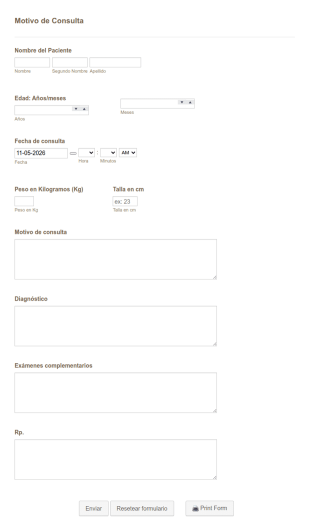
Formulario De Consultas Pediátricas
Una Plantilla mejorada para consultas pediátricas. Destinado para pediatras de clínicas privadas o públicas, este formulario funciona como una ficha para guardar la historia clínica o consulta pediátrica, desde los datos generales como nombre, talla, peso, hasta motivo de consulta, diagnóstico, exámenes y diagnóstico.

Laboratorio Biometría Hemática
laboratorio de quimica
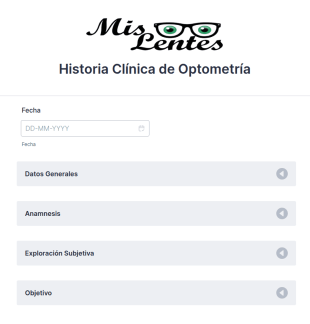
Historia Optometría
formulario de história clínica de optometría
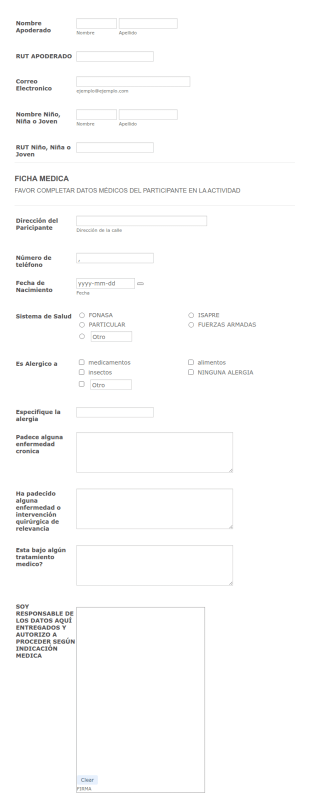
Datos Médicos De Participante En Evento
Un formulario práctico que reune datos importantes como el sistema de salud adscrito, alergias, historial de enfermedades,responsable de datos ingresados y firma. Puede servir para organizadores de eventos y aseguradoras.
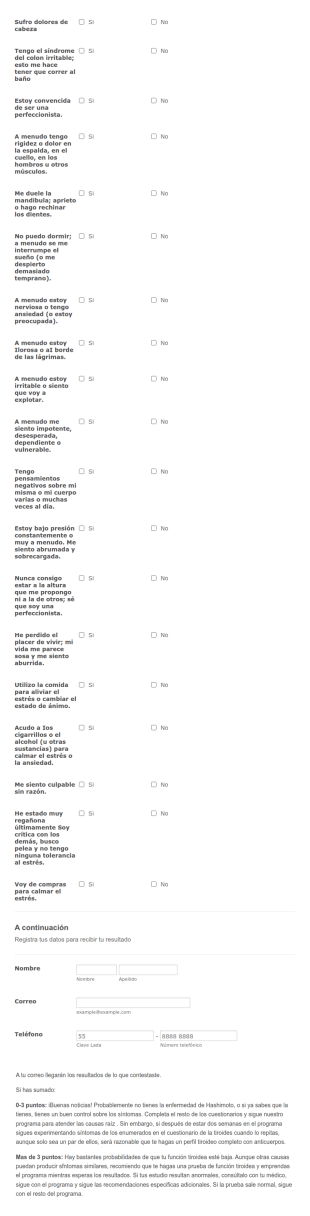
Listado De Síntomas De Enfermedad Hashimoto
Un cuestionario que permite seleccionar de una lista de síntomas para saber si se padece de la enfermedad hashimoto
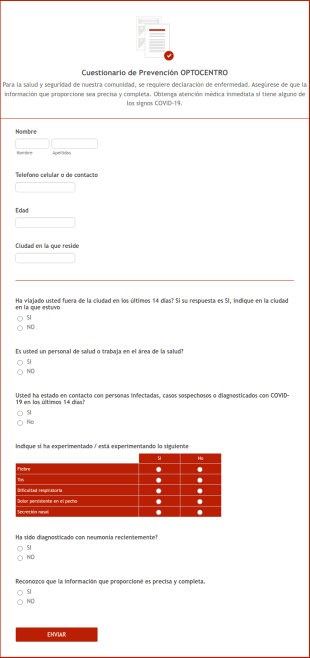
Formulario De Autodeclaración De Coronavirus
Cuestionario acerca de los signos Coronavirus para autodeclaración.
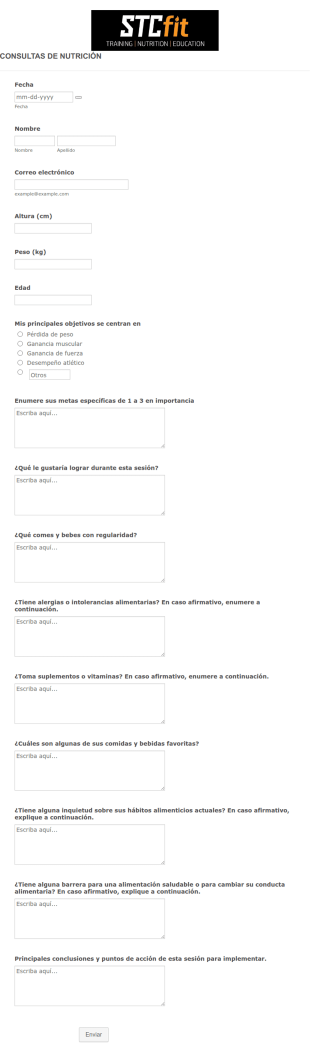
Formulario De Consulta Nutricional
El formulario de consulta nutricional ayuda a los dietistas a recopilar las ingestas de los clientes y a mejorar la nutrición y los hábitos alimentarios de los pacientes.
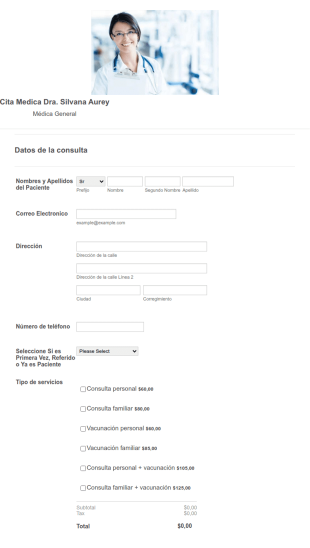
Medical Appointment Form In Spanish
This form allows your patients to make appointments online
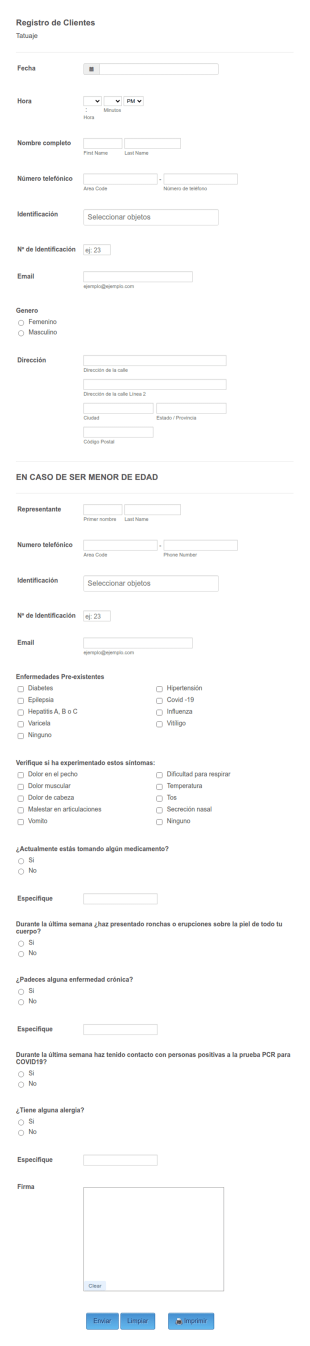
Registro De Tattoo
tatto
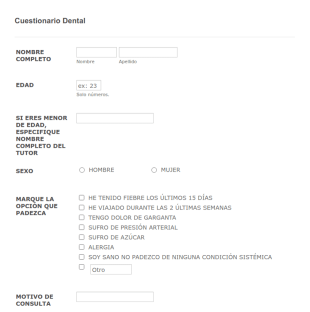
Cuestionario Dental
PARA EVALUAR COVID-19 EN CONSULTÓ DENTAL

Formulario De Admision
Formulario para spa o esteticas

Historia Clínica Depilación Láser
Historia clínica depilación láser

Encuesta De Investigación De Bioseguridad
Una Encuesta de Investigación multi-página compuesta de varios tipos de preguntas sobre bioseguridad en el área de radiología.

Formulario De Registro De Asistencia Médica
Para llevar registro de titular y beneficiarios de seguros de asistencia médica

Ficha Medica Estudiantil 2021
Formulario de Diseño de Gráfico
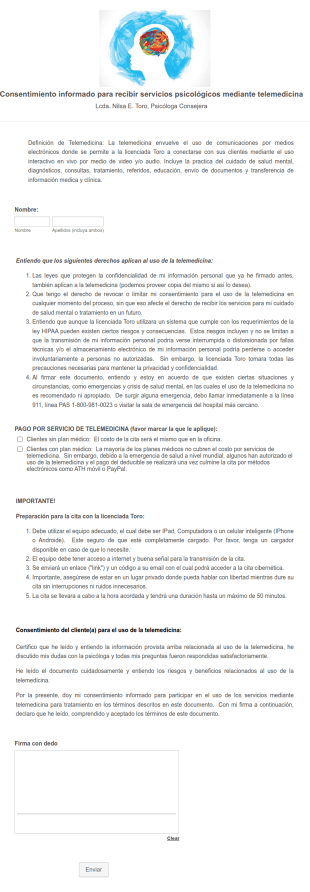
Consentimiento Informado Para Servicios Psicologicos Mediante Telemedicina
Formulario de consentimiento para servicios psicologicos usando telemedicina.
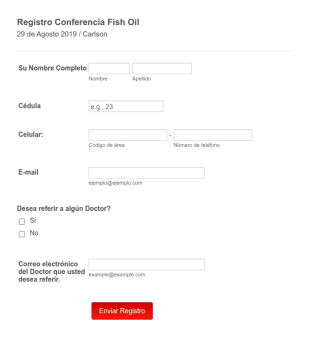
Registro A Conferencia Médica
Un pequeño formulario para registrarse a una conferencia o referir a un doctor

Formulario De Evaluación De Enfermería
"Las enfermeras registradas utilizan un formulario de evaluación de enfermería para evaluar a los pacientes y sus síntomas. Si es un administrador o administrador de enfermería, este Formulario de evaluación de enfermería gratuito facilitará que su personal de enfermería evalúe a los pacientes y almacene datos médicos en línea. Simplemente personalice el formulario para satisfacer sus necesidades y compártalo con las enfermeras por correo electrónico para que puedan completarlo con cualquier dispositivo. Recibirá instantáneamente envíos en su cuenta segura de Jotform, protegida por el cumplimiento de HIPAA si ha actualizado su plan. Personalizar su formulario de evaluación de enfermería solo requiere unos pocos clics con nuestro generador de formularios de arrastrar y soltar. Sin ningún tipo de codificación, puede agregar campos de formulario para recopilar otros datos de pacientes, firmas electrónicas o cargas de archivos, e incluso sincronizar el envío de formularios con las aplicaciones que ya usa: Jotform ofrece más de 100 integraciones de aplicaciones, incluso con software opcional compatible con HIPAA como Google Drive y Dropbox. Reduzca el uso de papel en su hospital y facilite que las enfermeras traten a los pacientes más rápido con un Formulario de evaluación de enfermería personalizado que pueden completar en cualquier dispositivo."
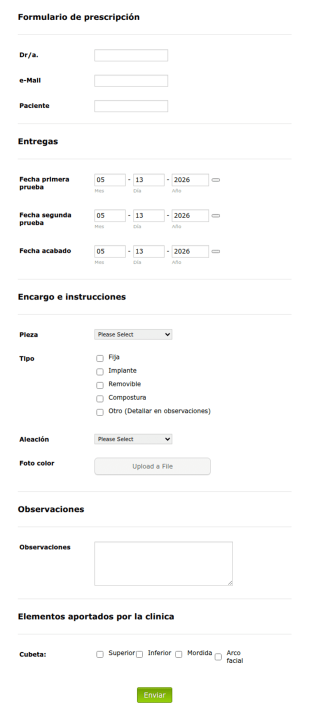
Proart Prescripcion V2
Con esta plantilla es posible prescribir tratamiento dental a un paciente.

Medicina Humana Y Evaluación Familiar Para Atención Médica
Muy útil para recabar datos sobre grupos familiares, localizacion de vivienda y datos demográficos, riesgos de salud.

Calidad Del Sueño De Pittsburgh
Calidad del sueño de Pittsburgh
Plantillas PDF Médicas


Healthcare PDF Templates are pre-designed, reusable layouts that cater specifically to the healthcare industry, providing a seamless way to generate, manage, and distribute a wide array of documents such as patient intake forms, medical reports, and discharge summaries. These templates are crucial in streamlining documentation processes by eliminating the need for repetitive manual work and ensuring that healthcare providers maintain consistent and professional documentation standards. Within the fast-paced and meticulous environment of healthcare, these templates serve as indispensable assets that enhance operational efficiency by automatically converting collected data from online submissions into structured, professional PDF documents.
Jotform stands as a leading online form builder, providing healthcare organizations with powerful tools to customize and automate their data collection processes. Its intuitive drag-and-drop interface allows for easy customization of templates, enabling users to tailor documents specifically to their organizational needs. Furthermore, with Jotform Tables, healthcare providers can centrally manage all collected data, ensuring that it is both easily accessible and securely stored. This centralized approach not only facilitates efficient data handling but also enhances the accuracy and reliability of the information processed, ultimately supporting better patient care and streamlined administrative operations.
Why Use Healthcare PDF Templates?
- Healthcare PDF Templates significantly enhance the accuracy of documentation by ensuring that all necessary information is captured and formatted consistently. This reduces the risk of errors that often occur with manual data entry, leading to more reliable patient records and administrative documentation.
- These templates accelerate the data collection and processing timelines by automating the conversion of form responses into polished PDF documents. This automation means that healthcare staff can focus on patient care rather than being bogged down by paperwork, thus improving overall operational efficiency.
- By using Healthcare PDF Templates, healthcare organizations can project a professional image with documents that are uniformly formatted and aesthetically consistent. This is particularly important in maintaining trust and credibility with patients and other stakeholders.
- With the ability to easily customize templates, healthcare facilities can ensure that their documents meet specific regulatory and operational requirements. This flexibility is crucial in adapting to changing industry standards without the need for extensive redesigns.
- The streamlined approach to data management and document generation minimizes the risk of lost or misplaced information. Templates ensure that all data is systematically captured and stored, reducing the likelihood of critical information being overlooked or lost in transit.
Common Problems Solved by Healthcare PDF Templates
- Manual data entry and paperwork are time-consuming and prone to errors. Healthcare PDF Templates automate these processes, reducing the time spent on documentation and minimizing the chances of mistakes that can have significant consequences in patient care.
- In traditional systems, the risk of losing or misplacing important documents is high. With Healthcare PDF Templates, all information is digitized and stored securely, ensuring that it is always accessible when needed, thereby enhancing operational reliability.
- Managing large volumes of paper documents can lead to inefficiencies and clutter. By digitizing documents through templates, healthcare organizations can streamline their operations and maintain a more organized and efficient workflow.
- Consistency in document formatting can be challenging to achieve manually, leading to discrepancies and unprofessional outputs. Templates ensure that all documents adhere to a set standard, enhancing the professionalism and uniformity of documentation.
Matching Use Cases to Features
- For patient intake processes, using the Drag-and-Drop Form Builder allows healthcare providers to customize fields specific to their needs, ensuring that all necessary patient information is captured accurately.
- By implementing Conditional Logic, healthcare facilities can tailor form questions based on previous responses, creating a dynamic and streamlined data collection process that adapts to patient inputs.
- The integration of Electronic Signatures (Jotform Sign) simplifies consent and authorization processes, allowing patients to sign documents digitally, thus speeding up workflows and enhancing convenience for both patients and staff.
- Utilizing the PDF Editor for Automated PDF Generation ensures that data collected via online forms is instantly converted into professional-grade PDF documents, saving time and reducing manual errors in document creation.
- Secure Data Management with Jotform Tables enables healthcare organizations to store and manage data centrally, ensuring quick access and enhancing the security of sensitive patient information.
How to Create a Healthcare PDF Template
- Start by browsing the Template List for a Healthcare PDF template that suits your needs, or begin from a blank template to create a customized layout.
- Use the Drag-and-Drop Form Builder to customize the design and fields on your template, tailoring the document to meet specific healthcare requirements.
- Once the template is ready, publish and share it via Direct Link, Email, or Website Embed to facilitate easy distribution and access.
Top Use Cases for Healthcare PDF Templates
- For Managers: Healthcare PDF Templates provide managers with an efficient way to oversee and standardize document workflows across their organizations. By using these templates, managers can ensure that all documentation meets organizational standards and is consistent in its presentation, which is crucial for maintaining quality and compliance. This not only aids in internal audits but also enhances interdepartmental communication by providing clear and uniform documents that are easy to understand and manage.
- For Teams: For healthcare teams, these templates simplify the process of collecting and managing patient information. Teams can rely on standardized templates to input and access patient data quickly, reducing the time spent on administrative tasks and allowing more focus on patient care. This streamlined approach enhances collaboration and communication within teams, as all members have access to the same formats and information, ensuring that everyone is on the same page.
- For Customers: Patients benefit from the clarity and professionalism that Healthcare PDF Templates bring to their healthcare interactions. By receiving documents that are well-organized and easy to understand, patients can better comprehend their medical records, treatment plans, and any other information provided by their healthcare providers. This transparency and professionalism can increase patient trust and satisfaction, as they feel more informed and involved in their healthcare journey.
Summarizing Healthcare PDF Templates
Healthcare PDF Templates offer a robust solution for managing documentation needs within the healthcare industry. By leveraging these templates, organizations can achieve greater consistency, efficiency, and accuracy in their documentation processes. The ability to automate the transformation of online form submissions into professional PDF documents streamlines operations, reduces errors, and enhances overall productivity. In essence, these templates not only improve the internal workflows of healthcare providers but also significantly enhance the patient experience by ensuring clear and professional communication.

Verificación de Embarazo Plantilla
¿Necesitas una forma rápida y profesional de verificar los embarazos de las pacientes que acuden a tu consulta? Jotform te puede ayudar. Cree una plantilla de verificación de embarazo con Jotform Sign y añada los detalles personales de la paciente. Agregue detalles específicos de la clínica, envíe a los pacientes y recopile firmas en solo unos minutos. Envíe directamente a sus pacientes a través de un enlace o añádalo a su portal de pacientes en línea para tener una referencia rápida.Incluso puede personalizar su plantilla de verificación de embarazo para que se adapte a las necesidades de su clínica u hospital. Agregue campos de formulario adicionales, cambie tipografías y colores, cree procesos automatizados y mucho más. Una vez sus pacientes reconozcan y firmen este formulario, cada parte recibirá una copia final para sus registros. Omita el papeleo sin orden y cambie a Jotform Sign para verificar los embarazos de sus pacientes.

Consentimiento de Fisioterapia Profesional Plantilla
Un formulario de consentimiento de fisioterapia profesional se utiliza para recopilar información personal y el consentimiento de un paciente antes de comenzar la fisioterapia. Con la plantilla de consentimiento de fisioterapia profesional de Jotform Sign, se puede crear y personalizar un formulario de consentimiento que sea legalmente vinculante para su práctica de fisioterapia y recopilar firmas desde cualquier dispositivo.¿Necesita hacer cambios en esta plantilla de consentimiento de fisioterapia profesional? ¡No hay problema! Simplemente arrastre y suelte para editar términos y condiciones, agrege o elimine campos, cambie fuentes y colores, agregue su propio logotipo y mucho más. Una vez que haya terminado de personalizar esta plantilla de Consentimiento de fisioterapia profesional, compártala con los pacientes por correo electrónico y luego reciba un documento PDF finalizado una vez que ambas partes hayan firmado. Para recopilar firmas de forma segura en cualquier momento y en cualquier lugar, utilice esta plantilla con Jotform Sign.

Plantilla de Factura Médica
Los consultorios médicos, hospitales y otras organizaciones sanitarias utilizan una plantilla de factura médica para mostrar a los pacientes los costes en que han incurrido por las visitas médicas. Con esta plantilla gratuita de factura médica, que genera automáticamente facturas en PDF, podrá dedicar menos tiempo al papeleo y más a atender a sus pacientes. Para empezar, solo tiene que rellenar un breve formulario con los tratamientos y costes de cada paciente. Una vez enviado el formulario, se generará una factura en PDF que podrá descargar o imprimir fácilmente — o enviar a los pacientes automáticamente con un correo de autorespuesta. Haga que esta plantilla de factura médica se adapte a las necesidades de su organización, añadiendo su logo exclusivo, reorganizando el diseño y actualizando las fuentes y los colores con nuestro Editor PDF de arrastrar y soltar. En unos pocos clics obtendrá el aspecto que desee. Si desea enviar automáticamente los PDF de las facturas a otras cuentas — como cuentas de almacenamiento en la nube como Google Drive, Dropbox o Box — hágalo automáticamente con las más de 100 integraciones de formularios gratuitas de Jotform. Reduzca la introducción manual de datos y acelere el proceso de facturación de su organización médica con esta plantilla de factura médica en línea gratuita.

Plantilla de Prescripción
Una plantilla de prescripción es un documento que contiene información sobre los medicamentos que un médico ha recetado a un paciente. Los profesionales sanitarios autorizados para recetar medicamentos y elaborar planes de tratamiento para sus pacientes pueden utilizar una plantilla de prescripción. Este documento es útil para diversas tareas, como la verificación de recetas, la documentación de un régimen de tratamiento y el mantenimiento de historiales médicos. Esta plantilla de prescripción en PDF incluye campos para el número de prescripciones, la fecha de la receta, la información del paciente, cualquier problema de salud, los medicamentos recetados, la información del médico y la firma del médico. El formulario adjunto a la plantilla utiliza el elemento Tabla de entrada para mostrar el nombre de cada medicamento y la finalidad o el motivo de su uso, así como información sobre la dosis y la frecuencia. El formulario también utiliza el widget ID único, que proporciona automáticamente un número único para cada prescripción. Puede utilizar el Editor de PDF de Jotform para personalizar fácilmente el diseño y cambiar el tema de color del PDF resultante.


Obtenga soluciones profesionales con Jotform Empresarial
Descubra cómo Jotform Empresarial puede beneficiar a su organización. Automatice, colabore, y escale con facilidad.