Web siteniz için Randevu Sistemi Widget'ı
Ziyaretçilerin bir hizmet seçmesine, uygun tarih ve saati belirlemesine, iletişim bilgilerini girmesine ve web sitenizden ayrılmadan net bir onay ekranı görmesine olanak tanıyın.
Randevu Sistemi widget'ı nasıl oluşturulur
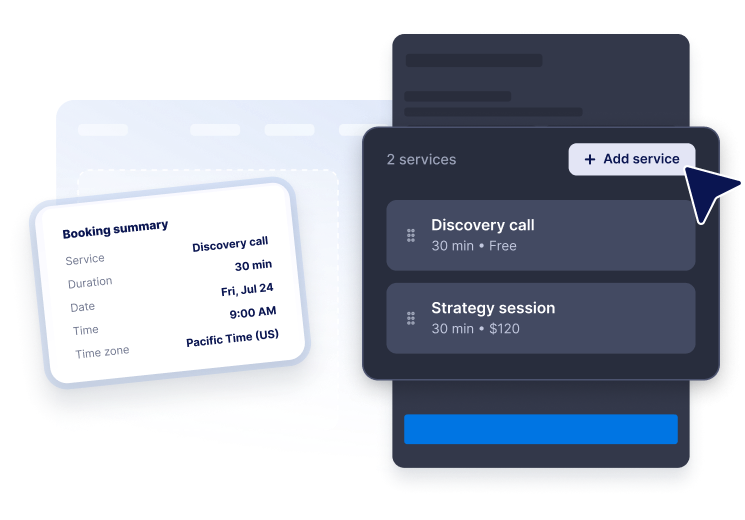
Hizmetlerinizi ekleyin
Randevu türlerini açıklama, süre ve fiyat bilgileriyle listeleyin; ziyaretçilerin kendilerine uygun seçeneği bulmasını kolaylaştırın.
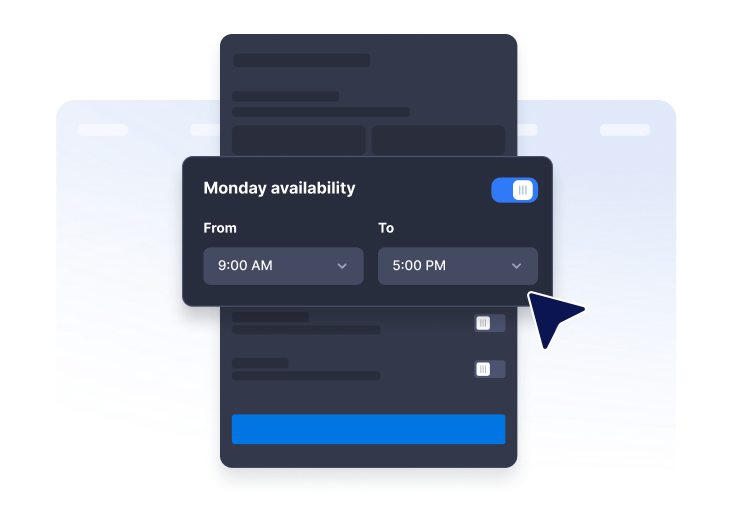
Müsaitlik durumunu ayarlayın
Haftalık çalışma saatlerini, randevu aralıklarını, randevuların ne kadar önceden alınabileceğini, ne kadar ileri bir tarihe randevu verilebileceğini, saat dilimini ve uygun olmadığınız tarihleri belirleyin.

Web sitenize yerleştirin
Randevu formunu ve tasarımını özelleştirin, ardından widget'ı müşterilerin hizmetlerinizi incelediği sayfalara ekleyin.
Ziyaretçilere kendi randevularını kolayca oluşturabilecekleri profesyonel bir deneyim sunun.
Hizmetleri süre ve fiyatlandırmayla birlikte gösterin
Hizmetlerinizi açıklamaları, randevu süreleri ve ücretsiz, sabit ya da başlangıç fiyatlarıyla birlikte anlaşılır bir listede sunun.

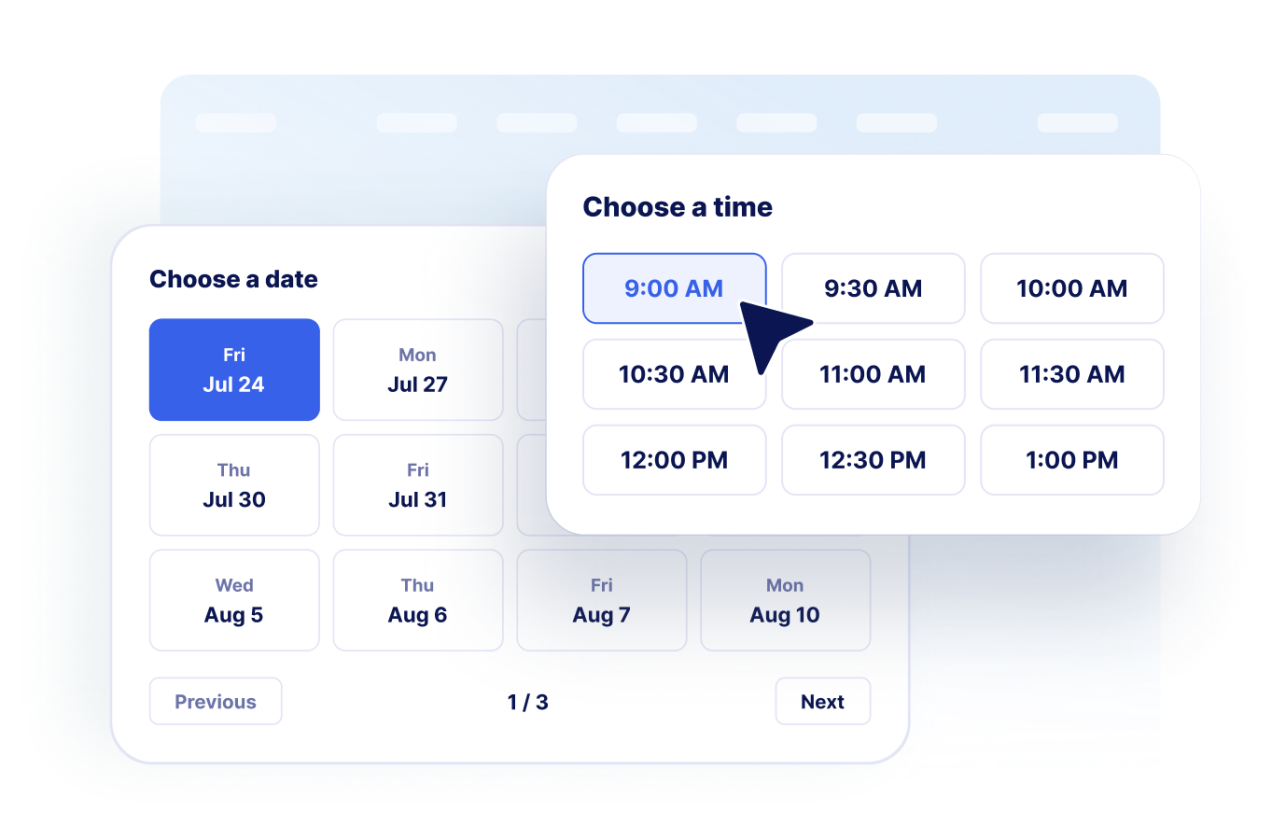
Müşterilerin bir tarih ve saat seçmesine izin verin
Haftalık uygunluk durumunuza ve randevu kurallarınıza göre oluşturulan uygun tarih ve saatleri gösterin.
Müşteri iletişim bilgilerini toplayın
Onay ekranına geçmeden önce ziyaretçilerden ad, e-posta, isteğe bağlı telefon numarası ve randevu notlarını alın.

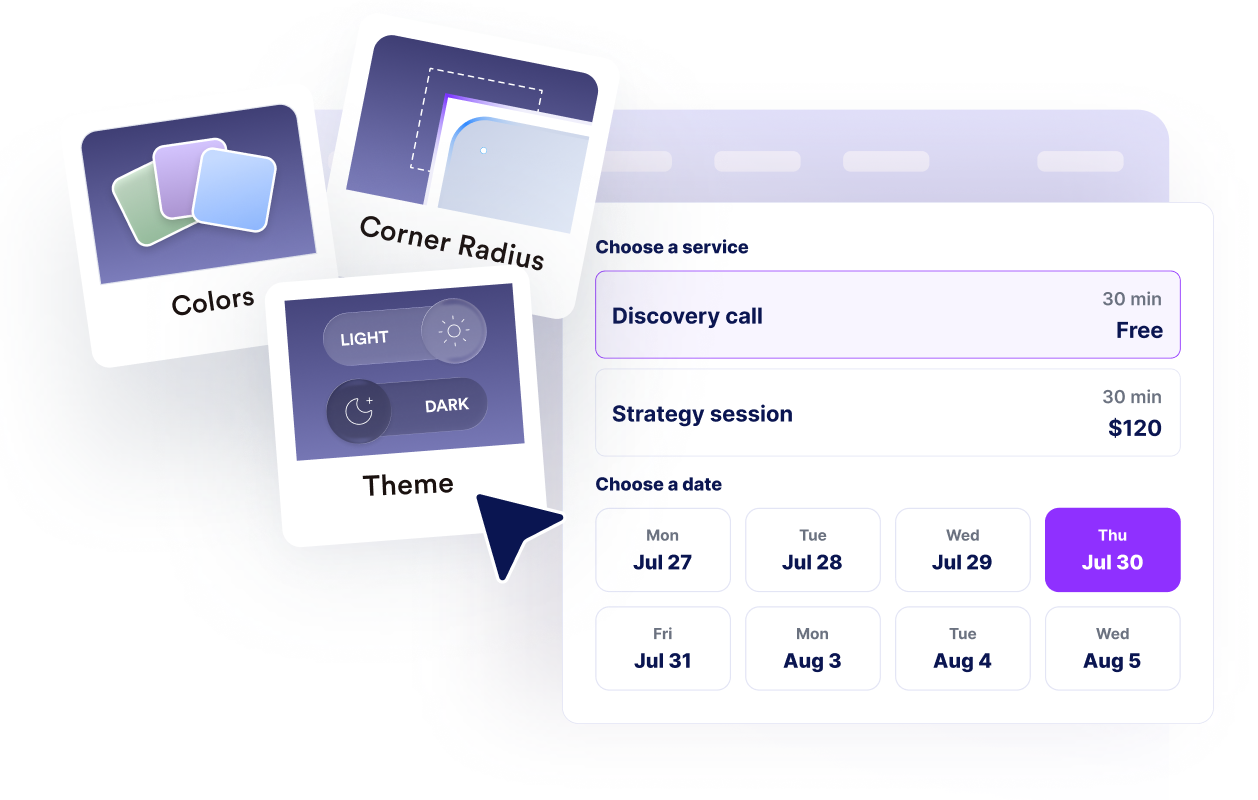
Markanıza ve iş akışınıza uyum sağlayın
Web sitesine tam uyum için düzeni, renkleri, onay metnini, marka ögelerini, takvim notlarını ve gelişmiş CSS'yi özelleştirin.
Jotform Zaman Çizelgesi Oluşturma Widget'ları neden öne çıkıyor
Jotform'un widget'ları web sitenizi daha etkileşimli hale getirir ve dönüşümleri artırır. Yıldızlı değerlendirmelerden ve kullanıcı görüşü kaydırıcılarından sosyal kanıt açılır pencerelerine ve medya yerleştirmelerine kadar birçok araç mevcut. Veri toplamak, kanıt göstermek ve potansiyelmüşteri yakalamak için kod yazmanıza gerek olmadan formlarınıza veya açılış sayfalarınıza widget'lar ekleyin.
Basit bir yerleştirme koduyla Jotform widget'larını web sitenize ekleyin. Bir geliştiriciye ihtiyaç duymadan widget'ı özelleştirin, nasıl göründüğünü önizleyin ve özel HTML ya da yerleştirme bloklarını destekleyen herhangi bir sayfaya yapıştırın.
Potansiyel müşterileri toplamak, müşteri geribildirimlerini göstermek, sosyal kanıt sunmak, medya içeriklerini yerleştirmek veya kullanışlı web sayfası araçları eklemek için Jotform Website Widget'larını kullanın. Her widget, ziyaretçilerin işletmenizle doğrudan web sitenizden etkileşime geçmesine yardımcı olur.
Widget'ınızı kurma, özelleştirme, yerleştirme veya sorun giderme konusunda yardıma ihtiyacınız olursa, Jotform'un müşteri destek ekibi 7/24 hizmetinizdedir. İhtiyacınız olduğunda yardımın hazır olduğunu bilerek güvenle ilerleyebilirsiniz.
Randevu Sistemi widget'ınızı nerelerde kullanabilirsiniz
Ziyaretçilerin randevu saati seçebileceği, yardım isteyebileceği, hizmet rezervasyonu yapabileceği veya danışmanlık sürecini başlatabileceği her yere widget'ı ekleyin.
Ziyaretçilerin sunduğunuz seçenekleri karşılaştırdıktan hemen sonra randevu alabilmesi için hizmet sayfalarında.
Mesajlaşmak yerine doğrudan randevu planlamanın daha uygun olduğu iletişim sayfalarında.
Uygun randevu saatlerini net bir şekilde göstererek randevu talepleri almak için klinik, güzellik salonu ve sağlıklı yaşam sayfalarında.
Ön görüşmeler, strateji oturumları ve takip görüşmeleri için danışmanlık ve ajans sayfalarında.
Kampanyalardan gelen ziyaretçileri kompakt bir randevu süreciyle potansiyel müşterilere dönüştürmek için açılış sayfalarında.
Müşterilerin bir uzmanla görüşmeye ihtiyaç duyduğu destek ve başlangıç sayfalarında.
Jotform Form Oluşturucu ile müşteri adaylarını ödeme yapan müşterilere dönüştürün
Jotform ile etkileşimi eyleme dönüştürün. Potansiyel müşterileri yakalayan, ödemeleri alan ve yanıtları otomatikleştiren güçlü formları tek bir yerde oluşturun. Her yanıt, takip edebileceğiniz veya favori uygulamalarınızla bağlantı kurabileceğiniz Jotform Gelen Kutusu'na ulaşır.
Hemen Başla — Ücretsiz!
SSS
Randevu Sistemi widget'ı nedir?
Randevu Sistemi Widget'ı ile ziyaretçiler bir hizmet seçebilir, uygun tarih ve saati belirleyebilir, iletişim bilgilerini girebilir ve online olarak randevu talebi oluşturabilir.
Birden fazla hizmet ekleyebilir miyim?
Müsait saatleri kontrol edebilir miyim?
Widget müşteri bilgilerini toplayabilir mi?
Onayları destekliyor mu?
Tasarımı özelleştirebilir miyim?
Web siteme eklemek için kod yazmam gerekir mi?