Web siteniz için NPS Anketi widget'ı
Web sitenize bir Geri bildirim ver butonu ekleyin; böylece ziyaretçiler NPS (Net Tavsiye Skoru) formunuzu açabilir, özel soruları yanıtlayabilir ve geri bildirimi doğrudan web sitesi sahibine gönderebilir.
Hemen oluşturun - Ücretsiz!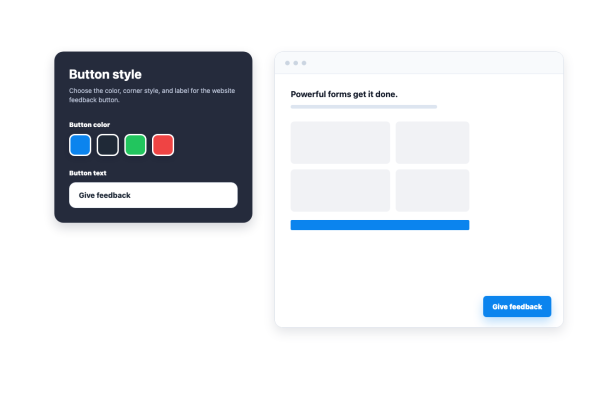

NPS Anketi widget'ı nasıl oluşturulur
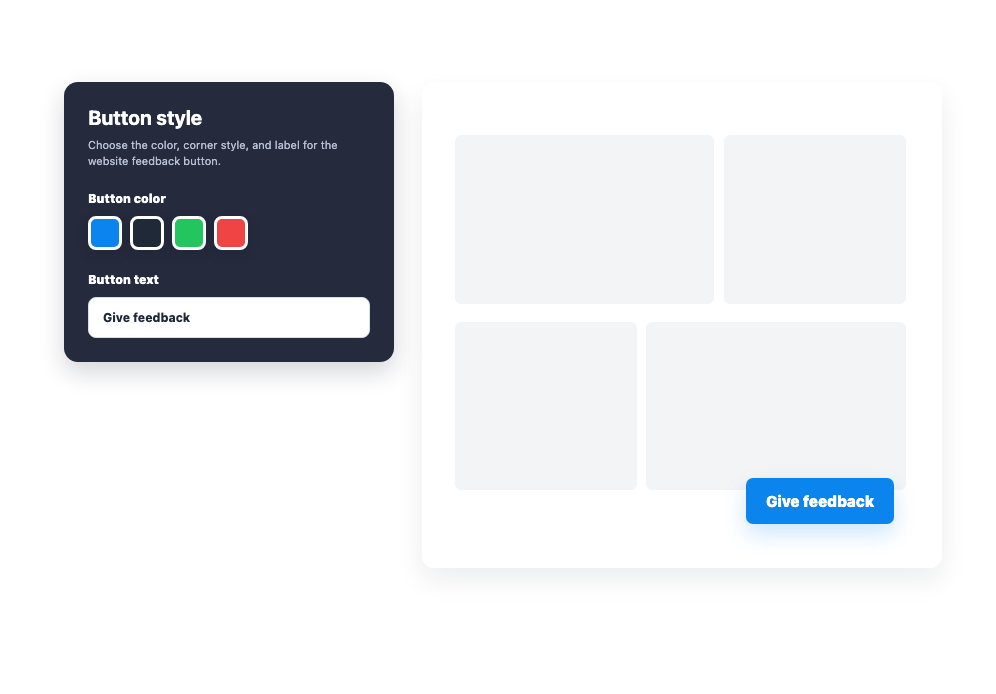
Geri bildirim butonunu özelleştirin
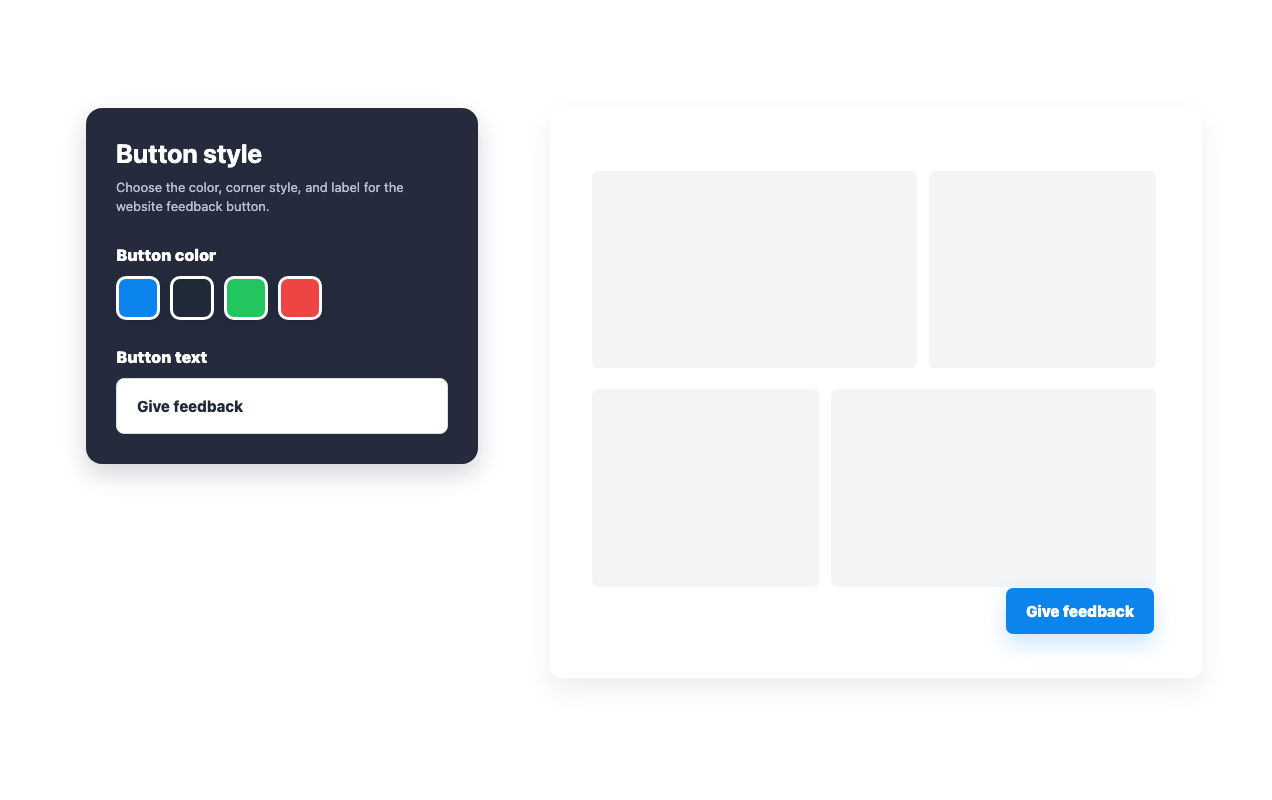
Yerleştirmeden önce buton metnini, rengini, köşe stilini, konumunu ve cihaz görünürlüğünü seçin.
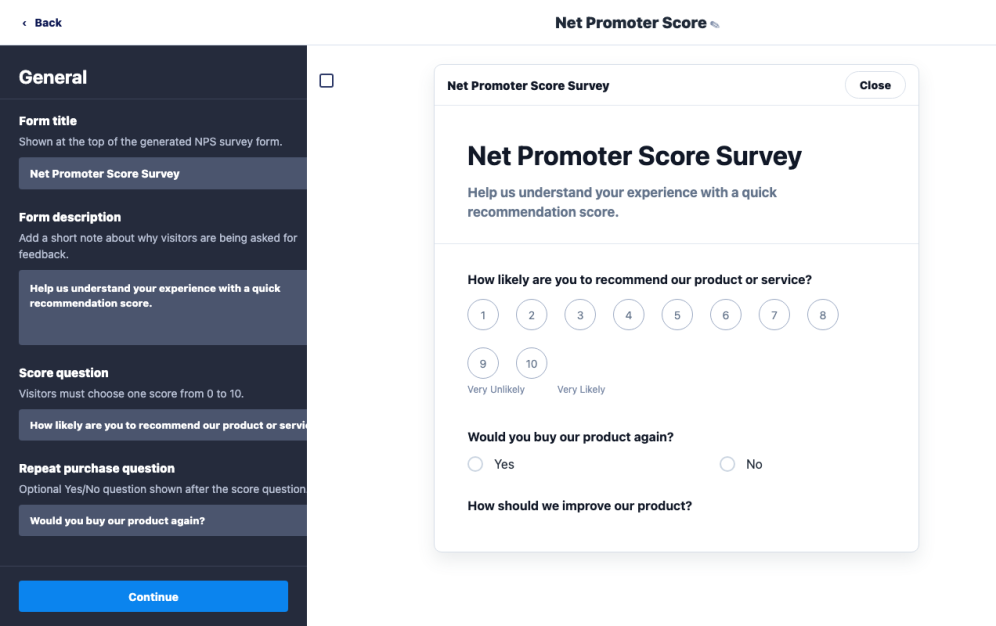
Geri bildirim formunu düzenleyin
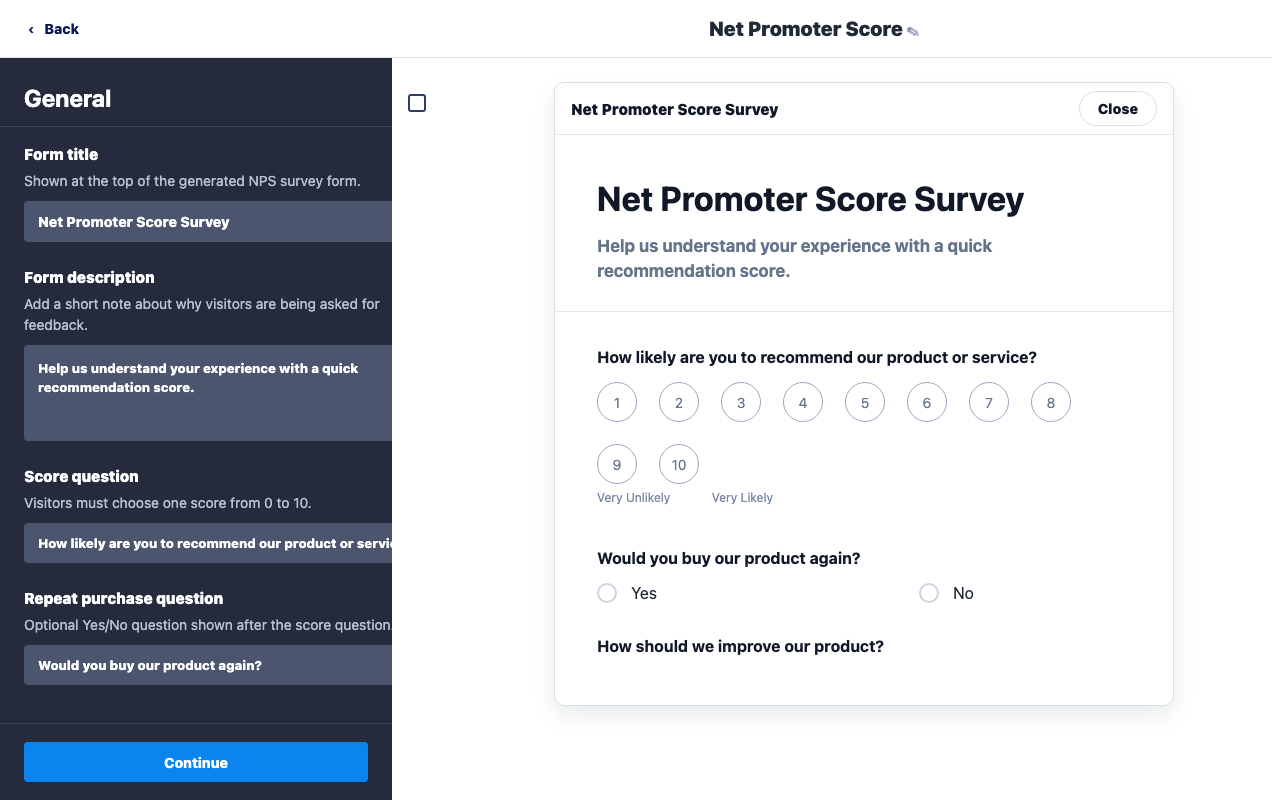
Form başlığını, tavsiye sorusunu, takip sorularını ve yanıt metnini web sitenize uyacak şekilde güncelleyin.

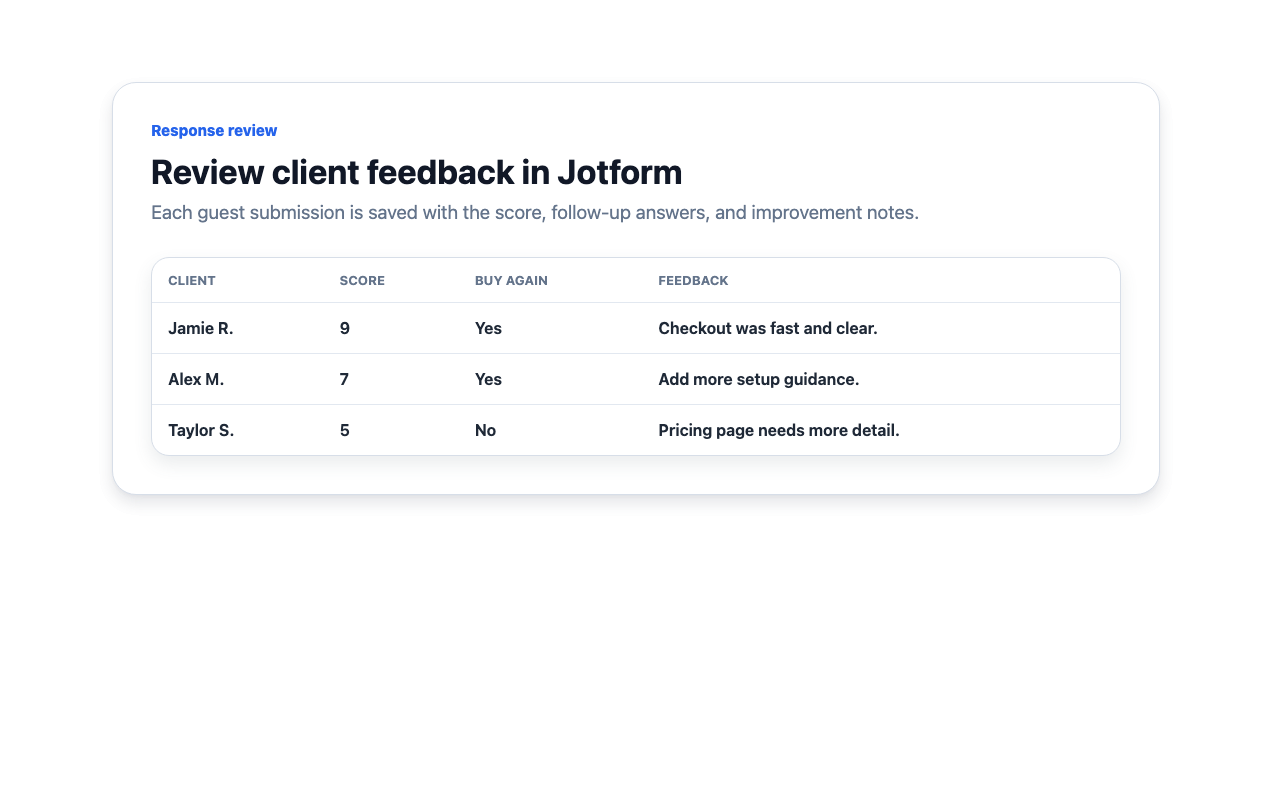
Müşteri yanıtlarını inceleyin
Ziyaretçiler sitenizden geri bildirim gönderir ve web sitesi sahibi kaydedilen yanıt verilerini Jotform'da inceleyebilir.
Özelleştirilebilir bir web sitesi butonuyla müşteri geri bildirimi toplayın
Geri bildirim ver butonunu uygun bir yere yerleştirin
Buton konumunu, kenar boşluğunu ve masaüstü veya mobil görünürlüğünü ayarlayın; böylece ziyaretçiler sayfayı bölmeden butonu bulabilir.
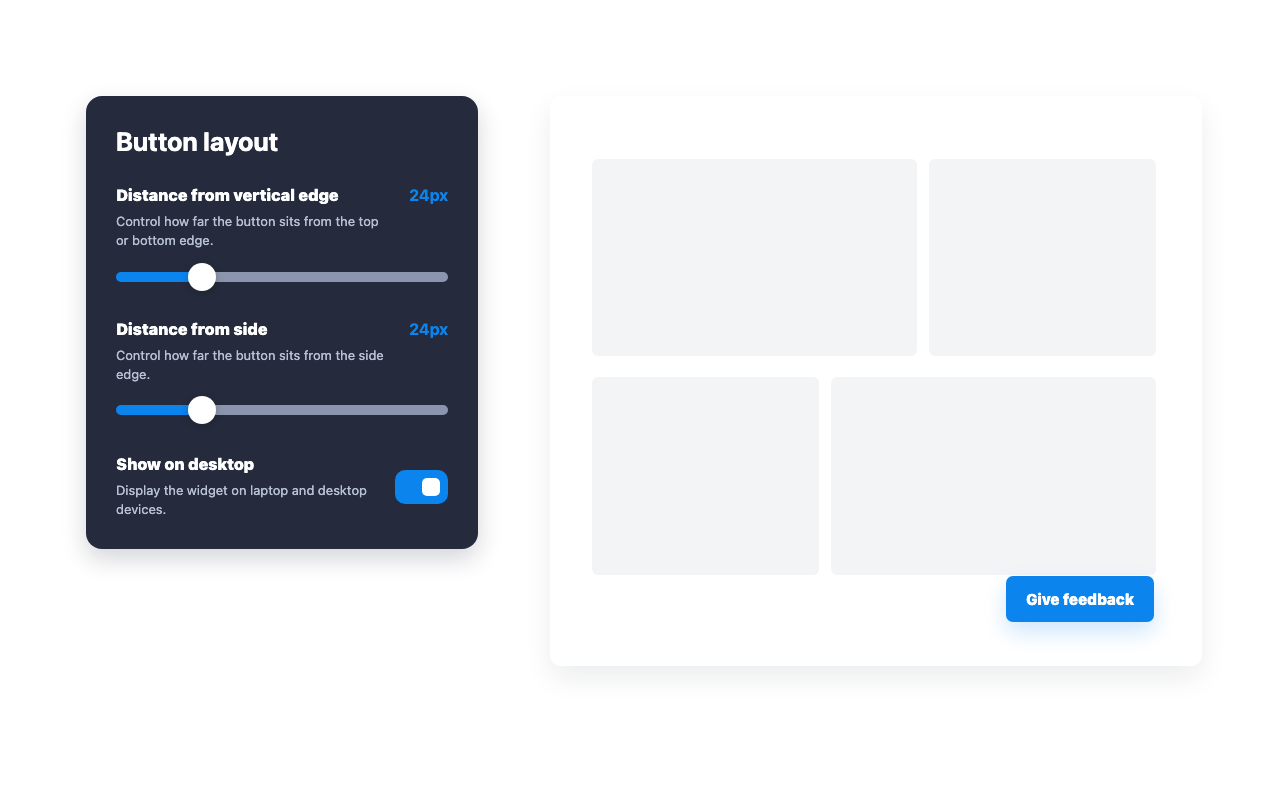
Butonu web sitenizle uyumlu hale getirin
Geri bildirim seçeneğinin sitenizle uyumlu görünmesi için butonun rengini, etiketini ve köşe stilini güncelleyin.
Ziyaretçilerin yanıtladığı soruları özelleştirin
NPS sorusunu, tekrar satın alma sorusunu, iyileştirme yönlendirmesini ve diğer form metinlerini widget oluşturucudan değiştirin.
Müşterilerin gönderdiği geri bildirimi inceleyin
Ziyaretçiler formu gönderdikten sonra kaydedilen puanları, takip yanıtlarını ve yazılı geri bildirimleri Jotform'da görüntüleyin.
Jotform Web Site Widget'ları neden öne çıkıyor
Jotform'un widget'ları web sitenizi daha etkileşimli hale getirir ve dönüşümleri artırır. Yıldızlı değerlendirmelerden ve kullanıcı görüşü kaydırıcılarından sosyal kanıt açılır pencerelerine ve medya yerleştirmelerine kadar birçok araç mevcut. Veri toplamak, kanıt göstermek ve potansiyelmüşteri yakalamak için kod yazmanıza gerek olmadan formlarınıza veya açılış sayfalarınıza widget'lar ekleyin.
Basit bir yerleştirme koduyla Jotform widget'larını web sitenize ekleyin. Bir geliştiriciye ihtiyaç duymadan widget'ı özelleştirin, nasıl göründüğünü önizleyin ve özel HTML ya da yerleştirme bloklarını destekleyen herhangi bir sayfaya yapıştırın.
Potansiyel müşterileri toplamak, müşteri geribildirimlerini göstermek, sosyal kanıt sunmak, medya içeriklerini yerleştirmek veya kullanışlı web sayfası araçları eklemek için Jotform Website Widget'larını kullanın. Her widget, ziyaretçilerin işletmenizle doğrudan web sitenizden etkileşime geçmesine yardımcı olur.
Widget'ınızı kurma, özelleştirme, yerleştirme veya sorun giderme konusunda yardıma ihtiyacınız olursa, Jotform'un müşteri destek ekibi 7/24 hizmetinizdedir. İhtiyacınız olduğunda yardımın hazır olduğunu bilerek güvenle ilerleyebilirsiniz.
NPS Anketi widget'ınızı nerelerde kullanabilirsiniz
Doğrudan müşteri geri bildiriminin, ekibinizin deneyimi iyileştirmesine yardımcı olabileceği her yere bir NPS anketi yerleştirin.
Müşterilerin ayrıntıları inceledikten veya satın alma işlemini tamamladıktan sonra ürünü tavsiye edip etmeyeceğini öğrenmek için ürün sayfalarında.
Hesap etkinliğinin, destek görüşmelerinin veya ilk kullanım sürecindeki önemli adımların ardından müşteri bağlılığını ölçmek için müşteri portallarında.
Ziyaretçiler dokümantasyonu okuduktan veya bir sorunu çözdükten sonra memnuniyet geri bildirimi toplamak için yardım merkezlerinde.
Aktif kullanıcıları ayrı bir sayfaya yönlendirmeden hızlıca bağlılık geri bildirimi almak için SaaS panolarında.
Deneyim henüz tazeyken müşterinin satın alma kararını nelerin etkilediğini anlamak için satın alım sonrası sayfalarda.
Çalışanların hizmetler, kaynaklar veya iş akışlarıyla ilgili memnuniyetini ölçmek için dahili araçlarda.
Jotform Form Oluşturucu ile müşteri adaylarını ödeme yapan müşterilere dönüştürün
Jotform ile etkileşimi eyleme dönüştürün. Potansiyel müşterileri yakalayan, ödemeleri alan ve yanıtları otomatikleştiren güçlü formları tek bir yerde oluşturun. Her yanıt, takip edebileceğiniz veya favori uygulamalarınızla bağlantı kurabileceğiniz Jotform Gelen Kutusu'na ulaşır.
Hemen Başla — Ücretsiz!
SSS
NPS Anketi widget'ı nedir?
NPS Anketi widget'ı, web sitenize bir Geri bildirim ver butonu ekler; böylece ziyaretçiler bir NPS formu açıp gönderebilir.
Widget hangi alanları oluşturur?
NPS yanıtlarını nasıl inceleyebilirim?
Hangi takip soruları dahildir?
Formu ve yanıtları Jotform'da yönetebilir miyim?
Widget'ı özelleştirebilir miyim?
Herhangi bir kod yazmam gerekir mi?