PDF Yerleştirme Widget'ı
PDF Yerleştirme Widget'ı Özellikleri
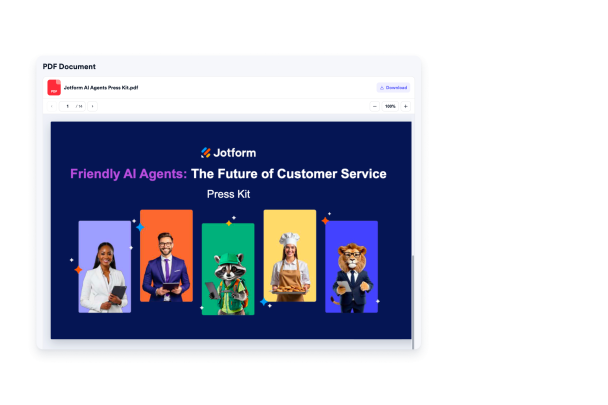
Yerleştirilebilir bir görüntüleyiciyle tek bir PDF'yi doğrudan web sitenizde görüntüleyin. Bir dosya yükleyin veya doğrudan bir PDF URL'si yapıştırın, ardından dosya adını, görüntüleyici boyutunu, indir erişimini, renkleri, simgeleri, tipografiyi ve mobil uyumlu görünümü kod yazmadan özelleştirin.

PDF kaynağınızı ekleyin
Ziyaretçilerin belgeyi sayfanızda okuyabilmesi için tek bir PDF dosyası yükleyin veya doğrudan bir PDF URL'si yapıştırın. Dosya adını anlaşılır tutun, kaynağı doğrulayın ve dosya değiştiğinde belgeyi güncelleyin.
Kaynak kontrolleri şunları içerir:

Odaklı bir görüntüleyici gösterin
Ziyaretçileri belgeyi incelerken web sitenizde tutan, sade ve sayfa içi bir PDF okuyucu görüntüleyin. PDF'nin sayfa düzeninize doğal şekilde oturması için görüntüleyici yüksekliğini ve okuma alanını ayarlayın.
Görüntüleyici seçenekleri şunları içerir:

Ziyaretçilere okuma kontrolleri sunun
Ziyaretçilerin PDF'yi yakınlaştırma, kaydırma, sayfa gezinmesi ve etkinleştirildiğinde indir işlemleri için tanıdık kontrollerle incelemesine yardımcı olun. Belgenin yalnızca sayfa içi okuma için kullanılmasını istiyorsanız indirme erişimini isteğe bağlı tutun.
Görüntüleyici eylemleri şunları içerir:

Web sitenizin tarzına uydurun
Belge deneyimini başlık boyutu, dosya adı boyutu, indir etiketi stili, görüntüleyici arka planı, metin rengi, vurgu rengi, dosya simgesi görünürlüğü, simge rengi, genişlik, yükseklik, markalama ve kapsamlı CSS ile özelleştirin.
Tasarım seçenekleri şunları içerir: