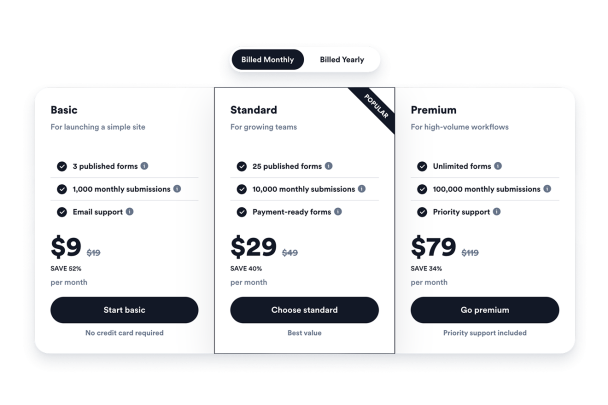

Fiyatlandırma Tablosu widget'ı nasıl oluşturulur
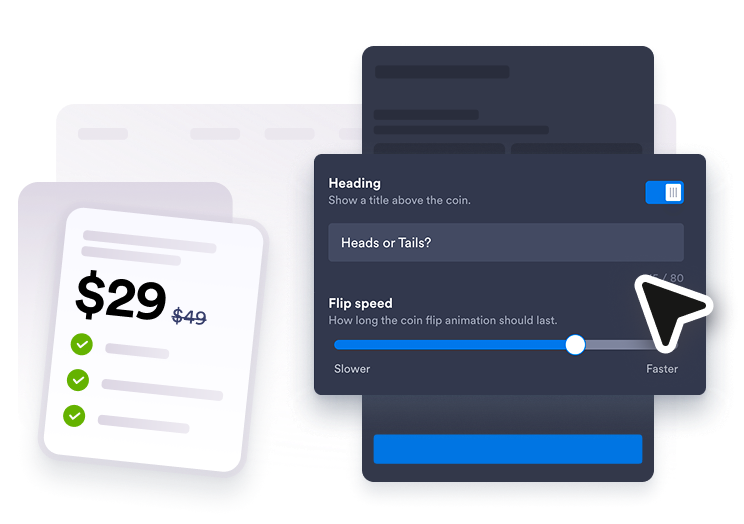
Fiyatlandırma planlarınızı ekleyin
Aylık, yıllık, paket veya hizmet fiyatlandırması için tablolar oluşturun ve her planın başlığını, fiyatını, özelliğini, ipucunu ve butonunu düzenleyin.
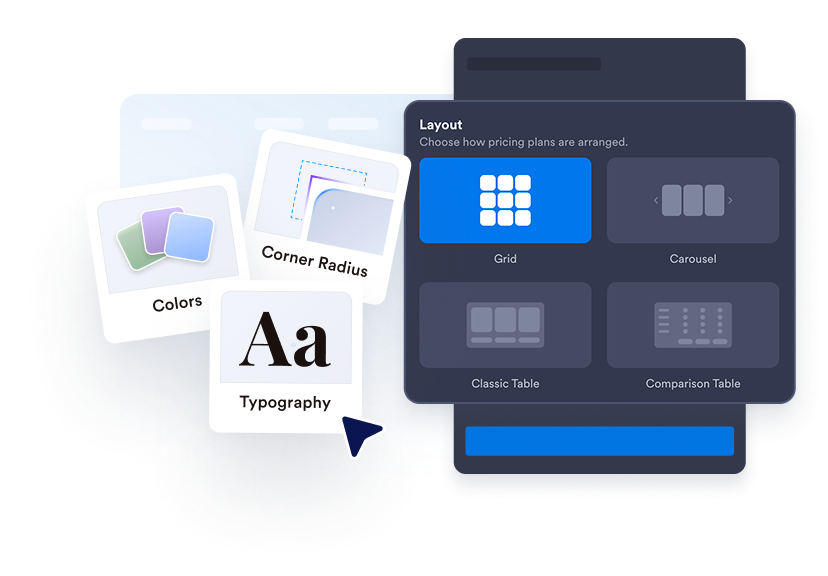
Bir tablo düzeni seçin
Sayfa bölümüne uyacak şekilde fiyatlandırma ızgaralarını, hizalanmış sütunları, karşılaştırma tablolarını veya carousel düzenlerini kullanın.
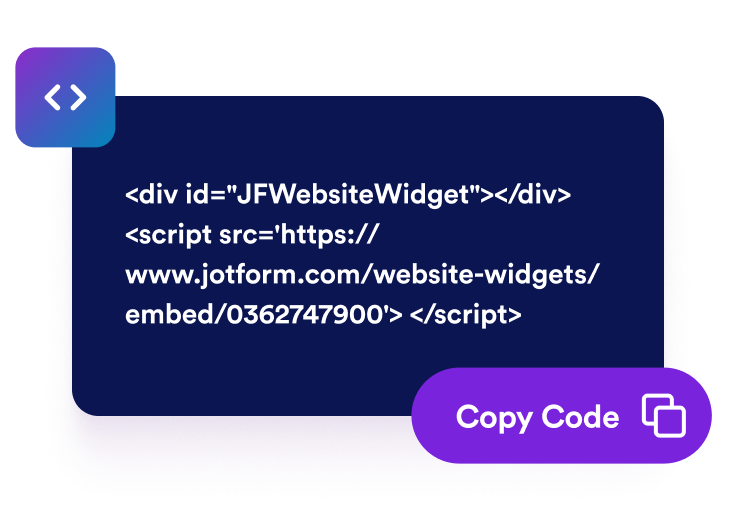
Tasarlayın ve yerleştirin
Renkleri, etiketleri, tipografiyi, köşeleri, butonları, marka bilinirliğini ve kapsamlı CSS'i özelleştirin, ardından yerleştirme kodunu web sitenize kopyalayın.
Fiyatlandırmayı taramayı ve karşılaştırmayı kolaylaştırın
Birden fazla fiyat karşılaştırma tablosu oluşturun
Aylık, yıllık, hizmet, paket, toptan veya kademeli tablolar oluşturun ve ziyaretçilerin faturalandırma geçiş düğmesiyle bunlar arasında geçiş yapmasına izin verin.

En iyi planı vurgulayın
Alışverişçilerin önerilen seçenekleri fark edebilmesi için popüler etiketler, satış metinleri, eski fiyatlar, indirimler, açıklamalar ve plana özel renkler ekleyin.
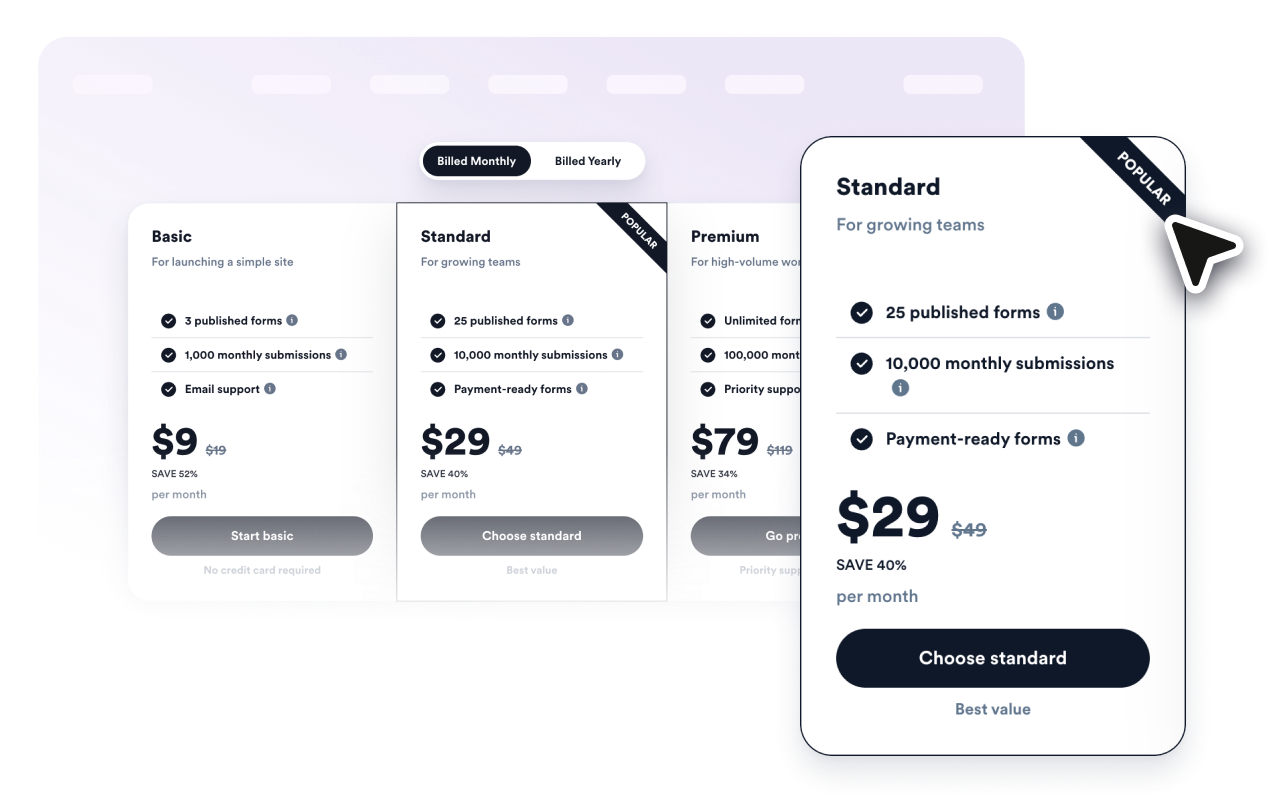
Özellikleri net bir şekilde karşılaştırın
Her plan için dahil edilen özellikleri listeleyin, yardımcı ipucu metinleri ekleyin ve yan yana plan değerlendirmesi için karşılaştırma tablosu moduna geçin.

Web sitenizin tasarımına uygun hale getirin
Düzenleri, kart stillerini, renkleri, metin boyutlarını, buton stilini, sütun köşelerini, genişliği, mobil davranışını, marka bilinirliğini ve kapsamlı özel CSS'i kontrol edin.

Jotform Web Site Widget'ları neden öne çıkıyor
Jotform'un widget'ları web sitenizi daha etkileşimli hale getirir ve dönüşümleri artırır. Yıldızlı değerlendirmelerden ve kullanıcı görüşü kaydırıcılarından sosyal kanıt açılır pencerelerine ve medya yerleştirmelerine kadar birçok araç mevcut. Veri toplamak, kanıt göstermek ve potansiyelmüşteri yakalamak için kod yazmanıza gerek olmadan formlarınıza veya açılış sayfalarınıza widget'lar ekleyin.
Basit bir yerleştirme koduyla Jotform widget'larını web sitenize ekleyin. Bir geliştiriciye ihtiyaç duymadan widget'ı özelleştirin, nasıl göründüğünü önizleyin ve özel HTML ya da yerleştirme bloklarını destekleyen herhangi bir sayfaya yapıştırın.
Potansiyel müşterileri toplamak, müşteri geribildirimlerini göstermek, sosyal kanıt sunmak, medya içeriklerini yerleştirmek veya kullanışlı web sayfası araçları eklemek için Jotform Website Widget'larını kullanın. Her widget, ziyaretçilerin işletmenizle doğrudan web sitenizden etkileşime geçmesine yardımcı olur.
Widget'ınızı kurma, özelleştirme, yerleştirme veya sorun giderme konusunda yardıma ihtiyacınız olursa, Jotform'un müşteri destek ekibi 7/24 hizmetinizdedir. İhtiyacınız olduğunda yardımın hazır olduğunu bilerek güvenle ilerleyebilirsiniz.
Fiyat Tablosu Widget'ınızı nerede kullanabilirsiniz
Ziyaretçilerin kaydolmadan, rezervasyon yapmadan veya satın almadan önce seçenekleri karşılaştırması gereken her yere fiyat tabloları ekleyin.
Aylık ve yıllık abonelikleri özellik kademeleriyle karşılaştırmak için SaaS fiyatlandırma sayfaları
Danışmanlık, pazarlama, tasarım, onarım, sağlıklı yaşam ve yerel hizmetler için paketleri göstermek amacıyla hizmet sayfaları
Kendi hızınızda ilerleyen, grup, sertifikalı ve premium öğrenim paketlerini karşılaştırmak için kurs sayfaları
Paketleri, ek özellikleri, abonelikleri ve lansman tekliflerini sunmak için ürün açılış sayfaları
Net teslimatlarla başlangıç, büyüme ve premium hizmet paketlerini açıklamak için ajans portföyleri
Hacim kademelerini, indirimleri ve uygunluk detaylarını göstermek için toptan satış veya üyelik sayfaları
Jotform Form Oluşturucu ile müşteri adaylarını ödeme yapan müşterilere dönüştürün
Jotform ile etkileşimi eyleme dönüştürün. Potansiyel müşterileri yakalayan, ödemeleri alan ve yanıtları otomatikleştiren güçlü formları tek bir yerde oluşturun. Her yanıt, takip edebileceğiniz veya favori uygulamalarınızla bağlantı kurabileceğiniz Jotform Gelen Kutusu'na ulaşır.
Hemen Başla — Ücretsiz!
SSS
Fiyat Tablosu Widget'ı nedir?
Fiyat Karşılaştırma Tablosu Widget'ı, web sitenizde planları, fiyatları, özellik listelerini, indirimleri ve butonları gösteren, yerleştirilebilir bir widget'tır.
Aylık ve yıllık tablolar oluşturabilir miyim?
Önerilen bir planı vurgulayabilir miyim?
Özellik karşılaştırmasını destekliyor mu?
Butonları ödeme veya kayıt sayfalarına bağlayabilir miyim?
Web siteme eklemek için koda ihtiyacım var mı?