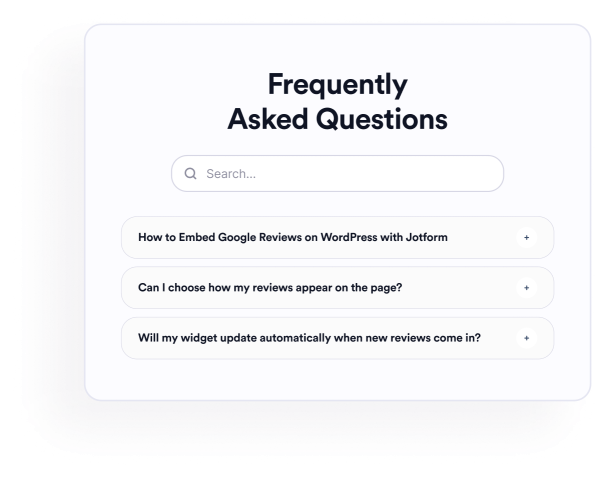

SSS widget'ı nasıl oluşturulur
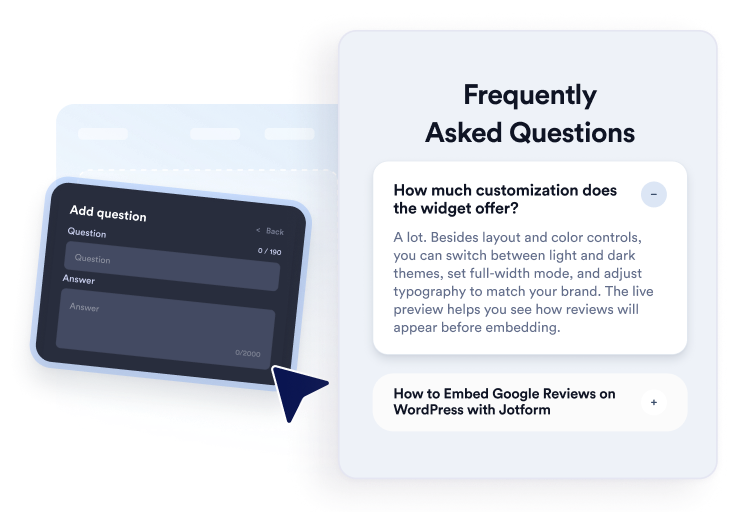
Sorularınızı ekleyin
Ürün, fiyatlandırma, destek, politika veya işe alım konuları için yanıtlar yazın ve organize edin. Faydalı olacağı yerlere bağlantılar veya görseller ekleyin, ardından görsel düzenleyicide soruları çoğaltın, yeniden sıralayın veya kaldırın.
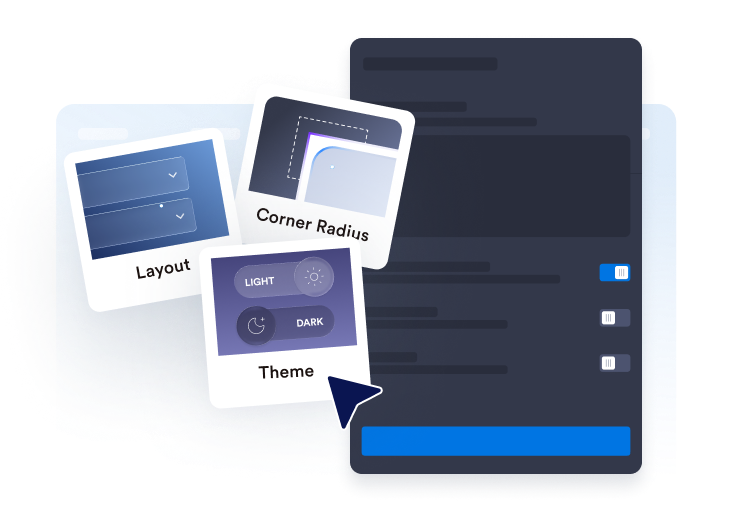
Düzeni ve stili özelleştirin
Akordeon, liste veya çok sütunlu bir düzen seçin. SSS bölümünüze uyacak şekilde arama çubuğunu, simgeleri, soru davranışını, renkleri, aralıkları ve diğer tasarım ayarlarını yapılandırın.

Web sitenize yerleştirin
Tamamlanan SSS'yi önizleyin, oluşturulan yerleştirme kodunu kopyalayın ve özel bir HTML veya yerleştirme bloğuna yapıştırın. Sayfayı yayınlayın ve sorularını, aramasını, bağlantılarını ve medyasını test edin.
Faydalı, aranabilir SSS'leri kolayca oluşturun
Soruları tek bir düzenleyicide organize edin
Bölümü elle yeniden oluşturmadan soruları ekleyin, çoğaltın, yeniden sıralayın ve kaldırın. Ürün ayrıntılarını, fatura politikalarını, kurulum talimatlarını, kargo bilgilerini veya ziyaretçilerin sıkça sorduğu diğer konuları düzenlemek için zengin metin yanıtları kullanın.

SSS'leri farklı düzenlere uyarlayın
Kompakt soru grupları için akordeon, görünür kalması gereken yanıtlar için liste veya daha geniş SSS bölümleri için çok sütunlu bir düzen seçin. Doğru düzen, büyük koleksiyonların taranmasını kolaylaştırabilir.

Ziyaretçilerin SSS içeriğinde arama yapmasına yardımcı olun
Ziyaretçilerin soruları ve yanıtları anahtar kelimelerle filtreleyebilmesi için arama çubuğunu etkinleştirin. Arama, özellikle her soruyu elle incelemenin daha uzun süreceği yardım sayfalarında ve detaylı SSS bölümlerinde kullanışlıdır.

Yanıtların nasıl genişleyeceğini kontrol edin
Akordeon simgesini ve konumunu seçin, başlangıçta kaç sorunun görüneceğini ayarlayın ve bir veya birden fazla yanıtın açık kalıp kalmayacağına karar verin. Bu kontroller, ziyaretçilerin daha uzun SSS bölümlerini nasıl keşfedeceğini şekillendirmenize olanak tanır.

Jotform Web Site Widget'ları neden öne çıkıyor
Jotform'un widget'ları web sitenizi daha etkileşimli hale getirir ve dönüşümleri artırır. Yıldızlı değerlendirmelerden ve kullanıcı görüşü kaydırıcılarından sosyal kanıt açılır pencerelerine ve medya yerleştirmelerine kadar birçok araç mevcut. Veri toplamak, kanıt göstermek ve potansiyelmüşteri yakalamak için kod yazmanıza gerek olmadan formlarınıza veya açılış sayfalarınıza widget'lar ekleyin.
Basit bir yerleştirme koduyla Jotform widget'larını web sitenize ekleyin. Bir geliştiriciye ihtiyaç duymadan widget'ı özelleştirin, nasıl göründüğünü önizleyin ve özel HTML ya da yerleştirme bloklarını destekleyen herhangi bir sayfaya yapıştırın.
Potansiyel müşterileri toplamak, müşteri geribildirimlerini göstermek, sosyal kanıt sunmak, medya içeriklerini yerleştirmek veya kullanışlı web sayfası araçları eklemek için Jotform Website Widget'larını kullanın. Her widget, ziyaretçilerin işletmenizle doğrudan web sitenizden etkileşime geçmesine yardımcı olur.
Widget'ınızı kurma, özelleştirme, yerleştirme veya sorun giderme konusunda yardıma ihtiyacınız olursa, Jotform'un müşteri destek ekibi 7/24 hizmetinizdedir. İhtiyacınız olduğunda yardımın hazır olduğunu bilerek güvenle ilerleyebilirsiniz.
SSS widget'ınızı nerelerde kullanabilirsiniz
Widget'ı, net yanıtların ziyaretçilerin seçeneklerini anlamalarına ve ne yapacaklarına karar vermelerine yardımcı olabileceği sayfalara ekleyin.
Özellikler, boyutlandırma, kurulum, uyumluluk ve teslimat hakkındaki soruları yanıtlayan ürün sayfalarında.
Planları, denemeleri, fatura döngülerini, iptalleri ve yükseltmeleri netleştiren fiyatlandırma sayfalarında.
Yaygın destek sorularını aranabilir bir bölümde düzenleyen yardım merkezlerinde.
Programları, konumları, iadeleri ve katılım gereksinimlerini açıklayan rezervasyon ve etkinlik sayfalarında.
Erişim, müfredat, ödemeler ve destek hakkındaki soruları yanıtlayan kurs ve üyelik sayfalarında.
Ziyaretçiler kayıt olmadan, rezervasyon yapmadan veya form göndermeden önce yaygın endişeleri gideren açılış sayfalarında.
Jotform Form Oluşturucu ile müşteri adaylarını ödeme yapan müşterilere dönüştürün
Jotform ile etkileşimi eyleme dönüştürün. Potansiyel müşterileri yakalayan, ödemeleri alan ve yanıtları otomatikleştiren güçlü formları tek bir yerde oluşturun. Her yanıt, takip edebileceğiniz veya favori uygulamalarınızla bağlantı kurabileceğiniz Jotform Gelen Kutusu'na ulaşır.
Hemen Başla — Ücretsiz!
SSS
SSS widget'ı nedir?
SSS widget'ı, bir web sitesine yerleştirilebilen soru-cevap bölümüdür. Ziyaretçilerin başka bir sayfaya gitmeden aranabilir akordeon, liste veya çok sütunlu düzenler aracılığıyla yaygın soruları keşfetmesine yardımcı olur.
Jotform SSS Widget'ı ücretsiz mi?
Web siteme SSS nasıl eklerim?
Kod yazmam gerekir mi?
Kaç soru ekleyebilirim?
SSS Widget'ı arama içerir mi?
Hangi SSS düzenlerini kullanabilirim?
Birden fazla SSS yanıtı açık kalabilir mi?
SSS yanıtları bağlantılar, görseller veya videolar içerebilir mi?
SSS tasarımını özelleştirebilir miyim?
SSS Widget'ı mobil cihazlarda çalışır mı?
Hangi web sitesi platformları SSS Widget'ını destekler?
SSS Widget'ımı kurarken yardım alabilir miyim?