-
 sekerlerturizmgelistirme
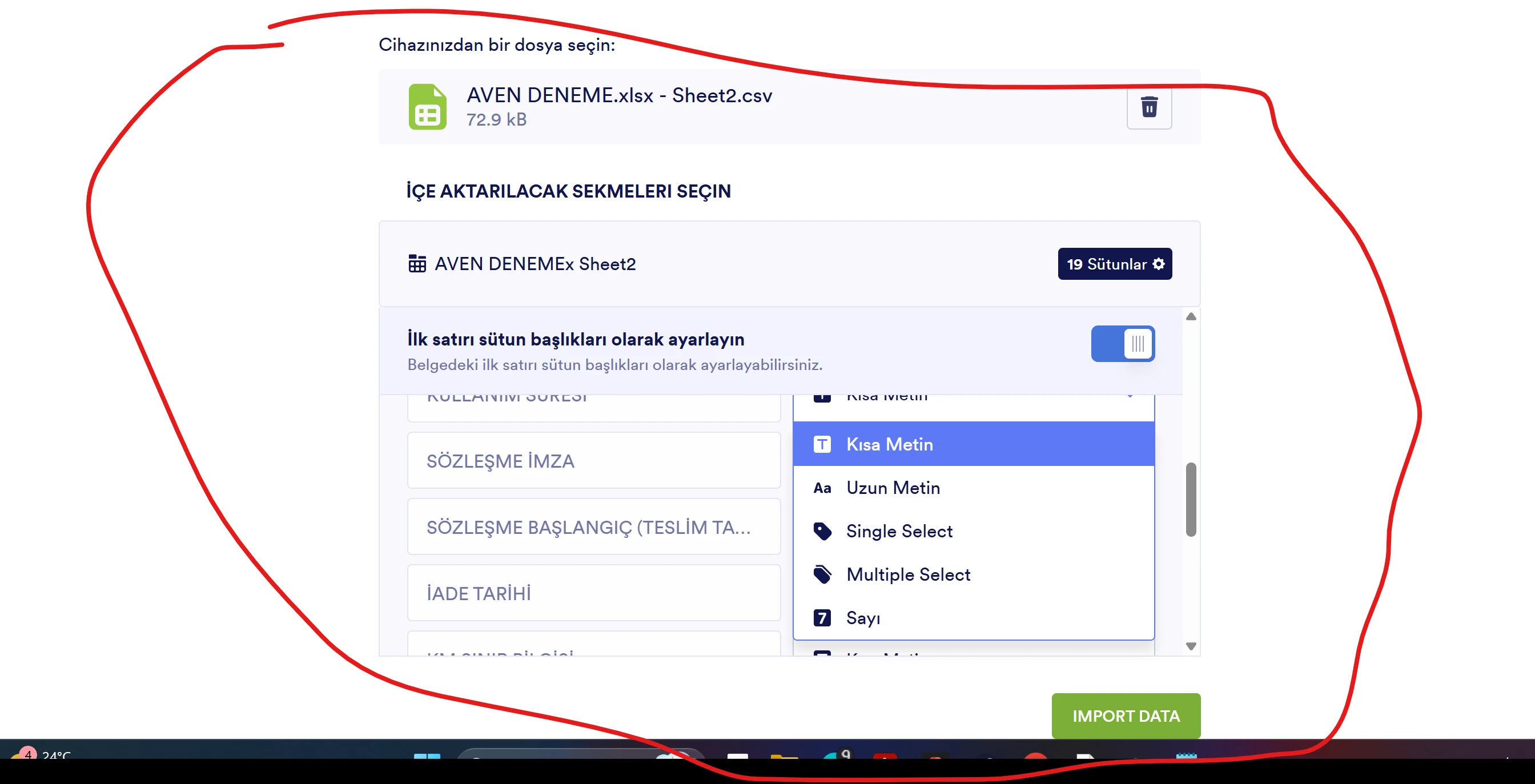
Yüklediğim verilerin kolon bilgisinde tarih bölümü yoktur. Tarih verilerim sayısal değer olarak çıkıyor.

-
 Podo: Support Specialist
Merhaba Şekerler Turizm,
Yüklediğiniz verilerde tarih kolonunun olmaması ve tarih verilerinin sayısal değer olarak görünmesi, verilerin doğru formatta yüklenmemesinden kaynaklanabilir. Bu durumda, verilerinizi yüklerken tarih formatını doğru şekilde tanımladığınızdan emin olmanız gerekir.
Let me help you with that:
- Veri dosyanızı kontrol edin: Tarih sütunlarının doğru formatta (örneğin, YYYY-MM-DD) olduğundan emin olun.
- Veri yükleme ayarlarını gözden geçirin: Yükleme sırasında tarih sütununu doğru şekilde eşleştirdiğinizden emin olun.
- Gerekirse veriyi yeniden formatlayın: Tarih verilerini sayısal değil, tarih formatında olacak şekilde düzenleyin ve tekrar yükleyin.
Bu adımlar sorununuzu çözmezse, daha detaylı inceleme yapabiliriz.
Give it a try and let us know how it goes.
-
sekerlerturizmgelistirme
Formatımda herhangi bir sorun yok EXCELİ forma yüklediğimde kolan seçeneğini olmadığı için tarih sorunu yaşıyorum
-
 Mary Jotform Support
Hi sekerlerturizmgelistirme,
Thanks for reaching out to Jotform Support. Our Turkish Support agents are busy helping other Jotform users right now, so I'll try to help you in English using Google Translate, but you can reply in whichever language you feel comfortable using. Or, if you'd rather have support in Turkish, let us know and we can have them do that. But, it might take a while until they're available again.
Now, coming back to your question, can you share more details on the issue that you are getting? Can I ask where are you trying to import your data?
Once we hear back from you, we'll be able to move forward with a solution.
-
sekerlerturizmgelistirme
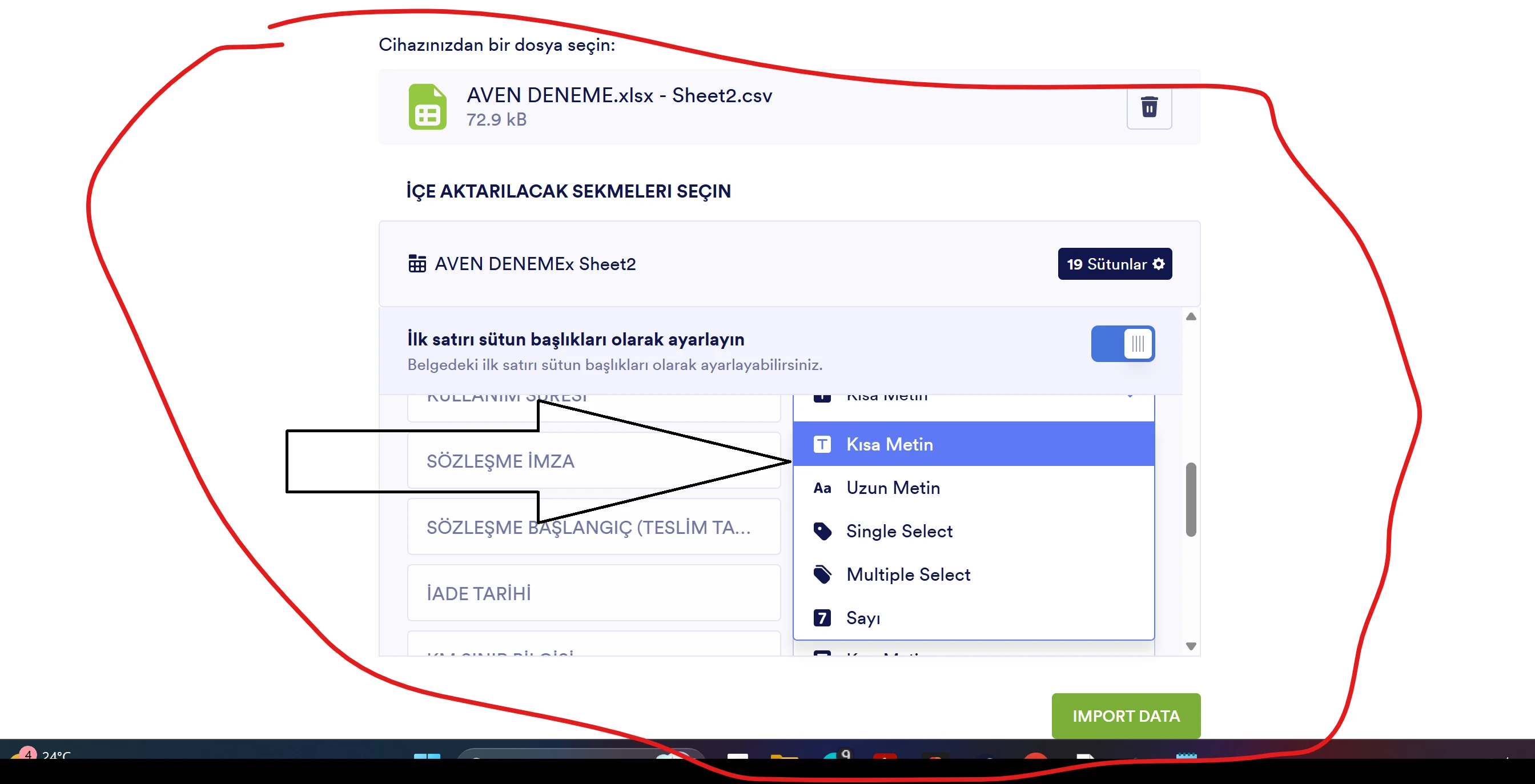
İşaretlediğim bölümde tarih kolonu yok bu sebepten dolayı Yüklediğim verilerde tarih bölümü sayısal veri olarak çıkıyor.
-
Mary Jotform Support
Hi sekerlerturizmgelistirme,
You need to set the date column to text field first before importing it. Could you try converting the date to text by copy pasting it? You can refer to this guide.
Give it a try and let us know how it goes.
-
sekerlerturizmgelistirme
Excel kullanmayı biliyorum. Benim sorunum Dışardan veri aktardığımda sizin forum kutucuğunuzda tarih seçeneği olmamasından dolayı sonradan ekleyeceğim verilerde sorun oluşuyor.
-
 Jotform Support Former Jotform Support
Hi sekerlerturizmgelistirme,
Currently, the Import App or Table Import feature does not allow you to manually specify the column type, such as Date, before the upload, which can cause actual date values to be interpreted as numbers. This happens because Excel stores dates as serial numbers, and without explicit formatting or a matching field type in your Jotform Table, the system reads them as plain numbers.
As a workaround, here’s what you can do:
- Create the column in Jotform Tables beforehand and set its type to Date.
- Then, manually paste the date values from your Excel file into that column.
This will prompt Jotform to treat the values correctly as dates. Alternatively, if you’re using the Import App, try reformatting the date cells in Excel to use a clear text format like YYYY-MM-DD, then save it as CSV and import again. This may help Jotform interpret the data more accurately. If the issue persists, let us know so we can look for a workaround.
Let us know if there’s anything else we can do for you.