-
YYafes ALEMİNI removed my WhatsApp connection but WhatsApp is not returning to normal. I confirmed to create a ticket for this issue. My email is yafess@gmail.com and my name is Yafes ALEMİN.
-
 Jotform Support Former Jotform Support
Hi Yafes,
Thanks for reaching out to Jotform Support. I'll be happy to assist you.
I understand you're having issues with WhatsApp not returning to normal. Could you provide additional details? For example, are you referring to your WhatsApp application that is separate from the WhatsApp widget on Jotform? Or are you referring to your WhatsApp widget on your form?
Once I have a clearer picture of what's going on, I'll be able to provide you with steps to troubleshoot the issues.
-
 YAFES_yafess
https://www.jotform.com/agent/build/019829decd637bcebcc8c949c0e79a076bb2/publish/whatsapp
-
YAFES_yafess
I registered here and now I deleted it. I want to use regular WhatsApp, but I'm not receiving the code.
-
Jotform Support Former Jotform Support
Hi Yafes,
Thanks for clarifying.
The first step I would take would be to clear your form cache.
You can clear your account’s form cache in a few easy steps. Here’s how to do it:
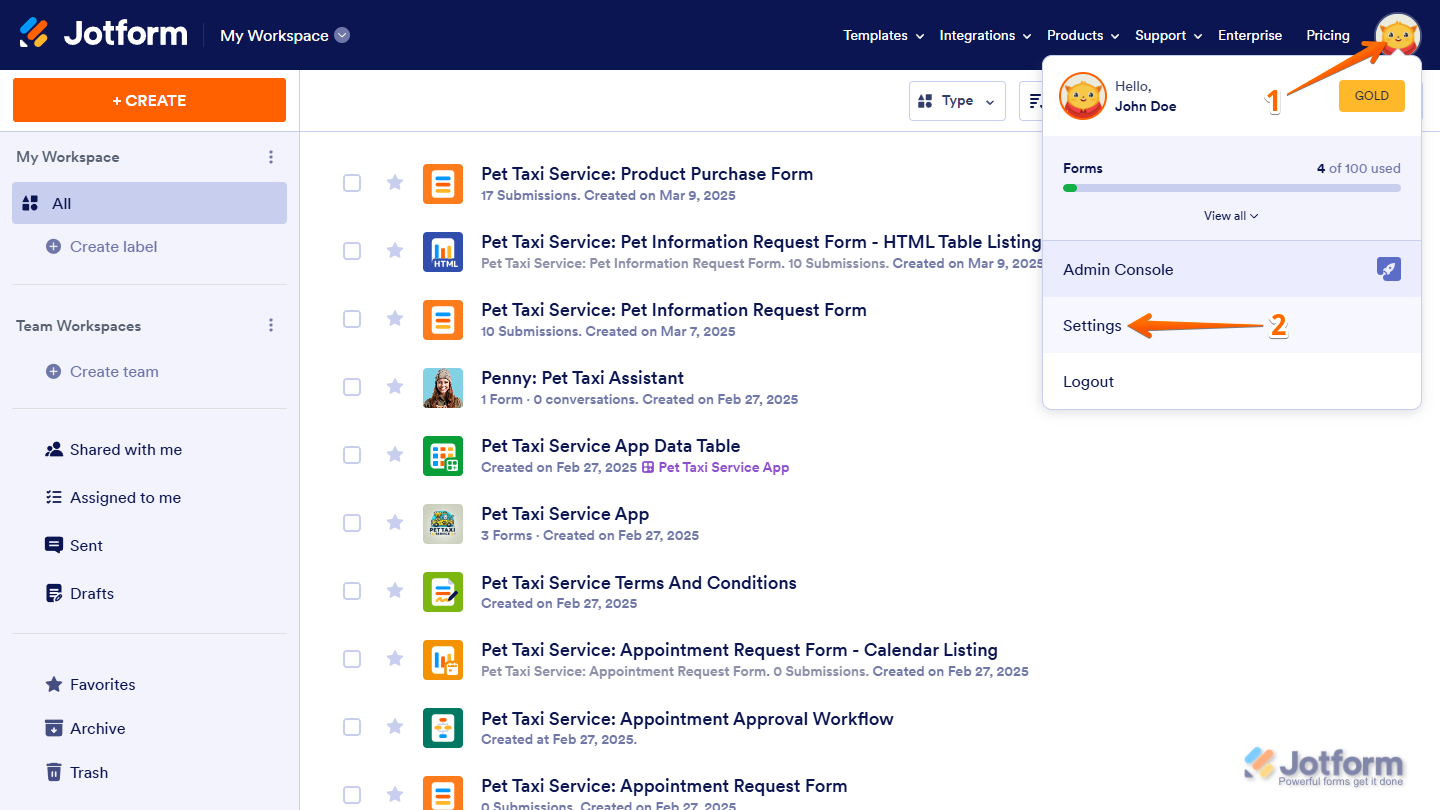
- On your My Workspace page, click on your Profile Picture/Avatar on the top-right side of the page.
- In the menu that opens, click on Settings to open your Account Settings page in a new browser tab.

- Now, on the right side of the Form Caches section, click on Clear Cache.
Let me know if that helps at all.