-
 demirtasaysebetulMessage
Hesabımı kapatmak istiyorum kapanmıyor
Platform
Android
Appversion
1.2.2
Deviceinfo
samsung - SM-A155F - handset - android 15
App
Form Editor
-
 Jotform Support Former Jotform Support
Hi demirtasaysebetul,
Thanks for reaching out to Jotform Support. While we do offer Support in many foreign languages, and we're working hard to add more every day, we don't currently have Turkish Support agents who can help you. So I'll try to help you in English using Google Translate, but you can reply in whichever language you feel comfortable using.
Now, coming back to your question, you can easily delete your Jotform account, but this will also delete all your forms, submissions, and data. Let me show you how:
1. Open the Jotform Mobile App and tap the Gear icon on the right side of the screen.

2. Then, tap on Edit Profile at the top of the screen.
3. Tap on Delete Account on the next screen.
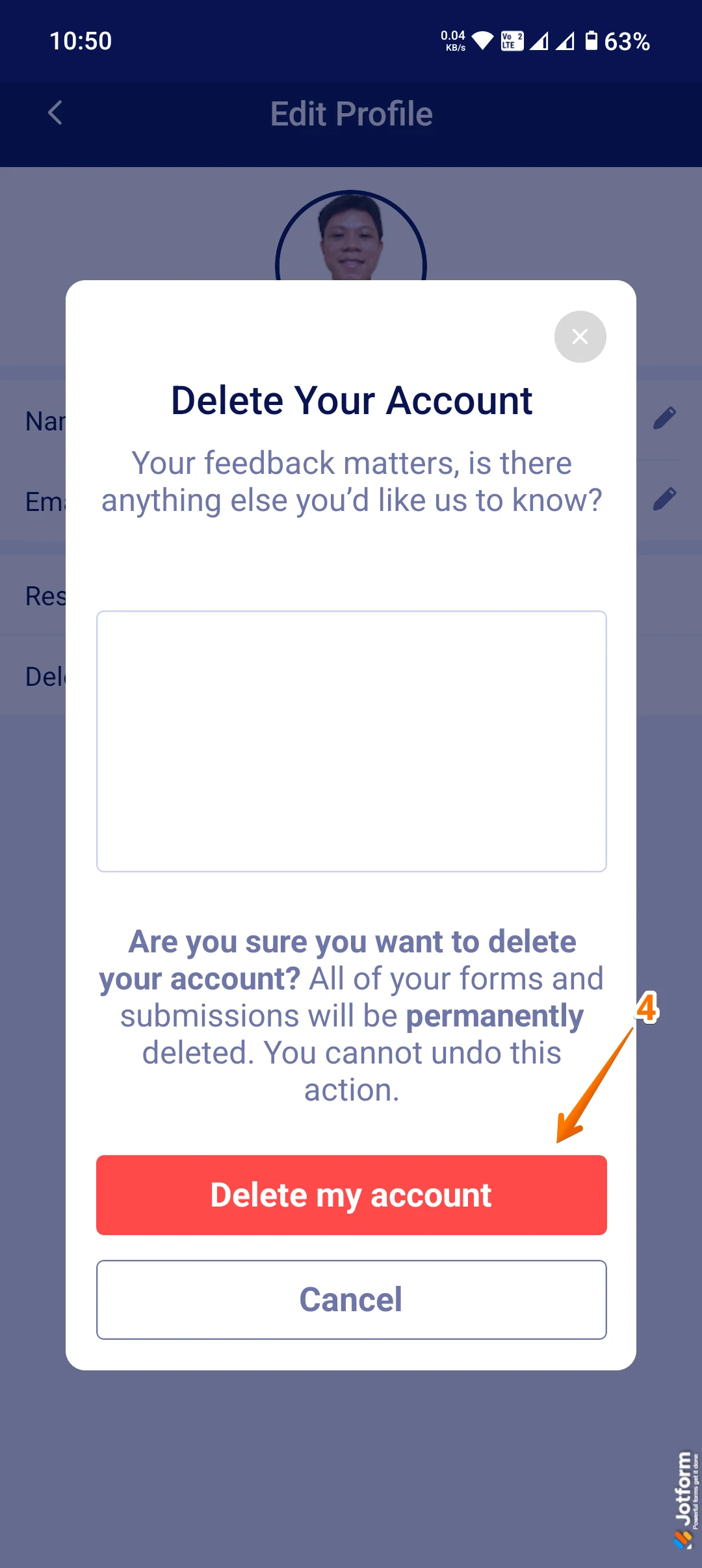
4. In the menu that opens up, tap on Delete My Account to confirm.
That's it. Reach out again if you need any other help.