-
Yapay zeka sohbet çözümünüz hakkında bilgi
-
 Kris Ann Jotform Support
Hi Tolga,
Thanks for reaching out to Jotform Support. Our Turkish Support agents are busy helping other Jotform users right now, so I'll try to help you in English using Google Translate, but you can reply in whichever language you feel comfortable using. Or, if you'd rather have support in Turkish, let us know and we can have them do that. But, it might take a while until they're available again.
Now, coming back to your question, you can easily create an AI Agent and use it as a Chatbot in your Jotform App. Let me show you how:
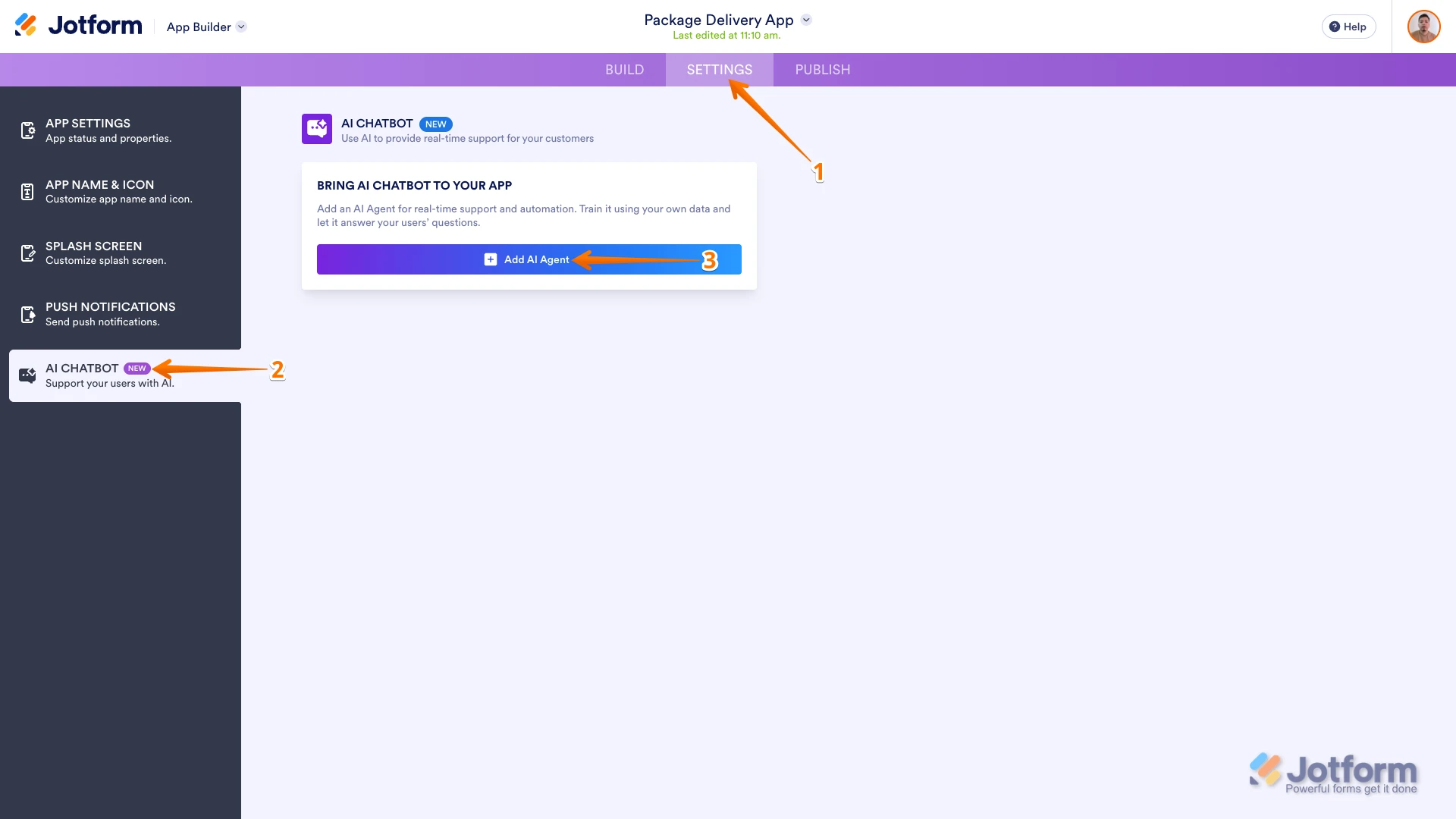
1. In App Builder, in the purple navigation bar at the top of the page, click on Settings.
2. Go to AI Chatbot in the menu on the left side of the screen.
3. Then, in the Bring AI Agent to Your App section, click on Add AI Agent.

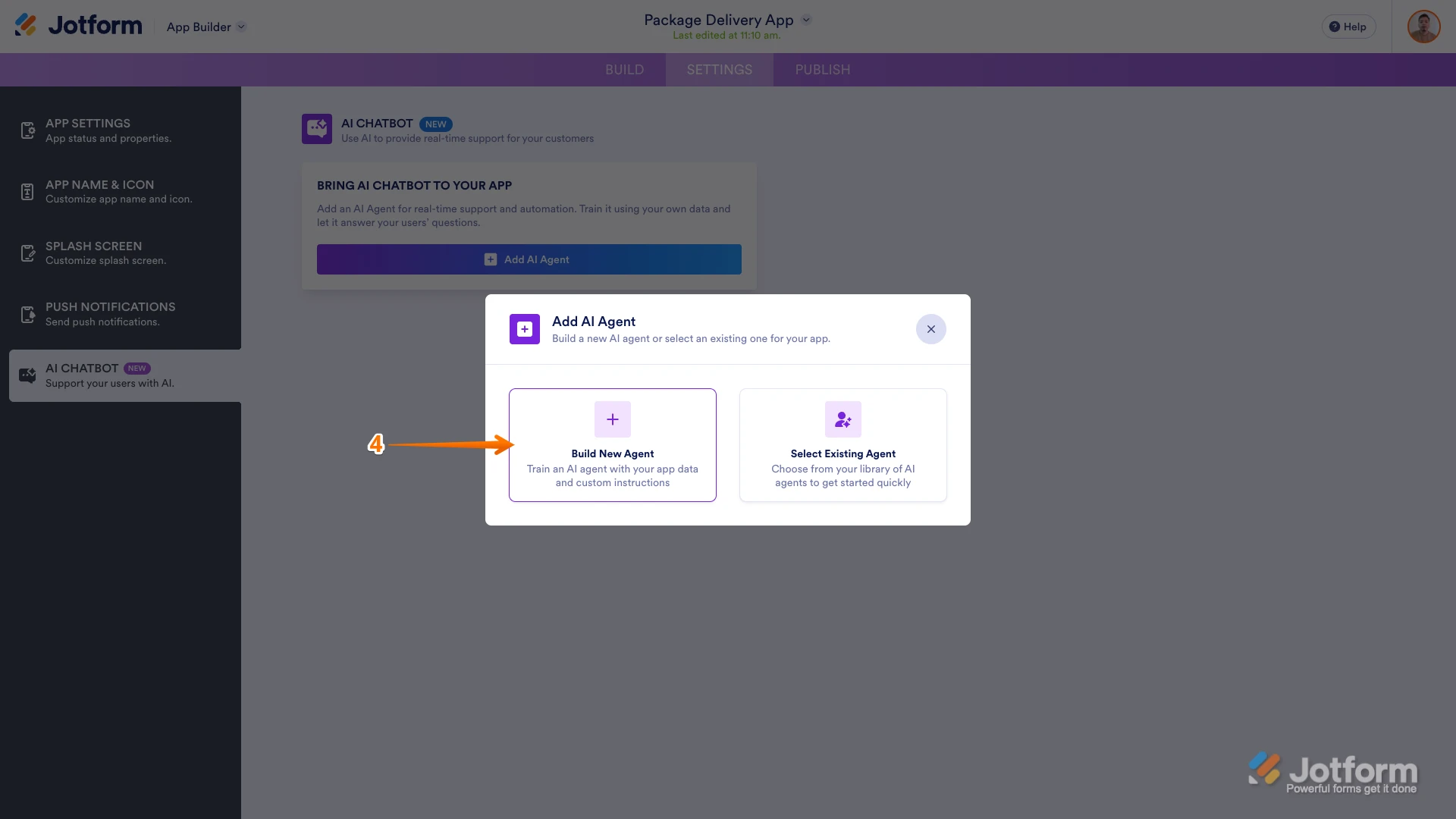
4. In the Add AI Agent menu, select Build New Agent.
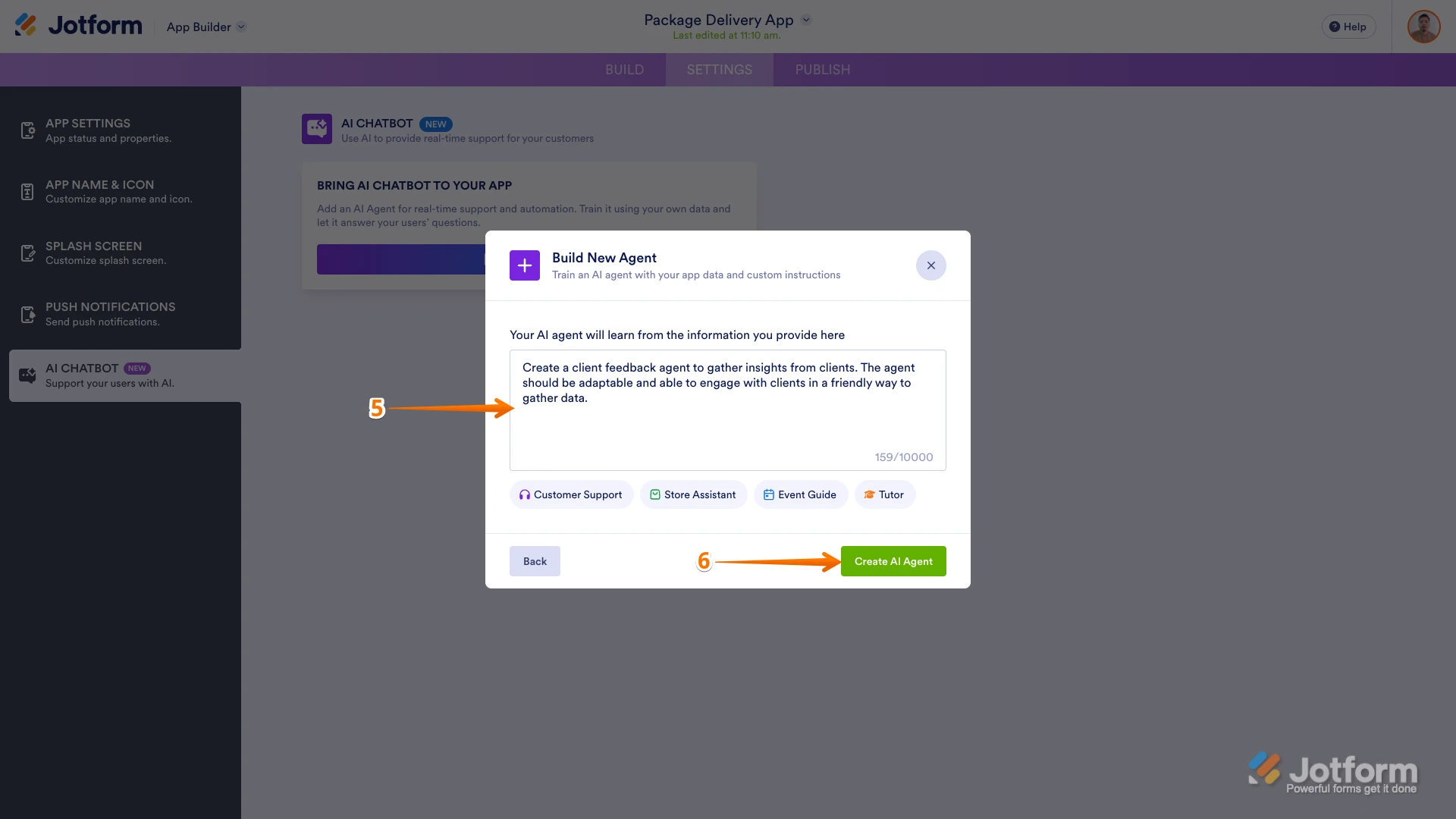
5. Enter more details about the AI Agent you’re creating in the Build New Agent window.
6. Click on Create AI Agent in the lower right of the pop-up box.
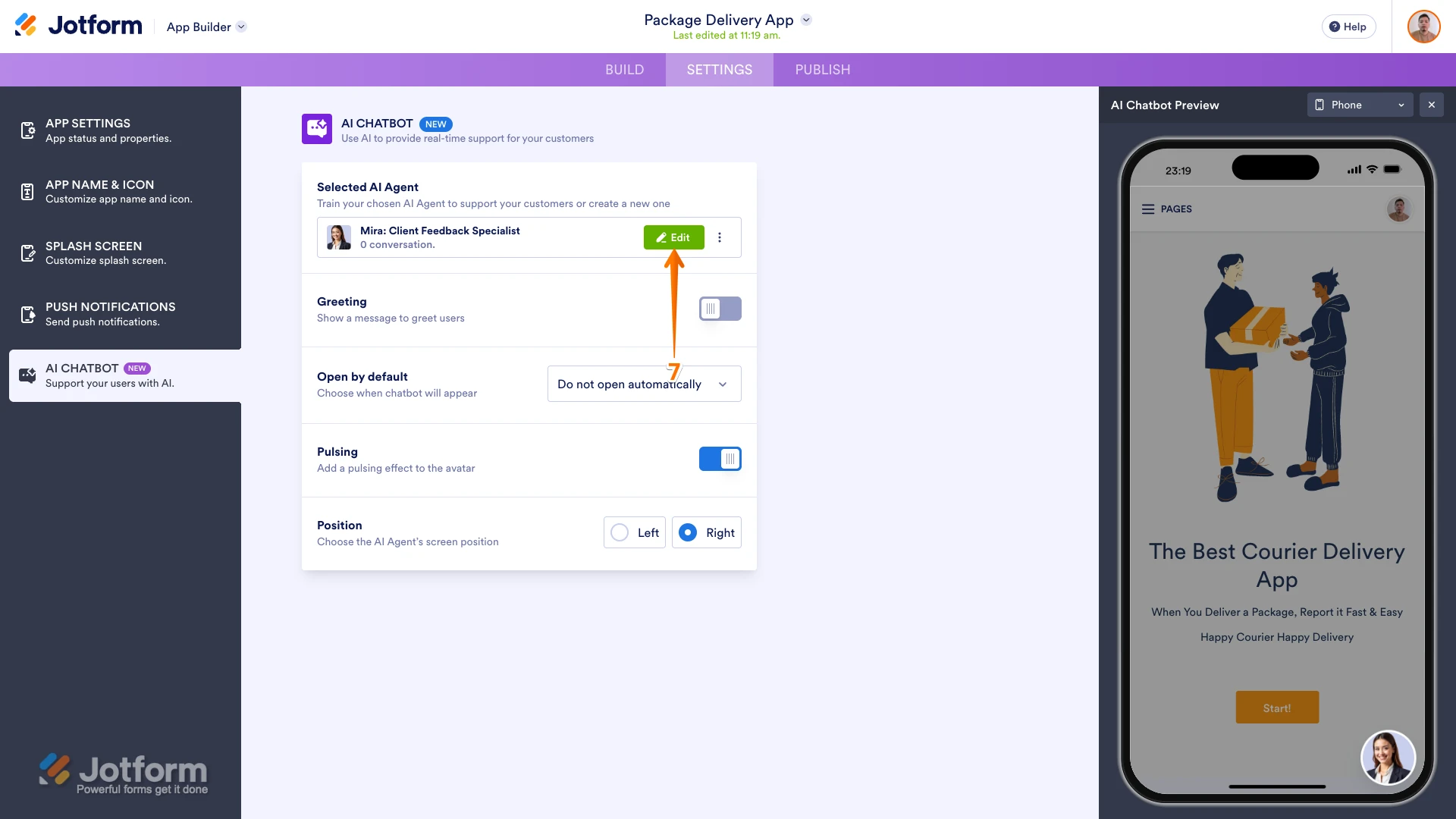
7. Finally, in the Selected AI Agent section, click on Edit to customize or train your AI Agent.
Now that you’ve added it, you can open your AI Agent in the corner of your app. Check out the example below to see how it’ll look:Let us know if you have any other questions.
-
Hi Kris, no problem at all.
My question is actually how it works and help e-commerce businesses. Is there WooCommerce integration for that (checking order status etc.) or it just simply forks like Knowledge base with LLM support?Also would like to now pricing for Turkish lira.
Best.
-
 Silvano Jotform Support
Hi Tolga,
Currently, there is still no direct integration with WooCommerce. However, as a workaround you can use a third-party application to connect your form to WooCommerce which is using Zapier. Check out this guide about How to connect Jotform + WooCommerce.
Reach out to us if you still need help.