-
 gelecekdahanet
Merhabalar,
Dün yıllık bir ödeme yaptık ve bu ödemeye ait şirketimizin bilgilerine yönelik fatura talebinde bulunmak istiyoruz. Faturalandırma bölümünde kart sahibi adına ödemenin yapıldığını görüntülüyoruz ancak şirket adına faturayı iletmenizi rica ediyoruz. Aşağıda bilgileri iletiyorum. Konuyla ilgili desteğinizi rica ediyoruz.
Sevgiler,
Bilgiler:
MİKADO DANIŞMANLIK HİZMETLERİ LİMİTED ŞİRKETİ
ESENTEPE MAH. TALAT PAŞA CAD. 5 1
Şişli/ İstanbul
Tel: 8508236336
E-Posta: 55669142974
Vergi Dairesi: ZİNCİRLİKUYU VERGİ DAİRESİ MÜD.
VKN: 6210439488
-
 Mary Eden Jotform Support
Hi gelecekdahanet,
Thanks for reaching out to Jotform Support. Our Turkish Support agents are busy helping other Jotform users right now, so I'll try to help you in English using Google Translate, but you can reply in whichever language you feel comfortable using. Or, if you'd rather have support in Turkish, let us know and we can have them do that. But, it might take a while until they're available again.
Now, coming back to your question, I’ve passed this along to our relevant team and will update you as soon as we hear back from them.
-
Mary Eden Jotform Support
Hi gelecekdahanet,
I have received confirmation from the relevant team that your invoice has now been updated with the information you provided. You can verify this by accessing your invoice through your account settings. Let me show you how:
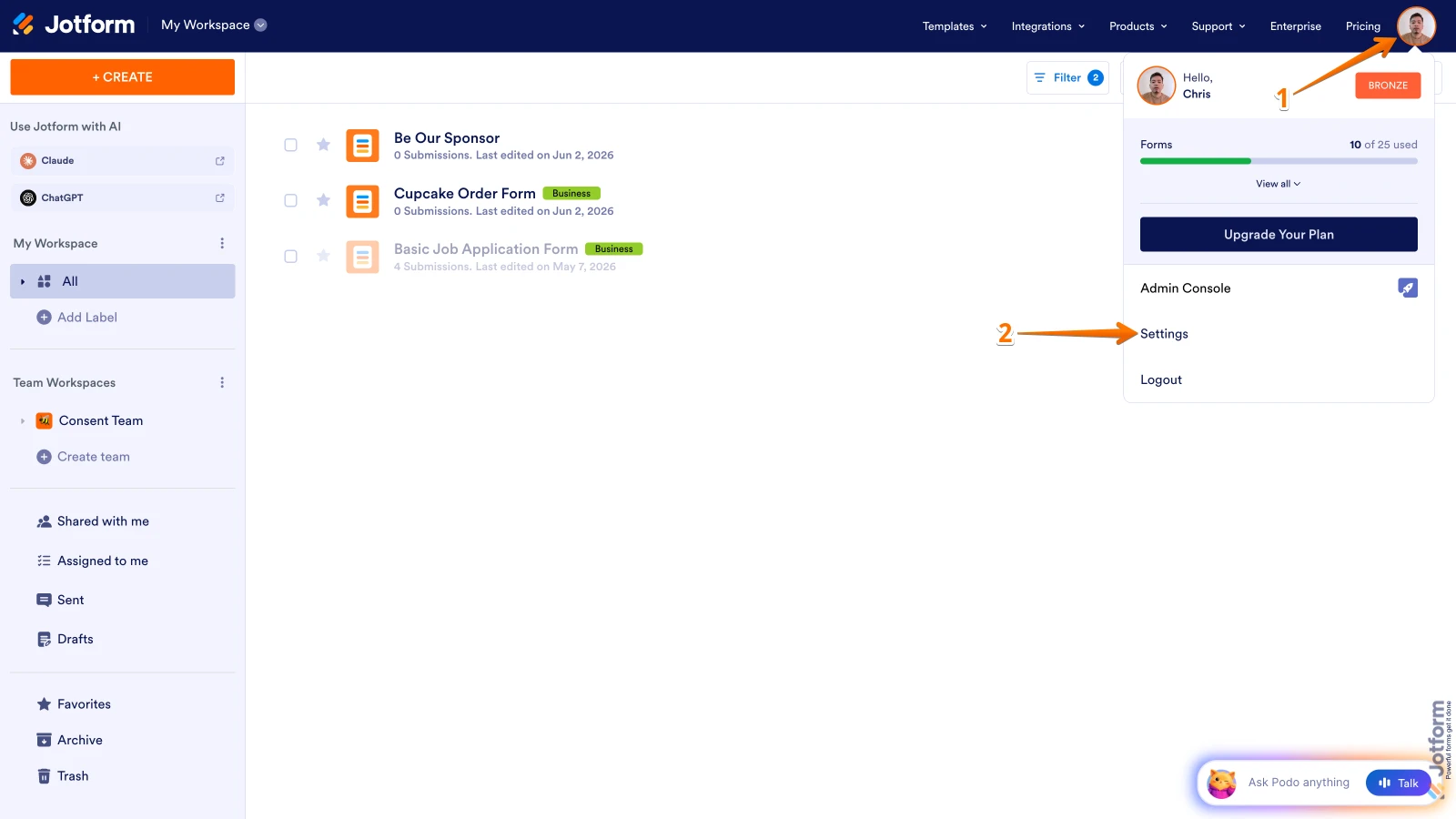
1. On your Workspace page, click on your Profile Image/Avatar in the upper-right.
2. Then, in the menu that opens, click on Settings.

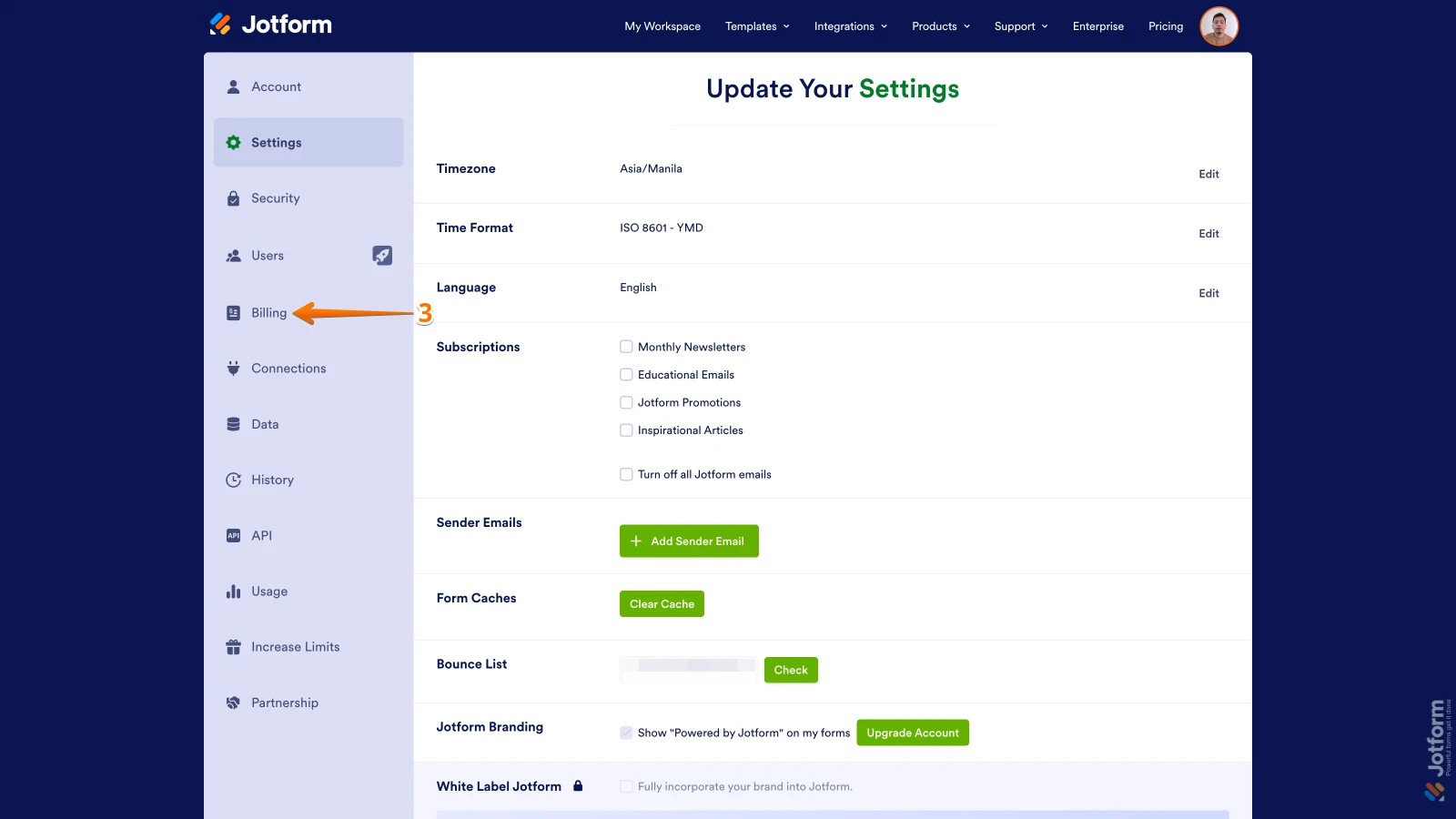
3. Next, click on Billing in the menu on the left side of the page, or Upgrade if there’s no existing subscription.
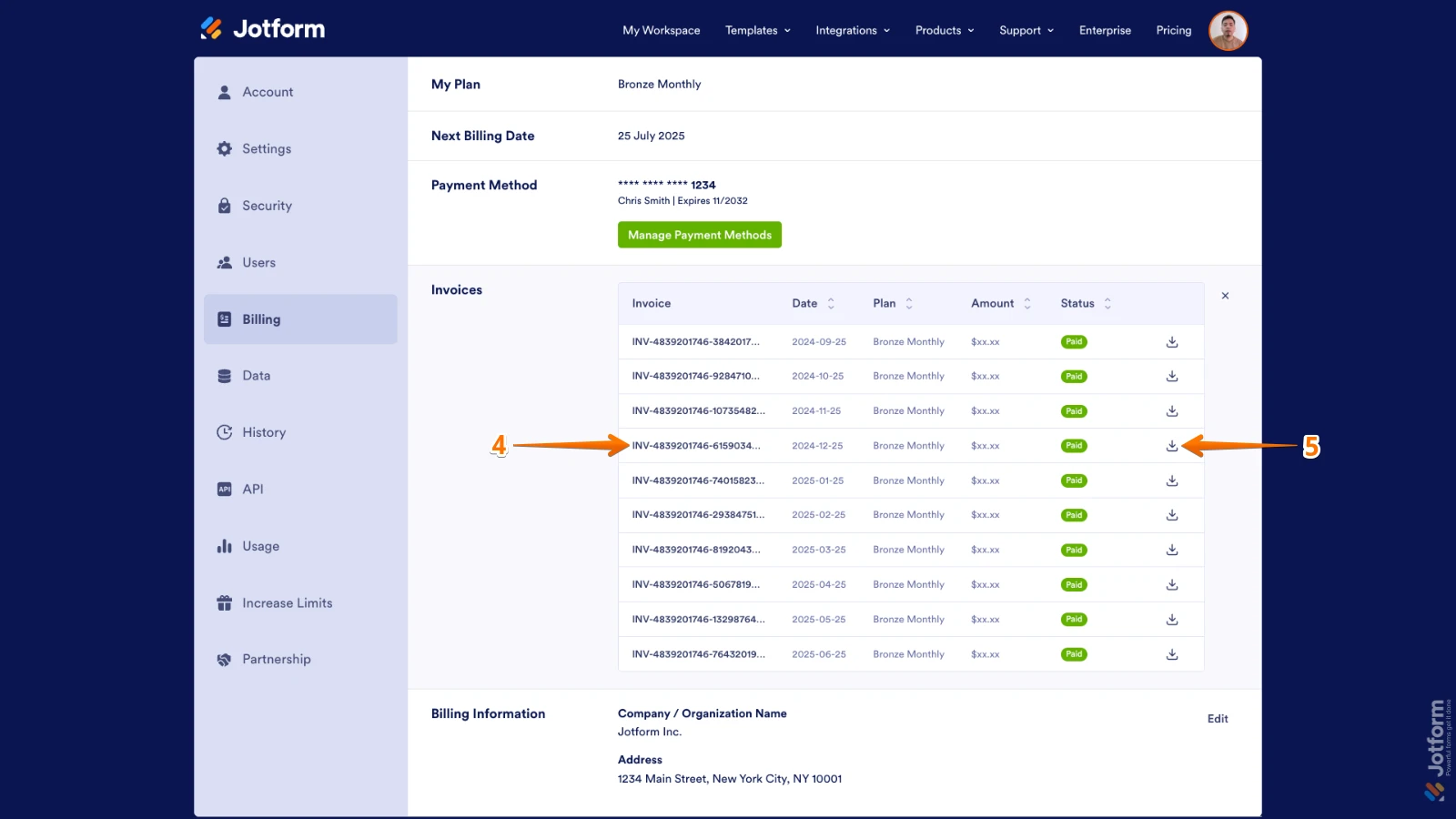
4. Now, in the table of invoices, click on an Invoice ID to open it in a new tab.
5. To download an invoice as a PDF, click on a Download icon on the right.
Let us know if you need any more help.
Yanıtınız
Something Went Wrong
An error occurred while generating the AI response. Please try again!