




Multiuser
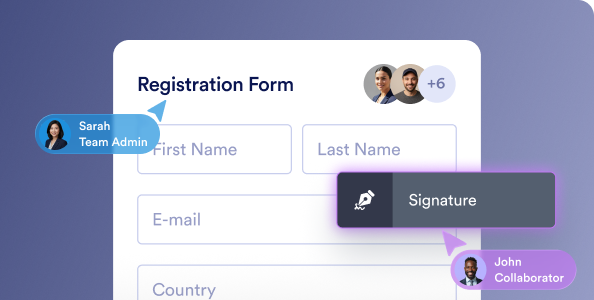
Give each colleague an individual login within one organization account. Assign roles and permissions so people can work together while administrators control access to forms and submission data.
Daha fazla bilgi edinNeed to collaborate with your team, control access to forms and data, or use your own domain?
Compare Starter, Bronze, Silver, and Gold with Jotform Enterprise to find the right fit for your organization.
Are you considering Jotform for yourself or for your whole organization?
Compare Starter, Bronze, Silver, and Gold with Jotform Enterprise to find the right fit for your organization.
Dünya çapında lider kuruluşların tercihi.
Build on what you already do with Jotform. Explore the benefits of a multiuser plan.
One user per account, with limited options to share forms and data.
Bring your team together in shared workspaces, with role-based access to forms and data.
Protect your forms with SSL, optional form encryption, and account security settings. HIPAA-enabled features are available on Gold.
Control your account from a central dashboard. Manage users, set permissions, and review logs for audits. A dedicated instance plus optional local data residency, SSO, HIPAA, and SOC 2 enhance security and reliability.
Get online support from our AI support agent and customer support team.
Get dedicated support and schedule Zoom calls for personalized guidance. Optional Professional Services help your team get started faster.
Limits vary by plan. Gold, our highest-tier standard plan, includes 100 forms, 10,000 monthly submissions, and 100 GB of storage.
Unlimited forms, submissions, e-signatures, payments, and API calls let you focus on growth without worrying about use limits.
| Kategoriye göre karşılaştırın | Kurumsal | |
|---|---|---|
| Ekip ve iş birliği | ||
| Çoklu kullanıcı Her ekip arkadaşınıza aynı hesap için kendi giriş bilgilerini verin. | 1 kullanıcı 1 kullanıcı 1 kullanıcı 1 kullanıcı | Sınırsız |
| Kullanıcı rolleri Her kişinin neleri görebileceğini ve yapabileceğini belirleyin. | Yalnızca hesap sahibi Yalnızca hesap sahibi Yalnızca hesap sahibi Yalnızca hesap sahibi | Rol tabanlı erişime sahip yönetici ve kullanıcılar |
| Veri sahipliği Oluşturduğunuz formların ve yanıtların kime ait olduğu. | Bireysel kullanıcı Bireysel kullanıcı Bireysel kullanıcı Bireysel kullanıcı | Kurum |
| Ekip çalışma alanları Bir ekibin formlarını ve verilerini bir arada tuttuğu paylaşılan alanlar. | Tek kullanıcı için çalışma alanları Tek kullanıcı için çalışma alanları Tek kullanıcı için çalışma alanları Tek kullanıcı için çalışma alanları | |
| Form ve yanıt erişim kontrolleri Her formu ve yanıtlarını kimlerin görüntüleyebileceğini veya düzenleyebileceğini seçin. | Kullanıcı ve role göre izinler | |
| Yönetim ve kontrol | ||
| Sunucu yönetimi Tüm kullanıcıları, varlıkları ve ayarları tek bir panelden yönetin. | ||
| SSO ile giriş (isteğe bağlı) Okta veya Microsoft Entra ID gibi şirket hesabınızla oturum açın. | ||
| SLA (Hizmet Seviyesi Sözleşmesi) Çalışma süresi gibi hizmet seviyelerine ilişkin yazılı bir taahhüt. | ||
| Özelleştirilmiş sözleşme Kuruluşunuza göre uyarlanmış sözleşme koşulları. | ||
| Kuruluş genelinde varlık yönetimi Ekibinizin oluşturduğu her formu, tabloyu ve uygulamayı görüntüleyin ve yönetin. | ||
| Kullanım ve etkinlik içgörüleri Ekibinizin formları, yanıtları ve diğer varlıkları nasıl kullandığını görün. | ||
| Entegrasyon yönetimi Kuruluşunuzdaki kişilerin hangi entegrasyonları kullanabileceğini kontrol edin. | ||
| Güvenlik ve uyumluluk | ||
| HIPAA (isteğe bağlı) Korunan sağlık bilgilerini toplamanıza ve güvence altına almanıza yardımcı olan özellikler. | ||
| GDPR (isteğe bağlı) AB'den gelen kişisel verileri yönetmenize yardımcı olan özellikler. | ||
| HIPAA + GDPR (isteğe bağlı) Her iki uyumluluk seçeneğini aynı hesapta kullanın. | ||
| Barındırma ortamı Formlarınızın ve verilerinizin çalıştığı yer: paylaşılan veya özel sunucular. | Paylaşılan Paylaşılan Paylaşılan Paylaşılan | Kuruluşunuza özel |
| Yerel veri saklama Verilerinizin depolanacağı ülkeyi seçin. | EU/US EU/US EU/US EU/US | Locations in 15 countries |
| Oturum zaman aşımı Belirli bir süre işlem yapılmadığında kişilerin oturumunu otomatik olarak kapatın. | ||
| IP adresi kısıtlaması Hesabınıza yalnızca onaylı IP adreslerinden erişilmesine izin verin. | ||
| Kullan | ||
| Formlar Kaç form oluşturabileceğiniz. | Up to 100 forms Up to 50 forms Up to 25 forms Up to 5 forms | Sınırsız |
| Form Yanıtı Her ay kaç form yanıtı toplayabileceğiniz. | Up to 10,000 / month Up to 2,500 / month Up to 1,000 / month Up to 100 / month | Sınırsız |
| Depolama alanı Formlarınız aracılığıyla yüklenen dosyalar için alan. | Up to 100 GB Up to 10 GB Up to 1 GB Up to 100 MB | Sınırsız (adil kullanım) |
| Form Görüntülemeleri Formlarınızın her ay kaç kez görüntülenebileceği. | Up to 10M / month Up to 1M / month Up to 100,000 / month Up to 10,000 / month | Sınırsız |
| Yanıt depolama Hesabınızda tutabileceğiniz toplam form yanıtları. | Up to 100,000 submissions Up to 25,000 submissions Up to 10,000 submissions Up to 500 submissions | Sınırsız |
| Form Alanı (form başına) Tek bir formda kullanılabilecek sorular ve ögeler. | Up to 1,000 fields Up to 500 fields Up to 250 fields Up to 100 fields | Sınırsız |
| Ödeme Gönderimi Her ay ödeme içeren form yanıtları. | Up to 1,000 / month Up to 250 / month Up to 100 / month Up to 10 / month | Sınırsız |
| İmzalanan Belgeler Kişilerin her ay imzalayabileceği belgeler. | Up to 1,000 / month Up to 250 / month Up to 100 / month Up to 10 / month | Sınırsız |
| Yapay zeka destekli oluşturma Basit bir prompt'tan formlar, uygulamalar ve yapay zeka asistanları oluşturun. | Sınırsız Sınırsız Sınırsız Sınırsız | Sınırsız |
| API çağrıları Diğer uygulamaların her gün hesabınıza yapabileceği istekler. | Up to 100,000 / day Up to 50,000 / day Up to 10,000 / day Up to 1,000 / day | Sınırsız |
| Özelleştirme | ||
| Özel alan adı Formlarınızı kendi web adresinizde barındırın. | ||
| Varlık alan adları Formlarınız ve uygulamalarınız için farklı özel alan adları kullanın. | ||
| Beyaz etiketleme Jotform marka yazısını kendi markanızla değiştirin. | Markalama yok Markalama yok Markalama yok Jotform markası | Özel markalama |
| Kuruluş marka kiti Logolarınızı, renklerinizi ve fontlarınızı herkes için tek bir yerde tutun. | ||
| Kuruluş genelinde form temaları Tüm kuruluşunuzda aynı form tasarımını uygulayın. | ||
| Markalı çalışma alanı Çalışma alanına, giriş ve hata sayfalarına markanızı ekleyin. | ||
| Beyaz-etiketli mobil uygulama Ekibinize kendi markanızı taşıyan bir mobil uygulama sunun. | ||
| Destek | ||
| 7/24 çevrim içi destek Destek ekibimizden istediğiniz zaman yardım alın. | ||
| Müşteri desteği için gerçek zamanlı Zoom oturumları Müşteri Başarı ekibimizle canlı görüntülü görüşmeler. | ||
| Profesyonel hizmetler Formlarınızı ve iş akışlarınızı oluşturmak için uzmanlarımızdan birebir yardım. | ||
| Oryantasyon hizmetleri Ekibiniz için rehberli kurulum ve eğitim. | ||
| Entegrasyonlar ve API | ||
| Ödeme entegrasyonları PayPal, Stripe, Square ve daha fazlasıyla ödeme alın. | ||
| 3. taraf entegrasyonlar Form verilerini Google E-Tablolar, Slack ve Salesforce gibi araçlara gönderin. | ||
| API Kendi sistemlerinizle özel bağlantılar kurun. | ||
| yapay zeka asistanları | ||
| yapay zeka asistanları Soruları yanıtlayan ve kişilerle birlikte form dolduran yapay zeka asistanları. | Up to 100 agents Up to 50 agents Up to 25 agents Up to 5 agents | Sınırsız |
| Görüşmeler Yapay zeka asistanlarınızın her ay yapabileceği sohbetler. | Up to 10,000 / month Up to 2,500 / month Up to 1,000 / month Up to 100 / month | Sınırsız |
| Oturumlar Kişilerin her ay yapay zeka asistanlarınızla etkileşim kurma sayısı. | Up to 2M / month Up to 1M / month Up to 100,000 / month Up to 10,000 / month | Sınırsız |
| Aylık sesli arama Yapay zeka asistanlarınızın telefon görüşmelerinde harcayabileceği dakikalar. | 300 min. 200 min. 100 min. 50 min. | 1,000 min. |
| Aylık SMS Yapay zeka asistanlarınızın her ay gönderebileceği kısa mesajlar. | 750 500 300 250 | 1.000 |
| Bilgi merkezi Yapay zeka asistanlarınızın soruları yanıtlamak için öğrendiği içerik. | Up to 100M characters Up to 50M characters Up to 20M characters Up to 10M characters | Sınırsız |
| Telefon numarası eklentisi Yapay zeka asistanınıza kendi telefon numarasını verin. | ||
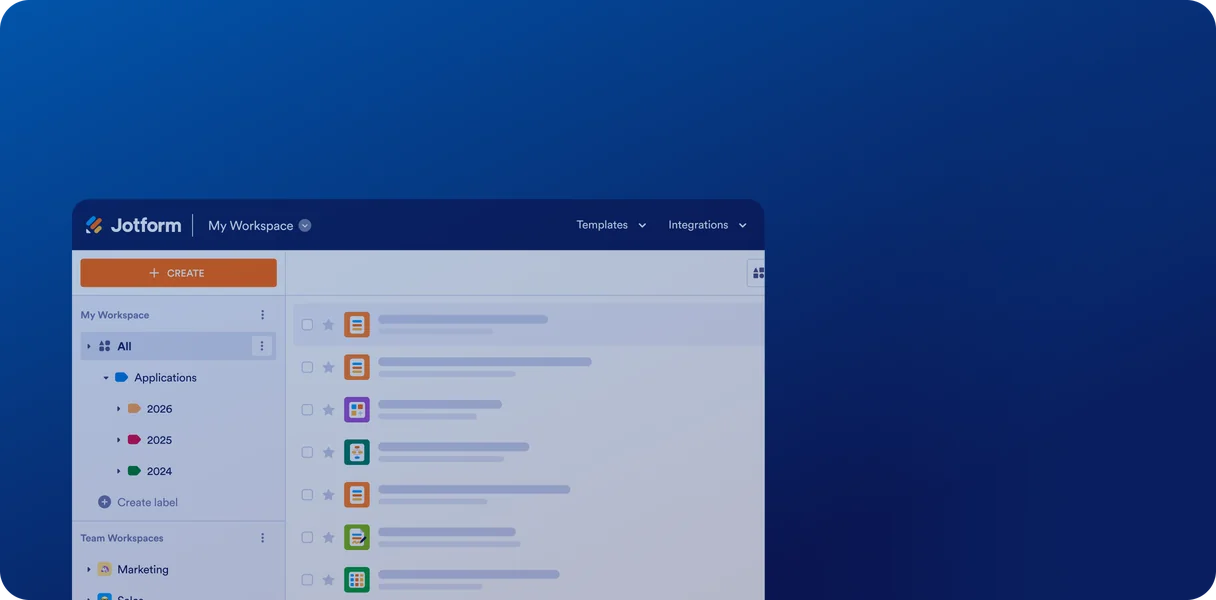
Give each colleague an individual login within one organization account. Assign roles and permissions so people can work together while administrators control access to forms and submission data.
Daha fazla bilgi edin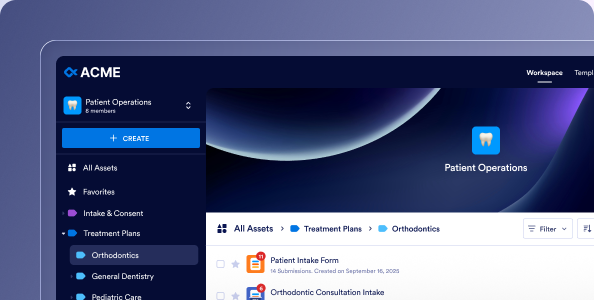
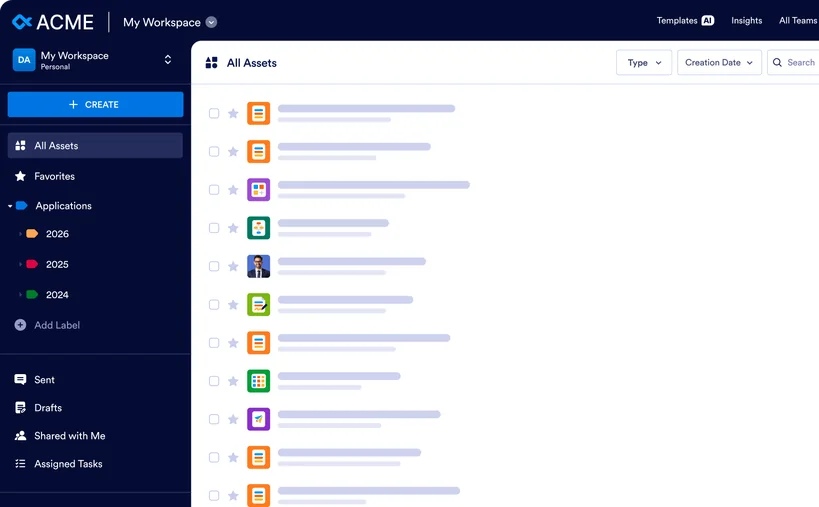
Create shared workspaces for departments, projects, or working groups. Keep forms, workflows, and related assets together so team members can find and manage the resources they need.
Daha fazla bilgi edin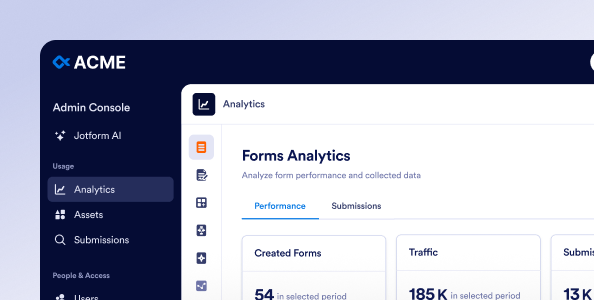
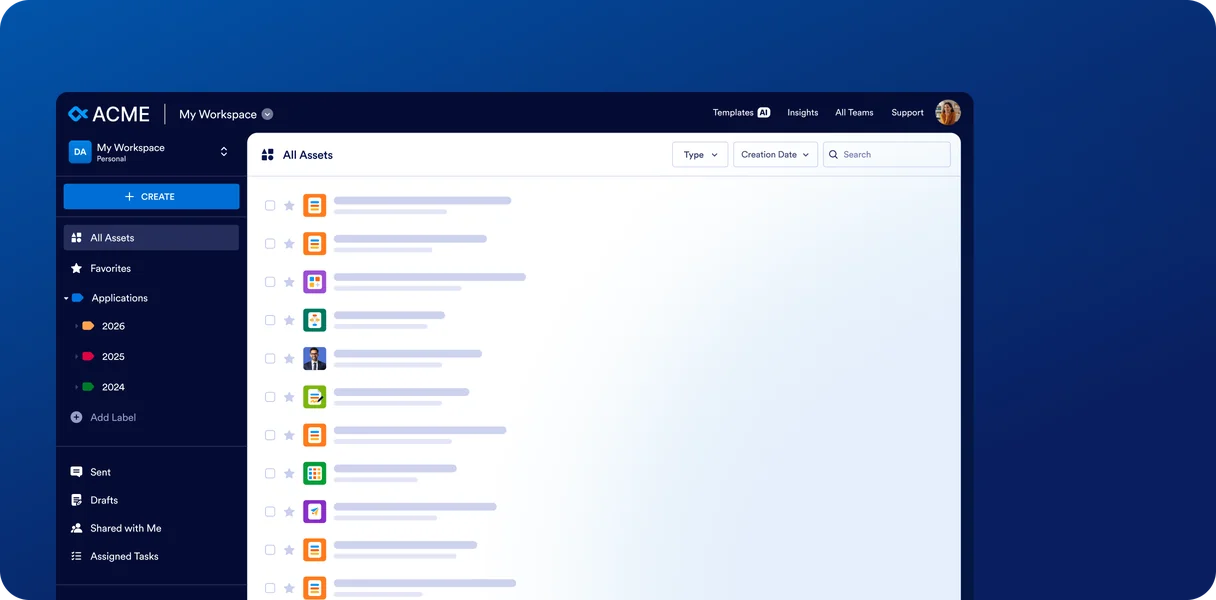
Manage users, permissions, assets, and security settings across your organization in one place. Give administrators a shared view of how teams use Jotform, with tools to manage access as responsibilities change.
Yönetici Panelini Keşfedin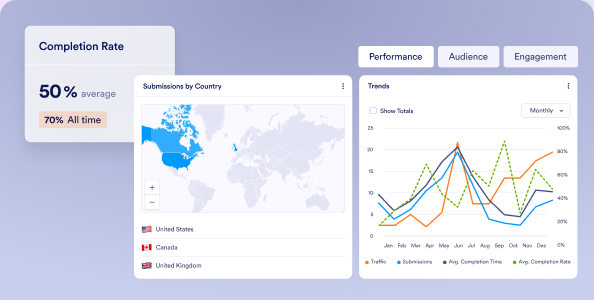
View performance across your organization’s forms, workflows, apps, and signing documents. Track submissions, completion rates, and activity in one dashboard to understand what’s working and where processes could improve.
İçgörüleri Keşfet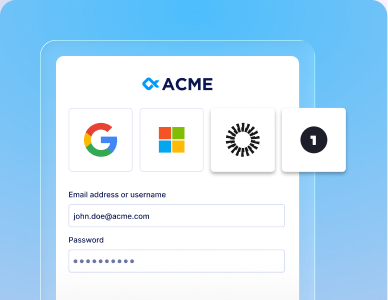
Connect Jotform Enterprise to your organization’s identity provider. Let employees sign in with their work credentials while IT manages authentication through your existing sign-on system.
Daha fazla bilgi edin
Add organization-wide controls to Jotform’s security foundation. Configure access restrictions and review activity logs to help manage sensitive information and support your internal security policies.
Daha fazla bilgi edin
Choose from available hosting locations to meet your organization’s data residency requirements. Keep forms and submission data in your selected country or region to support local storage policies.
Daha fazla bilgi edin
Help your team get familiar with Jotform Enterprise through personalized demonstrations, training, and live Zoom sessions with our customer success team. Request dedicated support as new questions arise and revisit recorded sessions as needed.
Daha fazla bilgi edin
Get hands-on help when your team needs additional implementation support. Jotform experts can build custom forms, e-signature documents, and workflows based on your requirements and provide training on how to use them. A Service-Level Agreement and customized agreement are available.
Daha fazla bilgi edin
Fuel your organization’s growth. Create unlimited forms and collect unlimited submissions, e-signatures, and payments, with unlimited API calls and storage for your entire organization.
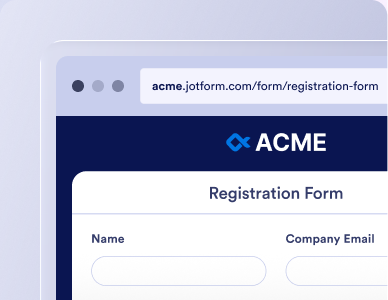
Host forms on your organization’s own domain, such as forms.yourcompany.com. Give customers and colleagues a familiar web address that connects your forms to your organization.
Daha fazla bilgi edin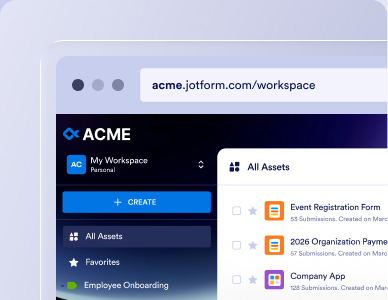
Extend your branding beyond individual forms to workspaces and login pages. Apply your organization’s logo, colors, and themes, and use white labeling for a fully branded experience for staff and respondents.
Daha fazla bilgi edin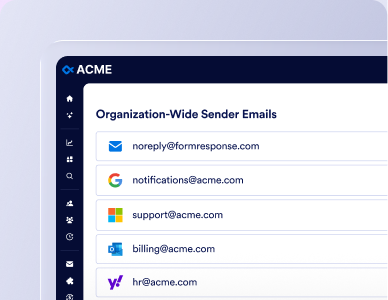
Send form notifications and autoresponders through your organization’s own mail server. Manage sender addresses centrally so messages come from recognizable accounts and follow your email configuration.
Daha fazla bilgi edinJotform Enterprise is the only multiuser plan. With Jotform Enterprise your organization — not an individual — owns the data. Additional enterprise features include shared workspaces, centralized user management, and additional security options such as SSO, organization-wide HIPAA features, and a SOC 2 environment. Custom domains, local data residency, dedicated support, and unlimited forms and submissions also support growing teams. Our standard plans are a good fit if you work independently and the features and use limits meet your needs.
Jotform Standard plans are single-user accounts that run on shared servers and include 24/7 online support. Jotform Enterprise is our only multiuser plan that runs on a server dedicated to your organization. It adds unlimited use, admin controls, single sign-on (SSO), local data residency, a custom domain, and a dedicated Customer Success team with an SLA.
Consider Jotform Enterprise when more than one person needs to build forms or manage data, when your team is reaching plan limits, or when your IT or compliance standards require SSO, admin controls, or data stored in a specific country. It’s also the right fit if you need an SLA, a customized agreement, or hands-on support.
If you work on your own and stay within your plan’s limits, a Standard plan is likely enough.
If you’re the only person who will build forms and manage submissions, a Standard plan is a good place to start. Our Starter plan is free. Bronze, Silver, and Gold plans have higher use limits. Choose Jotform Enterprise when more than one person needs to build forms or manage submission data, or when you have specific security requirements like SSO, admin control, or data localization.
Jotform Enterprise has custom pricing based on the number of users, your security and data requirements, and any add-ons. The base package includes up to 5 users, and you can add more seats in bundles of 5. Qualifying educational institutions and nonprofits receive a 30% discount on user fees. Contact our sales team to get a quote for your organization.
Jotform Enterprise has custom pricing based on the number of users, your security and data requirements, and any add-ons. The base package includes up to 5 users, and you can add more seats in bundles of 5. Qualifying educational institutions and nonprofits receive a 30% discount on user fees. Contact our sales team to get a quote for your organization.
Yes. Jotform Enterprise is Jotform’s only multiuser plan. Each person gets their own login. Admins set role-based access levels for every user, and teams can collaborate in shared workspaces. When someone leaves, an admin can reassign the assets they own so forms and submissions stay with your organization. Form respondents don’t count as users.
Yes. Jotform Enterprise is Jotform’s only multiuser plan. Each person gets their own login, admins set access levels for every user, and teams can collaborate in shared workspaces. When someone leaves, an admin can reassign their assets so forms, docs, and submissions stay with your organization. Form respondents don’t count as users.
No. Jotform Enterprise includes unlimited forms, submissions, e-signatures, payments, and API calls. Storage follows a fair use policy: 1 TB for the base package, plus 1 TB for each additional pack of 5 users.
No. Jotform Enterprise includes unlimited forms, submissions, e-signatures, payments, and API calls. Storage follows a fair use policy: 1 TB for the base package, plus 1 TB for each additional pack of 5 users.
Yes. Jotform Enterprise supports SSO through SAML 2.0 with identity providers such as Microsoft Entra ID, Google Workspace, and Okta, as well as JIT and SCIM user provisioning. You can also require SSO for form access. SSO isn’t available on Jotform Standard plans.
Yes. Jotform Enterprise supports SSO through SAML 2.0 with identity providers such as Microsoft Entra ID, Google Workspace, and Okta, as well as JIT and SCIM user provisioning. You can also require SSO for form access. SSO isn’t available on Jotform Standard plans.
Yes. Jotform Enterprise offers HIPAA compliance features, with database-level encryption that uses a unique AES-256 key for each submission. Jotform Gold also offers HIPAA features, but it is a single-user plan. If more than one person needs access to protected health information (PHI), you’ll need Jotform Enterprise. HIPAA servers come at an additional cost.
Yes. Jotform Enterprise offers HIPAA compliance features, with database-level encryption that uses a unique AES-256 key for each submission. Jotform Gold also offers HIPAA features, but it is a single-user plan. If more than one person needs access to protected health information (PHI), you’ll need Jotform Enterprise. HIPAA servers come at an additional cost.
Jotform Standard plans run on shared servers in the EU or US. Jotform Enterprise runs on a server dedicated to your organization. Choose from 19 local data residency centers in 15 countries to meet country-specific privacy and compliance requirements.
Jotform Standard plans run on shared servers in the EU or US. Jotform Enterprise runs on a server dedicated to your organization. Choose from 19 local data residency centers in 15 countries to meet country-specific privacy and compliance requirements.
Yes. Migrating your existing forms and submission data is included when you set up Jotform Enterprise, and migrations involve limited downtime. Your existing Jotform form URLs keep working after the move. A few items, such as encrypted forms, draft submissions, and in-progress workflows, need extra steps or don’t migrate.
Yes. If you start on a Standard plan, migrating your forms and submission data is included in your Enterprise setup, with limited downtime. Your existing Jotform form URLs keep working after the move.
You can keep using your Standard account, but forms and data that were migrated can no longer be edited there. If you prefer, we’ll downgrade your Standard account so you aren’t charged going forward, and any prepaid but unused amount as of the migration date will be refunded.
After your agreement is signed, your server setup, migration, and login credentials are typically delivered within one business day. Jotform Enterprise is web-based, so there’s no software to install.
After your agreement is signed, your server setup and login credentials are typically delivered within one business day. Jotform Enterprise is web-based, so there’s no software to install.
Bronze, Silver, and Gold are single-user plans. If you require additional people to build forms or manage your submission data, Jotform Enterprise is the only solution.
Bronze, Silver, and Gold are single-user plans. If you require additional people to build forms or manage your submission data, Jotform Enterprise is the only solution.
No. Month-to-month billing isn’t available. Fees are paid upfront for the term specified in your agreement.
Enterprise does not offer month-to-month billing. Fees are paid upfront for the term specified in your agreement.
Due to the costs associated with setting up a Jotform Enterprise account and server, we are unable to provide a trial of the Jotform Enterprise platform. Our sales team can walk you through the features and functionality of Jotform Enterprise and answer your questions so you can confidently make your decision.
Due to the costs associated with setting up a Jotform Enterprise account and server, we are unable to provide a trial of the Jotform Enterprise platform. Our sales team can walk you through the features and functionality of Jotform Enterprise and answer your questions so you can confidently make your decision.