Veri görselleştirme widget'ları, sayıları, karşılaştırmaları, programları, saati, hava durumunu ve diğer yapılandırılmış bilgileri özel kod yazmadan web sitenizde sunmanıza yardımcı olur. Bu yerleştirilebilir widget'lar, ziyaretçilerin verileri doğrudan sayfada okumasını, karşılaştırmasını ve anlamasını kolaylaştırır.
Jotform'un veri görselleştirme widget'larıyla tablolar, karşılaştırma tabloları, grafikler, çizelgeler, hava durumu göstergeleri, dünya saatleri ve gün doğumu ile gün batımı göstergeleri oluşturabilirsiniz. Bu widget'lar kurumsal web sitelerinde, ürün sayfalarında, fiyatlandırma sayfalarında, raporlarda, kontrol panellerinde, etkinlik sayfalarında, seyahat web sitelerinde, kaynak sayfalarında ve şirket içi portallarda sorunsuz çalışır.
Veri görselleştirme widget'larıyla neler yapabilirsiniz?
Veri görselleştirme widget'ları şunları yapmanıza yardımcı olabilir:
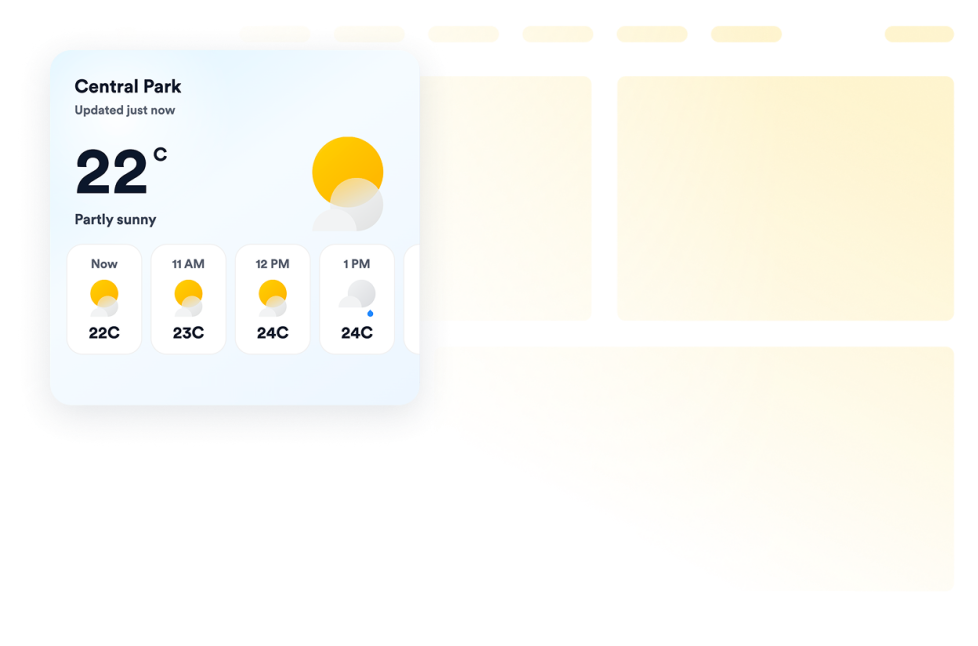
- Hava Durumu widget'ı ile güncel hava koşullarını ve saatlik ya da günlük tahminleri gösterin
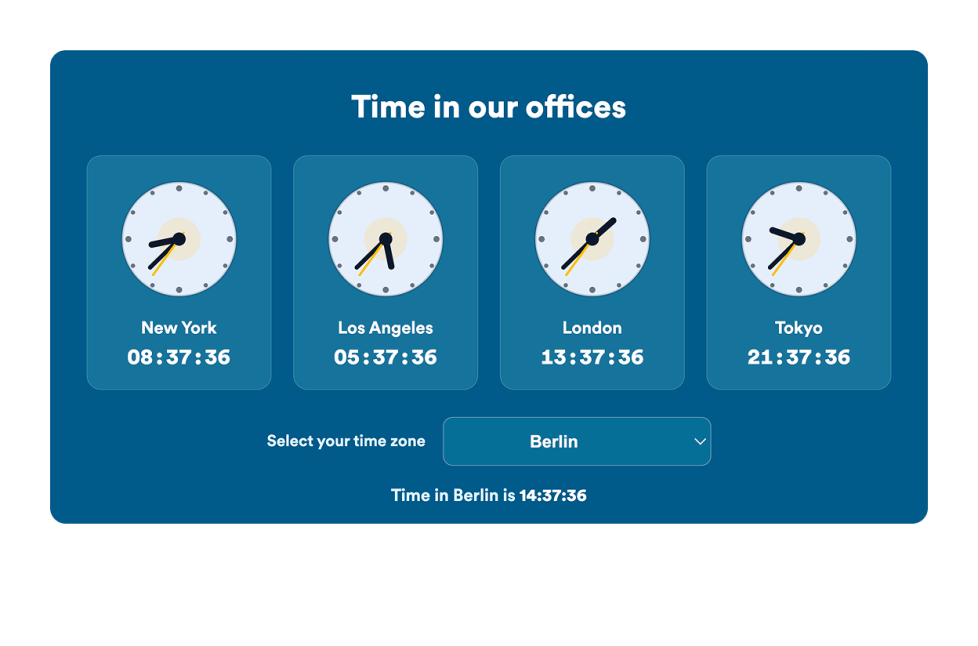
- Farklı ofisler, mağazalar, etkinlikler veya saat dilimleri için analog ya da dijital saatler gösterin
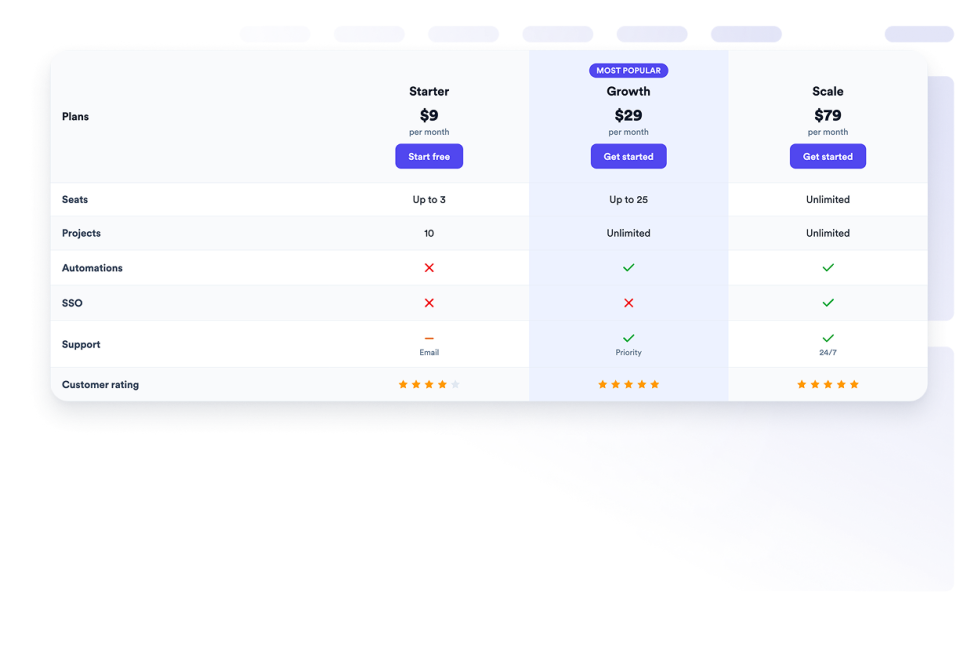
- Ürünleri, planları, hizmetleri veya özellikleri bir Karşılaştırma Tablosunda karşılaştırın
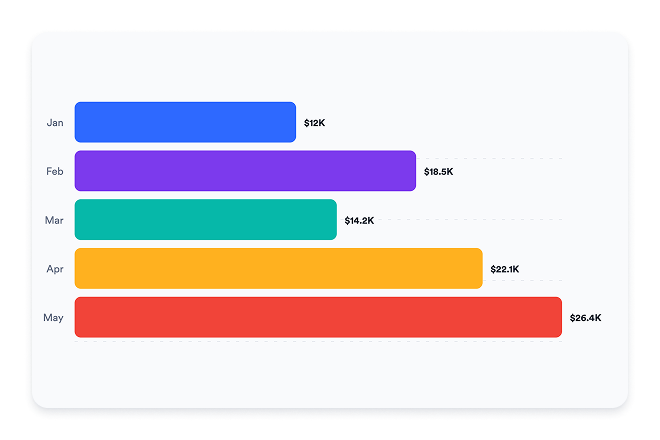
- Sayısal bilgileri grafikler ve çizelgelerle sunun
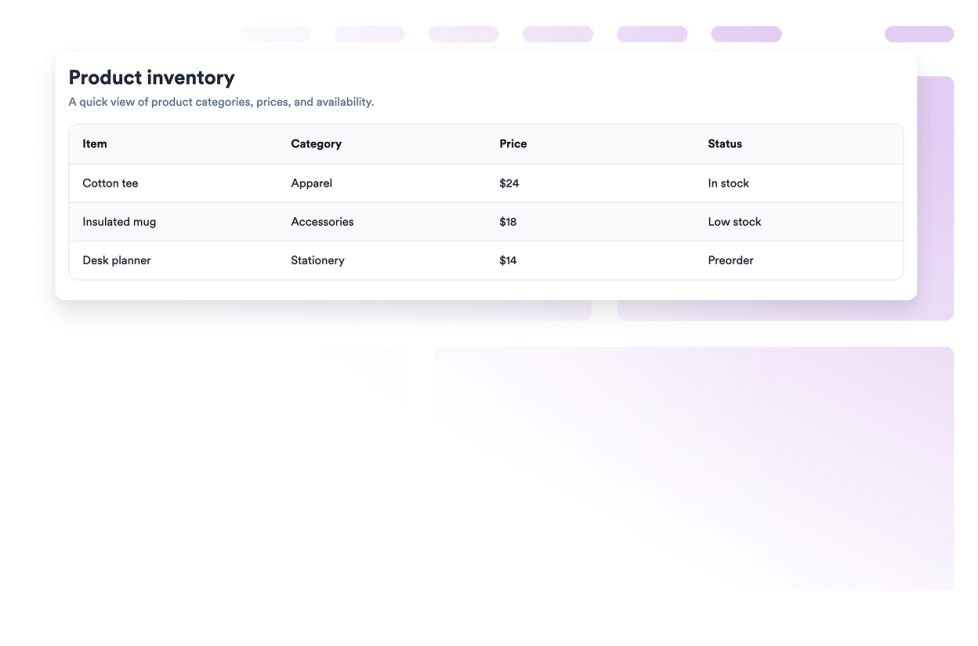
- Yapılandırılmış bilgileri mobil uyumlu bir Tablo widget'ında düzenleyin
- Tabloların daha kolay incelenmesi için sabit başlıklar ve mobil kart düzenleri ekleyin
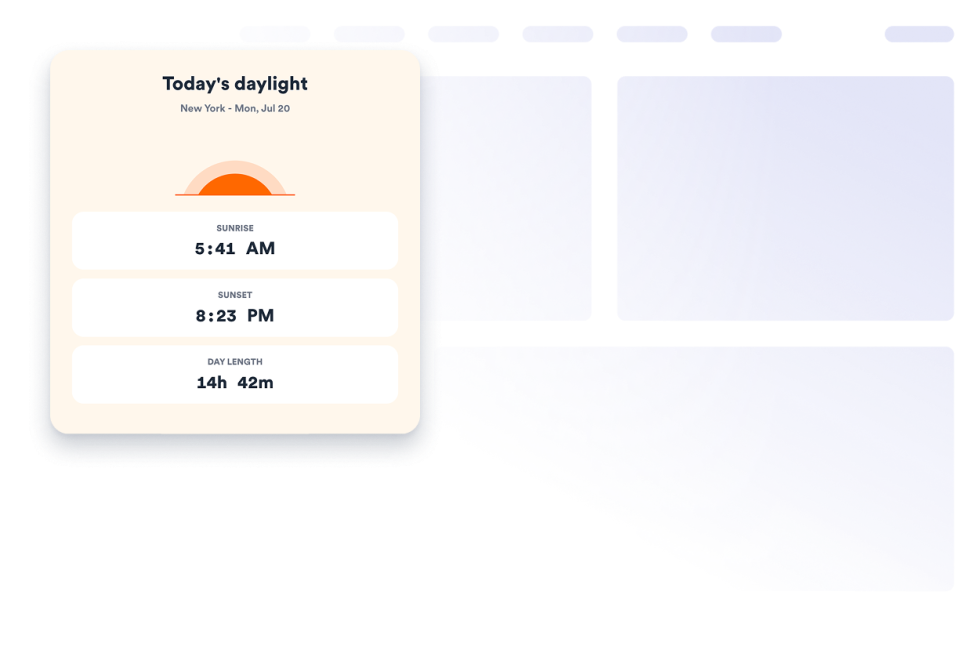
- Seçilen bir şehir ve saat dilimi için gün doğumu saatini, gün batımı saatini ve gün uzunluğunu gösterin
- Renkleri, etiketleri, açıklamaları, düzenleri ve diğer görüntüleme ayarlarını özelleştirin
- Ziyaretçileri başka bir araca yönlendirmek yerine faydalı bilgileri web sitenizde tutun
Popüler veri görselleştirme widget'larının kullanım alanları
Veri görselleştirme widget'ları, ziyaretçilerin yapılandırılmış bilgileri hızlıca anlaması gereken her yerde kullanılabilir. İşletmeler, ürünleri, hizmet paketlerini, fiyatlandırma planlarını veya özellikleri yan yana sunmak için Karşılaştırma Tablosu widget'ını kullanabilir. Tablo widget'ı ise programları, rehberleri, teknik özellikleri, ücretleri veya satır ve sütunlar hâlinde düzenlenmiş diğer bilgileri sunabilir.
Grafikler ve Çizelgeler widget'ı, iş rakamlarını, anket sonuçlarını, proje verilerini veya diğer sayısal bilgileri görsel bir biçimde göstermenize yardımcı olabilir. Kullanıcılar bir grafik türü seçebilir; verileri, etiketleri, açıklamaları ve renkleri sayfaya uyacak şekilde özelleştirebilir.
Seyahat web siteleri, etkinlik sayfaları, oteller, açık hava işletmeleri ve yerel kuruluşlar, güncel hava koşullarını ve tahminleri göstermek için Hava Durumu widget'ını kullanabilir. Saat widget'ı, ofislerdeki, destek bölgelerindeki, mağazalardaki veya uluslararası etkinliklerdeki saati gösterebilir. Gün Doğumu Gün Batımı widget'ı ise seçilen bir konum için günlük gün doğumu, gün batımı ve gün uzunluğu bilgilerini sunabilir.
Her ekip için kolay web sitesi widget'ları
Yerleştirilebilir veri görselleştirme widget'ları, bir geliştiriciye veya tasarımcıya bağlı kalmadan bilgi sunması gereken küçük işletmeler, pazarlama ekipleri, eğitimciler, etkinlik organizatörleri, seyahat şirketleri, online mağazalar, analistler, yayıncılar ve web sitesi sahipleri için kullanışlıdır.
Kullanıcılar Jotform ile bir widget seçebilir, gösterilecek bilgileri girebilir veya seçebilir, widget'ın ayarlarını özelleştirip tasarlayabilir, sonucu önizleyebilir ve yerleştirme kodunu kopyalayabilir. Ardından widget'ı özel kod yazmadan desteklenen bir web sitesi düzenleyicisine veya HTML bölümüne ekleyebilir.
Bu sayede tabloları, karşılaştırmaları, grafikleri, hava tahminlerini ve zamana dayalı bilgileri web sitenizin genel görünümüne uyan bir biçimde yayınlamak kolaylaşır.
İlgili kılavuzlar
Widget'ları kurma ve yönetme hakkında daha fazla bilgi edinmek için kullanıcılar, Jotform'un web sitesi widget'larını yönetme kılavuzunu okuyabilir. Kılavuz, kullanıcıların Web Sitemdeki Widget'lar sayfasından yeni widget'lar oluşturabileceğini, mevcut widget'ları düzenleyebileceğini, yerleştirme kodlarını kopyalayabileceğini, widget görünürlüğünü kontrol edebileceğini ve widget varlıklarını organize edebileceğini açıklar.
Veri görselleştirme widget'ları nedir?
Veri görselleştirme widget'ları, yapılandırılmış veya zamana dayalı bilgileri okunabilir bir biçimde sunan, web sitenize yerleştirilebilen araçlardır. Bu widget'lar arasında tablolar, karşılaştırma tabloları, grafikler, çizelgeler, saatler, hava tahminleri ve gün doğumu ile gün batımı bilgileri yer alabilir.
Hangi tür verileri gösterebilirim?
Widget'a bağlı olarak düzenlenebilir tablo verilerini, ürün veya plan karşılaştırmalarını, sayısal grafik verilerini, güncel hava durumunu, hava tahminlerini, dünya saatlerini, saat dilimlerini, gün doğumu saatlerini, gün batımı saatlerini ve gün uzunluğunu gösterebilirsiniz.
Veri görselleştirme widget'larını nerelerde kullanabilirim?
Bunları ürün sayfalarında, fiyatlandırma sayfalarında, kurumsal web sitelerinde, raporlarda, etkinlik sayfalarında, seyahat web sitelerinde, eğitim kaynaklarında, kontrol panellerinde ve şirket içi portallarda kullanabilirsiniz. Doğru yerleşim, ziyaretçilerin neyi karşılaştırması veya anlaması gerektiğine bağlıdır.
Veri görselleştirme widget'ları kodlama gerektirir mi?
Hayır. Bir geliştiriciye veya tasarımcıya ihtiyacınız yok. Widget'ı özelleştirebilir, yerleştirme kodunu kopyalayabilir ve özel kod yazmadan web sitenize ekleyebilirsiniz. Yerleştirme adımları, web sitesi platformunuza veya sayfa düzenleyicinize göre değişir.