Web siteniz için Sosyal Medya Akışı Widget'ı
Web sitenize bir sosyal medya feed'i ekleyin ve ziyaretçileri en son gönderileriniz, videolarınız, blog güncellemeleriniz ve RSS içeriğinizle bağlı tutun. Feed kaynaklarını seçmek, düzenleri özelleştirmek, gönderi ayrıntılarını kontrol etmek ve her şeyi kod yazmadan sitenize yerleştirmek için Social Media Feed Widget'ı kullanın.
Hemen oluşturun - Ücretsiz!

Sosyal Akış widget'ı nasıl oluşturulur
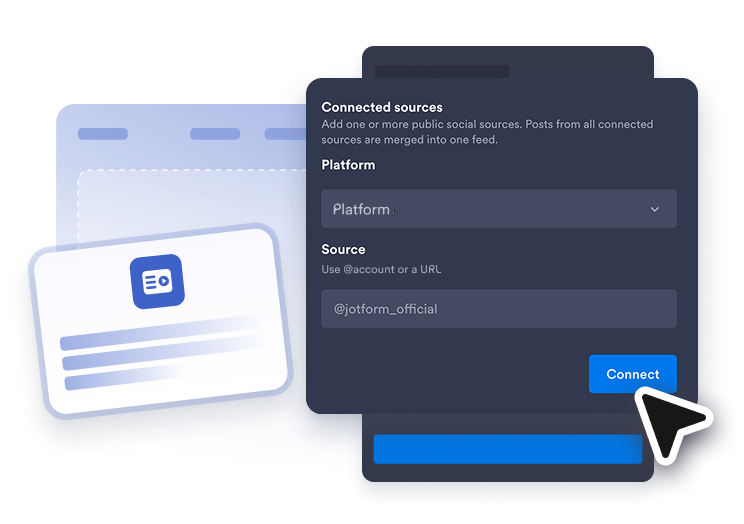
Bir feed kaynağı bağlayın
Görüntülemek istediğiniz içerik türünü seçin, ardından herkese açık bir hesap, kanal, çalma listesi, blog, pano, video veya RSS feed URL'si ekleyin.
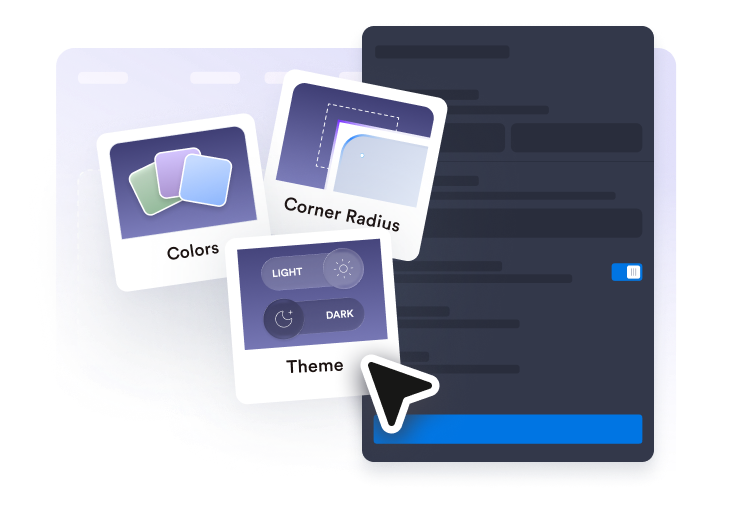
Akışı özelleştirin
Bir düzen seçin, gönderi kartlarını ayarlayın, kaynak sekmelerini açın veya kapatın, açılır pencere davranışını belirleyin ve tasarımı web sitenize uydurun.
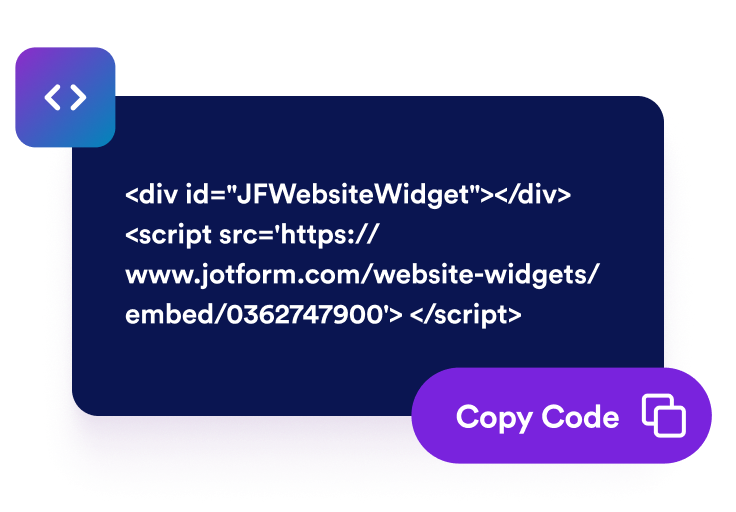
Yerleştirme kodunu alın
Social Media Feed Widget'ınızı yayınlamak için oluşturulan yerleştirme kodunu kopyalayın ve web sitenizin HTML veya yerleştirme bloğuna yapıştırın.
Sosyal güncellemeleri tek bir feed'de görüntüleyin
Feed kaynaklarınızı seçin
Seçili gönderileri, videoları, blog güncellemelerini ve RSS içeriğini tek bir bölümde toplayan bir sosyal medya feed widget'ı oluşturun. Daha geniş kapsamlı bir Social Media Feed Widget oluşturabilir veya Facebook Feed Widget, Instagram Feed Widget, Twitter Feed Widget, Tumblr Feed Widget veya RSS Feed Widget ile kaynağa özel feed'ler oluşturabilirsiniz.

Gönderileri düzeninize uyarlayın
Feed'inizi sayfanıza uygun bir formatta görüntüleyin. Izgara, duvar örgüsü, liste, kaydırmalı veya sürgülü düzenlerden birini seçin, ardından daha kolay göz atmak için aralıkları, sütunları, satırları, kaynak sekmelerini, sıralamayı ve öğe sınırlarını ayarlayın.

Doğru gönderi ayrıntılarını gösterin
Ziyaretçilerin her feed kartında neleri gördüğünü kontrol edin. Her gönderi önizlemesinin net ve kullanışlı hissettirmesi için yazar adlarını, avatarları, tarihleri, açıklamaları, platform rozetlerini, işlem sayılarını, harici bağlantıları ve açılır pencere ayrıntılarını gösterin veya gizleyin.

Web sitenizin tarzına uydurun
Web sitesi sayfalarınızdaki sosyal feed'inizi tasarımınızın bir parçası gibi hissettirin. Açık veya koyu temalar kullanın, kart ve açılır pencere renklerini özelleştirin, okları ve sayfalandırmayı ayarlayın, ek stil kontrolüne ihtiyaç duyduğunuzda özel CSS ekleyin.

Jotform Web Site Widget'ları neden öne çıkıyor
Jotform'un widget'ları web sitenizi daha etkileşimli hale getirir ve dönüşümleri artırır. Yıldızlı değerlendirmelerden ve kullanıcı görüşü kaydırıcılarından sosyal kanıt açılır pencerelerine ve medya yerleştirmelerine kadar birçok araç mevcut. Veri toplamak, kanıt göstermek ve potansiyelmüşteri yakalamak için kod yazmanıza gerek olmadan formlarınıza veya açılış sayfalarınıza widget'lar ekleyin.
Basit bir yerleştirme koduyla Jotform widget'larını web sitenize ekleyin. Bir geliştiriciye ihtiyaç duymadan widget'ı özelleştirin, nasıl göründüğünü önizleyin ve özel HTML ya da yerleştirme bloklarını destekleyen herhangi bir sayfaya yapıştırın.
Potansiyel müşterileri toplamak, müşteri geribildirimlerini göstermek, sosyal kanıt sunmak, medya içeriklerini yerleştirmek veya kullanışlı web sayfası araçları eklemek için Jotform Website Widget'larını kullanın. Her widget, ziyaretçilerin işletmenizle doğrudan web sitenizden etkileşime geçmesine yardımcı olur.
Widget'ınızı kurma, özelleştirme, yerleştirme veya sorun giderme konusunda yardıma ihtiyacınız olursa, Jotform'un müşteri destek ekibi 7/24 hizmetinizdedir. İhtiyacınız olduğunda yardımın hazır olduğunu bilerek güvenle ilerleyebilirsiniz.
Social Media Feed widget'ınızı nerede kullanabilirsiniz
Sosyal güncellemelerin, RSS içeriğinin veya kampanya gönderilerinin web sitenizi daha aktif ve güncel hissettirebileceği her yere bir Social Media Feed Widget ekleyin.
Son gönderileri, duyuruları, videoları ve kampanya güncellemelerini öne çıkarmak için marka ana sayfaları.
Canlı güncellemeleri, özet gönderileri, kısa videoları ve topluluk içeriğini paylaşmak için etkinlik sayfaları.
İçerik üreticisi güncellemelerini, proje lansmanlarını, sosyal kanıtı ve kamera arkası gönderilerini göstermek için portföy sayfaları.
Bir Social Media Feed Widget'tan gelen ilgili sosyal medya güncellemelerini veya bir RSS Feed Widget'tan gelen yeni makale güncellemelerini bir araya getirmek için blog ve kaynak merkezleri.
Önemli CTA'ların yanında duyuruları, demoları, eğitimleri ve tepkileri öne çıkarmak için ürün ve lansman sayfaları.
Ziyaretçilerin birden fazla akış kaynağından gelen güncellemelerle bağlantıda kalmasını sağlamak için topluluk sayfaları.
Jotform Form Oluşturucu ile müşteri adaylarını ödeme yapan müşterilere dönüştürün
Jotform ile etkileşimi eyleme dönüştürün. Potansiyel müşterileri yakalayan, ödemeleri alan ve yanıtları otomatikleştiren güçlü formları tek bir yerde oluşturun. Her yanıt, takip edebileceğiniz veya favori uygulamalarınızla bağlantı kurabileceğiniz Jotform Gelen Kutusu'na ulaşır.
Hemen Başla — Ücretsiz!
SSS
Social Media Feed Widget nedir?
Social Media Feed Widget, seçili sosyal gönderileri, videoları, blog güncellemelerini veya RSS feed içeriğini tek bir mobil uyumlu feed'de görüntüleyen, yerleştirilebilir bir web sitesi widget'ıdır. Ziyaretçilerin web sitenizden hemen ayrılmadan en son güncellemelerinize göz atmasına yardımcı olur.
Web siteme bir sosyal medya feed'i yerleştirebilir miyim?
Platforma özel feed widget'ları oluşturabilir miyim?
Müşteri geribildirimini de görüntüleyebilir miyim?
Hangi feed kaynaklarını kullanabilirim?
RSS feed ekleyebilir miyim?
Birden fazla feed türü gösterebilir miyim?
Düzeni özelleştirebilir miyim?
Ziyaretçiler gönderileri açılır pencerede açabilir mi?
Widget'ı web sitesi tasarımıma uyacak şekilde ayarlayabilir miyim?
Social Media Feed Widget mobil cihazlarda çalışır mı?
Kod yazmam gerekir mi?
Hangi web sitesi platformları Social Media Feed Widget'ı destekler?
Social Media Feed Widget'ımı kurmak için yardım alabilir miyim?