ابدأ من الصفر
Create a blank table with full control over its structure and fields
Get Started
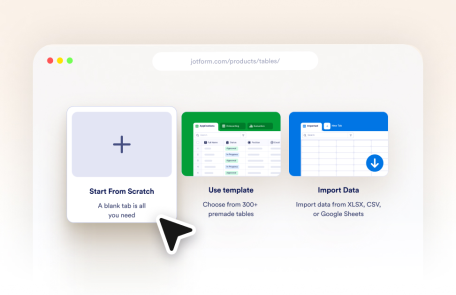
Explore all the ways to access and start using your first Jotform Table
Create a blank table in Jotform Tables and build a workspace that fits your needs. Add custom columns, choose data types, and organize your information without starting from a template or form.

Design your table exactly how you want it. Start with a blank workspace, customize columns, and organize data your way with the flexibility to adjust your table as your needs change.
Build your own table structure without relying on templates or existing forms. Choose column types, add entries, and customize your layout to create a workspace tailored to your workflow.
Add columns and choose from different data types, including text, numbers, dropdowns, and checkboxes. Organize your table structure to capture and manage the information you need.
Start with a completely blank table and build your workspace from the ground up. Add entries, organize columns, and customize your layout without using a prebuilt structure.
Easily add, edit, or remove columns as your workflow evolves. Expand and customize your table over time to keep your data organized and your workspace aligned with your needs.