أداة إشعارات المتصفح لمواقع الويب
اجذب انتباه الزوار وأعد إشراكهم باستخدام إشعار متحرك على نمط المتصفح ينزلق، أو يتلاشى، أو يرتد، أو يتكبير إلى زاوية صفحتك. أضف عنوانًا، ورسالة، وصورة، وزرًا، وشغّل نغمة اختيارية، وتحكم في التوقيت، والموضع، والتكرار، والاستهداف، كل ذلك باستخدام أداة مجانية لا تتطلب كتابة أكواد ويمكنك تضمينها في أي مكان.
ابدأ الآن — إنها خدمة مجانية!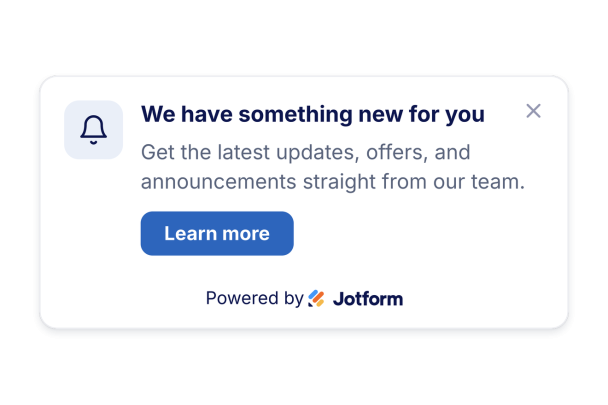

كيفية إنشاء عنصر واجهة إشعار المتصفح
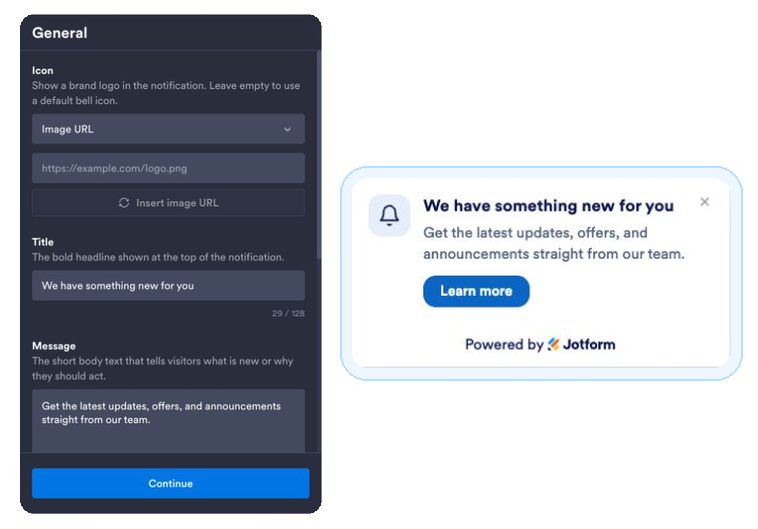
اكتب محتوى إشعارك
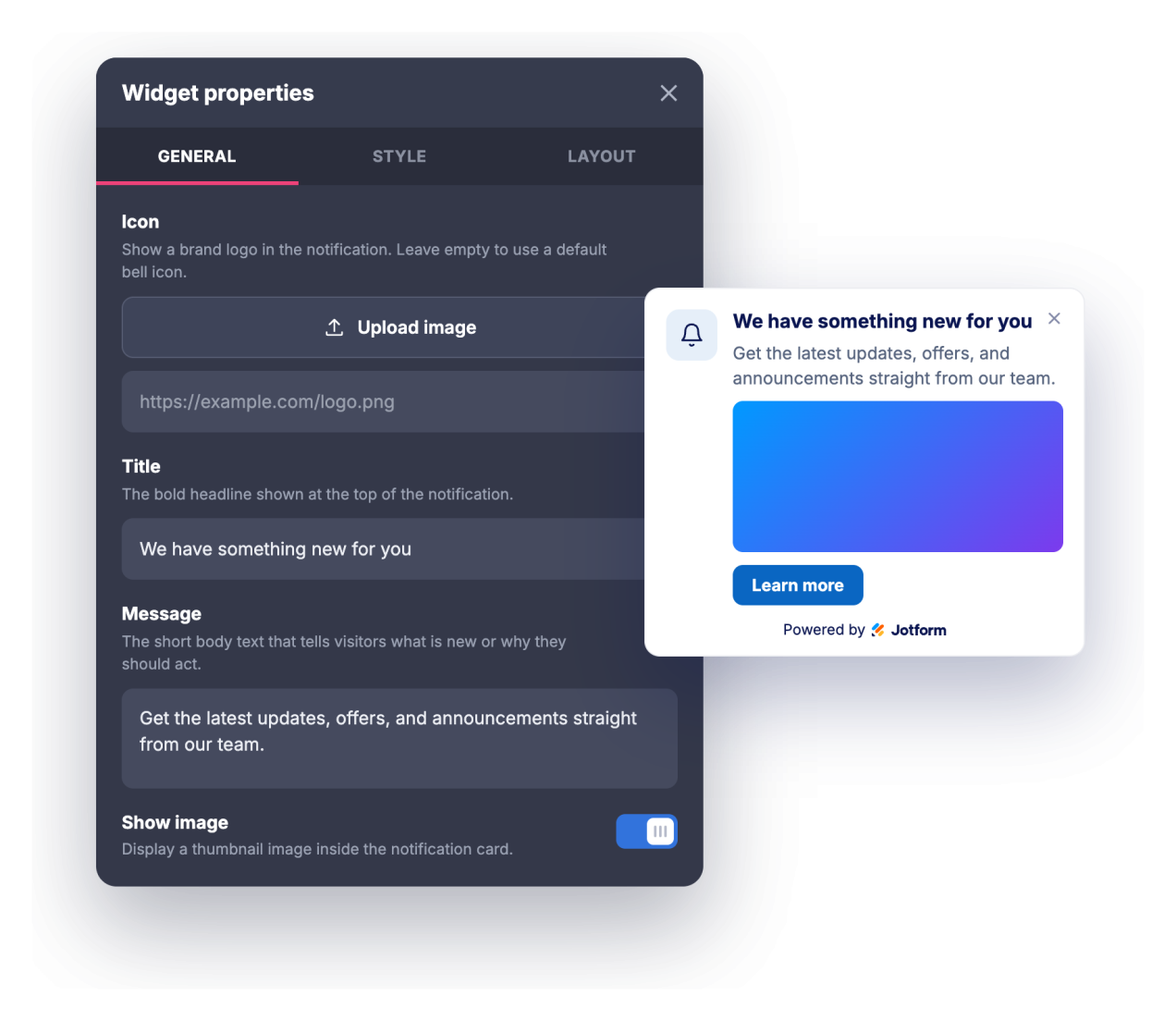
أضف عنوانًا، ورسالة، وأيقونة أو صورة اختيارية، ورابط زر للحث على اتخاذ إجراء.
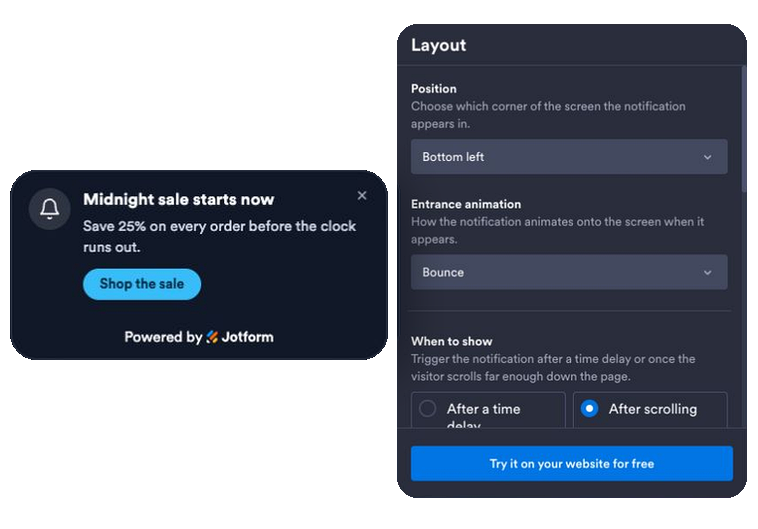
تعيين الحركة، والتوقيت، والقواعد
اختر تأثير دخول متحرك، وحدد مشغلًا زمنيًا أو مشغل تمرير، وفعّل صوتًا اختياريًا أو إشعار متصفح حقيقي، وحدد الموضع، والتكرار، والصفحات، والأجهزة التي يظهر عليها.
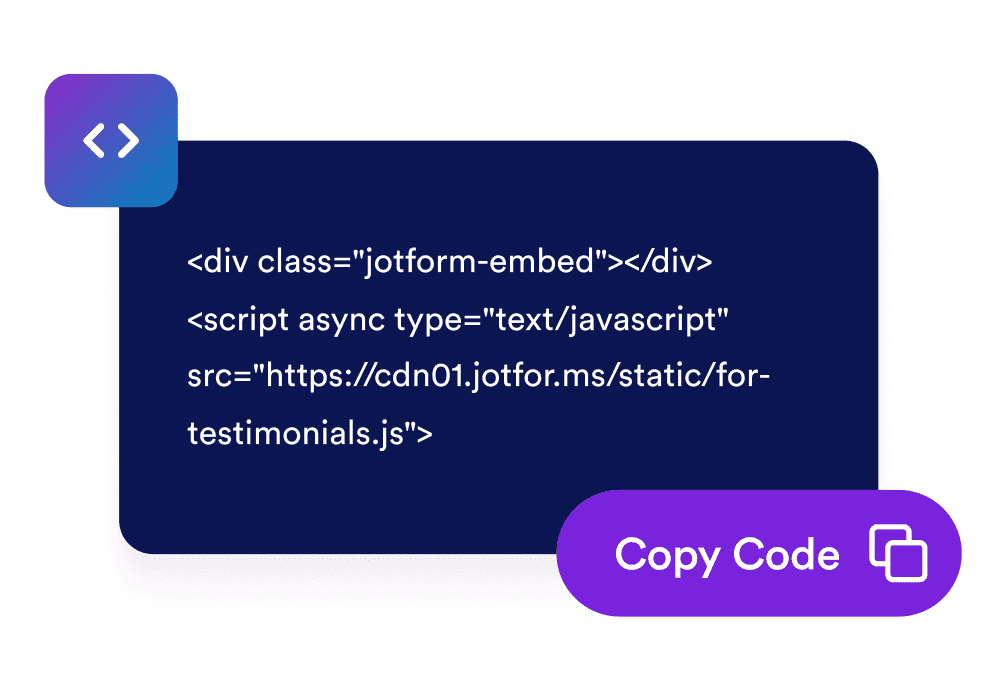
قم بتضمينها في موقعك
انسخ رمز التضمين الذي تم إنشاؤه والصقه في أي مكان على موقعك الإلكتروني لتشغيل الإشعار على الفور.
حوّل الزيارات السلبية إلى تفاعل
قدّم رسالة في الوقت المناسب تحظى بالانتباه
تتحرك بطاقة إشعار على نمط المتصفح إلى زاوية صفحتك مع عنوان، ورسالة، وزر، حتى تظهر العروض الترويجية، والتحديثات، والإعلانات دون مقاطعة الشاشة بأكملها.
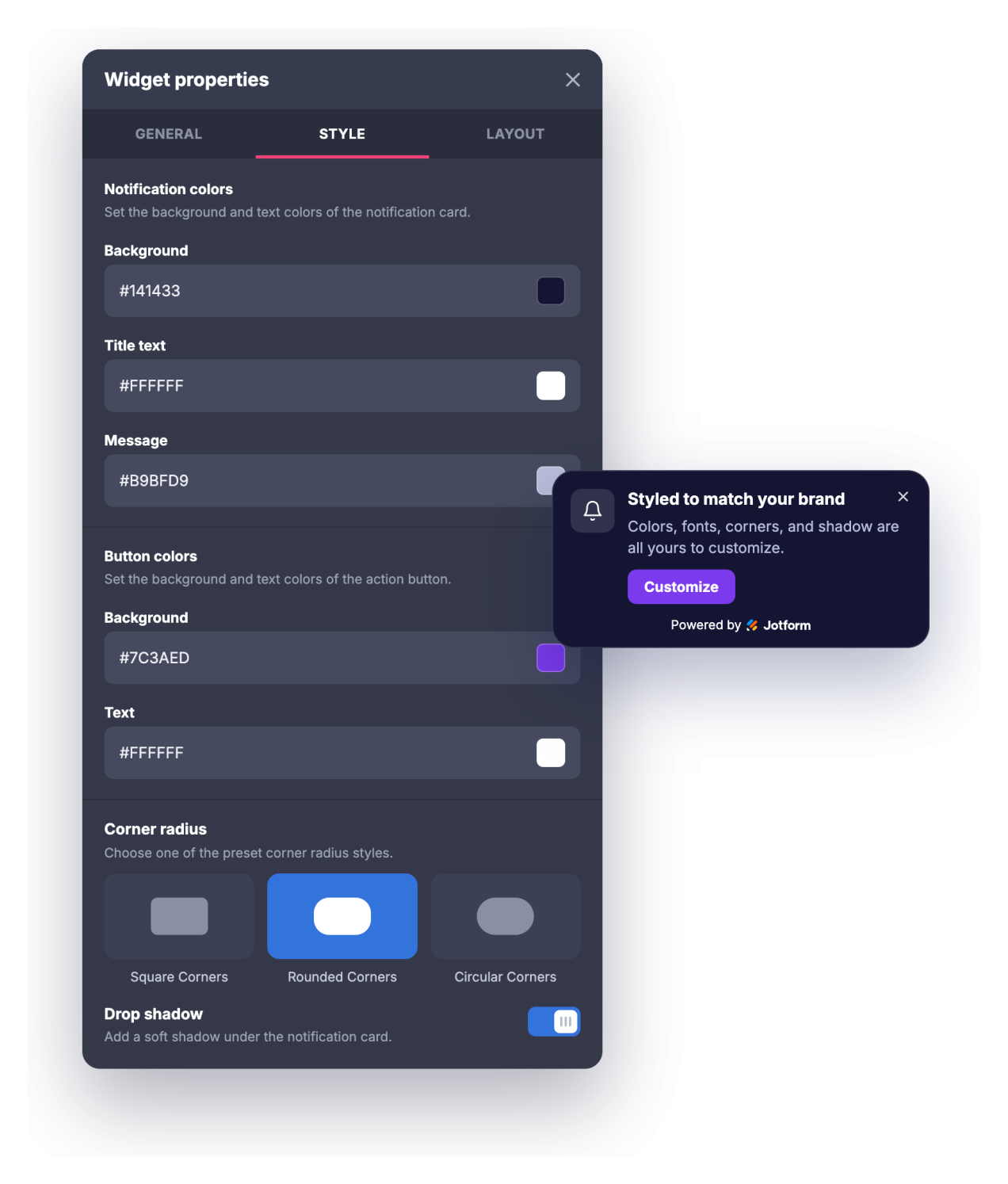
اجعلها متوافقة مع علامتك التجارية ببضع نقرات
اضبط ألوان الخلفية، والعنوان، والرسالة، والزر، وأحجام العنوان والرسالة، ونصف قطر الزوايا، وظل الإسقاط حتى يبدو الإشعار جزءًا طبيعيًا من موقعك بدلًا من نافذة منبثقة عامة.
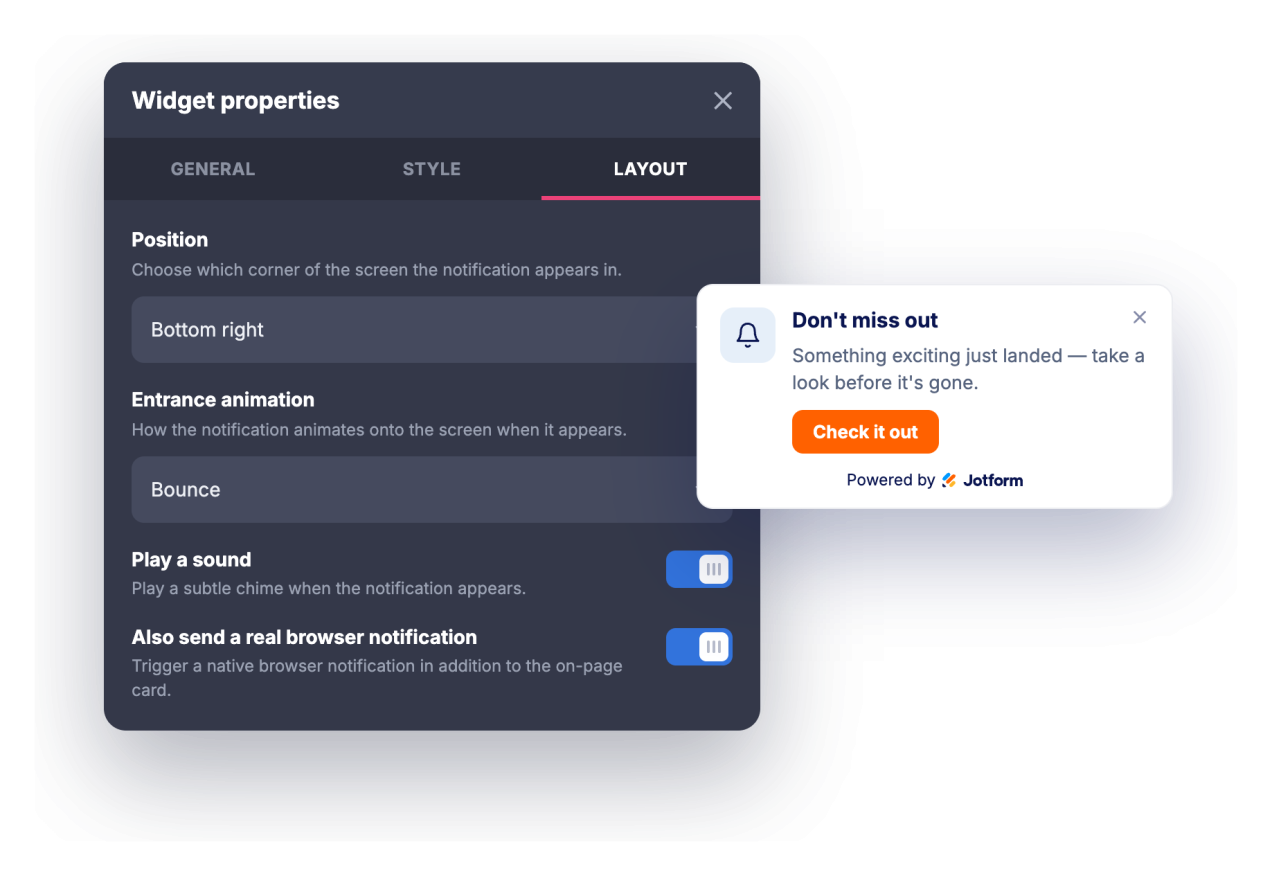
أعد جذب الزوار وتحكم في التكرار
اجذب الانتباه باستخدام نغمة اختيارية أو إشعار متصفح حقيقي يمكن للزوار الاشتراك فيه، ثم عيّن تأخير العرض أو مشغل التمرير، ومؤقت الإغلاق التلقائي، وعدد مرات عودة الإشعار.
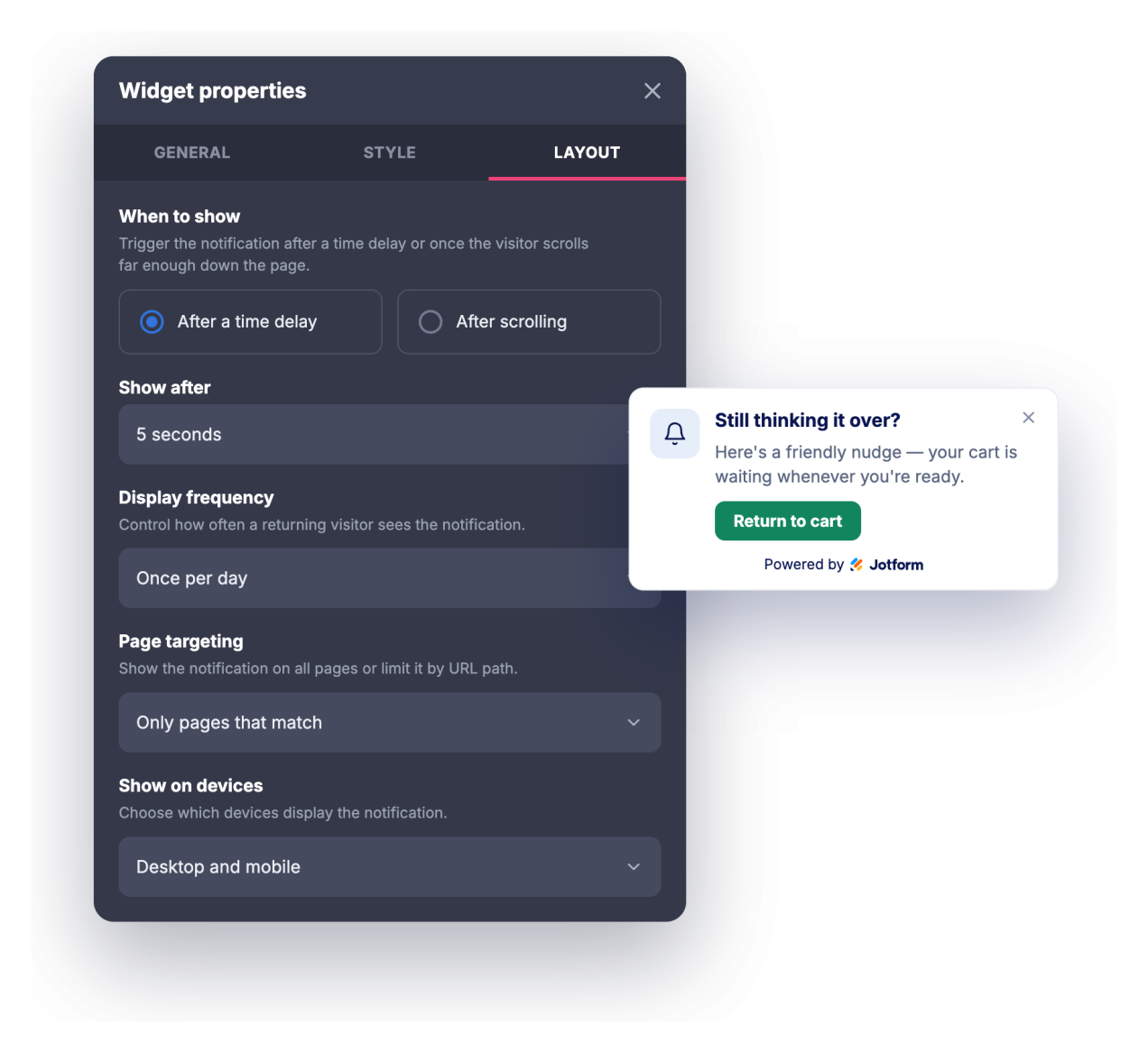
استهدف الصفحات والأجهزة المناسبة
اعرض الإشعار على كل صفحة، أو فقط على الصفحات التي يتطابق عنوان URL الخاص بها، أو في كل مكان باستثناء الصفحات المطابقة، ثم اختر ما إذا كان سيظهر على أجهزة الكمبيوتر المكتبية، أو الأجهزة المحمولة، أو كليهما.
لماذا تتميز أدوات Jotform لمواقع الويب؟
تجعل أدوات Jotform موقع الويب الخاص بك أكثر تفاعلية وتساعد على زيادة معدلات التحويل. تتوفر العديد من الأدوات، بدءًا من تقييمات النجوم وأشرطة تمرير تقييمات العملاء، وصولًا إلى النوافذ المنبثقة التي تعرض تقييمات العملاء وتضمين الوسائط. أضف الأدوات إلى نماذجك أو صفحاتك المقصودة لجمع البيانات، وعرض آراء العملاء، وجمع العملاء المحتملين — دون الحاجة إلى كتابة أكواد.
أضف أدوات Jotform إلى موقعك الإلكتروني باستخدام كود تضمين بسيط. خصّص الأداة، واعرض معاينة لشكلها، ثم أدرجها في أي صفحة تدعم HTML المخصص أو حزم التضمين، وكل ذلك دون الحاجة إلى مطور.
استخدم أدوات مواقع الويب من Jotform لجمع بيانات العملاء المحتملين، وإظهار تقييمات العملاء، وعرض الآراء الاجتماعية، وتضمين ملفات الوسائط، أو إضافة أدوات مفيدة لصفحات ويب. تقوم كل أداة بمساعدة الزوار على التفاعل مع خدماتك مباشرةً من موقعك الإلكتروني.
إذا كنت بحاجة إلى مساعدة في إعداد أداتك أو تخصيصها أو تضمينها أو استكشاف المشكلات وإصلاحها، فإن فريق دعم العملاء في Jotform متاح على مدار الساعة طوال أيام الأسبوع. يمكنك المتابعة بثقة، مع العلم أن المساعدة متاحة عندما تحتاج إليها.
أين تستخدم أداة Browser Notification الخاصة بك
استخدم الأداة في أي مكان يمكن فيه لرسالة قصيرة وفي الوقت المناسب دفع الزوار نحو الخطوة التالية دون السيطرة على الصفحة.
صفحات الهبوط لتسليط الضوء على عرض محدود المدة أو إطلاق منتج جديد أو عامل جذب للعملاء المحتملين فور وصول الزوار
المتاجر الإلكترونية للإعلان عن العروض الترويجية، وحدود الشحن المجاني، وأكواد الخصم، أو إعادة التزويد بالبضائع من خلال إشعار في الزاوية
المدونات ومواقع المحتوى للترويج لنشرة إخبارية أو منشور ذي صلة أو مورد محجوب عن غير المشتركين أثناء تصفح القراء للصفحة
صفحات خدمات SaaS والمنتجات لعرض الميزات الجديدة وسجلات التغييرات والندوات عبر الإنترنت أو عروض الإصدارات التجريبية للزوار المناسبين
صفحات الفعاليات والدورات التدريبية للترويج لمواعيد التسجيل النهائية، وأسعار التسجيل المبكر، أو تذكيرات الجدول الزمني
صفحات الدعم والوثائق لتوجيه المستخدمين إلى تحديثات الحالة، أو الأدلة الجديدة، أو خيارات الاتصال
حوّل العملاء المحتملين إلى مبيعات حقيقية باستخدام منشئ النماذج من Jotform
حوّل التفاعل إلى نتائج فعلية مع Jotform. أنشئ نماذج قوية لجمع بيانات العملاء المحتملين، واستلام المدفوعات، وأتمتة الردود، كل ذلك في مكان واحد. تصل جميع البيانات المرسلة إلى صندوق الوارد في Jotform الخاص بك، حيث يمكنك المتابعة أو الربط مع تطبيقاتك المفضلة.
ابدأ - إنه مجاني!
أسئلة متكررة ومتداولة
ما هي أداة Browser Notification؟
تُعد أداة Browser Notification بطاقة قابلة للتضمين، مصممة على شكل إشعار متصفح، وتتحرك إلى زاوية موقعك الإلكتروني لعرض عنوان، ورسالة، وصورة، وزر للحث على اتخاذ إجراء. وتوفر تأثيرات دخول متحركة، وصوتًا اختياريًا، وعناصر تحكم في الطباعة، وقواعد للتوقيت والاستهداف. ويمكن للزوار الذين يسمحون بذلك أيضًا تلقي إشعار متصفح حقيقي أثناء وجودهم على موقعك.
ما الذي يمكنني تحريكه؟
هل يمكنه تشغيل صوت؟
هل يحتاج الزوار إلى منح الإذن؟
هل يمكنني التحكم في وقت ظهور الإشعار؟
هل يمكنني عرضه على صفحات معينة فقط؟
هل يمكنني تخصيص التصميم؟
هل تعمل على الأجهزة المحمولة؟
هل أحتاج إلى كتابة كود لاستخدامها؟
هل أداة Browser Notification مجانية؟