أداة جدول الأسعار لموقعك الإلكتروني
قارن بين الباقات، وسلط الضوء على الميزات، وعزز معدلات التحويل باستخدام أداة «جدول الأسعار» القابلة للتخصيص لأي موقع إلكتروني.
ابدأ الآن — إنها خدمة مجانية!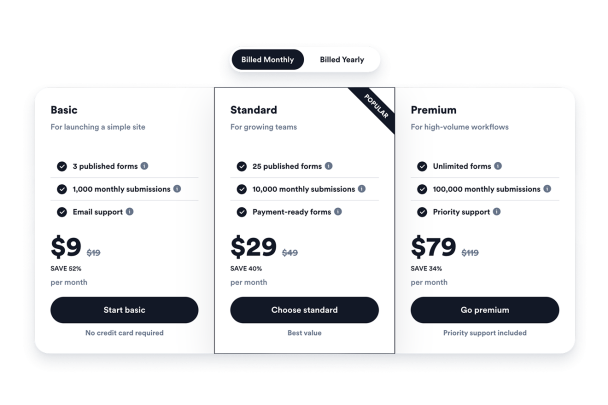

كيفية إنشاء عنصر واجهة جدول الأسعار
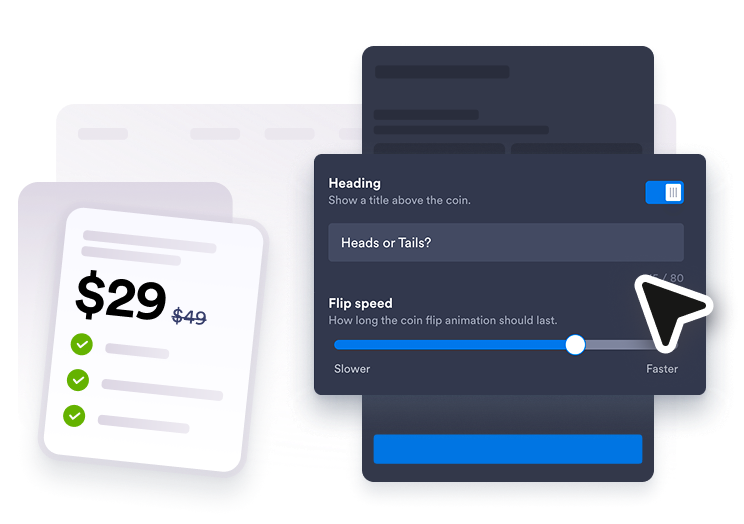
أضف خطط الأسعار الخاصة بك
قم بإنشاء جداول لأسعار الخدمات الشهرية أو السنوية أو الباقات، وقم بتعديل عنوان كل خطة وسعرها وميزاتها وتلميحاتها وأزرارها.
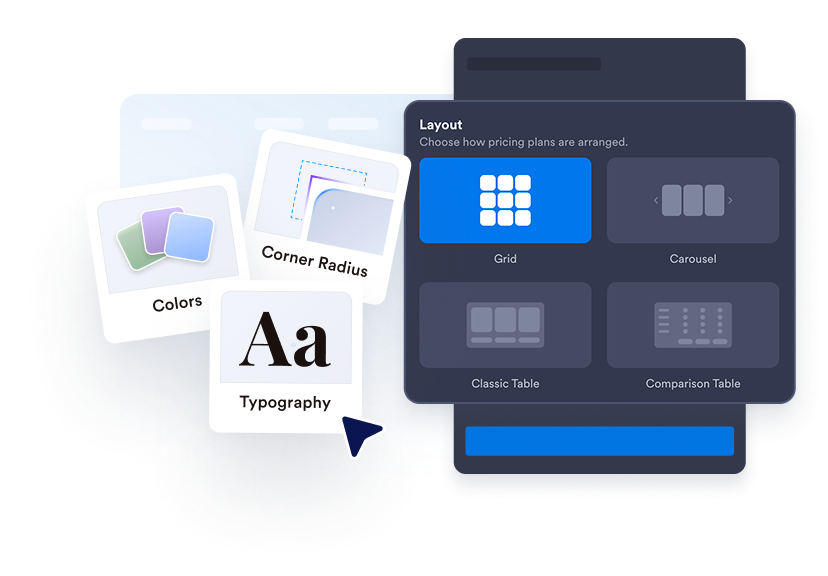
اختر تخطيط الجدول
استخدم جداول الأسعار، أو الأعمدة المتوازية، أو جداول المقارنة، أو تخطيطات الكاروسيل لتناسب قسم الصفحة.
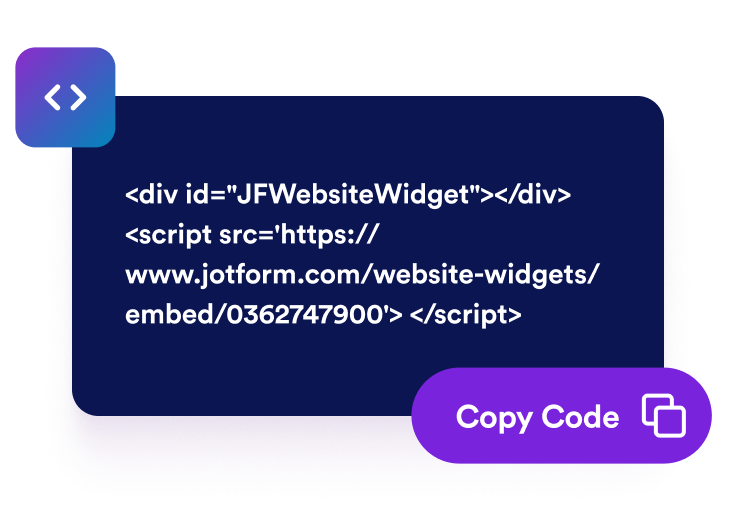
التنسيق والتضمين
قم بتخصيص الألوان، والتسميات، وأنماط الخطوط، والزوايا، والأزرار، والعلامة التجارية، وملفات CSS المحددة النطاق، ثم انسخ رمز التضمين إلى موقعك الإلكتروني.
اجعل الأسعار أسهل في الاطلاع عليها والمقارنة بينها
إنشاء جداول أسعار متعددة
أنشئ جداول شهرية أو سنوية أو خاصة بالخدمات أو الباقات أو البيع بالجملة أو المتدرجة، واسمح للزوار بالتبديل بينها باستخدام زر التبديل الخاص بالفوترة.

تحديد أفضل خطة
أضف العلامات الشائعة، ونصوص العروض الترويجية، والأسعار القديمة، والخصومات، والتعليقات، والألوان الخاصة بكل خطة، حتى يتمكن المتسوقون من التعرف على الخيارات الموصى بها.
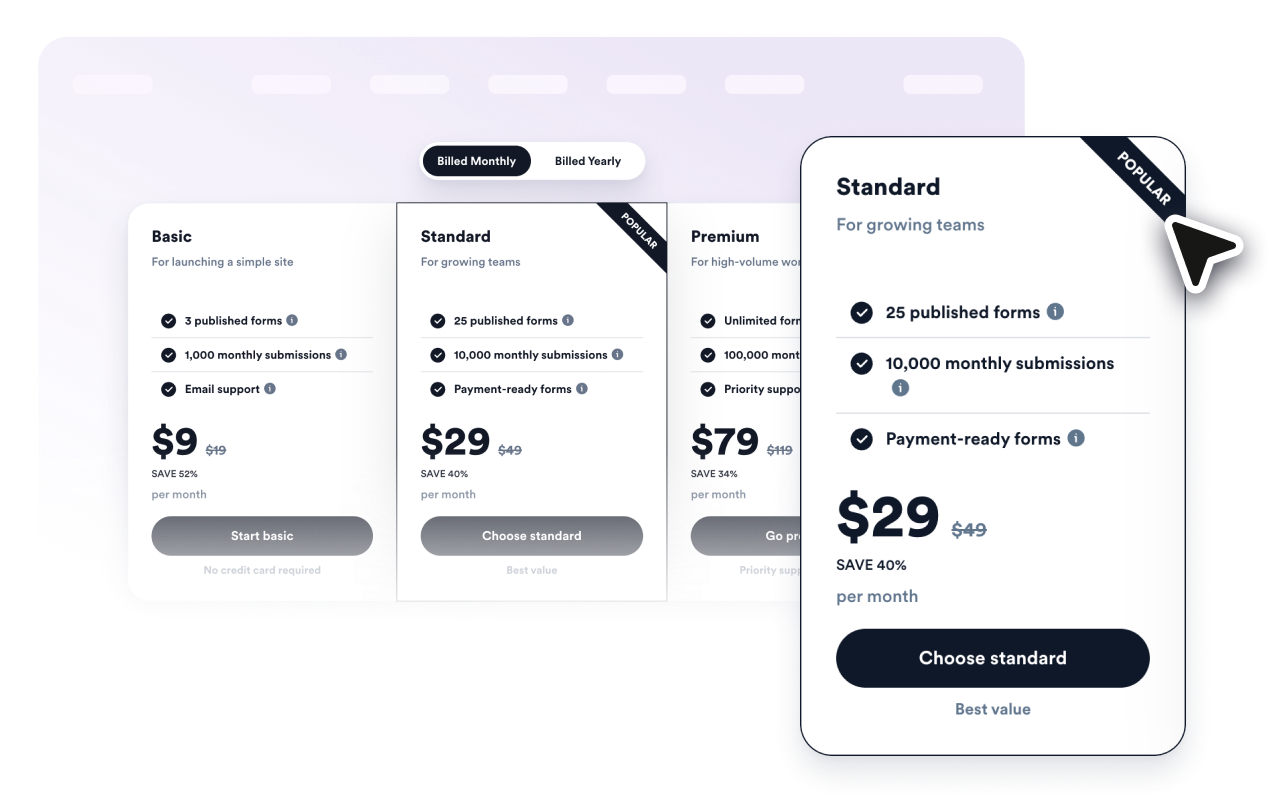
قارن الميزات بوضوح
تصميمات عناصر التحكم، وأنماط البطاقات، والألوان، وأحجام النصوص، وأنماط الأزرار، وزوايا الأعمدة، والعرض، وسلوك التطبيق على الأجهزة المحمولة، والعلامة التجارية، وملفات CSS المخصصة ذات النطاق المحدد.

طابق التصميم مع تصميم موقعك الإلكتروني
تصميمات عناصر التحكم، وأنماط البطاقات، والألوان، وأحجام النصوص، وأنماط الأزرار، وزوايا الأعمدة، والعرض، وسلوك التطبيق على الأجهزة المحمولة، والعلامة التجارية، وملفات CSS المخصصة ذات النطاق المحدد.

لماذا تتميز أدوات Jotform لمواقع الويب؟
تجعل أدوات Jotform موقع الويب الخاص بك أكثر تفاعلية وتساعد على زيادة معدلات التحويل. تتوفر العديد من الأدوات، بدءًا من تقييمات النجوم وأشرطة تمرير تقييمات العملاء، وصولًا إلى النوافذ المنبثقة التي تعرض تقييمات العملاء وتضمين الوسائط. أضف الأدوات إلى نماذجك أو صفحاتك المقصودة لجمع البيانات، وعرض آراء العملاء، وجمع العملاء المحتملين — دون الحاجة إلى كتابة أكواد.
أضف أدوات Jotform إلى موقعك الإلكتروني باستخدام كود تضمين بسيط. خصّص الأداة، واعرض معاينة لشكلها، ثم أدرجها في أي صفحة تدعم HTML المخصص أو حزم التضمين، وكل ذلك دون الحاجة إلى مطور.
استخدم أدوات مواقع الويب من Jotform لجمع بيانات العملاء المحتملين، وإظهار تقييمات العملاء، وعرض الآراء الاجتماعية، وتضمين ملفات الوسائط، أو إضافة أدوات مفيدة لصفحات ويب. تقوم كل أداة بمساعدة الزوار على التفاعل مع خدماتك مباشرةً من موقعك الإلكتروني.
إذا كنت بحاجة إلى مساعدة في إعداد أداتك أو تخصيصها أو تضمينها أو استكشاف المشكلات وإصلاحها، فإن فريق دعم العملاء في Jotform متاح على مدار الساعة طوال أيام الأسبوع. يمكنك المتابعة بثقة، مع العلم أن المساعدة متاحة عندما تحتاج إليها.
أين يمكنك استخدام أداة جدول الأسعار
أضف جداول الأسعار في أي مكان يحتاج فيه الزوار إلى مقارنة الخيارات قبل التسجيل أو الحجز أو الشراء.
صفحات تسعير منتجات SaaS لمقارنة الاشتراكات الشهرية والسنوية مع مستويات الميزات
صفحات الخدمات لعرض باقات الاستشارات، والتسويق، والتصميم، والإصلاحات، والرعاية الصحية، والخدمات المحلية
صفحات الدورات التدريبية لمقارنة حزم التعلم ذاتية الوتيرة، وحزم التعلم الجماعي، وحزم الشهادات، وحزم التعلم المميزة
صفحات عرض المنتجات لعرض الباقات والإضافات والاشتراكات وعروض الإطلاق
محافظ الوكالات لتوضيح أنظمة الأتعاب المبدئية، وأنظمة النمو، وأنظمة الأتعاب المميزة مع تحديد النتائج المتوقعة بوضوح
صفحات البيع بالجملة أو العضوية لعرض مستويات الكميات والخصومات وتفاصيل الأهلية
حوّل العملاء المحتملين إلى مبيعات حقيقية باستخدام منشئ النماذج من Jotform
حوّل التفاعل إلى نتائج فعلية مع Jotform. أنشئ نماذج قوية لجمع بيانات العملاء المحتملين، واستلام المدفوعات، وأتمتة الردود، كل ذلك في مكان واحد. تصل جميع البيانات المرسلة إلى صندوق الوارد في Jotform الخاص بك، حيث يمكنك المتابعة أو الربط مع تطبيقاتك المفضلة.
ابدأ - إنه مجاني!
أسئلة متكررة ومتداولة
ما هي أداة جدول الأسعار؟
أداة جدول الأسعار هي أداة قابلة للتضمين تعرض الباقات والأسعار وقوائم الميزات والخصومات والأزرار على موقعك الإلكتروني.
هل يمكنني إنشاء جداول شهرية وسنوية؟
هل يمكنني تمييز الخطة الموصى بها؟
هل يدعم مقارنة الميزات؟
هل يمكنني ربط الأزرار بصفحات الدفع أو التسجيل؟
هل أحتاج إلى كتابة أكواد لتضمين الأداة؟