أداة رمز الاستجابة السريعة لموقعك الإلكتروني
أضف رمز QR مباشرًا إلى موقعك الإلكتروني وساعد الزوار على الوصول إلى قوائم الطعام، والنماذج، والتنزيلات، والفعاليات، والعروض خلال ثوانٍ. قم بإعداده باستخدام أداة Jotform المجانية التي لا تتطلب كتابة أكواد. خصص التخطيط، واربط رابط وجهتك، واجعل كل عملية مسح أسهل في تحويلها إلى إجراء.
ابدأ الآن — إنها خدمة مجانية!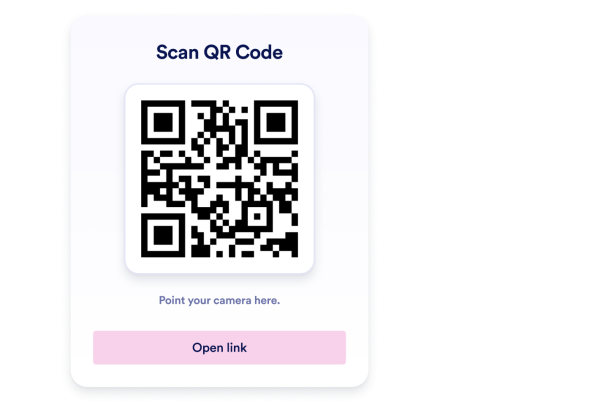

كيفية إنشاء عنصر واجهة رمز الاستجابة السريعة QR
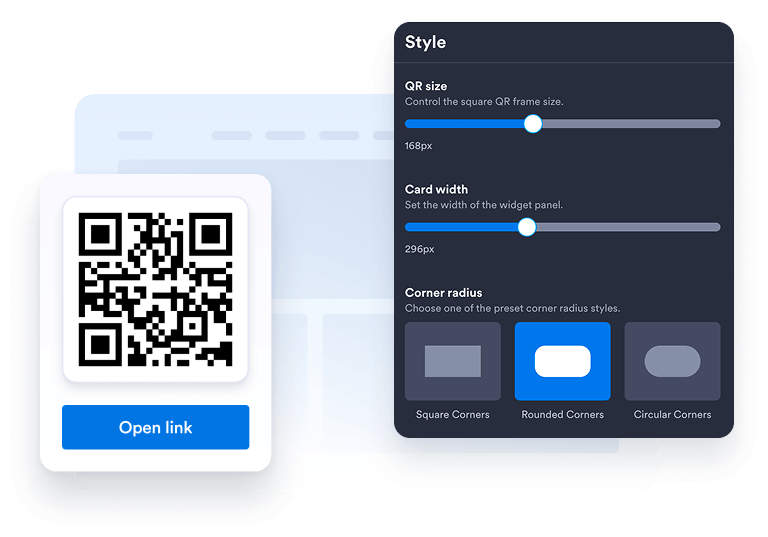
تخصيص عنصر واجهة المستخدم الخاص بك
اختر التخطيط، والألوان، وCTA، والمظهر العام المفضل لديك ليتوافق مع تصميم موقعك الإلكتروني.
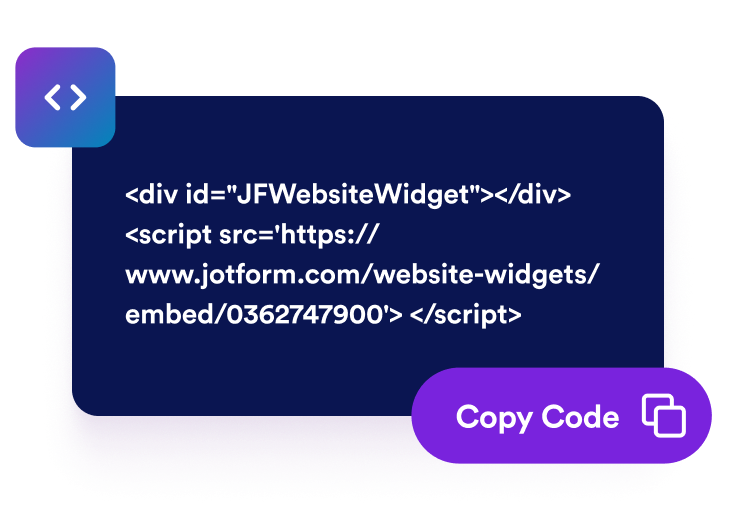
احصل على رمز التضمين
انسخ كود التضمين الذي تم إنشاؤه تلقائيًا والصقه في أي مكان على موقع الويب الخاص بك.
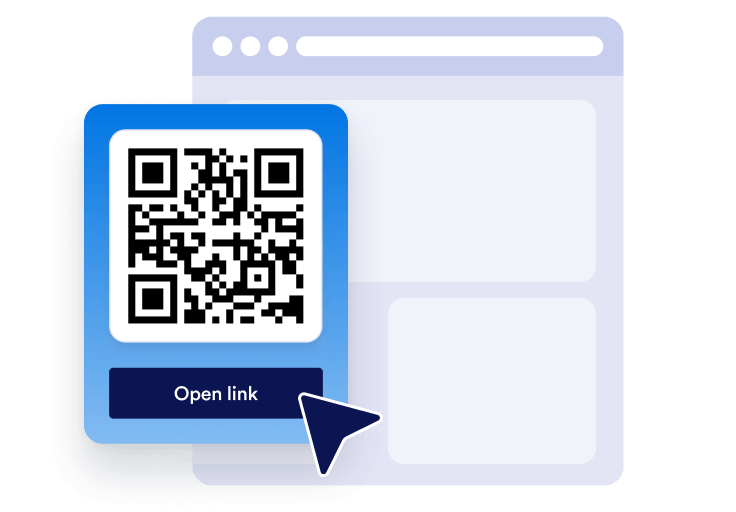
تضمينه في أي مكان
انشر رمز QR الخاص بك في جميع أنحاء موقعك خلال ثوانٍ. لا حاجة إلى إعداد تقني.
حوّل الوصول السريع عبر الهاتف المحمول إلى نمو حقيقي للأعمال
ابنِ المصداقية من خلال سهولة الوصول
يساعد رمز الاستجابة السريعة (QR) الواضح الزوار على الانتقال من موقعك الإلكتروني إلى النماذج أو القوائم أو الملفات أو العروض بسلاسة أكبر.
تحسين الرؤية وتحسين محركات البحث
يمكن أن تساعد الأدوات المفيدة على الصفحة في تحسين التفاعل، ودعم الثقة بالعلامة التجارية، وجعل المحتوى الخاص بك أسهل في الاستخدام.

تحويل المزيد من الزوار
وجّه الزوار إلى نماذج التسجيل، أو صفحات الدفع، أو نماذج الحجز، أو التنزيلات، أو العروض الترويجية في اللحظة التي يكونون فيها مهتمين.

حافظ على تحديث المحتوى من خلال التحديثات السهلة
حدّث وجهة رمز QR في Jotform عندما تتغير حملتك، أو نموذجك، أو عرضك دون إعادة إنشاء صفحتك.
لماذا تتميز أدوات Jotform لمواقع الويب؟
تجعل أدوات Jotform موقع الويب الخاص بك أكثر تفاعلية وتساعد على زيادة معدلات التحويل. تتوفر العديد من الأدوات، بدءًا من تقييمات النجوم وأشرطة تمرير تقييمات العملاء، وصولًا إلى النوافذ المنبثقة التي تعرض تقييمات العملاء وتضمين الوسائط. أضف الأدوات إلى نماذجك أو صفحاتك المقصودة لجمع البيانات، وعرض آراء العملاء، وجمع العملاء المحتملين — دون الحاجة إلى كتابة أكواد.
أضف أدوات Jotform إلى موقعك الإلكتروني باستخدام كود تضمين بسيط. خصّص الأداة، واعرض معاينة لشكلها، ثم أدرجها في أي صفحة تدعم HTML المخصص أو حزم التضمين، وكل ذلك دون الحاجة إلى مطور.
استخدم أدوات مواقع الويب من Jotform لجمع بيانات العملاء المحتملين، وإظهار تقييمات العملاء، وعرض الآراء الاجتماعية، وتضمين ملفات الوسائط، أو إضافة أدوات مفيدة لصفحات ويب. تقوم كل أداة بمساعدة الزوار على التفاعل مع خدماتك مباشرةً من موقعك الإلكتروني.
إذا كنت بحاجة إلى مساعدة في إعداد أداتك أو تخصيصها أو تضمينها أو استكشاف المشكلات وإصلاحها، فإن فريق دعم العملاء في Jotform متاح على مدار الساعة طوال أيام الأسبوع. يمكنك المتابعة بثقة، مع العلم أن المساعدة متاحة عندما تحتاج إليها.
أين تستخدم رمز QR الخاص بك
يُعد رمز QR مفيدًا في أي مكان يحتاج فيه الزوار إلى طريقة أسرع لاتخاذ إجراء من أي جهاز. أضفه إلى الصفحات التي يكون فيها الزوار على استعداد لاتخاذ إجراء حتى يتمكنوا من المسح، أو الحفظ، أو التسجيل، أو الدفع، أو التنزيل، أو التواصل معك دون خطوات إضافية.
الصفحة الرئيسية قم بتوجيه الزوار إلى النموذج الرئيسي أو العرض الترويجي أو التطبيق أو صفحة الاتصال الخاصة بك.
صفحات المنتجات توجه المتسوقين إلى الأدلة أو العروض التوضيحية أو الكتيبات أو نماذج الدفع.
صفحات المطاعم تتيح للضيوف الاطلاع على قوائم الطعام أو نماذج الطلبات أو صفحات الحجز.
توجه صفحات الفعاليات الحاضرين إلى إجراءات التسجيل، والتذاكر، والخرائط، أو نماذج تسجيل الوصول.
الصفحات المقصودة تربط الحملات بالتسجيلات أو القسائم أو التنزيلات أو نماذج العملاء المحتملين.
تساعد صفحات الاتصال الزوار على حفظ التفاصيل أو طلب عروض الأسعار أو حجز المواعيد.
حوّل العملاء المحتملين إلى مبيعات حقيقية باستخدام منشئ النماذج من Jotform
حوّل التفاعل إلى نتائج فعلية مع Jotform. أنشئ نماذج قوية لجمع بيانات العملاء المحتملين، واستلام المدفوعات، وأتمتة الردود، كل ذلك في مكان واحد. تصل جميع البيانات المرسلة إلى صندوق الوارد في Jotform الخاص بك، حيث يمكنك المتابعة أو الربط مع تطبيقاتك المفضلة.
ابدأ - إنه مجاني!
أسئلة متكررة ومتداولة
كيف أضيف رمز QR إلى موقعي الإلكتروني؟
أنشئ أداة رمز QR الخاصة بك في Jotform، واختر الوجهة التي تريد أن يفتحها الزوار، وانسخ رمز التضمين. الصقه في موقعك الإلكتروني، أو صفحتك المقصودة، أو منشور مدونتك ليصبح متاحًا على الفور.
هل يمكنني تخصيص تصميم أداة رمز QR؟
هل يمكنني تحديث رمز QR بعد تضمينه؟
بماذا يمكنني ربط رمز QR؟
لماذا ينبغي أن أستخدم رمز QR على موقعي الإلكتروني؟
هل أداة رمز QR مجانية؟
هل يعمل رمز QR على الأجهزة المحمولة؟
هل يمكنني استخدام رمز QR مع نماذج Jotform وعمليات التشغيل الآلي؟