

Apps para Portais de Recursos e Aprendizado

App para Tutoria
Um app ajuda agências a contratar tutores e agendar sessões com alunos. Este App para Tutoria gratuito vem com um formulário para solicitação de tutor, no qual o aluno informa seus dados e a área de estudo desejada, além de um formulário para agendamento após o tutor ser definido. Também inclui um formulário de candidatura para novos tutores e um formulário de feedback para que os alunos avaliem as sessões online. Quer deixar o app com a cara da sua agência? É simples: use o editor com recurso arraste-e-solte para ajustar os formulários, incluir seu logo, personalizar a tela inicial e muito mais — sem precisar programar nada. Depois, é só compartilhar o link para que os alunos acessem e baixem o app no celular, tablet ou computador. Conecte alunos e tutores com rapidez e praticidade usando este App para Tutoria totalmente personalizável.
Ir para Categoria:Apps para Inscrições em Cursos e Treinamentos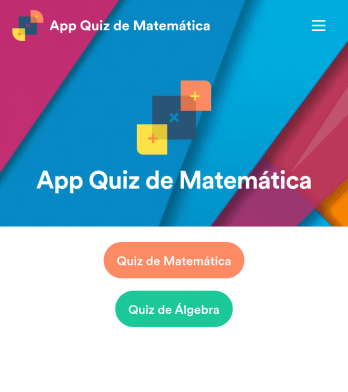
App Quiz de Matemática
Crie testes de matemática para seus alunos e compartilhe tudo em um app gratuito baixável pela Jotform. Seja professor ou tutor, você pode montar quizzes que funcionam perfeitamente em qualquer dispositivo — computador, tablet ou celular — e receber as respostas na hora. O app já vem com testes prontos que calculam a pontuação automaticamente. Você pode usar esses quizzes como base, editar ou adicionar os seus. Depois, é só compartilhar o app com sua turma. As respostas ficam salvas com segurança na sua conta Jotform, prontas para visualização no Jotform Tabelas ou transformar em relatórios pelo Criador de Relatórios. Personalizar o App Quiz de Matemática é simples usando o editor com recurso arraste-e-solte. Troque o ícone ou a tela inicial, adicione novos quizzes ou atualize os existentes, inclua links, documentos e imagens — e configure cálculos para gerar notas automaticamente. Economize tempo (e papel!) com um App Quiz de Matemática gratuito da Jotform.
Ir para Categoria:Education AppsSobre Apps para Portais de Recursos e Aprendizado
Os Apps para Portais de Recursos e Aprendizado foram desenvolvidos para simplificar os processos de gerenciamento, distribuição e acesso a materiais e recursos educacionais dentro de uma organização. Essas soluções são essenciais para empresas e instituições de ensino que desejam oferecer experiências de aprendizagem estruturadas, gerenciar programas de treinamento e facilitar o compartilhamento de conhecimento entre colaboradores ou estudantes. Entre os casos de uso mais comuns estão a integração de novos colaboradores, o desenvolvimento profissional contínuo e a disponibilização de materiais de treinamento em diferentes setores, como empresas, instituições de ensino e organizações sem fins lucrativos. Na prática, esses aplicativos costumam ser integrados aos sistemas já existentes para garantir acesso contínuo e simplificado aos materiais e recursos de aprendizagem.
Jotform Apps funciona como um criador de aplicativos no-code que permite às organizações criar Apps para Portais de Recursos e Aprendizado com facilidade. Utilizando a tecnologia Progressive Web App (PWA), os aplicativos podem ser instalados diretamente pelo navegador, eliminando a necessidade de downloads pela App Store, e são compatíveis com dispositivos iOS, Android, tablets e computadores. Essa flexibilidade garante que seus recursos de aprendizagem estejam acessíveis a qualquer hora e em qualquer lugar. Além disso, o Jotform Tabelas oferece gerenciamento centralizado de dados, facilitando o acompanhamento do progresso, a atualização de conteúdos e a garantia de que todos os usuários tenham acesso às informações mais recentes. Essa abordagem está totalmente alinhada às demandas dos fluxos de trabalho modernos, com foco em eficiência e acessibilidade.
Porquê Usar portal educacional?
- Estes apps fornecem uma plataforma centralizada para todos os materiais educacionais, simplificando o processo de acesso e distribuição de conhecimento em toda a organização. Isto resulta em sessões de treinamento mais consistentes e eficientes, reduzindo redundância e melhorando a curva de aprendizagem para funcionários e alunos.
- Os Apps de Portal de Recursos & Aprendizagem podem melhorar significativamente o engajamento ao fornecer conteúdo interativo e rico em multimídia. Este recurso enriquece a experiência de aprendizagem, tornando-a mais atraente e eficaz, o que pode levar a taxas de retenção mais altas e melhor assimilação de conhecimento.
- Ao usar estes apps, as organizações podem garantir que seus materiais de treinamento estejam sempre atualizados e consistentes em todos os departamentos. Esta consistência é crucial para manter padrões de qualidade e garantir que todos os alunos recebam o mesmo nível de educação e treinamento.
- Estes apps facilitam a comunicação e colaboração perfeitas entre os usuários, permitindo interação entre pares, fóruns de discussão e ciclos de feedback. Tais interações são vitais para promover um ambiente de aprendizagem colaborativo, incentivando os usuários a compartilhar insights e aprimorar a compreensão uns dos outros.
- A facilidade de personalização e escalabilidade dos Apps de Portal de Recursos & Aprendizagem permite que as organizações se adaptem rapidamente às necessidades educacionais em mudança e expandam seus programas de treinamento conforme necessário. Esta adaptabilidade garante que a organização permaneça ágil e responsiva a novos desenvolvimentos em seu campo.
Problemas Comuns Resolvidos pelos portal educacional
- Muitas organizações enfrentam dificuldades com materiais de treinamento desatualizados que são difíceis de atualizar e distribuir. Os Apps de Portal de Recursos & Aprendizagem abordam esta questão ao fornecer um hub centralizado para gestão de conteúdo, garantindo que todos os usuários tenham acesso às informações mais recentes com esforço administrativo mínimo.
- A entrega inconsistente de treinamento é um problema comum ao usar métodos tradicionais. Estes apps garantem uniformidade no treinamento ao fornecer conteúdo padronizado que pode ser acessado por todos os usuários, reduzindo discrepâncias e melhorando a qualidade geral do treinamento.
- O engajamento e a retenção em sessões de treinamento podem ser desafiadores, especialmente com equipes remotas ou dispersas. Ao incorporar elementos multimídia e recursos interativos, os Apps de Portal de Recursos & Aprendizagem criam um ambiente de aprendizagem mais envolvente que captura a atenção dos usuários e melhora a retenção.
- O acompanhamento do progresso e a avaliação da eficácia dos programas de treinamento podem ser complicados sem as ferramentas certas. Estes apps oferecem recursos de análise e relatórios que fornecem insights sobre o progresso do usuário e a eficácia do programa, permitindo decisões baseadas em dados para melhorar os resultados do treinamento.
Relacionando casos de uso aos recursos
- Para organizações que buscam simplificar o acesso a materiais de aprendizagem, o recurso de Opções de Publicação permite que os apps sejam tornados públicos, privados ou apenas para a empresa, garantindo distribuição controlada e gestão de acesso. Este recurso é essencial para manter a privacidade e acessibilidade de acordo com as políticas organizacionais.
- A Interface de Arrastar e Soltar capacita os utilizadores a personalizar as suas apps facilmente sem qualquer conhecimento de programação. Esta funcionalidade é particularmente benéfica para departamentos de RH ou educadores que precisam de adaptar conteúdo educacional a públicos específicos de forma rápida e eficiente.
- Para melhorar o envolvimento do utilizador, as Notificações Push podem ser utilizadas para lembrar os utilizadores sobre sessões de formação futuras ou novas adições de conteúdo. Esta funcionalidade garante que os utilizadores se mantenham informados e envolvidos na sua jornada de aprendizagem, promovendo uma participação consistente.
- As organizações que necessitam de recolha de pagamentos para programas de formação podem usar Integrações de Pagamento com opções como Stripe ou PayPal. Esta funcionalidade simplifica o processo de recolha de taxas, garantindo uma experiência de transação suave tanto para a organização como para o utilizador.
- Métodos de Partilha como Link Direto, E-mail, Código QR e Redes Sociais facilitam a distribuição da app para um público amplo. Esta flexibilidade garante que a app possa alcançar os utilizadores através dos seus canais preferidos, aumentando a acessibilidade e participação.
- A Automatização de Fluxo de Trabalho pode ser aproveitada para simplificar tarefas rotineiras como enviar lembretes, classificar trabalhos ou atualizar conteúdo. Esta automatização reduz a carga de trabalho manual e melhora a eficiência operacional, permitindo que os educadores se concentrem em tarefas mais estratégicas.
Como Criar uma App de portal educacional
- Escolha um modelo relevante para a categoria a partir da lista de modelos ou comece do zero.
- Personalize usando a interface de arrastar e soltar para adaptar o aplicativo às suas necessidades específicas.
- Compartilhe via link, QR code ou incorporação para alcançar seu público de forma eficaz.
Principais Casos de Uso para portal educacional
- Para Gestores: Os portal educacional fornecem aos gestores as ferramentas necessárias para padronizar a formação entre equipas, garantindo consistência e conformidade com os padrões organizacionais. Os gestores podem acompanhar o progresso dos colaboradores através de dados centralizados, permitindo decisões informadas sobre necessidades de formação e alocação de recursos. A capacidade de fornecer atualizações e novos materiais de formação instantaneamente ajuda os gestores a manter as suas equipas informadas e ágeis em resposta às mudanças do setor.
- Para Equipas: As equipas beneficiam de um ambiente de aprendizagem colaborativo onde a partilha de conhecimento e a resolução coletiva de problemas são incentivadas. Estas apps permitem que os membros da equipa acedam aos mesmos recursos e participem em discussões, promovendo uma cultura de aprendizagem contínua. As funcionalidades interativas suportam diversos estilos de aprendizagem, garantindo que cada membro da equipa possa interagir com o conteúdo da forma que melhor lhe convém, melhorando o desempenho geral da equipa.
- Para Clientes: Os clientes podem aceder a conteúdo educacional personalizado através dos portal educacional, melhorando a sua compreensão de produtos ou serviços. Este acesso pode aumentar a satisfação do cliente ao capacitá-los com o conhecimento para tomar decisões informadas e usar produtos de forma eficaz. Fornecer recursos educacionais também posiciona a empresa como líder do setor, construindo confiança e lealdade entre a sua base de clientes.
Resumo dos portal educacional
Os Apps de Portal de Recursos & Aprendizagem oferecem valor substancial ao melhorar a eficiência e eficácia da entrega de conteúdo educacional. Eles fornecem uma plataforma centralizada que simplifica a gestão e distribuição de conteúdo, garantindo consistência e acessibilidade. Com recursos que suportam personalização, engajamento e insights baseados em dados, estes apps são essenciais para organizações que visam promover uma cultura de aprendizagem e desenvolvimento contínuos. Ao aproveitar os Jotform Apps, as empresas podem criar soluções de aprendizagem adaptáveis e escaláveis que atendem às suas necessidades em evolução.
Perguntas Frequentes
1) É gratuito criar e usar apps de portal educacional na Jotform?
A Jotform oferece um plano Starter que permite aos utilizadores criar e usar apps de portal educacional sem custos. Este plano é ideal para indivíduos ou pequenas equipas que estão apenas a começar a criar apps. Embora o plano Starter forneça funcionalidades essenciais, a atualização para um plano pago pode desbloquear capacidades adicionais e limites mais elevados para melhor apoiar as necessidades organizacionais em crescimento.
2) Os dados e pagamentos coletados através do app são seguros?
Sim, a Jotform prioriza a segurança e conformidade, garantindo que todos os dados e pagamento recolhidos através da app estão protegidos. A Jotform emprega encriptação e ligações seguras para proteger os dados dos utilizadores, e está em conformidade com o RGPD e outros regulamentos de proteção de dados. As integrações de pagamento com fornecedores de confiança como Stripe e PayPal garantem ainda que as transações financeiras sejam realizadas de forma segura.
3) Preciso de habilidades de programação para criar um app para portais de recursos e aprendizado com Jotform?
Não são necessárias competências de programação para criar uma app de portal educacional com a Jotform. O criador de apps sem código da Jotform apresenta uma Interface de Arrastar e Soltar, permitindo que os utilizadores personalizem as suas apps de forma fácil e intuitiva. Esta acessibilidade permite que indivíduos com diferentes formações técnicas criem apps de nível profissional sem a necessidade de conhecimentos especializados de programação.
4) Can I collect payments for services directly through the app?
Sim, os Jotform Apps suportam recolha de pagamentos diretamente através da app usando integrações com processadores de pagamento populares como Stripe e PayPal. Esta funcionalidade é particularmente útil para organizações que oferecem programas de formação pagos ou que necessitam de recolher taxas por serviços educacionais. Garante um processo de transação suave e seguro tanto para a organização como para os participantes.
5) A Jotform suporta recolha de dados offline para apps de portal educacional?
A Jotform suporta recolha de dados offline através da sua funcionalidade Formulário Móvel, que é particularmente benéfica para utilizadores que nem sempre têm acesso fiável à internet. Esta capacidade permite que os utilizadores preencham formulários e introduzam dados offline, que são depois sincronizados com a app assim que a ligação à internet for restabelecida. Isto garante que a recolha de dados seja contínua e ininterrupta, mesmo em áreas com desafios de conectividade.
6) Are Jotform Apps compatible with both iOS and Android devices?
Sim, os Jotform Apps são totalmente compatíveis com dispositivos iOS e Android. Construídas usando tecnologia Progressive Web App (PWA), estas apps podem ser instaladas diretamente através de um navegador, tornando-as acessíveis em diferentes sistemas operativos sem a necessidade de downloads da App Store. Isto garante que os utilizadores possam aceder à app de forma integrada nos seus dispositivos preferidos, melhorando a experiência do utilizador e a acessibilidade.
7) Como os portal educacional podem melhorar os processos de integração de colaboradores?
Os portal educacional podem melhorar significativamente a integração de colaboradores ao fornecer aos novos contratados acesso imediato a materiais de formação essenciais e recursos da empresa. Estas apps permitem uma experiência de integração padronizada, garantindo que todos os novos colaboradores recebam o mesmo nível de formação e informação. A natureza interativa e facilmente acessível das apps também ajuda os novos contratados a interagir ativamente com o conteúdo, acelerando a sua integração na organização.
8) Como os portal educacional apoiam o desenvolvimento profissional contínuo?
Os portal educacional apoiam o desenvolvimento profissional contínuo ao oferecer uma plataforma escalável para fornecer programas de formação e educação contínuos. Estas apps facilitam a atualização regular de conteúdos e recursos, permitindo que os colaboradores se mantenham atualizados com as tendências e competências do setor. A capacidade de acompanhar o progresso e avaliar os resultados de aprendizagem também permite que as organizações adaptem os programas de desenvolvimento para atender às necessidades em evolução da sua força de trabalho, promovendo uma cultura de aprendizagem ao longo da vida.