Ücretsiz Web Sitesi Widget'ları
Web sitenizi tek satır kod yazmadan kolayca geliştirin. Basit, kodlama gerektirmeyen bir oluşturucu kullanarak etkileşimi artırmak, müşteri adayları toplamak ve güven oluşturmak için saniyeler içinde güçlü widget'lar ekleyin.

Google Değerlendirmeleri
Web sitenize saniyeler içinde Google Yorumlar widget'ı ekleyin. Hiçbir kod yazmadan müşteri geri bildirimlerini gösterin, güven oluşturun ve dönüşümleri artırın.
Kategoriye git:Yorum Widget'larıWidget'ı Kullan
Airbnb Yorumları
Airbnb Yorumlar Widget'ı gerçek misafir geri bildirimlerini sade bir düzende gösterir. Jotform'un kodlama gerektirmeyen aracı otomatik senkronize etmenize, özelleştirmenize ve her yere yerleştirmenize olanak tanır.
Kategoriye git:Yorum Widget'larıWidget'ı Kullan
Google Play Yorumları
Google Play Yorumlar Widget'ı, gerçek kullanıcı puanlarını ve yorumlarını mobil uyumlu bir tasarımla gösterir. Jotform sayesinde kodlama gerekmeden otomatik senkronizasyon yapabilir, dilediğiniz gibi özelleştirebilir ve kolayca yerleştirebilirsiniz.
Kategoriye git:Yorum Widget'larıWidget'ı Kullan
App Store Yorumları
App Store Yorumlar Widget'ı, gerçek iOS kullanıcı değerlendirmelerini sade bir düzende gösterir. Jotform'un kodlama gerektirmeyen aracı, otomatik senkronizasyon yapmanıza, özelleştirmenize ve istediğiniz yere yerleştirmenize olanak tanır.
Kategoriye git:Yorum Widget'larıWidget'ı Kullan
Etsy Yorumları
Etsy Yorumlar Widget'ı, gerçek alıcı değerlendirmelerini sade bir düzende gösterir. Jotform'un kodlama gerektirmeyen aracı sayesinde yorumları otomatik olarak senkronize edin, özelleştirin ve istediğiniz yere yerleştirin.
Kategoriye git:Yorum Widget'larıWidget'ı Kullan
Tripadvisor Yorumları
Tripadvisor Yorumlar Widget'ı, gerçek gezgin değerlendirmelerini sade bir düzende gösterir. Jotform'un kodlama gerektirmeyen aracı, otomatik senkronizasyon yapmanızı, özelleştirmenizi ve dilediğiniz yere yerleştirmenizi sağlar.
Kategoriye git:Yorum Widget'larıWidget'ı Kullan
Yelp Yorumları
Yelp Yorumlar Widget'ı, gerçek müşteri değerlendirmelerini mobil uyumlu bir tasarımla gösterir. Jotform'un kodlama gerektirmeyen aracı sayesinde yorumları otomatik olarak senkronize edebilir, dilediğiniz gibi özelleştirebilir ve yerleştirebilirsiniz.
Kategoriye git:Yorum Widget'larıWidget'ı Kullan
Ebay Yorumları
Güveni artırmak için eBay Yorumlar widget'ı. Canlı alıcı geri bildirimlerini, değerlendirmeleri ve otomatik güncellenen yorumları gösterin. Jotform'un ücretsiz, kodlama gerektirmeyen yerleştirme aracıyla saniyeler içinde kurun. Hemen başlayın.
Kategoriye git:Yorum Widget'larıWidget'ı Kullan
Facebook Yorumları
Facebook Yorumlar Widget'ı, gerçek müşteri değerlendirmelerini sade bir düzende gösterir. Jotform'un kodlama gerektirmeyen aracı sayesinde yorumları otomatik olarak senkronize edebilir, özelleştirebilir ve istediğiniz yere yerleştirebilirsiniz.
Kategoriye git:Yorum Widget'larıWidget'ı Kullan
Trustpilot Reviews
Trustpilot Yorumlar Widget'ı, gerçek müşteri geri bildirimlerini temiz bir düzende sergiler. Jotform'un kodlama gerektirmeyen aracı, Trustpilot yorumlarınızı otomatik olarak senkronize etmenize, özelleştirmenize ve güven oluşturmak ve dönüşümleri artırmak için her yere yerleştirmenize olanak tanır.
Kategoriye git:Jotform WidgetlarıWidget'ı Kullan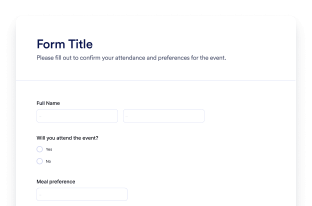
Form
Jotform Yapay Zeka Form Oluşturucu ile özel formlar oluşturun. Kodlama yok, şablon yok, güçlük yok. Yapay Zeka Chatbot'umuza ne tür bir form oluşturmak istediğinizi söylemeniz yeterli.
Kategoriye git:Jotform WidgetlarıWidget'ı Kullan
Chatbot
Web sitenizi Jotform Yapay Zeka Chatbot Oluşturucu ile etkileşimli bir deneyime dönüştürün. Kullanıcılara gerçek zamanlı yanıtlar sunun ve markanızla uyumlu, sorunsuz bir form doldurma deneyimi yaşatın.
Kategoriye git:Jotform WidgetlarıWidget'ı KullanAradığınız widget'ı bulamıyor musunuz?
Henüz ele almadığımız bir widget arıyorsanız, aşağıdaki formu kullanarak talepte bulunabilir ve web sitenize ne eklemek veya oluşturmak istediğinizi bize söyleyebilirsiniz.
Widget talep etNeden web sitesi widget'ları için Jotform'u seçmelisiniz?
İşletmenizle birlikte büyümek için tasarlandı
Tek bir widget ile başlayabilir ve işleri basit tutabilirsiniz. Hazır olduğunuzda, yeni sayfalar, kampanyalar veya hedefler için daha fazla widget ekleyin; hepsi aynı Jotform hesabından, farklı bir araca geçmeden veya sıfırdan başlamadan.

Kurulumu ve özelleştirmesi kolay
Her widget, Jotform'un tanıdık kodlama gerektirmeyen düzenleyicisi ile oluşturulmuştur, bu nedenle düzenleri ve stilleri özelleştirmek basit ve kullanımı kolay hissettiriyor. Renkleri, aralıkları ve tasarım detaylarını bir geliştirici veya teknik desteğe ihtiyaç duymadan kendiniz ayarlayabilirsiniz.

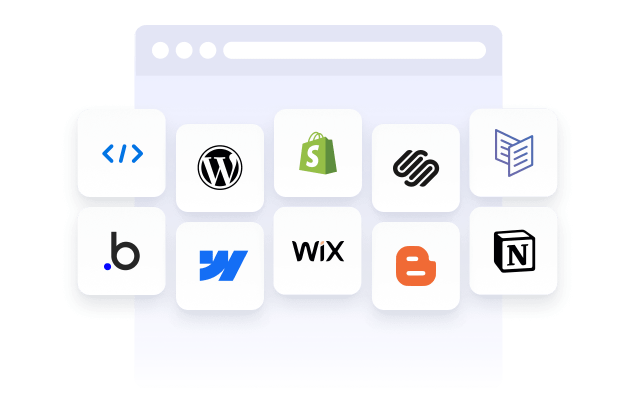
Works on most websites and platforms
Embed Jotform widgets on many website platforms and custom sites using standard embed options. Keep the same widget working across different pages and environments.
Jotform Form Oluşturucu ile potansiyel müşterileri ödeme yapan müşterilere dönüştürün
Jotform ile etkileşimi aksiyona dönüştürün. Müşteri adaylarını yakalayan, ödeme alan ve yanıtları otomatikleştiren güçlü formlar oluşturun — hepsi tek bir yerde. Her yanıt, takip etmeye veya favori uygulamalarınıza bağlamaya hazır şekilde Jotform Gelen Kutusu'na ulaşır.
Hemen Başla — Ücretsiz!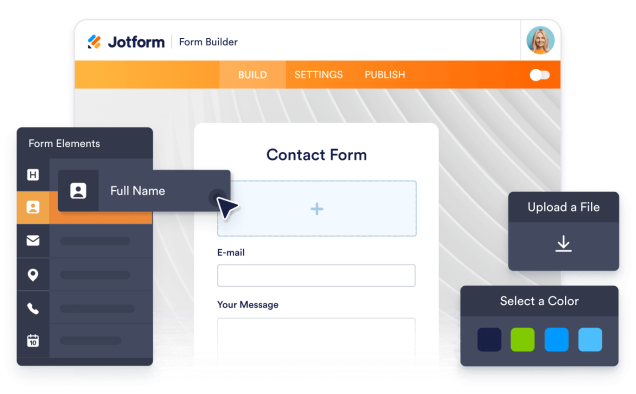
Why use widgets?
Website widgets help you improve your site without building every feature from scratch. They can support business goals like trust, lead generation, and customer support.
Build credibility with reviews and testimonials
Improve conversions with clear calls to action
Keep visitors on your site longer by reducing friction
Milyonlarca kullanıcının tercihi
Jotform, küçük ekiplerden büyük kuruluşlara kadar dünyanın dört bir yanındaki işletmeler tarafından kullanılıyor.





Understanding website widgets
Aşağıdaki bölümler; anketlerin nasıl çalıştığı, ne zaman kullanılacağı ve anket yanıtlarının nasıl değerli içgörülere dönüştürüleceği hakkında daha ayrıntılı bir açıklama sunar. Bu bilgiler, temel bilgilerin ötesinde daha derin bir anlayış arayan okuyucular için hazırlanmıştır.
What are website widgets?
A website widget is a small feature you can add to a webpage using embed code. Widgets are often used to display content or enable actions like showing reviews, collecting leads, taking payments, booking appointments, or answering questions.
How widgets fit into a website
This section explains what website widgets are, how they work within a webpage, and how they can be used effectively as your widget library grows. Website widgets are usually embedded using a short code snippet and load within a defined area of a webpage. They can be placed alongside existing content and updated without changing the page structure.
Common types of website widgets
Widgets can be placed alongside existing content and updated without changing the page structure. This makes them useful for adding features without rebuilding or redesigning a website. Website widgets come in many forms, depending on the goal they support. Common types include:
Review widgets to display customer feedback from third-party platforms
- Form widgets for contact forms, lead capture, and registrations
- Scheduling widgets for booking meetings or appointments
- Payment widgets for collecting one-time or recurring payments
- Chat and messaging widgets for customer support and inquiries
- Feedback and survey widgets to collect opinions and responses
This page currently focuses on review widgets. Additional widget types can be added over time as the widget library expands.
How website widgets affect SEO
Website widgets can support SEO when used intentionally and aligned with the page's purpose. Widgets that improve usability, engagement, and task completion can help visitors spend more time on a page and interact with content more effectively.
To avoid SEO issues:
- Place widgets on pages where they add clear value
- Use descriptive headings and supporting text around the widget
- Avoid adding too many widgets to a single page
- Ensure widgets load efficiently and do not block content
Widgets work best when they complement content rather than replace it.
Website platforms that support widgets
Most website widgets can be embedded on a wide range of platforms using standard embed code. This typically includes content management systems, website builders, and custom-built sites.
Common platforms that support embedded widgets include WordPress, Webflow, Wix, Shopify, Squarespace, and static HTML sites. The exact placement method depends on the platform, but widgets are usually added through a code block, a custom HTML section, or a page editor.
Website widgets vs plugins and extensions
Website widgets are generally platform-agnostic and can be embedded on many types of websites using code. Plugins or extensions are usually built for a specific platform and must be installed and maintained within that system.
Widgets offer more flexibility when you manage multiple sites or use different platforms, since the same widget can often be reused across environments.
Choosing widgets based on your goal
Choosing the right widget depends on what you want visitors to do on your site. If your goal is to build trust, review widgets can highlight customer feedback. If you want to collect information, form widgets may be more appropriate. For bookings or transactions, scheduling or payment widgets are a better fit.
Start with the widget that supports your primary goal, then expand as your site grows and needs change.
Managing and updating embedded widgets
Most website widgets can be updated after they are embedded. Changes to design, content, or settings are usually reflected automatically on any page where the widget is used, without requiring changes to the website code.
This makes widgets useful for campaigns, seasonal updates, and ongoing optimization.