أداة إمكانية الوصول لموقعك الإلكتروني
امنح الزوار تجربة تصفح أكثر راحة باستخدام إعدادات إمكانية الوصول المسبقة، وأدوات المساعدة على القراءة، ودعم لوحة المفاتيح، وأنماط الألوان والتباين، وعناصر التحكم في الحركة، وإمكانية حفظ التفضيلات. أنشئ أداة واجهة المستخدم الخاص بك قم بتضمينها باستخدام Jotform، دون الحاجة إلى كتابة أي كود برمجي.
ابدأ الآن — إنها خدمة مجانية!

كيفية إنشاء عنصر واجهة إمكانية الوصول
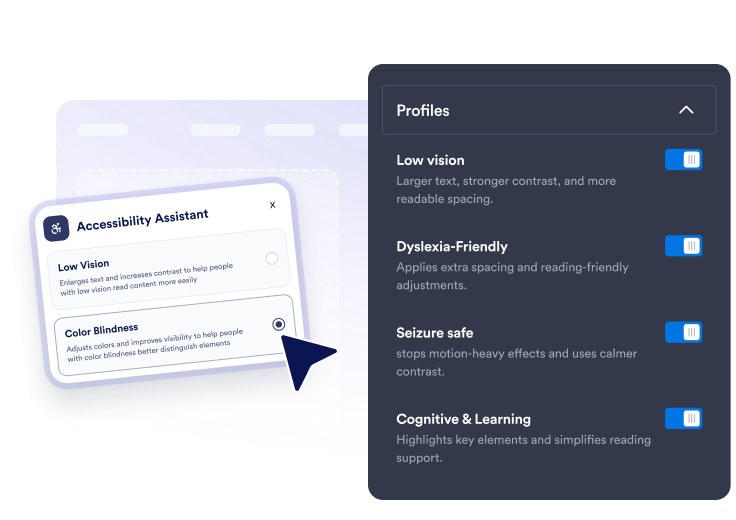
اختيار الإعدادات المسبقة والأدوات
قم بتفعيل الإعدادات المسبقة السريعة، إلى جانب عناصر تحكم تفصيلية في حجم النص، والتباعد، وأدوات المساعدة على القراءة، والتركيز علي الانتاجية، وإبراز الروابط، والحركة، وأوضاع الألوان.
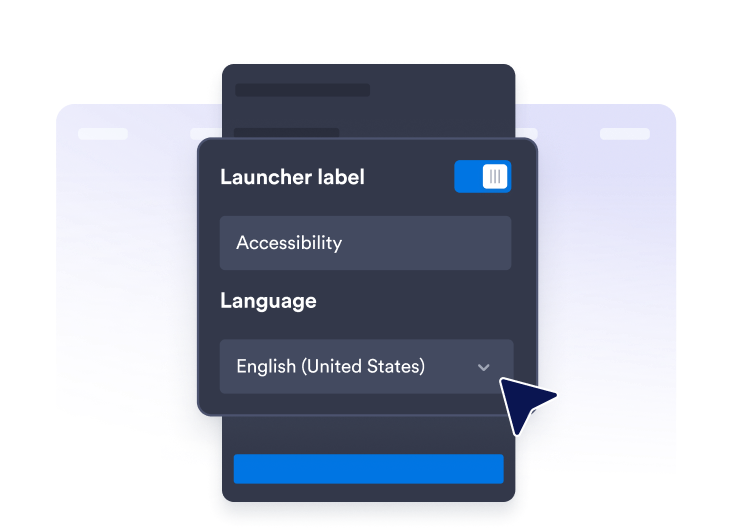
تخصيص المساعد
قم بتحرير نص اللوحة، ورسائل التقييم، واللغة، وموضع التشغيل، وألوان الثيم، وعرض اللوحة، وحجم الزر، ومدة الاحتفاظ بالتفضيلات.

انشرها في أي مكان
انسخ رمز التضمين وأضف ايقونة مساعد الموقع الخاص بإمكانية الوصول إلى أي صفحة تحتاج إلى خيارات قراءة وتنقل أوضح.
مساعدة الزوار على تحديد موقعك بما يتناسب مع احتياجاتهم
وفّر إعدادات مسبقة سريعة لإمكانية الوصول
اسمح للزوار بتطبيق إعدادات مسبقة لضعف البصر، وعمى الألوان، وعسر القراءة، والوضع الآمن لمرضى الصرع، وتقليل عوامل التشتيت، والمساعدة الحركية، والإدراك والتعلم، والتنقل باستخدام لوحة المفاتيح.
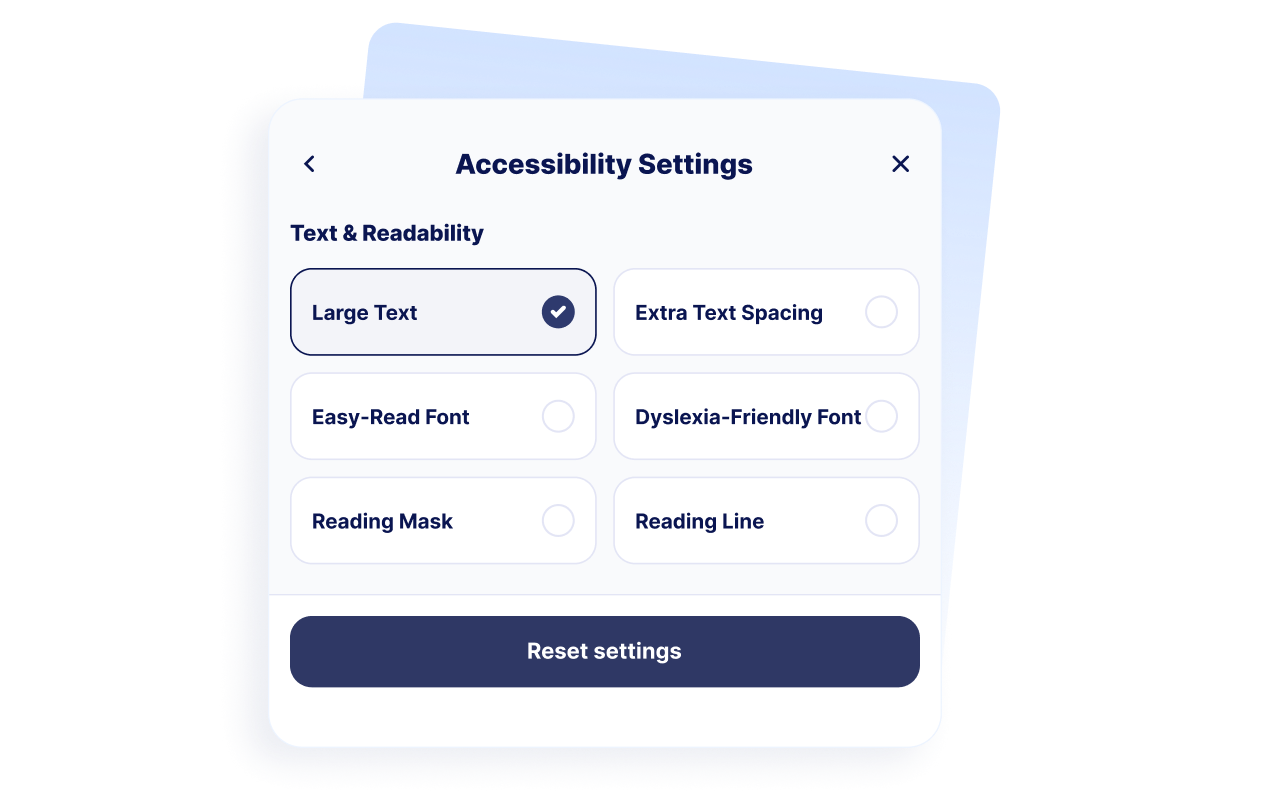
دعم راحة القراءة
امنح الزوار عناصر تحكم للنص الكبير، والتباعد الإضافي بين النصوص، وتعديلات سهولة القراءة، والتباعد الملائم لعسر القراءة، وقناع القراءة، وأدلة سطر القراءة.
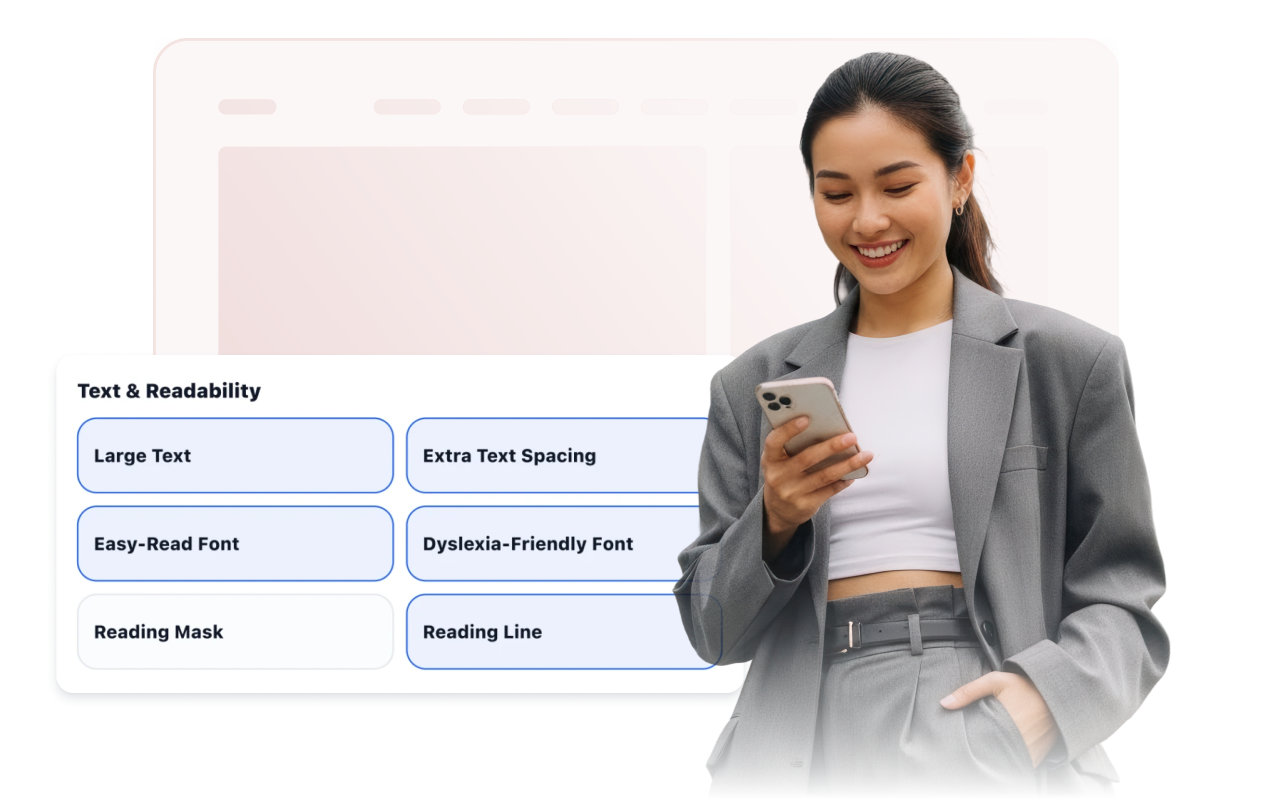
حسّن التنقل والألوان والحركة
وفّر إمكانية التركيز باستخدام لوحة المفاتيح، ومناطق النقر الكبيرة، والمؤشر الكبير، والروابط المميزة، وإيقاف الرسوم المتحركة، والتباين العالي، والتدرج الرمادي، والألوان المعكوسة، وأوضاع عمى الألوان.

نسّق المشغّل والمساعد
اضبط موضع المشغّل، وإمكانية ظهور التسمية، وإعداد السمة المسبق، وعرض اللوحة، والألوان، وحجم الزر، ونصف قطر الزوايا، وقواعد العرض، ومدة حفظ التفضيلات.
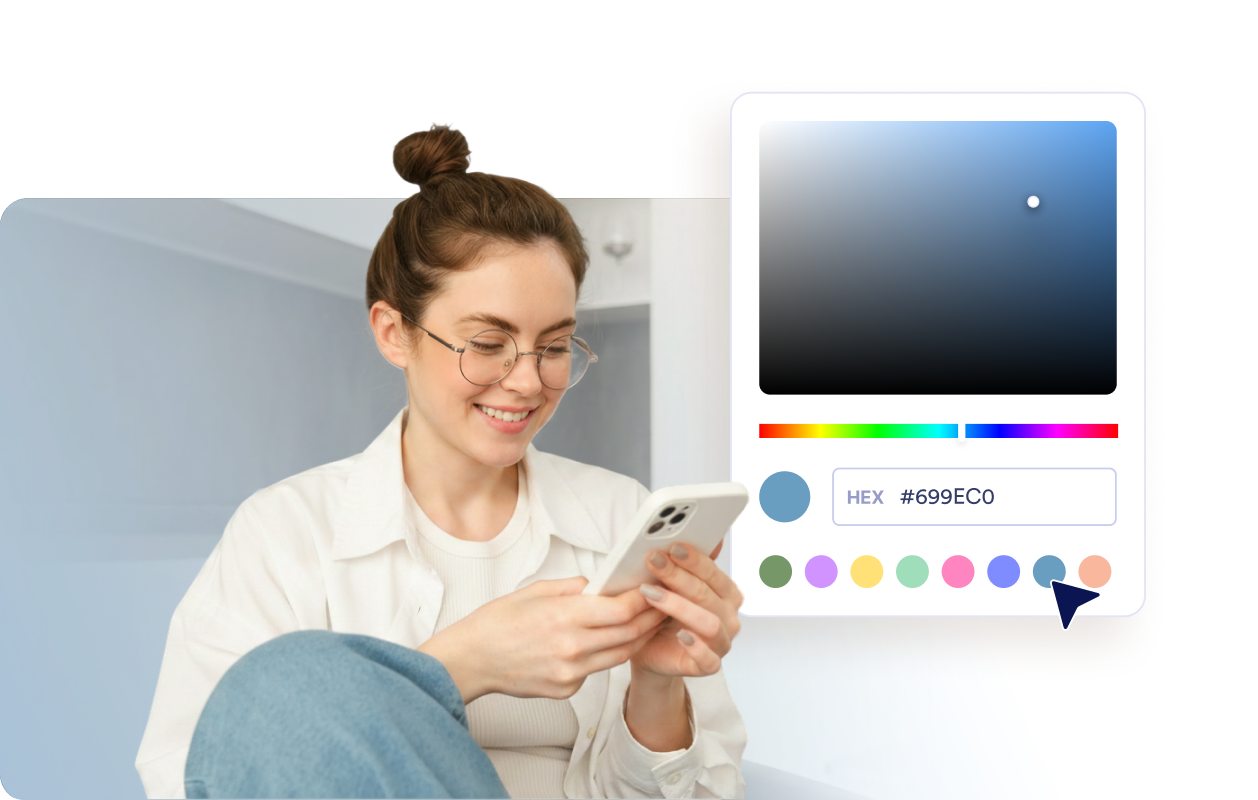
لماذا تتميز أدوات Jotform لمواقع الويب؟
تجعل أدوات Jotform موقع الويب الخاص بك أكثر تفاعلية وتساعد على زيادة معدلات التحويل. تتوفر العديد من الأدوات، بدءًا من تقييمات النجوم وأشرطة تمرير تقييمات العملاء، وصولًا إلى النوافذ المنبثقة التي تعرض تقييمات العملاء وتضمين الوسائط. أضف الأدوات إلى نماذجك أو صفحاتك المقصودة لجمع البيانات، وعرض آراء العملاء، وجمع العملاء المحتملين — دون الحاجة إلى كتابة أكواد.
أضف أدوات Jotform إلى موقعك الإلكتروني باستخدام كود تضمين بسيط. خصّص الأداة، واعرض معاينة لشكلها، ثم أدرجها في أي صفحة تدعم HTML المخصص أو حزم التضمين، وكل ذلك دون الحاجة إلى مطور.
استخدم أدوات مواقع الويب من Jotform لجمع بيانات العملاء المحتملين، وإظهار تقييمات العملاء، وعرض الآراء الاجتماعية، وتضمين ملفات الوسائط، أو إضافة أدوات مفيدة لصفحات ويب. تقوم كل أداة بمساعدة الزوار على التفاعل مع خدماتك مباشرةً من موقعك الإلكتروني.
إذا كنت بحاجة إلى مساعدة في إعداد أداتك أو تخصيصها أو تضمينها أو استكشاف المشكلات وإصلاحها، فإن فريق دعم العملاء في Jotform متاح على مدار الساعة طوال أيام الأسبوع. يمكنك المتابعة بثقة، مع العلم أن المساعدة متاحة عندما تحتاج إليها.
أين تستخدم أداة إمكانية الوصول الخاصة بك
استخدم الأداة في الصفحات المهمة التي يحتاج فيها الزوار إلى القراءة، أو المقارنة، أو التنقل، أو إكمال المهام بشكل مريح.
مواقع إلكترونية تعليمية تحتوي على صفحات موارد طويلة، ومحتوى متعلق بالقبول، ومعلومات عن المقررات الدراسية.
مواقع الرعاية الصحية التي يحتاج فيها المرضى إلى معلومات واضحة وتفاصيل حول المواعيد.
صفحات الحكومة والخدمات العامة التي ينبغي أن تكون أسهل في التصفح لمزيد من الزوار.
صفحات التجارة الإلكترونية التي يجب أن تظل فيها تفاصيل المنتجات والمقارنات وخطوات إتمام عملية الشراء سهلة القراءة.
مراكز الدعم حيث يمكن للزوار الاطلاع على مقالات المساعدة وإجراءات حل المشكلات.
المواقع الإلكترونية الغنية بالمحتوى التي تحتوي على مقالات أو أدلة أو وثائق أو صفحات سياسات.
حوّل العملاء المحتملين إلى مبيعات حقيقية باستخدام منشئ النماذج من Jotform
حوّل التفاعل إلى نتائج فعلية مع Jotform. أنشئ نماذج قوية لجمع بيانات العملاء المحتملين، واستلام المدفوعات، وأتمتة الردود، كل ذلك في مكان واحد. تصل جميع البيانات المرسلة إلى صندوق الوارد في Jotform الخاص بك، حيث يمكنك المتابعة أو الربط مع تطبيقاتك المفضلة.
ابدأ - إنه مجاني!
أسئلة متكررة ومتداولة
ما هي أداة إمكانية الوصول؟
تضيف أداة إمكانية الوصول شريط أدوات عائمًا إلى الموقع الإلكتروني يحتوي على عناصر تحكم لإمكانية القراءة، والتباين، والألوان، والصور، والحركة، وتفضيلات التصفح الأخرى. يمكن للزوار فتح اللوحة وتطبيق تعديلات فردية أو إعدادات مسبقة مفعّلة.
هل أداة إمكانية الوصول من Jotform مجانية؟
ما إعدادات إمكانية الوصول المسبقة التي يمكنني تقديمها؟
ما أدوات سهولة القراءة التي يمكن للزوار استخدامها؟
هل يمكن للأداة تذكر تفضيلات الزوار؟
هل يمكنني تخصيص شريط أدوات إمكانية الوصول؟
هل تضمن أداة إمكانية الوصول التوافق مع WCAG أو ADA؟
هل تحل الأداة محل تدقيق إمكانية الوصول؟
هل أحتاج إلى كتابة أكواد؟
هل تعمل أداة إمكانية الوصول على الأجهزة المحمولة؟
ما منصات المواقع الإلكترونية التي تدعم أداة إمكانية الوصول؟
هل يمكنني الحصول على مساعدة في إعداد أداة إمكانية الوصول الخاصة بي؟