أداة الاتصال بنقرة واحدة لموقعك الإلكتروني
امنح الزوار طريقة مريحة للاتصال بشركتك عبر الهاتف. تضيف أداة «النقر للاتصال» من Jotform زر اتصال عائمًا قابلًا للتخصيص إلى موقعك الإلكتروني، مع خيارات للتحكم في تسميته وتصميمه وموضعه وظهوره على الأجهزة المختلفة — دون الحاجة إلى أي برمجة.
ابدأ الآن — إنها خدمة مجانية!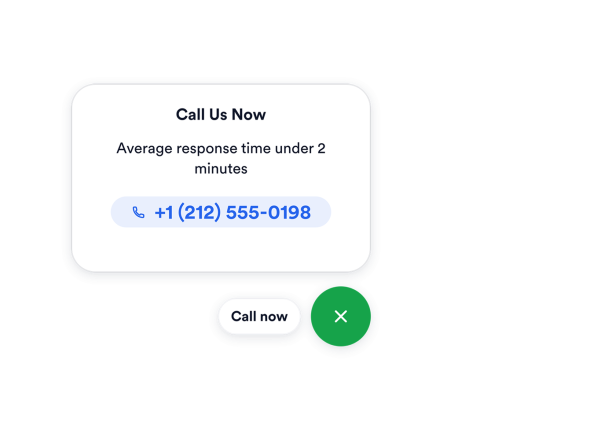

كيفية إنشاء عنصر واجهة اضغط للاتصال
أضف رقم هاتفك
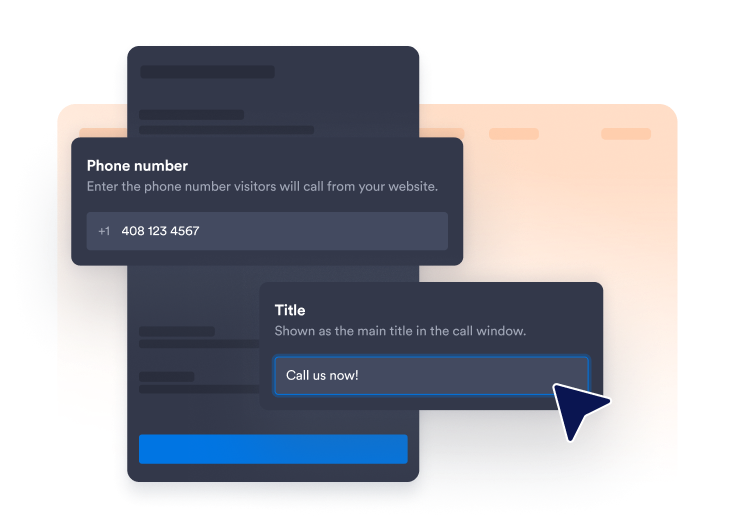
أدخل الرقم الذي يجب على الزوار الاتصال به، واختر ما إذا كنت تريد عرض تسمية مختصرة بجانب رمز الهاتف.
تخصيص نمط الزر
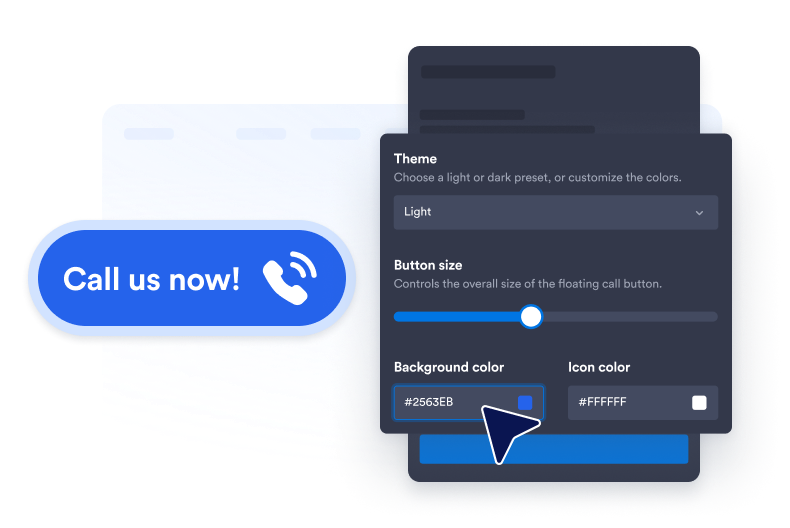
اضبط ألوان الخلفية والأيقونات والنصوص، وحجم الأزرار، ونصف قطر الزوايا، والظل المسقط، لتناسب موقعك الإلكتروني.

قم بتضمينها في موقع الويب الخاص بك
الصق كود التضمين في كتلة HTML مخصصة أو كتلة تضمين، ثم انشر صفحتك لعرض أداة الموقع الإلكتروني.
اجعل الدعم عبر الهاتف أسهل من خلال المكالمات بنقرة واحدة
ربط الزوار بفريقك
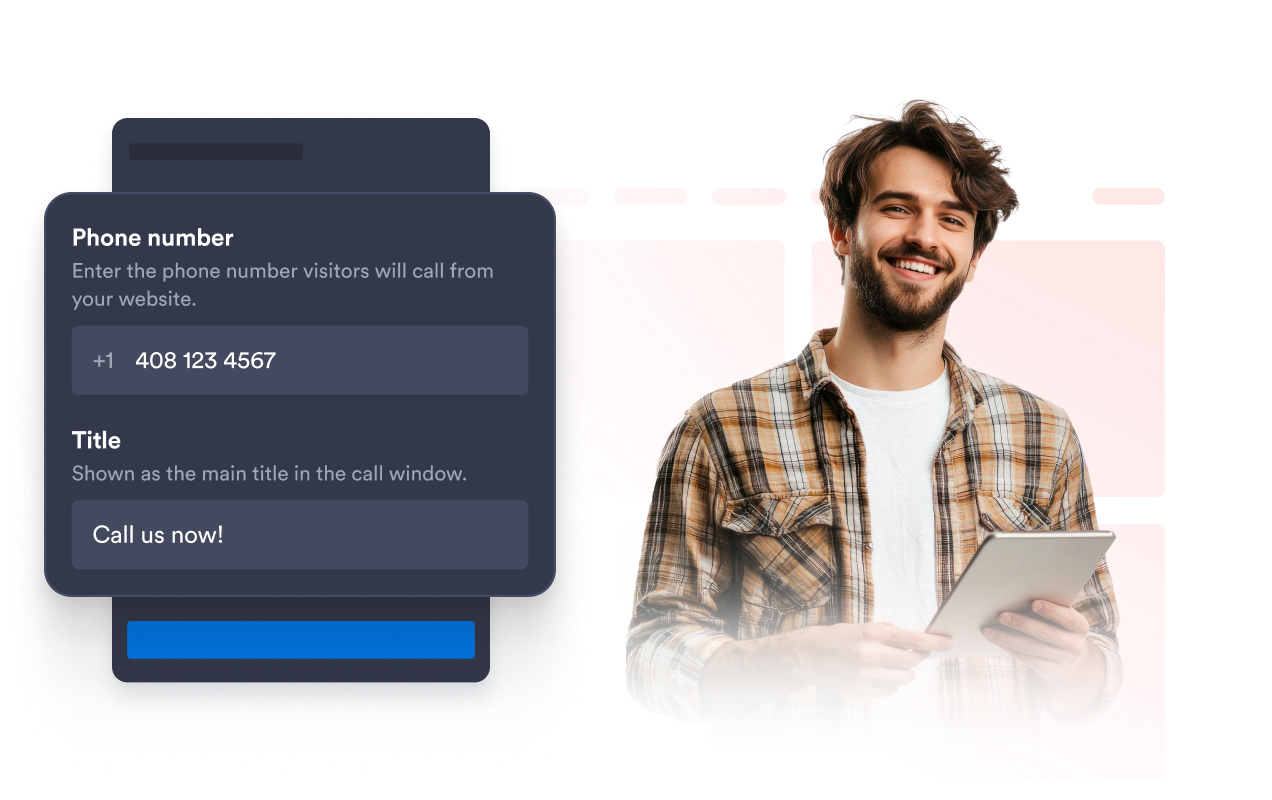
اربط الزر العائم برقم الهاتف الذي يستخدمه فريق المبيعات أو الدعم أو الحجز أو خدمة العملاء. أضف تسمية اختيارية مثل «اتصل بنا الآن» حتى يدرك الزوار على الفور الإجراء المتاح.
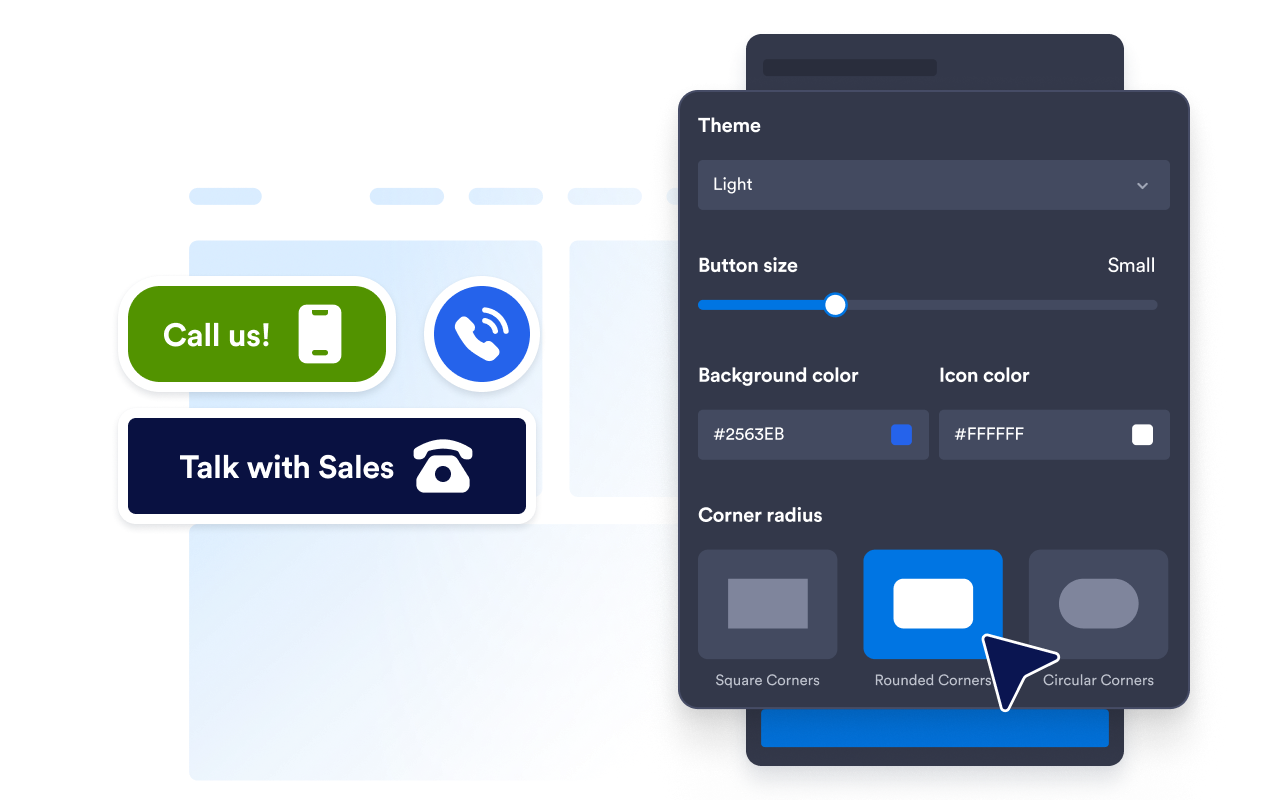
حافظ على أزرار الاتصال متوافقة مع العلامة التجارية
يمكنك تخصيص خلفية الزر، وأيقونة الهاتف، ولون النص، وحجمه، ونصف قطر زواياه، وظله. تساعد هذه الإعدادات على إبقاء زر الاتصال بارزًا مع الحفاظ على تناسقه مع التصميم البصري لموقعك الإلكتروني.
ضع الزر دون إخفاء المحتوى
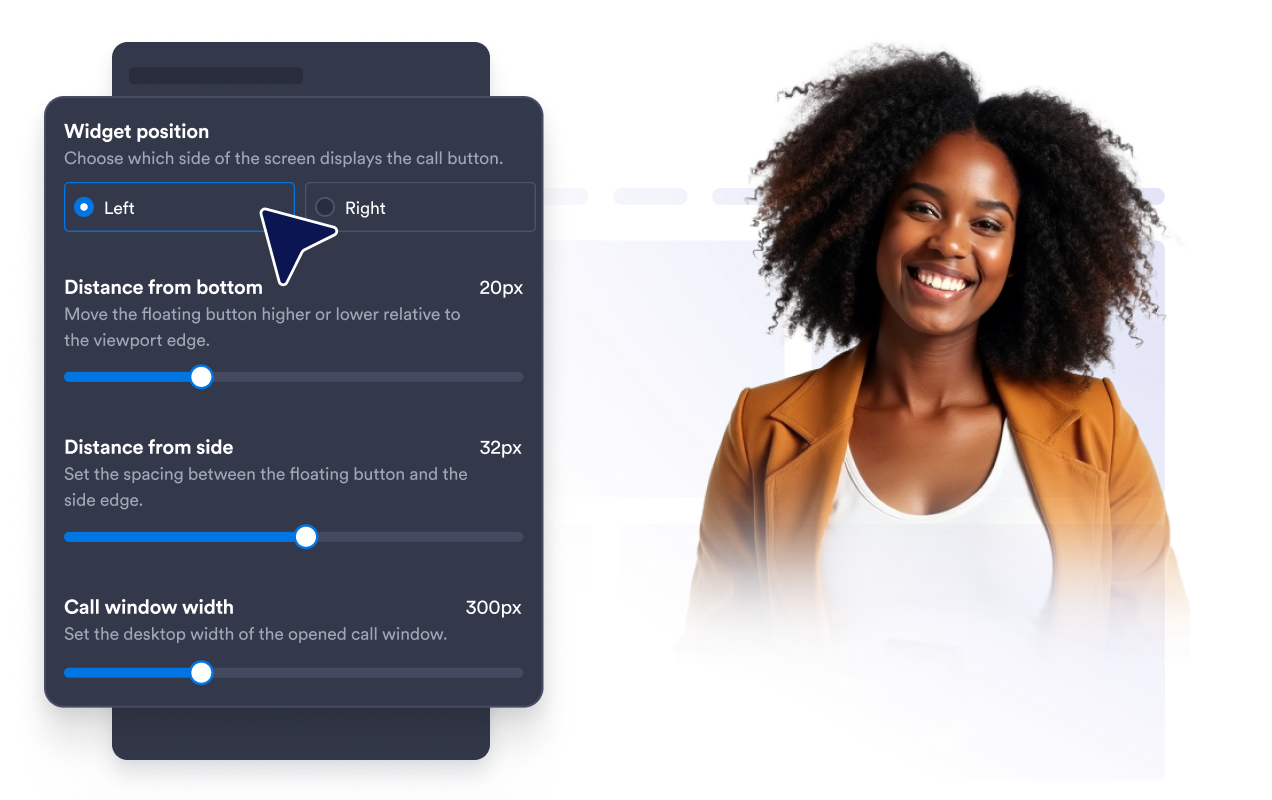
اضبط بُعد الزر عن أسفل نافذة المتصفح وجانبها. يضمن ضبط المسافات بعناية بقاء خيار الاتصال سهل الوصول إليه دون تغطية عناصر التنقل أو النماذج أو أدوات الدردشة أو غيرها من عناصر الصفحة المهمة.
عرض المكالمات على الأجهزة المحددة
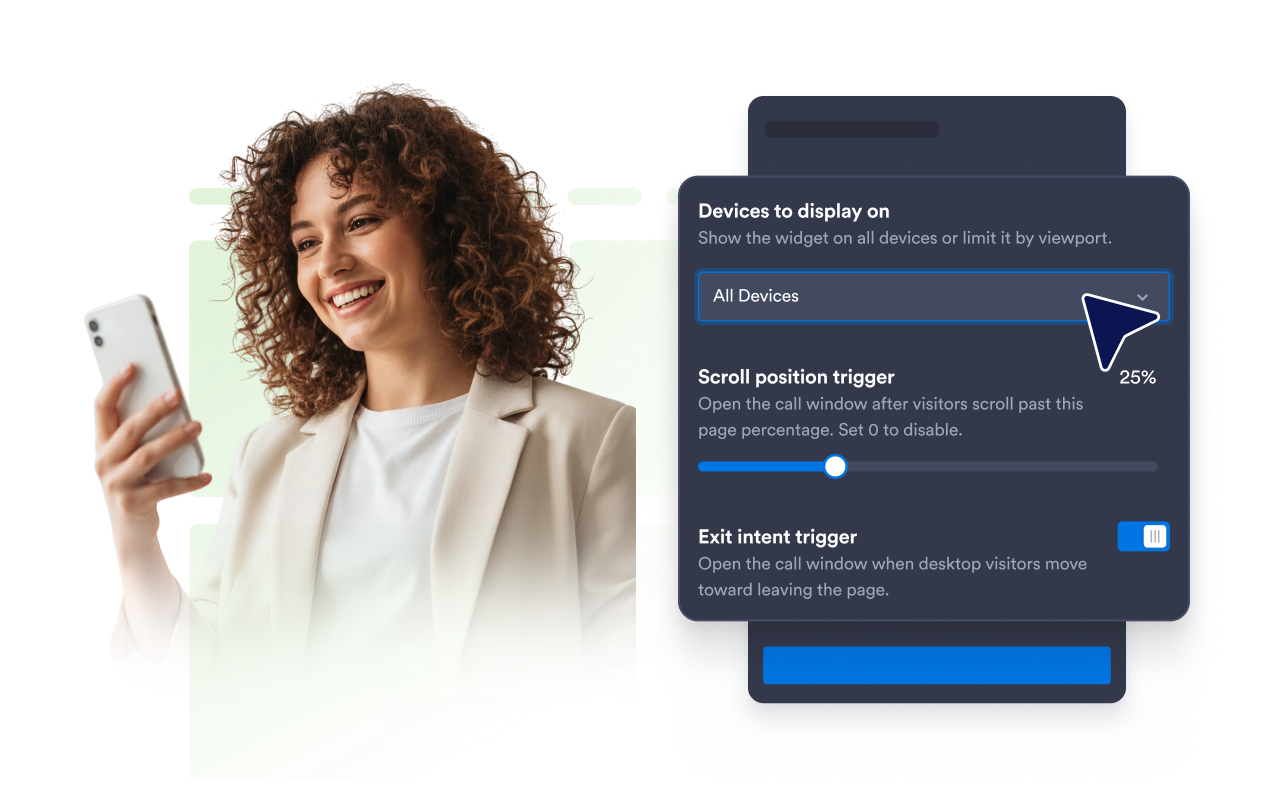
يمكنك التحكم في ما إذا كانت أداة «النقر للاتصال» ستظهر على شاشات أجهزة الكمبيوتر المكتبية، أو شاشات الأجهزة المحمولة، أو كليهما. يمكنك إعطاء الأولوية لخيار «النقر للاتصال» لزوار الموقع من مستخدمي الأجهزة المحمولة، أو إبقاء خدمة المساعدة الهاتفية متاحة في جميع أنحاء موقعك الإلكتروني.
لماذا تتميز أدوات Jotform لمواقع الويب؟
تجعل أدوات Jotform موقع الويب الخاص بك أكثر تفاعلية وتساعد على زيادة معدلات التحويل. تتوفر العديد من الأدوات، بدءًا من تقييمات النجوم وأشرطة تمرير تقييمات العملاء، وصولًا إلى النوافذ المنبثقة التي تعرض تقييمات العملاء وتضمين الوسائط. أضف الأدوات إلى نماذجك أو صفحاتك المقصودة لجمع البيانات، وعرض آراء العملاء، وجمع العملاء المحتملين — دون الحاجة إلى كتابة أكواد.
أضف أدوات Jotform إلى موقعك الإلكتروني باستخدام كود تضمين بسيط. خصّص الأداة، واعرض معاينة لشكلها، ثم أدرجها في أي صفحة تدعم HTML المخصص أو حزم التضمين، وكل ذلك دون الحاجة إلى مطور.
استخدم أدوات مواقع الويب من Jotform لجمع بيانات العملاء المحتملين، وإظهار تقييمات العملاء، وعرض الآراء الاجتماعية، وتضمين ملفات الوسائط، أو إضافة أدوات مفيدة لصفحات ويب. تقوم كل أداة بمساعدة الزوار على التفاعل مع خدماتك مباشرةً من موقعك الإلكتروني.
إذا كنت بحاجة إلى مساعدة في إعداد أداتك أو تخصيصها أو تضمينها أو استكشاف المشكلات وإصلاحها، فإن فريق دعم العملاء في Jotform متاح على مدار الساعة طوال أيام الأسبوع. يمكنك المتابعة بثقة، مع العلم أن المساعدة متاحة عندما تحتاج إليها.
أين يمكنك استخدام أداة «انقر للاتصال»؟
أضف الأداة إلى الصفحات التي يمكن أن يساعد فيها التواصل مع فريقك الزوار في الحصول على المعلومات أو اتخاذ الخطوة التالية.
صفحات الاتصال لجعل رقم هاتفك قابلاً للتفاعل معه على الفور.
صفحات الخدمة لمناقشة الأسعار أو التوافر أو متطلبات المشروع.
صفحات الهبوط الخاصة بالحملة لتوفير خيار اتصال مباشر للزوار المهتمين.
مواقع الويب المخصصة للجوال لتزويد المستخدمين بخيار «النقر للاتصال» السهل.
صفحات الأعمال المحلية للمطاعم والعيادات وصالونات التجميل والوكالات وخدمات المنازل.
صفحات المبيعات والدعم حيث قد يكون من الأسهل حل الاستفسارات عبر الهاتف.
حوّل العملاء المحتملين إلى مبيعات حقيقية باستخدام منشئ النماذج من Jotform
حوّل التفاعل إلى نتائج فعلية مع Jotform. أنشئ نماذج قوية لجمع بيانات العملاء المحتملين، واستلام المدفوعات، وأتمتة الردود، كل ذلك في مكان واحد. تصل جميع البيانات المرسلة إلى صندوق الوارد في Jotform الخاص بك، حيث يمكنك المتابعة أو الربط مع تطبيقاتك المفضلة.
ابدأ - إنه مجاني!
أسئلة متكررة ومتداولة
ما هي أداة «النقر للاتصال»؟
تُضيف أداة «النقر للاتصال» زر هاتف عائم إلى موقعك الإلكتروني. وعندما يضغط الزوار عليه، يمكن لجهازهم أو متصفحهم فتح خيار الاتصال المتاح باستخدام رقم الهاتف الذي قمت بتكوينه.
كيف يمكنني إضافة زر «الاتصال بنقرة واحدة» إلى موقع الويب الخاص بي؟
هل يمكنني تخصيص رقم الهاتف وتسمية الزر؟
هل يمكنني تغيير تصميم زر الاتصال؟
هل يمكنني تغيير مكان ظهور الزر العائم؟
هل يمكنني عرض الأداة المصغرة على الأجهزة المحمولة فقط؟
ماذا يحدث عندما يضغط الزائر على الزر؟
هل يمكنني استخدام رقم هاتف دولي؟
هل أحتاج إلى كتابة أكواد؟
هل يمكنني إنشاء أداة «انقر للاتصال» مجانًا؟
ما هي منصات المواقع الإلكترونية التي تدعم أداة «النقر للاتصال»؟
هل يمكنني الحصول على مساعدة في إعداد أداة «انقر للاتصال» الخاصة بي؟