أداة تقييمات eBay لموقعك الإلكتروني
قم بتعزيز ثقة المشترين من خلال عرض الملاحظات الحقيقية من متجر eBay الخاص بك. تتيح لك أداة تقييمات eBay من Jotform عرض تقييمات البائع والمراجعات العامة، وتخصيص طريقة ظهورها، والحفاظ على تحديث المحتوى تلقائيًا — كل ذلك دون الحاجة إلى كتابة أكواد.
كيفية إنشاء عنصر واجهة تقييمات eBay

تخصيص عنصر واجهة المستخدم الخاص بك
اختر المحتوى والتصميم والألوان وطريقة العمل بحيث تتناسب الأداة مع تصميم موقعك الإلكتروني.
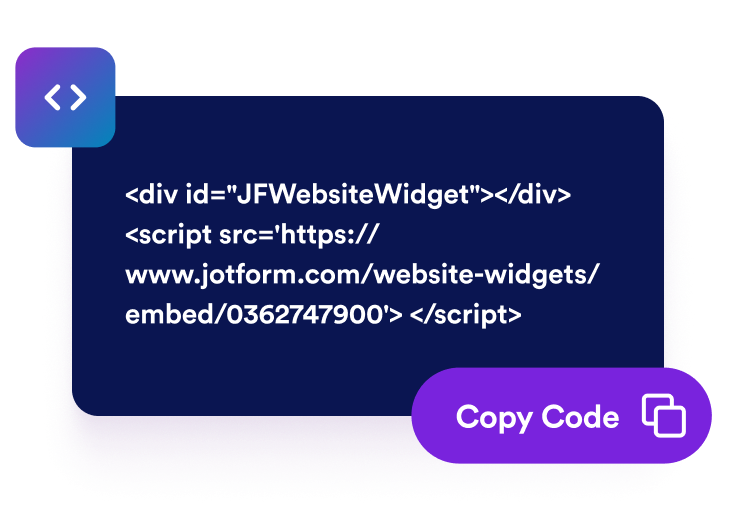
احصل على رمز التضمين
انسخ كود التضمين الجاهز للاستخدام الذي تم إنشاؤه بواسطة Jotform. لا حاجة إلى إعداد أو برمجة.

تضمينه في أي مكان
قم بلصق الرمز في موقعك الإلكتروني وانشره. ستظهر مراجعات eBay الخاصة بك مباشرةً.
قم بتحسين ثقة المشترين من خلال مراجعات eBay الموثوقة
ساعد المشترين على اتخاذ قرارات شراء بثقة
اعرض ملاحظات eBay الإيجابية بالقرب من تفاصيل المنتجات أو أزرار الشراء أو معلومات المتجر. يمكن لمراجعات العملاء السابقين معالجة المخاوف الشائعة وتزويد الزوار بمعلومات مفيدة أثناء اتخاذ قرار الشراء من نشاطك التجاري.

أضف معلومات مفيدة حول المراجعات
تضيف ملاحظات العملاء معلومات مفيدة إلى صفحات متجرك ومنتجاتك. ورغم أن المراجعات المعروضة لا تضمن تحسين ترتيب موقعك في نتائج البحث، فإنها قد تجعل موقعك الإلكتروني أكثر إفادة للزوار الذين يبحثون عن معلومات حول منتجاتك وخدماتك وسمعة البائع.

عزّز الثقة من خلال آراء المشترين
اعرض تقييمات ومراجعات eBay الحقيقية مباشرةً على موقعك الإلكتروني. تساعد آراء المشترين السابقين الزوار على تقييم سمعة متجرك والتعرف على تجارب العملاء الآخرين قبل تقديم الطلب.

حافظ على تحديث تقييمات eBay تلقائيًا
اربط متجر eBay الخاص بك ودع الأداة تظل متزامنة مع التقييمات والتعليقات المؤهلة. ويمكن أن تظهر الملاحظات الجديدة على موقعك الإلكتروني تلقائيًا، مما يقلل الحاجة إلى نسخ المراجعات أو تحديث صفحاتك يدويًا.

لماذا تتميز أدوات Jotform لمواقع الويب؟
تجعل أدوات Jotform موقع الويب الخاص بك أكثر تفاعلية وتساعد على زيادة معدلات التحويل. تتوفر العديد من الأدوات، بدءًا من تقييمات النجوم وأشرطة تمرير تقييمات العملاء، وصولًا إلى النوافذ المنبثقة التي تعرض تقييمات العملاء وتضمين الوسائط. أضف الأدوات إلى نماذجك أو صفحاتك المقصودة لجمع البيانات، وعرض آراء العملاء، وجمع العملاء المحتملين — دون الحاجة إلى كتابة أكواد.
أضف أدوات Jotform إلى موقعك الإلكتروني باستخدام كود تضمين بسيط. خصّص الأداة، واعرض معاينة لشكلها، ثم أدرجها في أي صفحة تدعم HTML المخصص أو حزم التضمين، وكل ذلك دون الحاجة إلى مطور.
استخدم أدوات مواقع الويب من Jotform لجمع بيانات العملاء المحتملين، وإظهار تقييمات العملاء، وعرض الآراء الاجتماعية، وتضمين ملفات الوسائط، أو إضافة أدوات مفيدة لصفحات ويب. تقوم كل أداة بمساعدة الزوار على التفاعل مع خدماتك مباشرةً من موقعك الإلكتروني.
إذا كنت بحاجة إلى مساعدة في إعداد أداتك أو تخصيصها أو تضمينها أو استكشاف المشكلات وإصلاحها، فإن فريق دعم العملاء في Jotform متاح على مدار الساعة طوال أيام الأسبوع. يمكنك المتابعة بثقة، مع العلم أن المساعدة متاحة عندما تحتاج إليها.
أين تستخدم أداة تقييمات eBay الخاصة بك؟
اعرض ملاحظات وآراء المشترين على الصفحات التي يقيّم فيها الزوار منتجاتك وسمعة البائع وجودة الخدمة.
أقسام الثقة في الصفحة الرئيسية للتعريف بسمعتك على eBay للزوار الجدد.
صفحات المنتجات لدعم قرارات الشراء من خلال تجارب المشترين ذات الصلة.
صفحات الفئات لتعزيز ثقة المتسوقين أثناء مقارنة المنتجات.
صفحات الشحن والإرجاع لتعزيز المعلومات المتعلقة بالخدمة والتسليم.
صفحات هبوط ترويجية لتقديم دليل اجتماعي إلى جانب المنتجات المعروضة.
صفحات «الاتصال» و«الأسئلة الشائعة» لطمأنة الزوار قبل أن يرسلوا سؤالاً.
حوّل العملاء المحتملين إلى مبيعات حقيقية باستخدام منشئ النماذج من Jotform
حوّل التفاعل إلى نتائج فعلية مع Jotform. أنشئ نماذج قوية لجمع بيانات العملاء المحتملين، واستلام المدفوعات، وأتمتة الردود، كل ذلك في مكان واحد. تصل جميع البيانات المرسلة إلى صندوق الوارد في Jotform الخاص بك، حيث يمكنك المتابعة أو الربط مع تطبيقاتك المفضلة.
ابدأ - إنه مجاني!
أسئلة متكررة ومتداولة
ما هي أداة تقييمات eBay؟
تعرض أداة تقييمات eBay الآراء العامة وملاحظات العملاء من متجر eBay الخاص بك على موقعك الإلكتروني. وتساعد الزوار على تقييم سمعة البائع وقراءة تجارب المشترين السابقين دون مغادرة الصفحة.
كيف أضيف تقييمات eBay إلى موقعي الإلكتروني؟
ما معلومات eBay التي تعرضها الأداة؟
هل يمكنني اختيار طريقة عرض تقييمات eBay الخاصة بي؟
هل يمكنني تخصيص تصميم الأداة؟
هل ستظهر تقييمات eBay الجديدة تلقائيًا؟
هل أحتاج إلى كتابة أكواد؟
هل أداة تقييمات eBay مجانية؟
ما هي منصات المواقع الإلكترونية التي تدعم أداة تقييمات eBay؟