أداة تقويم الفعاليات لموقعك الإلكتروني
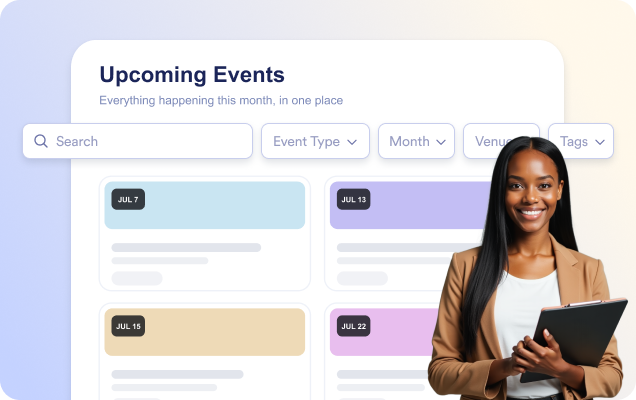
أضف الأحداث يدويًا أو قم بمزامنتها مع تقويم Google، ثم امنح الزوار جدولًا واضحًا ومتجاوبًا يتضمن تفاصيل الأحداث وخيار الإضافة إلى التقويم وروابط التسجيل.
ابدأ الآن — إنها خدمة مجانية!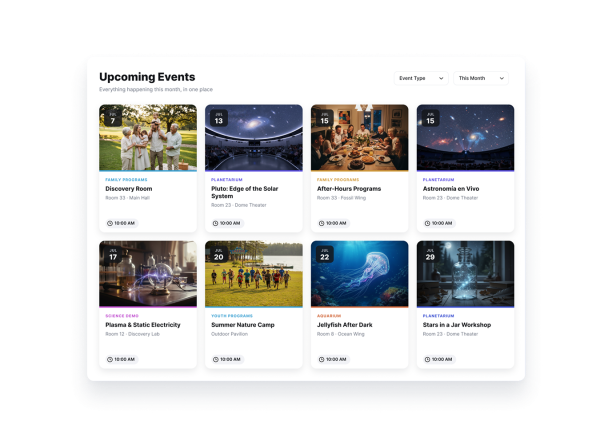

كيفية إنشاء عنصر واجهة تقويم الفعاليات
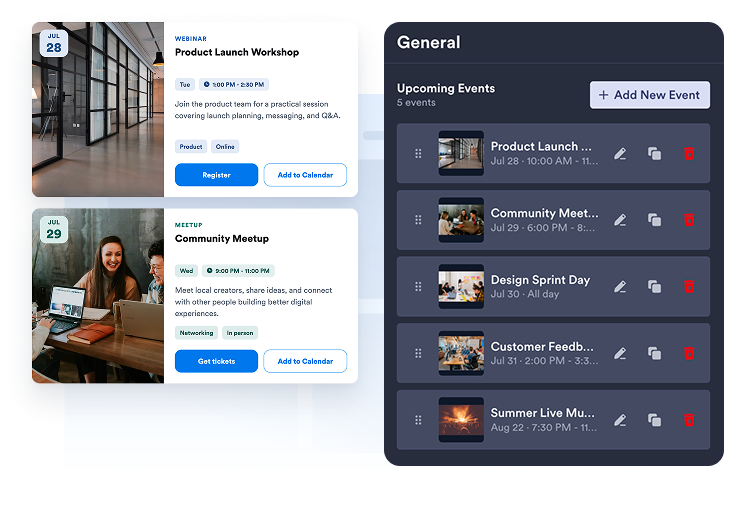
أضف أحداثك أو قم بمزامنتها
أنشئ أحداثًا ليوم واحد أو لعدة أيام يدويًا، أو اربط تقويم Google لمزامنة جدولك في كلا الاتجاهين.
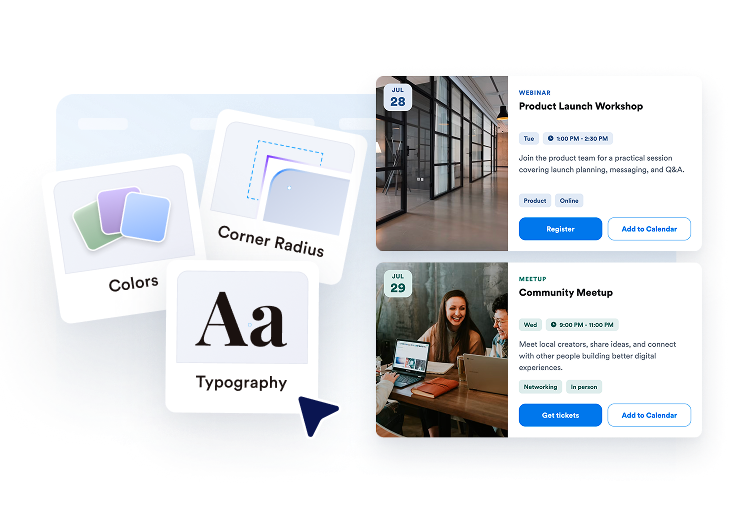
خصّص التقويم
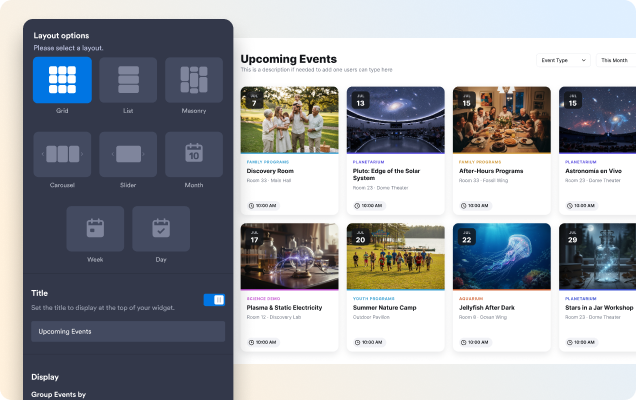
اختر تخطيطًا شبكيًا أو قائمة أو دائرة تمرير أو شريط تمرير أو شهر أو أسبوع، ثم اضبط المظهر والأزرار وعناصر البطاقة وتفاصيل النافذة المنبثقة.

انشرها في أي مكان
عاين الأداة، وانسخ رمز التضمين، وأضف تقويم الأحداث إلى أي صفحة على موقعك الإلكتروني.
اعرض الأحداث بالتخطيط الذي يناسب صفحتك
استخدم قائمة أو شبكة للتصفح، أو دائرة تمرير أو شريط تمرير للأحداث المميزة، أو عرض الشهر والأسبوع للجداول القائمة على التواريخ.
ساعد الزوار على العثور على الحدث المناسب بشكل أسرع
فعّل البحث حتى يتمكن الزوار من العثور على الأحداث حسب العنوان أو الوصف أو الموقع أو العلامات أثناء الكتابة.
شارك تفاصيل الحدث الكاملة في نافذة منبثقة
افتح نافذة منبثقة مركزة للحدث تحتوي على التاريخ والوقت والموقع والوصف والوسائط والعلامات وزر اتخاذ إجراء وخيار الإضافة إلى التقويم.

طابق التقويم مع موقعك الإلكتروني
اختر مظهرًا فاتحًا أو داكنًا أو مخصصًا، ثم خصص ألوان البطاقات والنصوص والأزرار بالإضافة إلى نصف قطر الزوايا.

لماذا تتميز أدوات Jotform لمواقع الويب؟
تجعل أدوات Jotform موقع الويب الخاص بك أكثر تفاعلية وتساعد على زيادة معدلات التحويل. تتوفر العديد من الأدوات، بدءًا من تقييمات النجوم وأشرطة تمرير تقييمات العملاء، وصولًا إلى النوافذ المنبثقة التي تعرض تقييمات العملاء وتضمين الوسائط. أضف الأدوات إلى نماذجك أو صفحاتك المقصودة لجمع البيانات، وعرض آراء العملاء، وجمع العملاء المحتملين — دون الحاجة إلى كتابة أكواد.
أضف أدوات Jotform إلى موقعك الإلكتروني باستخدام كود تضمين بسيط. خصّص الأداة، واعرض معاينة لشكلها، ثم أدرجها في أي صفحة تدعم HTML المخصص أو حزم التضمين، وكل ذلك دون الحاجة إلى مطور.
استخدم أدوات مواقع الويب من Jotform لجمع بيانات العملاء المحتملين، وإظهار تقييمات العملاء، وعرض الآراء الاجتماعية، وتضمين ملفات الوسائط، أو إضافة أدوات مفيدة لصفحات ويب. تقوم كل أداة بمساعدة الزوار على التفاعل مع خدماتك مباشرةً من موقعك الإلكتروني.
إذا كنت بحاجة إلى مساعدة في إعداد أداتك أو تخصيصها أو تضمينها أو استكشاف المشكلات وإصلاحها، فإن فريق دعم العملاء في Jotform متاح على مدار الساعة طوال أيام الأسبوع. يمكنك المتابعة بثقة، مع العلم أن المساعدة متاحة عندما تحتاج إليها.
حوّل العملاء المحتملين إلى مبيعات حقيقية باستخدام منشئ النماذج من Jotform
حوّل التفاعل إلى نتائج فعلية مع Jotform. أنشئ نماذج قوية لجمع بيانات العملاء المحتملين، واستلام المدفوعات، وأتمتة الردود، كل ذلك في مكان واحد. تصل جميع البيانات المرسلة إلى صندوق الوارد في Jotform الخاص بك، حيث يمكنك المتابعة أو الربط مع تطبيقاتك المفضلة.
ابدأ - إنه مجاني!
أسئلة متكررة ومتداولة
ما هي أداة تقويم الأحداث من Jotform؟
تتيح لك أداة تقويم الأحداث من Jotform عرض الأحداث القادمة في تقويم أو قائمة منظمة بصريًا. يمكنك عرض تواريخ الأحداث وأوقاتها ومواقعها وأوصافها وصورها وروابط التسجيل، مما يسهل على الزوار اكتشاف أحداثك والانضمام إليها.
هل يمكنني ربط الأداة بتقويم Google؟
هل يمكنني إضافة أحداث متكررة وأحداث متعددة الأيام؟
هل يمكنني توجيه الزوار إلى صفحة تسجيل لحدث؟
هل يمكنني تخصيص مظهر أداة تقويم الأحداث؟
هل يمكن للزوار البحث عن الأحداث؟