أداة معرض الشعارات لموقعك الإلكتروني
قم ببناء الثقة من خلال معرض شعارات مميز للعملاء، أو الشركاء، أو الرعاة، أو الإشارات الإعلامية، أو عمليات التكامل، أو ملف سابقة الأعمال. ارفع الشعارات، واختر تنسيقات الشبكة أو الشريط الدائري أو المتحرك، وقم بتضمين المعرض في أي مكان دون الحاجة لكتابة أي أكواد برمجية.
ابدأ الآن — إنها خدمة مجانية!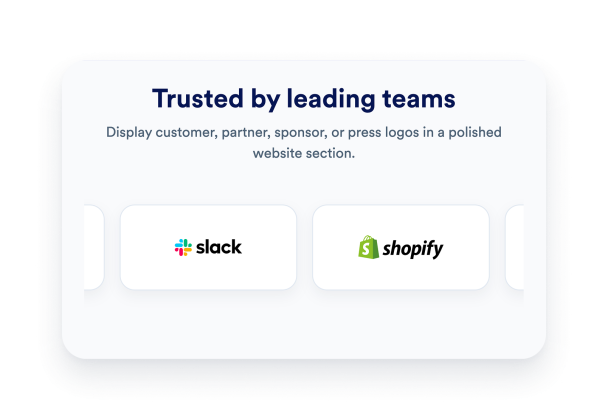

كيفية إنشاء عنصر واجهة عرض الشعارات
إضافة الشعارات الخاصة بك
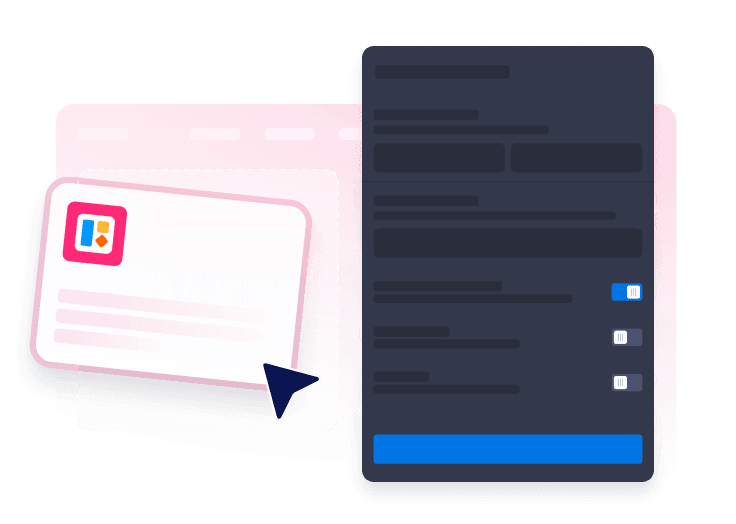
ارفع صور الشعارات، وقم بتسمية كل علامة تجارية، وأضف روابط اختيارية لقصص العملاء، أو صفحات الشركاء، أو مواقع الرعاة، أو وسائل الإعلام.

اختر تخطيطًا
عرض الشعارات في شبكة متجاوبة، أو شريط دوار قابل للتمرير، أو شريط متحرك مستمر بناءً على المساحة المتاحة في صفحتك.

خصص الأداة وضمّنها
اضبط الألوان، والمسافات، وتأثيرات التمرير، وأزرار الإجراءات، والعلامة التجارية، ثم انسخ كود التضمين لنشر المعرض على موقعك الإلكتروني.
عرض العلامات التجارية الموثوقة دون إبطاء حركة الزوار
إدارة كل شعار مرئياً
أضف الشعارات، أو احذفه، وأعد ترتيبها، وارفعها، أو أضف روابط إليها من حقل واحد في أداة الإنشاء، لتسهيل إدارة قوائم العملاء والشركاء.

اختر تخطيطات الشبكة، أو الشريط الدوار، أو الشريط المتحرك
استخدم شبكة مدمجة لأقسام عرض التجارب والأدلة الاجتماعية، أو عرض بشكل دائري للشركاء المميزين، أو شريط متحرك لقوائم الرعاة وشعارات وسائل الإعلام الطويلة.

التحكم في سلوك الشعارات
افتح روابط الشعارات في علامة تبويب جديدة، وأوقف التخطيطات المتحركة مؤقتًا عند تمرير المؤشر فوقها، وفعّل أسهم العرض الدوّار، واضبط توقيت الحركة لتجربة تصفح أكثر سلاسة.

اجعلها متوافقة مع تصميم موقعك الإلكتروني.
اضبط خلفيات البطاقات، والحدود، والمسافات، والظلال، والحواف الدائرية، وتأثيرات التمرير باللون الرمادي، وألوان أزرار الإجراءات، وتنسيقات CSS مخصصة ومحددة النطاق.

لماذا تتميز أدوات Jotform لمواقع الويب؟
تجعل أدوات Jotform موقع الويب الخاص بك أكثر تفاعلية وتساعد على زيادة معدلات التحويل. تتوفر العديد من الأدوات، بدءًا من تقييمات النجوم وأشرطة تمرير تقييمات العملاء، وصولًا إلى النوافذ المنبثقة التي تعرض تقييمات العملاء وتضمين الوسائط. أضف الأدوات إلى نماذجك أو صفحاتك المقصودة لجمع البيانات، وعرض آراء العملاء، وجمع العملاء المحتملين — دون الحاجة إلى كتابة أكواد.
أضف أدوات Jotform إلى موقعك الإلكتروني باستخدام كود تضمين بسيط. خصّص الأداة، واعرض معاينة لشكلها، ثم أدرجها في أي صفحة تدعم HTML المخصص أو حزم التضمين، وكل ذلك دون الحاجة إلى مطور.
استخدم أدوات مواقع الويب من Jotform لجمع بيانات العملاء المحتملين، وإظهار تقييمات العملاء، وعرض الآراء الاجتماعية، وتضمين ملفات الوسائط، أو إضافة أدوات مفيدة لصفحات ويب. تقوم كل أداة بمساعدة الزوار على التفاعل مع خدماتك مباشرةً من موقعك الإلكتروني.
إذا كنت بحاجة إلى مساعدة في إعداد أداتك أو تخصيصها أو تضمينها أو استكشاف المشكلات وإصلاحها، فإن فريق دعم العملاء في Jotform متاح على مدار الساعة طوال أيام الأسبوع. يمكنك المتابعة بثقة، مع العلم أن المساعدة متاحة عندما تحتاج إليها.
أين تستخدم أداة معرض الشعارات
استخدم معرض الشعارات في أي مكان يحتاج فيه الزوار إلى دليل سريع على أن مؤسستك تعمل مع علامات تجارية، أو شركاء، أو رعاة موثوقين.
الصفحات الرئيسية لعرض شعارات العملاء، أو الشركاء، أو وسائل الإعلام بالقرب من الأقسام الرئيسية وأقسام إثبات المصداقية.
محافظ الوكالات لعرض شعارات العملاء مع روابط إلى دراسات الحالة أو صفحات المشاريع.
صفحات الفعاليات لتكريم الرعاة والشركاء الإعلاميين والعارضين وداعمي المجتمع.
مواقع SaaS لتسليط الضوء على عمليات التكامل والشركاء التكنولوجيين وشرائح العملاء الموثوق بهم.
صفحات المنظمات غير الربحية لعرض المتبرعين وشركاء المنح والجهات الراعية والمنظمات المحلية.
الصفحات المقصودة حيث يمكن أن تساعد الأدلة الاجتماعية الموجزة الزوار على الوثوق بالعرض بشكل أسرع.
حوّل العملاء المحتملين إلى مبيعات حقيقية باستخدام منشئ النماذج من Jotform
حوّل التفاعل إلى نتائج فعلية مع Jotform. أنشئ نماذج قوية لجمع بيانات العملاء المحتملين، واستلام المدفوعات، وأتمتة الردود، كل ذلك في مكان واحد. تصل جميع البيانات المرسلة إلى صندوق الوارد في Jotform الخاص بك، حيث يمكنك المتابعة أو الربط مع تطبيقاتك المفضلة.
ابدأ - إنه مجاني!
أسئلة متكررة ومتداولة
ما هي أداة معرض الشعارات؟
تقوم أداة معرض الشعارات بعرض شعارات العملاء، أو الشركاء، أو الرعاة، أو وسائل الإعلام، أو عمليات التكامل على موقعك الإلكتروني بتخطيط قابل للتخصيص.
هل يمكنني رفع الشعارات الخاصة بي؟
ما هي التنسيقات المدعومة؟
هل يمكن للشعارات أن ترتبط بصفحات أخرى؟
هل يمكنني جعل الشعارات باللون الرمادي؟
هل تعمل على الهاتف المحمول؟
هل يمكنني تخصيص التصميم؟
هل أحتاج إلى كتابة أكواد؟