أداة عرض صافي نقاط الترويج NPS لموقعك الإلكتروني
أضف زر تقديم الملاحظات إلى موقعك الإلكتروني حتى يتمكن الزوار من فتح نموذج NPS الخاص بك، والإجابة على الأسئلة المخصصة، وإرسال التعليقات مباشرة إلى مالك الموقع.
ابدأ الآن — إنها خدمة مجانية!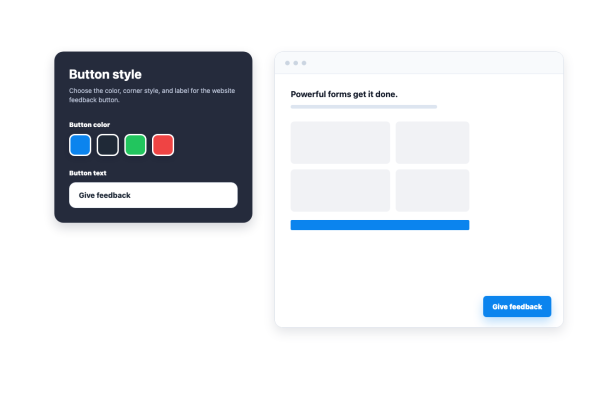

كيفية إنشاء عنصر واجهة مؤشر صافي الترويج
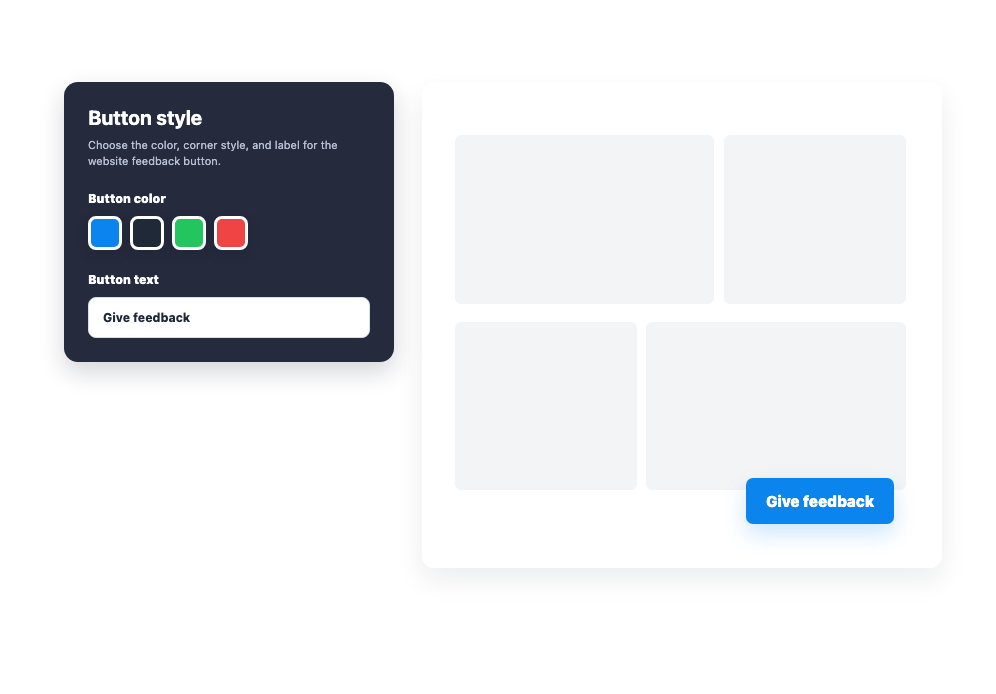
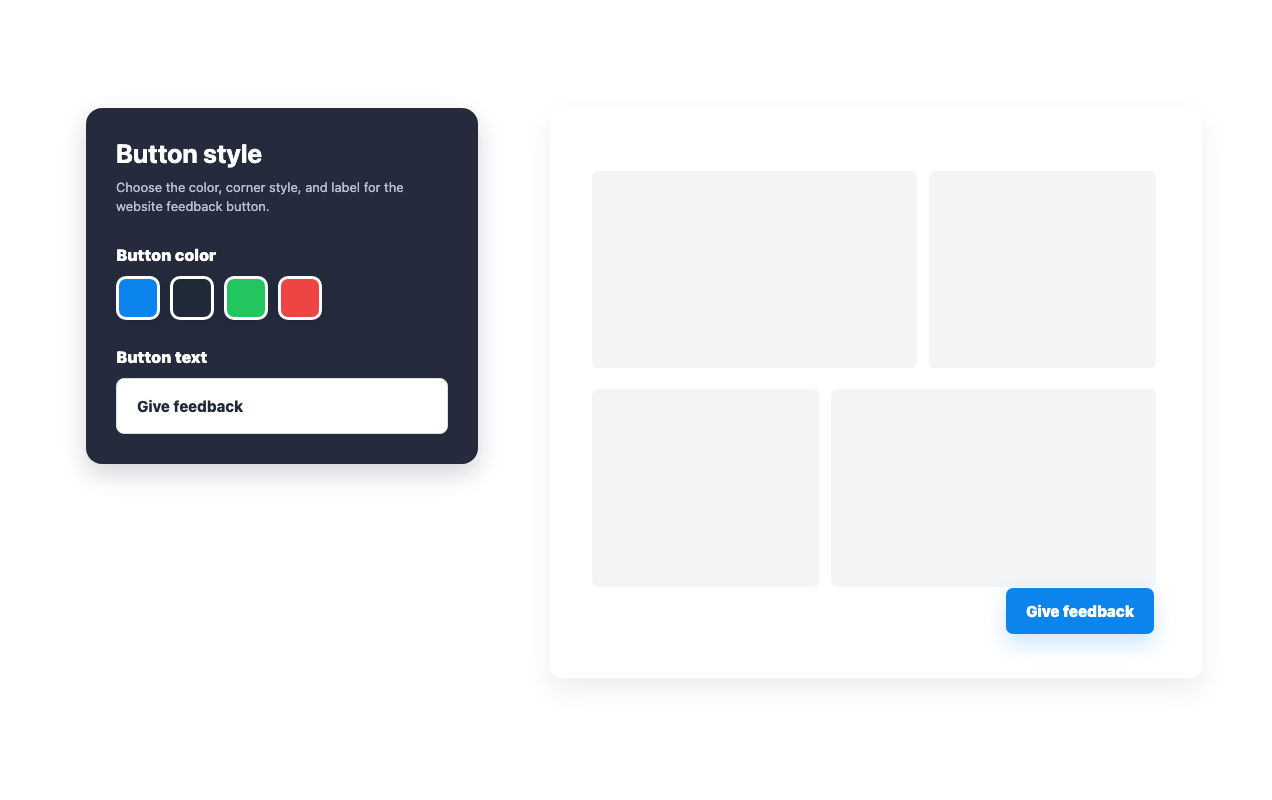
تخصيص زر تقديم الملاحظات
اختر نص الزر، ولونه، ونمط الزاوية، وموضعه، وظهوره على الأجهزة قبل تضمينه.
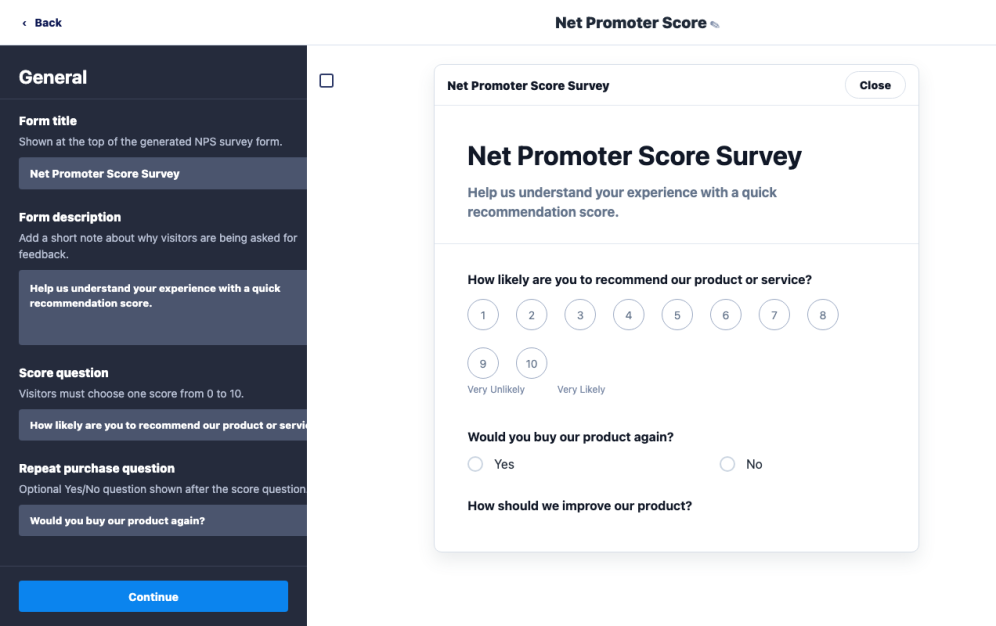
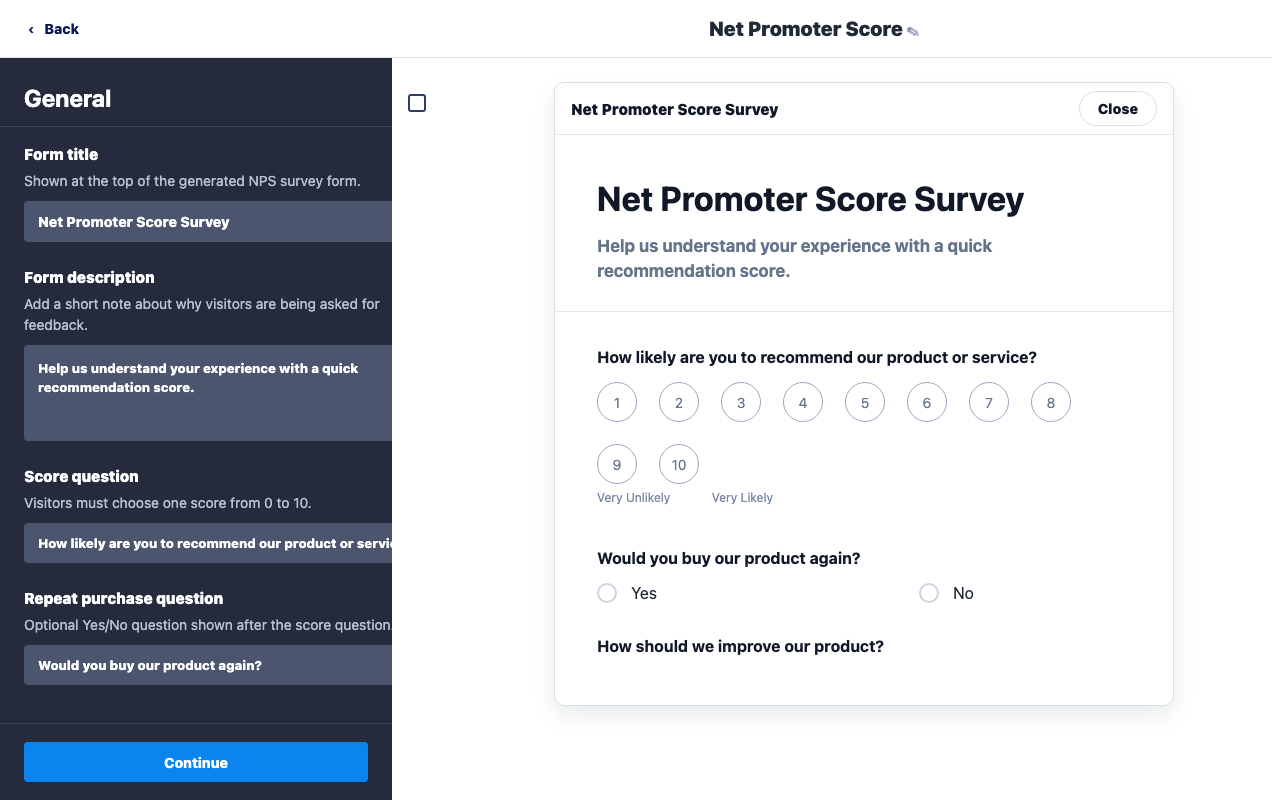
تعديل نموذج الملاحظات
قم بتحديث عنوان النموذج، وسؤال التوصية والتقييم، والأسئلة التوضيحية، ونص زر الإرسال ليتناسب مع موقعك الإلكتروني.

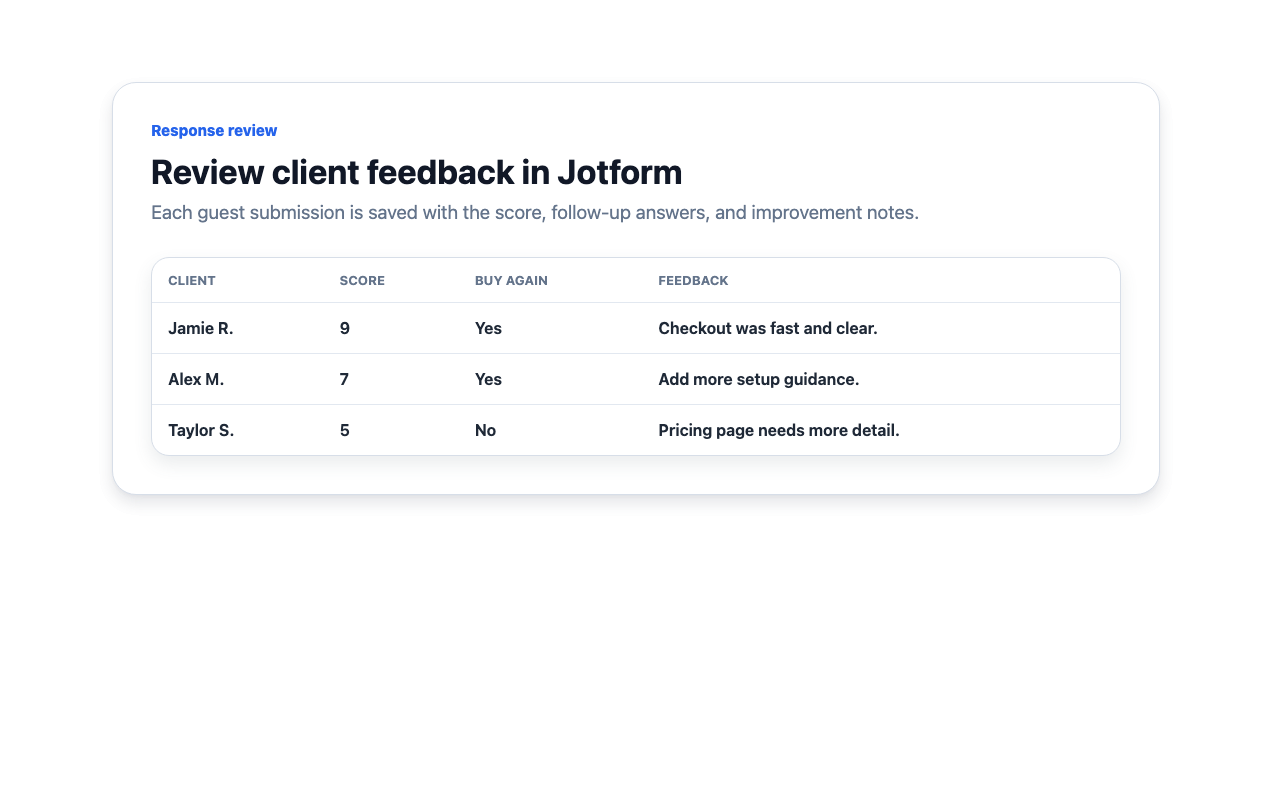
مراجعة ردود العملاء
يرسل الزوار التعليقات من موقعك، ويمكن لمالك الموقع مراجعة بيانات الردود المحفوظة في Jotform.
جمع تعليقات العملاء من زر مخصص لموقعك الإلكتروني
ضع زر تقديم الملاحظات في المكان المناسب
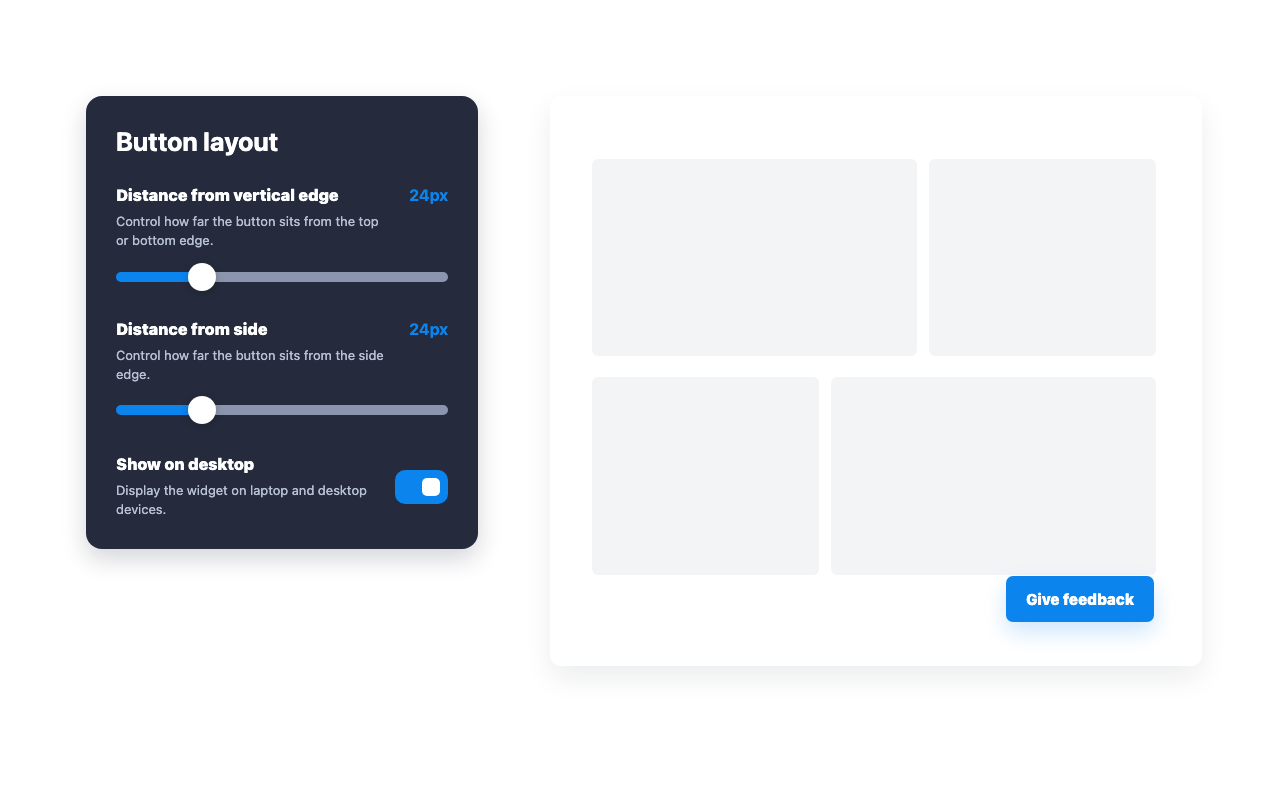
قم بتحديد مكان الزر، والمسافات بين الحواف، والظهور على أجهزة الكمبيوتر أو الأجهزة المحمولة حتى يتمكن الزوار من العثور عليه دون الخروج من نفس الصفحة.
طابق الزر مع موقعك الإلكتروني
قم بتحديث لون الزر، وتسميته، ودوران الزاوية للحفاظ على اتساق مدخل تقديم الملاحظات مع تصميم موقعك.
تخصيص الأسئلة التي يجيب عليها الزوار
يمكنك تعديل نص سؤال التقييم NPS، وسؤال تكرار الشراء، وخيار ملاحظات التطوير، وكافة نصوص الاستمارة مباشرة من منشئ الأدوات.
مراجعة التعليقات التي يرسلها العملاء
اعرض الدرجات المحفوظة، وإجابات المتابعة، والتعليقات المكتوبة في Jotform بعد أن يرسل الزوار النموذج.
لماذا تتميز أدوات Jotform لمواقع الويب؟
تجعل أدوات Jotform موقع الويب الخاص بك أكثر تفاعلية وتساعد على زيادة معدلات التحويل. تتوفر العديد من الأدوات، بدءًا من تقييمات النجوم وأشرطة تمرير تقييمات العملاء، وصولًا إلى النوافذ المنبثقة التي تعرض تقييمات العملاء وتضمين الوسائط. أضف الأدوات إلى نماذجك أو صفحاتك المقصودة لجمع البيانات، وعرض آراء العملاء، وجمع العملاء المحتملين — دون الحاجة إلى كتابة أكواد.
أضف أدوات Jotform إلى موقعك الإلكتروني باستخدام كود تضمين بسيط. خصّص الأداة، واعرض معاينة لشكلها، ثم أدرجها في أي صفحة تدعم HTML المخصص أو حزم التضمين، وكل ذلك دون الحاجة إلى مطور.
استخدم أدوات مواقع الويب من Jotform لجمع بيانات العملاء المحتملين، وإظهار تقييمات العملاء، وعرض الآراء الاجتماعية، وتضمين ملفات الوسائط، أو إضافة أدوات مفيدة لصفحات ويب. تقوم كل أداة بمساعدة الزوار على التفاعل مع خدماتك مباشرةً من موقعك الإلكتروني.
إذا كنت بحاجة إلى مساعدة في إعداد أداتك أو تخصيصها أو تضمينها أو استكشاف المشكلات وإصلاحها، فإن فريق دعم العملاء في Jotform متاح على مدار الساعة طوال أيام الأسبوع. يمكنك المتابعة بثقة، مع العلم أن المساعدة متاحة عندما تحتاج إليها.
أين يمكنك استخدام أداة مؤشر صافي الترويج
ضع استبيان NPS في أي مكان يمكن أن تساعد فيه تعليقات العملاء المباشرة فريقك على تحسين التجربة.
صفحات المنتجات لمعرفة ما إذا كان العملاء سيوصون بمنتج ما بعد الاطلاع على تفاصيله أو إتمام عملية الشراء.
بوابات العملاء لقياس ولاء العملاء بعد نشاط الحساب أو تفاعلات الدعم أو إكمال مراحل بدء الاستخدام.
مراكز المساعدة لجمع تعليقات حول مستوى الرضا بعد أن يقرأ الزوار الوثائق أو يحلوا مشكلة ما.
لوحات معلومات SaaS لجمع مؤشرات ولاء سريعة من المستخدمين النشطين دون توجيههم إلى صفحة منفصلة.
صفحات ما بعد الشراء لفهم العوامل التي أثرت على قرار المشتري بينما لا تزال التجربة حاضرة في ذهنه.
أدوات داخلية لقياس رضا الموظفين عن الخدمات أو الموارد أو سير العمل.
حوّل العملاء المحتملين إلى مبيعات حقيقية باستخدام منشئ النماذج من Jotform
حوّل التفاعل إلى نتائج فعلية مع Jotform. أنشئ نماذج قوية لجمع بيانات العملاء المحتملين، واستلام المدفوعات، وأتمتة الردود، كل ذلك في مكان واحد. تصل جميع البيانات المرسلة إلى صندوق الوارد في Jotform الخاص بك، حيث يمكنك المتابعة أو الربط مع تطبيقاتك المفضلة.
ابدأ - إنه مجاني!
أسئلة متكررة ومتداولة
ما هي أداة مؤشر صافي الترويج؟
تضيف أداة مؤشر صافي الترويج زر تقديم الملاحظات إلى موقعك الإلكتروني حتى يتمكن الزوار من فتح نموذج NPS وإرساله بسهولة.
ما هي الحقول التي تنشئها الأداة؟
كيف يمكنني مراجعة ردود NPS؟
ما هي أسئلة المتابعة المضمنة؟
هل يمكنني إدارة النموذج والإرسالات في Jotform؟
هل يمكنني تخصيص الأداة الذكية؟
هل أحتاج إلى كتابة أي أكواد؟