أداة موجز Telegram لموقعك الإلكتروني
اعرض منشورات من أي قناة Telegram عامة مباشرةً على موقعك. تحافظ الخلاصة على أحدث النصوص والصور ومقاطع الفيديو والروابط الخاصة بقناتك على صفحتك ضمن تخطيط يمكنك التحكم فيه.
ابدأ الآن — إنها خدمة مجانية!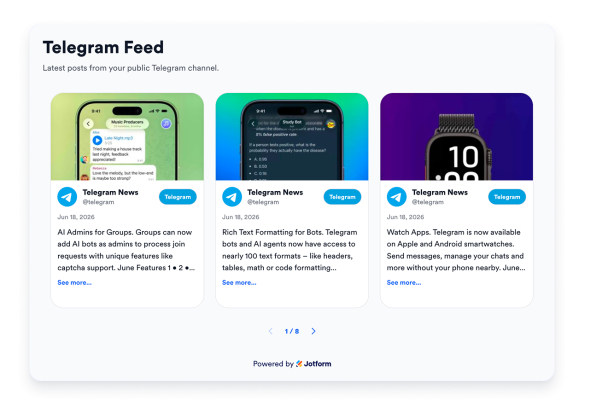

كيفية إنشاء عنصر واجهة موجز Telegram
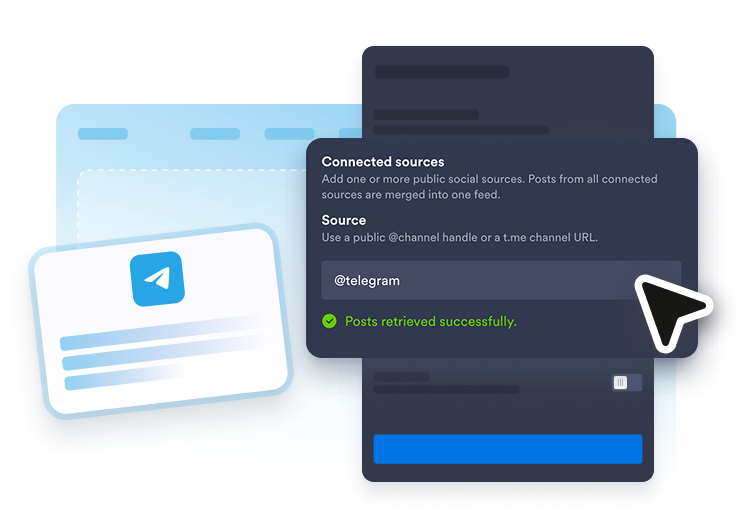
أضف قناتك
أدخل اسم المستخدم أو رابط قناة Telegram العامة التي تريد عرضها.
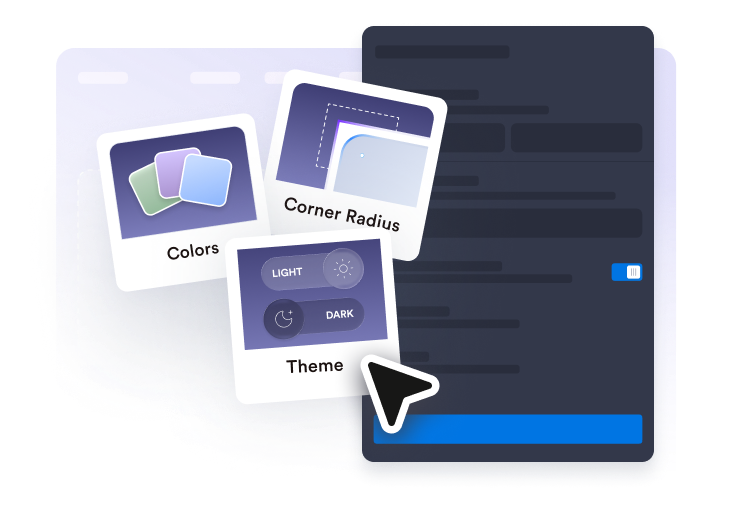
تخصيص موجز الأخبار
اختر التخطيط، واضبط الألوان والبطاقات، وقم بتعيين الرأس، واختر تفاصيل المنشورات التي تريد عرضها.
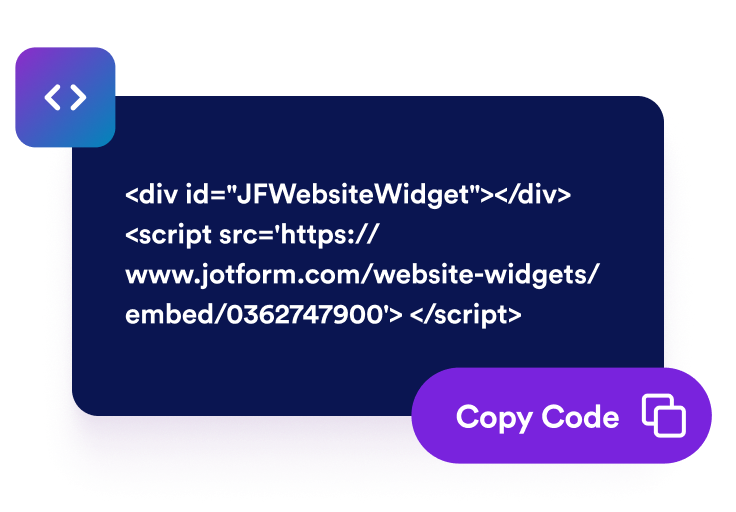
تضمينه في أي مكان
انسخ كود التضمين والصقه في موقعك الإلكتروني أو منشئ المواقع لنشر الخلاصة.
أنشئ أداة Telegram Feed أنيقة
اعرض أي قناة عامة
اعرض المنشورات من أي قناة Telegram عامة عن طريق إضافة اسم المستخدم أو الرابط الخاص بها. لا حاجة إلى بوت أو مفتاح API أو امتلاك القناة.

حافظ على أحدث منشوراتك على موقعك
تعرض الأداة أحدث منشورات قناتك، بحيث يرى الزوار المحتوى الحالي دون الحاجة إلى تعديل صفحتك في كل مرة.
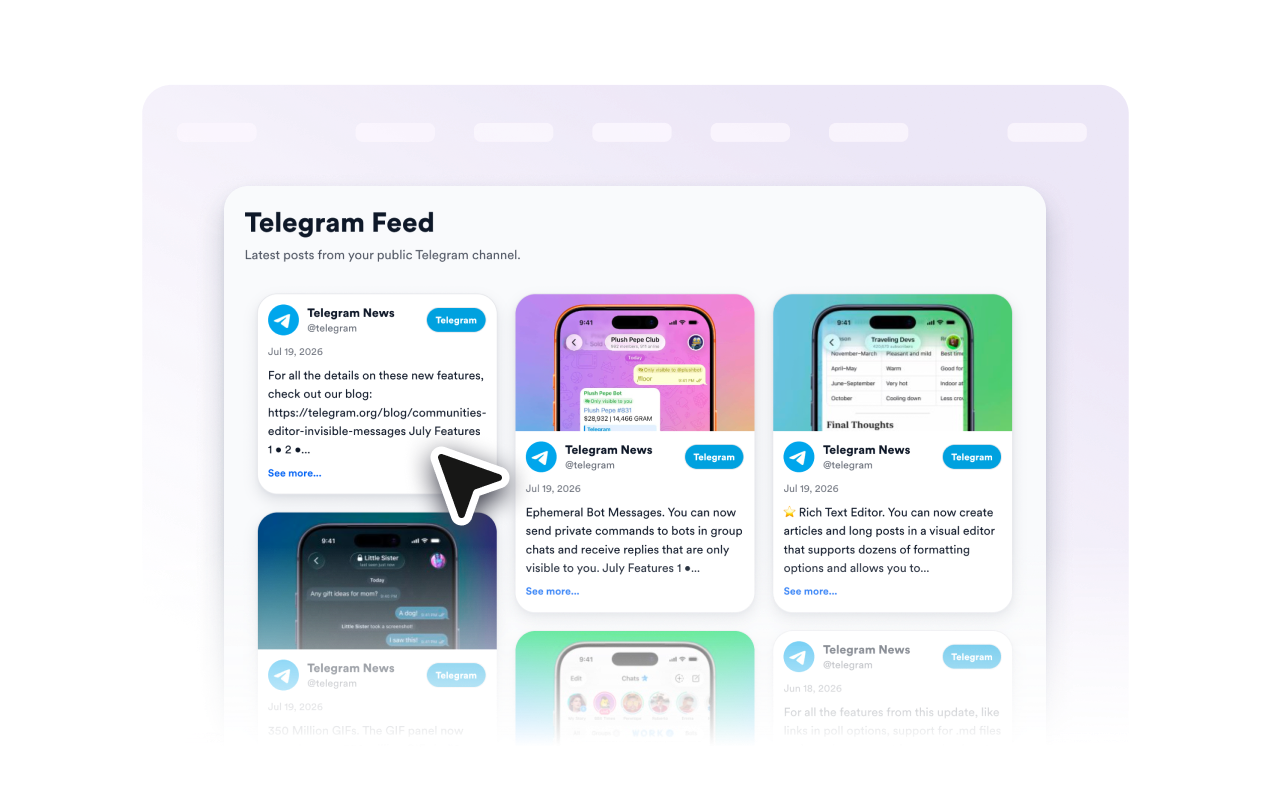
تخطيطات متعددة
اعرض المنشورات بتخطيط حجري أو شبكة أو قائمة أو عرض دائري أو شريط تمرير ليناسب أي قسم من موقعك، بدءًا من الخلاصة العريضة وحتى الشريط الجانبي المدمج.

طابق علامتك التجارية
خصص ألوان التمييز، وتنسيق البطاقات، ورأس الخلاصة، وقم بالتبديل بين المظهر الفاتح والداكن، وتحكم في تفاصيل المنشورات التي تظهر، وقم بتشغيل العلامة التجارية لـ Jotform أو إيقاف تشغيلها لدمج الخلاصة مع تصميمك.

لماذا تتميز أدوات Jotform لمواقع الويب؟
تجعل أدوات Jotform موقع الويب الخاص بك أكثر تفاعلية وتساعد على زيادة معدلات التحويل. تتوفر العديد من الأدوات، بدءًا من تقييمات النجوم وأشرطة تمرير تقييمات العملاء، وصولًا إلى النوافذ المنبثقة التي تعرض تقييمات العملاء وتضمين الوسائط. أضف الأدوات إلى نماذجك أو صفحاتك المقصودة لجمع البيانات، وعرض آراء العملاء، وجمع العملاء المحتملين — دون الحاجة إلى كتابة أكواد.
أضف أدوات Jotform إلى موقعك الإلكتروني باستخدام كود تضمين بسيط. خصّص الأداة، واعرض معاينة لشكلها، ثم أدرجها في أي صفحة تدعم HTML المخصص أو حزم التضمين، وكل ذلك دون الحاجة إلى مطور.
استخدم أدوات مواقع الويب من Jotform لجمع بيانات العملاء المحتملين، وإظهار تقييمات العملاء، وعرض الآراء الاجتماعية، وتضمين ملفات الوسائط، أو إضافة أدوات مفيدة لصفحات ويب. تقوم كل أداة بمساعدة الزوار على التفاعل مع خدماتك مباشرةً من موقعك الإلكتروني.
إذا كنت بحاجة إلى مساعدة في إعداد أداتك أو تخصيصها أو تضمينها أو استكشاف المشكلات وإصلاحها، فإن فريق دعم العملاء في Jotform متاح على مدار الساعة طوال أيام الأسبوع. يمكنك المتابعة بثقة، مع العلم أن المساعدة متاحة عندما تحتاج إليها.
حوّل العملاء المحتملين إلى مبيعات حقيقية باستخدام منشئ النماذج من Jotform
حوّل التفاعل إلى نتائج فعلية مع Jotform. أنشئ نماذج قوية لجمع بيانات العملاء المحتملين، واستلام المدفوعات، وأتمتة الردود، كل ذلك في مكان واحد. تصل جميع البيانات المرسلة إلى صندوق الوارد في Jotform الخاص بك، حيث يمكنك المتابعة أو الربط مع تطبيقاتك المفضلة.
ابدأ - إنه مجاني!
أسئلة متكررة ومتداولة
هل أحتاج إلى بوت Telegram أو مفتاح API لاستخدام هذه الأداة؟
لا. تعرض أداة Telegram Feed المنشورات من قناة Telegram عامة باستخدام اسم المستخدم أو الرابط الخاص بها. لا تحتاج إلى رمز بوت أو مفتاح API أو امتلاك القناة.
هل تعمل مع أي قناة، أم مع القنوات العامة فقط؟
هل يتم تحديث الخلاصة تلقائيًا؟
هل يمكنني تخصيص مظهر الخلاصة؟
ما نوع المنشورات التي تعرضها؟
هل يمكنني إضافتها إلى أي موقع إلكتروني أو منشئ مواقع؟