الجداول
قم بإنشاء جدول – إنه مجاني!
  • الفوائد
  • الميزات
  • مساحات العمل
  • القوالب
  • قصة
    • أهم الميزات
    • أسئلة متكررة ومتداولة
    • إرشادات المساعدة
    • منشورات المدونة
  • قم بإنشاء جدول – إنه مجاني!

Share & Collaborate

Collaborate with coworkers or clients by sharing your tables with custom access settings.

بدء الحوار
الجداول
المشاركة والتعاون الفئة
مشاركة الجداول
قم بإنشاء جدول – إنه مجاني!

Share Jotform Tables with Others

Easily share your Jotform Tables with teammates, clients, or stakeholders using email invitations or shareable links. Assign access permissions and collaborate securely in one place.
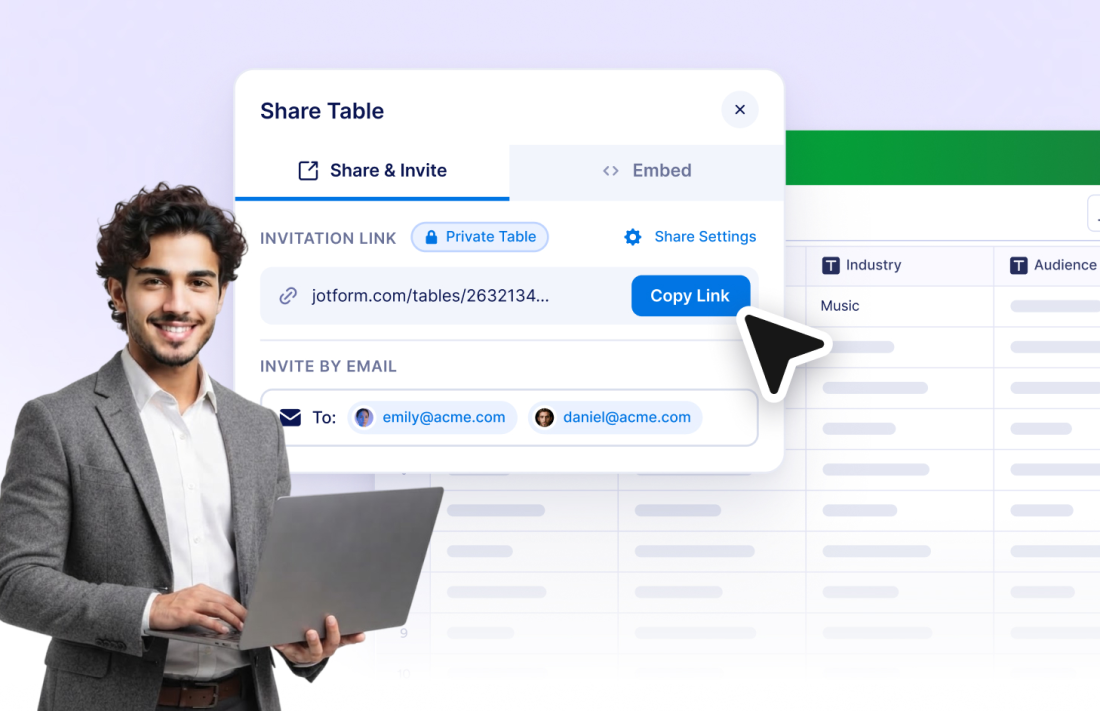
Share Jotform Tables with Others

Simplify collaboration with flexible sharing options. Invite individuals by email or generate invitation links while controlling who can view, comment on, or edit your table data.

Share Tables with Custom Access Permissions

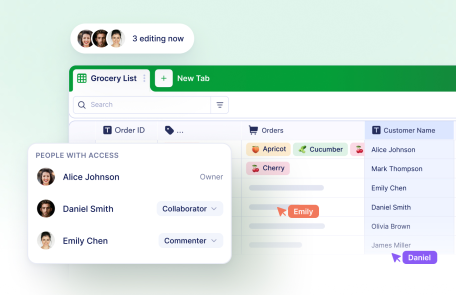
Invite collaborators directly by email or share a secure invitation link. Set access roles, manage permissions, and control how others interact with your table data.

Invite Users by Email

Send invitations directly from the Share panel by entering email addresses and assigning Read-Only, Commenter, or Collaborator roles. Share your tables securely with specific individuals.

Generate Shareable Invitation Links with Default Roles

Create invitation links from the Share panel and assign default Read-Only, Commenter, or Collaborator roles. Easily share table access while controlling how new users interact with your data.

Set Custom Expiration Dates for Invitation Links

Set an expiration date for your invitation link to control how long it remains valid. Once the selected date passes, the link expires, preventing new users from joining through it.

أسئلة متكررة ومتداولة

Open the Share panel in Jotform Tables to invite users directly by email or generate a shareable invitation link. Both options let you collaborate with others while managing access permissions.

You can choose from three roles: Read-Only, Commenter, and Collaborator. Read-Only users can view data, Commenters can view and leave comments, and Collaborators can add or edit table data without changing table-level settings.

Yes. You can set a custom expiration date for invitation links. After that date, the link becomes invalid, preventing additional users from joining your table through it.
نهاية الحوار
Jotform LogoJotform Icon
الجداول
المشاركة والتعاون الفئة

الميزات

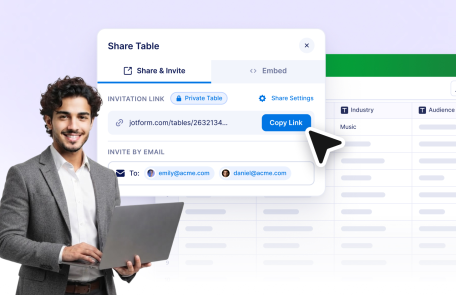
Share Tables Thumbnail Image
معرفة المزيد: Share Tables

مشاركة الجداول

Easily share your Jotform Tables with teammates, clients, or stakeholders using email invitations or shareable links.

Collaborate on Tables with Your Team Thumbnail Image
معرفة المزيد: Collaborate on Tables with Your Team

Collaborate on Tables with Your Team

Collaborate with your team in Jotform Tables using live activity indicators, personalized filters, and flexible sharing controls.

Control Table Access and Privacy Thumbnail Image
معرفة المزيد: Control Table Access and Privacy

Control Table Access and Privacy

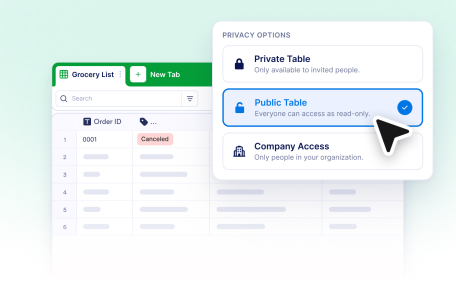
Keep data private, share it publicly, or limit access to your organization based on your sharing needs.

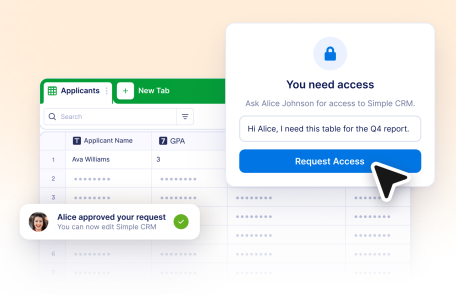
Request Access to Jotform Tables Thumbnail Image
معرفة المزيد: Request Access to Jotform Tables

Request Access to Jotform Tables

Request permission to view restricted Jotform Tables or ask for editing access when you need it.

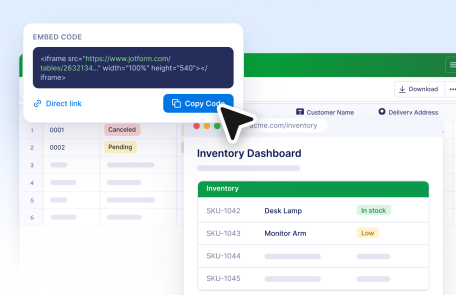
Embed Jotform Tables on Your Website Thumbnail Image
معرفة المزيد: Embed Jotform Tables on Your Website

Embed Jotform Tables on Your Website

Display Jotform Tables on websites, blogs, or dashboards with a simple embed code.

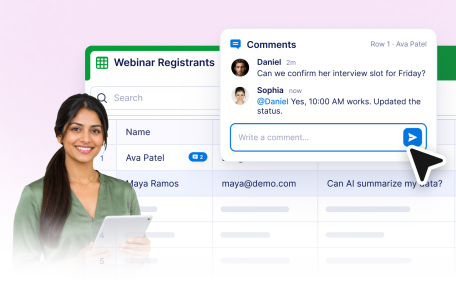
Add Comments to Jotform Tables Thumbnail Image
معرفة المزيد: Add Comments to Jotform Tables

Add Comments to Jotform Tables

Add comments directly to cells in Jotform Tables to share feedback, discuss submission details, and communicate with your team.

الفئات
  • مقدمة14
  • الميزاتابدأ الآن6
  • الميزاتView Types5
  • الميزاتColumn Management11
  • الميزاتنوع الأعمدة25
    • Basic Columns12
    • Formula Columns4
    • Connected Columns2
    • أزرار الإجراءات7
  • الميزاتSearch, Filter, and Sort4
  • الميزاتإدارة الإرسالات11
    • Entry Actions6
    • Single Entry View5
  • الميزاتالمشاركة والتعاون6
  • الميزاتتصدير البيانات5
  • الميزاتReply & Forward Submissions2
  • الميزاتArchive, Trash & History5
  • الميزاتTables Tabs5
  • الميزاتTable Options4
  • الميزاتPayment Data2
  • الميزاتEncrypted Submissions1

Jotform

  • إنشاء نموذج
  • مساحة عملي
  • الأسعار
  • Jotform الأعمال
      • نماذج الطلبات
      • نماذج التسجيل
      • نماذج التواصل
      • نماذج الملاحظات
      • نماذج الطلبات
      • نماذج التقييم
      • نماذج الحجز
      • نماذج الحجز
      • نماذج الطلبات
      • حكومة
      • الرعاية الصحية
      • المخيمات الصيفية
      • مطاعم وبقالات
      • الكنائس
      • ملاجئ الحيوانات
      • التصوير
      • المتخصصون في التعليم
      • شركات الأعمال الصغيرة
      • مؤسسات غير ربحيةي
      • وكالات إبداعية
      • كيف يمكن إنشاء استبيان
      • طرق جمع البيانات
      • تصميم النموذج
      • قبول المدفوعات عبر الإنترنت
      • إنشاء تطبيق بدون برمجة
      • ما هو رمز QR؟
      • كيف يمكن إنشاء موقع؟
      • كيفية البيع عبر الإنترنت
      • دليل تقييم الأداء
      • العمل من المنزل
      • جميع أدلة الأعمال
    • الاستخدامات
    • منشئ نماذج Jotform
    • Jotform Appointments
    • تطبيقات Jotform
    • وكلاء Jotform للذكاء الاصطناعي
    • لوحات Jotform
    • منشئ المتاجر الخاص بـ Jotform
    • جداول Jotform
    • صندوق وارد Jotform
    • نماذج الجوال
    • مسارات عمل Jotform
    • منشئ تقارير Jotform
    • نماذج PDF الذكية من Jotform
    • محرر ملفات PDF من Jotform
    • Jotform للتوقيع الإلكتروني
    • Jotform للذكاء الاصطناعي
    • مُنشئ النماذج Claude
    • منشئ نماذج ChatGPT
    • فرق Jotform
    • المنطق الشرطي
    • نماذج المحادثة
    • تعيين النماذج
    • ترجمة النماذج
    • وضع العلامات البيضاء
    • تفعيل-تعطيل النموذج
    • عدة مستخدمين
    • منشئ النماذج القابل للتضمين
  • أدوات
  • أدوات الذكاء الاصطناعي
  • الواجهة الخلفية للنموذج
    • بديل نماذج Google
    • بديل نماذج Microsoft
    • بديل Typeform
    • بديل Tally Forms
    • بديل لـ Fillout
    • بديل Formstack
    • بدائل SurveyMonkey
    • بدائل Wufoo
    • بديل منشئ النماذج 123FormBuilder
    • بدائل WPForms
    • بدائل Paperform
    • بدائل Adobe Sign
    • بدائل PandaDoc
    • بدائل Docusign
    • بدائل Jotform

المتجر

    • قوالب النماذج
    • قوالب الوكلاء
    • قوالب اللوحة
    • قوالب التطبيقات
    • قوالب مسار العمل
    • قوالب الجداول
    • قوالب PDF
    • قوالب التوقيع
  • ثيمات النماذج
  • أدوات النماذج
    • وسائل الدفع
    • جميع التكاملات
    • Jotform لـ Canva
  • أدوات الموقع الالكتروني

الدعم

  • اتصل بنا
  • دليل المستخدم
    • أسئلة متكررة ومتداولة
    • مركز المساعدة
    • المطورين و API
    • حالة Jotform
    • كتب Jotform
  • أكاديمية Jotform
  • ندوات عبر الإنترنت
  • البودكاست
  • الخدمات الإحترافية
  • الإبلاغ عن إساءة الاستخدام
  • الإبلاغ عن مشاكل حقوق الملكية
  • استرداد حساب Jotform

الشركة

  • من نحن؟
  • حقائق Jotform عن الذكاء الاصطناعي
  • الصور والشعارات
  • في الأخبار
  • النشرات الإخبارية
    • برنامج الوكالة
    • برنامج الموزع
    • برنامج التسويق بالعمولة
    • شركاء Jotform
  • المدونة
  • قصص العملاء

الأعمال

  • مستخدمون متعددون وفرق
  • الأسعار
  • وحدة التحكم
  • الخدمات الإحترافية
    • حكومة
    • الخدمات المالية
    • التعليم
    • خدمات الأعمال
    • الرعاية الصحية
    • المنظمات غير الربحية
    • إدارة الخدمة الميدانية
  • الأمن والحماية
  • بدون هوية تجارية
  • تخزين البيانات محلياً
  • أسئلة متكررة ومتداولة

التطبيقات والمنصات

جداول Jotform هي منصة قاعدة بيانات مدعومة بجداول بيانات لتنظيم وإدارة البيانات، ويُستخدم من قبل فرق حول العالم لإدارة البيانات بشكل تعاوني. يتميّز بالتعبئة التلقائية من النماذج، واستيراد ملفات CSV/Excel، وأنواع أعمدة جاهزة تُبسّط سير العمل مع أتمتة مدمجة وإنشاء ملفات PDF، ومصمم للشركات التي تحتاج إلى حلول قواعد بيانات قوية وسهلة الاستخدام.

4 Embarcadero Center, Suite 780, San Francisco CA 94111

© 2026 Jotform Inc. اسم "Jotform" وشعار Jotform هما علامتان تجاريتان مسجلتان لشركة Jotform Inc.

  • الشروط والأحكام
  • سياسة الخصوصية
  • الأمن والحماية
  • بيان إمكانية الوصول
  • سياسة مكافحة العبودية