أداة شريط تمرير الصور لموقع الويب الخاص بك
أنشئ شريط تمرير من صفحة واحدة للبانرات، وأبرز المنتجات، ومعارض الصور، والإعلانات، وأقسام العروض الدائرية الترويجية. استخدم أداة شريط تمرير الصور من Jotform لإضافة الصور أو مقاطع الفيديو، والعناوين الرئيسية، والشارات، وأزرار الحث على اتخاذ إجراء، والروابط، والتراكبات، والتشغيل التلقائي، والتكرار، وانتقالات التلاشي أو الانزلاق، والتنقل المتجاوب دون كتابة HTML لشريط التمرير.
ابدأ الآن — إنها خدمة مجانية!

كيفية إنشاء عنصر واجهة شريط تمرير الصور
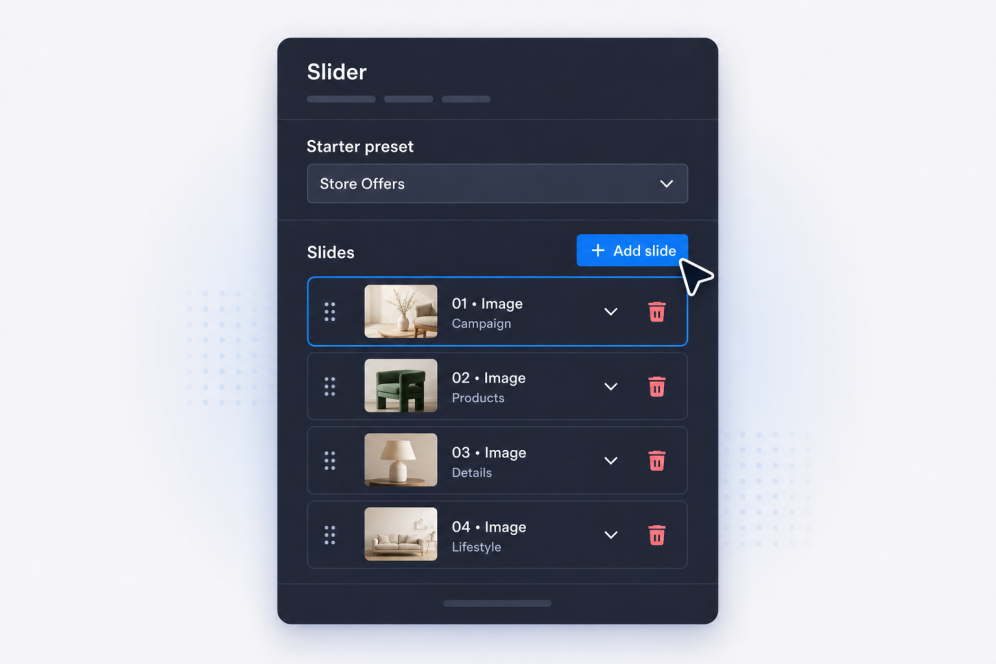
أضف شرائحك
أنشئ شرائح تحتوي على عناوين، ونصوص أساسية، وشارات، وأزرار، وصور، ومقاطع فيديو، وروابط وجهة لكل بانر أو عرض ترويجي أو عنصر في المعرض أو إعلان.
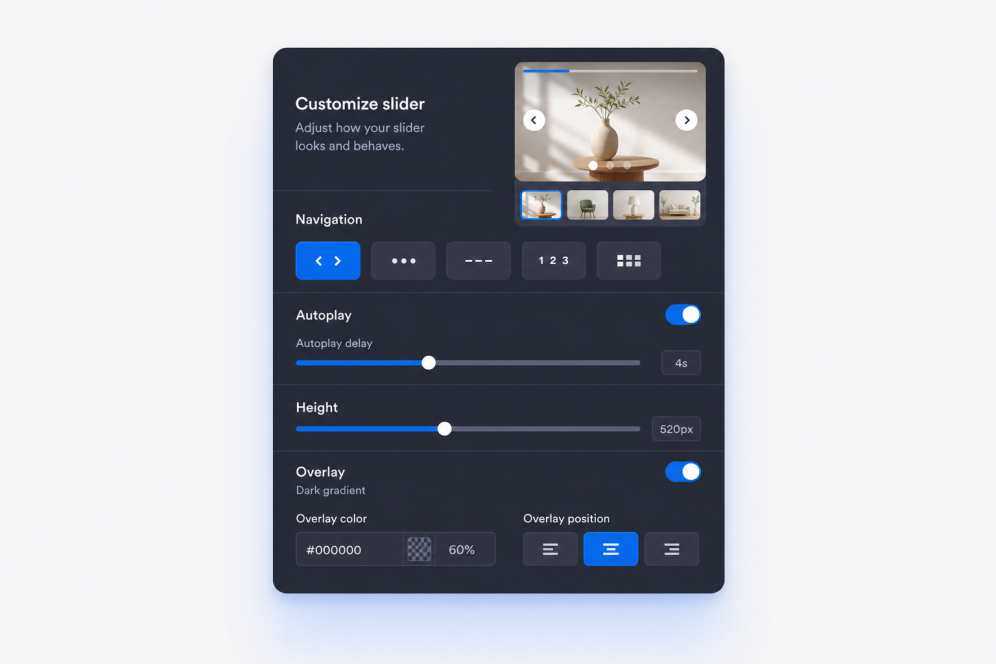
اضبط التخطيط والحركة
اختر مكان ظهور محتوى الشريحة، ثم اضبط انتقالات التلاشي أو الانزلاق، وتوقيت التشغيل التلقائي، وسلوك التكرار، وعناصر التحكم في التنقل.

التنسيق والتضمين
اضبط العرض والارتفاع والتراكبات وملاءمة الوسائط والأسهم وترقيم الصفحات والألوان والعلامة التجارية، ثم انسخ كود التضمين لإضافة أداة شريط تمرير الصور إلى موقعك الإلكتروني.
أنشئ أشرطة تمرير تتناسب مع صفحتك
أنشئ أقسام شرائح غنية بالصور
حوّل شريط تمرير صور بسيطًا على الويب إلى قسم متكامل وأنيق في موقعك الإلكتروني. يمكن أن تتضمن كل شريحة شارة، وعنوانًا رئيسيًا، ووصفًا، وزر حث على اتخاذ إجراء، ورابطًا، وصورة، ومصدر فيديو اختياريًا للحملات أو المعارض أو أبرز المنتجات.

حافظ على سهولة قراءة محتوى البانر
ضع النصوص والأزرار في الأماكن الأنسب فوق كل صورة أو مقطع فيديو. يساعد تحديد موضع المحتوى بمرونة على الحفاظ على وضوح كل شريط تمرير للصور في صفحات الموقع، سواء استُخدمت الشريحة كعنوان رئيسي، أو كتلة ترويجية، أو قصة مرئية.
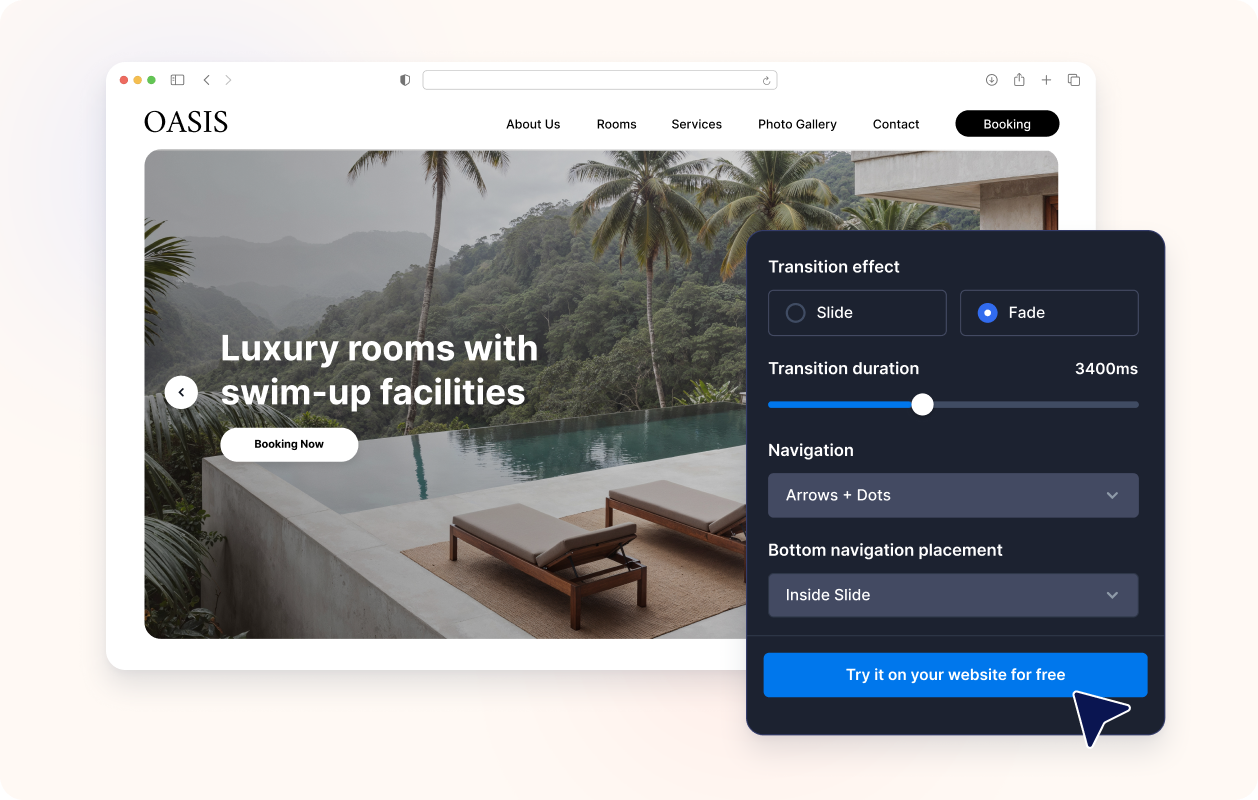
التحكم في الحركة والتنقل
استخدم انتقالات الانزلاق أو التلاشي، والتشغيل التلقائي، والتكرار، والأسهم، والنقاط، والأرقام، والشرطات، أو التنقل بالصور المصغرة. أنشئ عرضًا دائريًا للبانرات يمكن للزوار تصفحه يدويًا أو مشاهدته تلقائيًا دون فقدان الرسالة الرئيسية.

اجعلها متوافقة مع تصميم موقعك الإلكتروني
اضبط عرض شريط التمرير وارتفاعه، ونمط البطاقة، وتباعد المحتوى الداخلي، وقوة التراكب، والإعدادات المسبقة للسمات، وأنماط الأزرار، والألوان، وCSS مخصصًا، بحيث تبدو أداة شريط تمرير الصور جزءًا طبيعيًا من صفحتك.

لماذا تتميز أدوات Jotform لمواقع الويب؟
تجعل أدوات Jotform موقع الويب الخاص بك أكثر تفاعلية وتساعد على زيادة معدلات التحويل. تتوفر العديد من الأدوات، بدءًا من تقييمات النجوم وأشرطة تمرير تقييمات العملاء، وصولًا إلى النوافذ المنبثقة التي تعرض تقييمات العملاء وتضمين الوسائط. أضف الأدوات إلى نماذجك أو صفحاتك المقصودة لجمع البيانات، وعرض آراء العملاء، وجمع العملاء المحتملين — دون الحاجة إلى كتابة أكواد.
أضف أدوات Jotform إلى موقعك الإلكتروني باستخدام كود تضمين بسيط. خصّص الأداة، واعرض معاينة لشكلها، ثم أدرجها في أي صفحة تدعم HTML المخصص أو حزم التضمين، وكل ذلك دون الحاجة إلى مطور.
استخدم أدوات مواقع الويب من Jotform لجمع بيانات العملاء المحتملين، وإظهار تقييمات العملاء، وعرض الآراء الاجتماعية، وتضمين ملفات الوسائط، أو إضافة أدوات مفيدة لصفحات ويب. تقوم كل أداة بمساعدة الزوار على التفاعل مع خدماتك مباشرةً من موقعك الإلكتروني.
إذا كنت بحاجة إلى مساعدة في إعداد أداتك أو تخصيصها أو تضمينها أو استكشاف المشكلات وإصلاحها، فإن فريق دعم العملاء في Jotform متاح على مدار الساعة طوال أيام الأسبوع. يمكنك المتابعة بثقة، مع العلم أن المساعدة متاحة عندما تحتاج إليها.
أين تستخدم أداة شريط تمرير الصور الخاصة بك؟
أضف شريط تمرير في أي مكان تحتاج فيه صفحتك إلى صور متحركة، أو رسائل ترويجية، أو طريقة مختصرة لعرض عدة أجزاء من المحتوى في قسم واحد.
أقسام الصفحة الرئيسية البارزة لعرض الحملات الترويجية وإطلاق المنتجات والعروض الموسمية والإعلانات الهامة بالتناوب.
أقسام شرائح ترويجية لتسليط الضوء على التخفيضات، والعروض المحدودة المدة، ورسائل القسائم، أو العناصرالمميزة للدعوة إلى اتخاذ إجراء (CTA).
صفحات المنتجات والمجموعات لدمج صور المنتجات ومزاياها وروابط الشراء في شريط عرض متحرك.
صفحات المحفظة ودراسات الحالة لتوجيه الزوار عبر صور المشاريع والنتائج والشهادات والأدلة الداعمة.
صفحات الفعاليات والندوات عبر الإنترنت ستعرض المتحدثين والجداول الزمنية والجهات الراعية وإرشادات التسجيل في شريط تمرير واحد على الصفحة.
الصفحات المقصودة لإنشاء شريط عرض على الموقع الإلكتروني يعتمد على سرد القصص، ويقود الزوار عبر الصور والرسائل وعبارات الحث على اتخاذ إجراء.
حوّل العملاء المحتملين إلى مبيعات حقيقية باستخدام منشئ النماذج من Jotform
حوّل التفاعل إلى نتائج فعلية مع Jotform. أنشئ نماذج قوية لجمع بيانات العملاء المحتملين، واستلام المدفوعات، وأتمتة الردود، كل ذلك في مكان واحد. تصل جميع البيانات المرسلة إلى صندوق الوارد في Jotform الخاص بك، حيث يمكنك المتابعة أو الربط مع تطبيقاتك المفضلة.
ابدأ - إنه مجاني!
أسئلة متكررة ومتداولة
ما هي أداة شريط تمرير الصور؟
أداة شريط تمرير الصور تعرض شرائح متعددة داخل تضمين واحد في موقع الويب. ويمكن لكل شريحة الجمع بين الصور أو مقاطع الفيديو والنصوص والشارات والروابط وأزرار الحث على اتخاذ إجراء.
هل يمكنني استخدامها كشريط تمرير للبانرات على موقع الويب؟
هل يمكنني إنشاء شريط تمرير للصور لموقع الويب الخاص بي؟
هل يمكنني استخدام الصور ومقاطع الفيديو في شريط التمرير نفسه؟
هل يمكن أن تحتوي كل شريحة على نصوص وروابط مختلفة؟
هل يمكنني التحكم في مكان ظهور النص؟
هل يدعم انتقالات التلاشي والانزلاق؟
هل يمكن لشريط التمرير التشغيل تلقائيًا والتكرار؟
ما أنماط التنقل المتاحة؟
هل يمكنني تغيير حجم شريط التمرير؟
هل أحتاج إلى HTML لشريط التمرير لتضمينه؟
ما هي منصات المواقع الإلكترونية التي تدعم أداة شريط تمرير الصور؟
هل يمكنني الحصول على مساعدة في إعداد أداة شريط تمرير الصور الخاصة بي؟
هل أداة شريط تمرير الصور مجانية؟