أداة شهادات العملاء لموقع الويب الخاص بك
اعرض اقتباسات العملاء في شريط تمرير متجاوب لشهادات العملاء، أو عرض شرائح، أو عرض دائري، أو شبكة، أو قائمة، أو تخطيط بناء حجري، أو تخطيط شارة. أضف نص شهادات العملاء، والتقييمات بالنجوم، وصور المراجعين، والتعليقات التوضيحية، والتواريخ، وروابط وسائل التواصل الاجتماعي، والشعارات، والصور الداعمة، ثم خصص التصميم وقم بتضمينه دون الحاجة إلى البرمجة.
ابدأ الآن — إنها خدمة مجانية!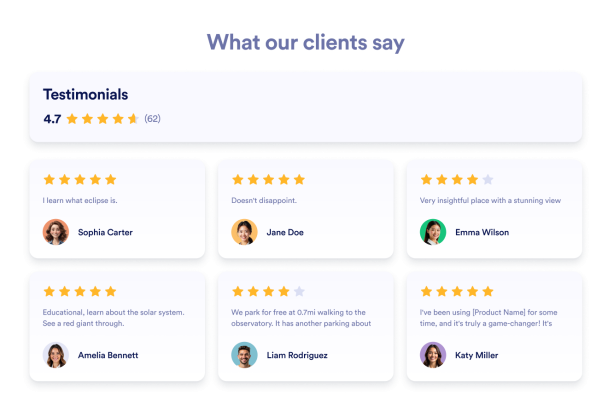

كيفية إنشاء عنصر واجهة توصيات
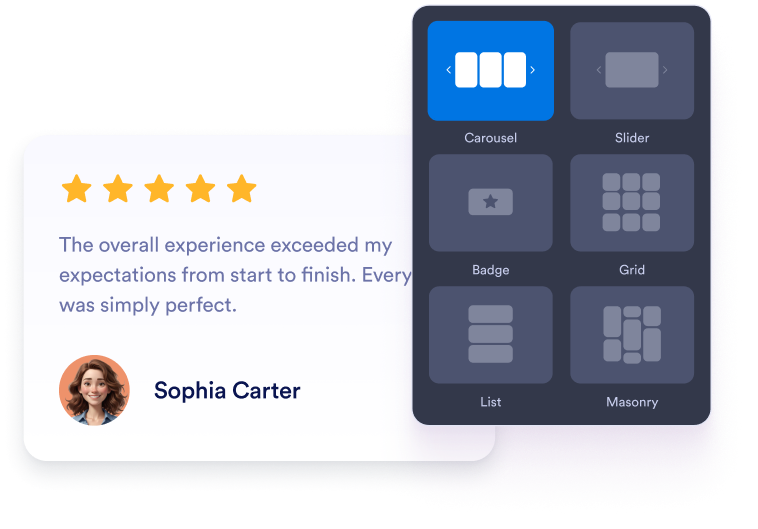
تخصيص عنصر واجهة المستخدم الخاص بك
اختر المحتوى والتصميم والألوان وطريقة العمل بحيث تتناسب الأداة مع تصميم موقعك الإلكتروني.
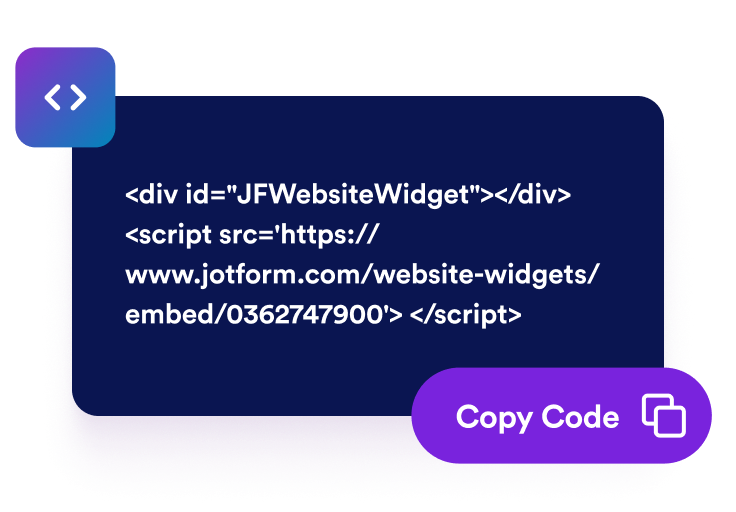
احصل على رمز التضمين
انسخ كود التضمين الجاهز للاستخدام الذي تم إنشاؤه بواسطة Jotform. لا حاجة إلى إعداد أو برمجة.

تضمينه في أي مكان
الصق الكود في موقعك الإلكتروني وانشره. ستظهر مراجعات Trustpilot الخاصة بك على الفور.
حوّل شهادات العملاء إلى دليل اجتماعي
اعرض شهادات العملاء المختارة بعناية
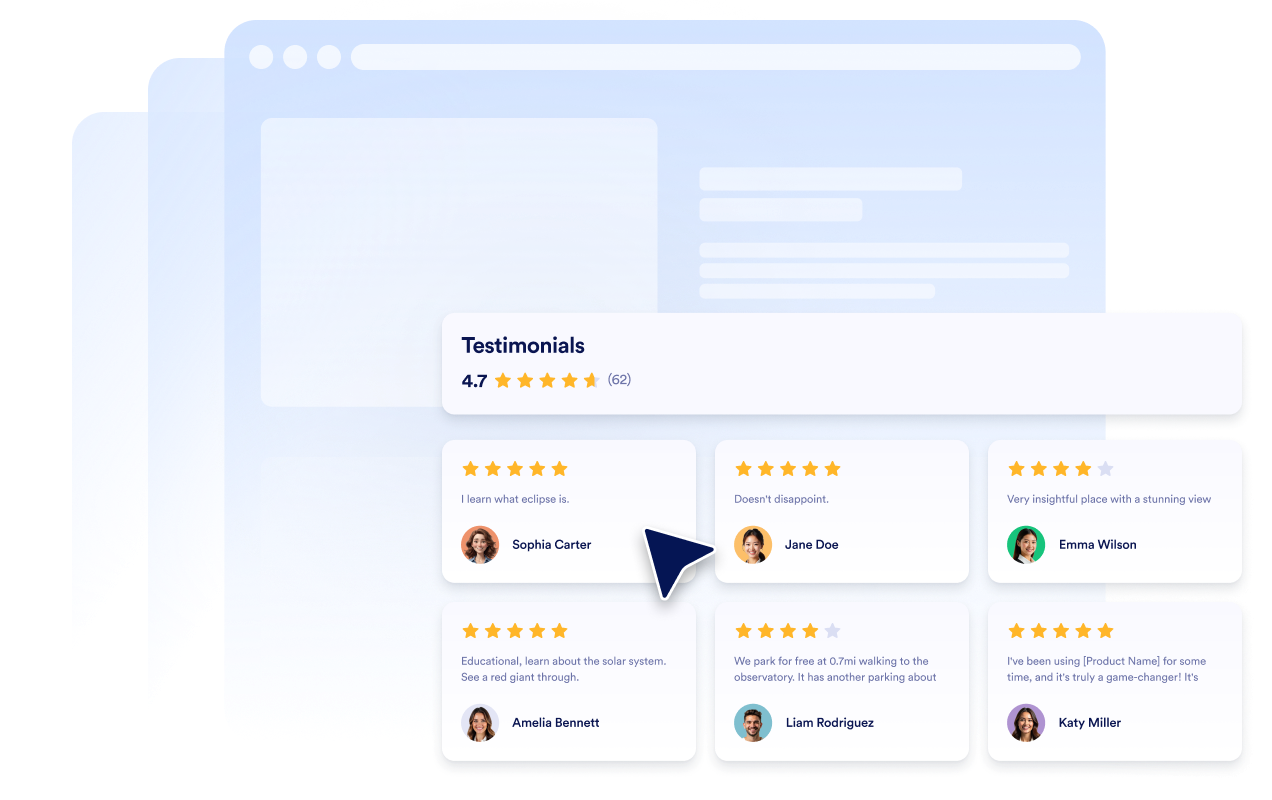
أنشئ شرائح لشهادات العملاء تتضمن اقتباسات العملاء، والتقييمات بالنجوم، وتفاصيل المراجعين، والصور. تساعد كل شريحة لشهادة العميل الزوار على رؤية تعليقات حقيقية من أشخاص تعاملوا مع شركتك.
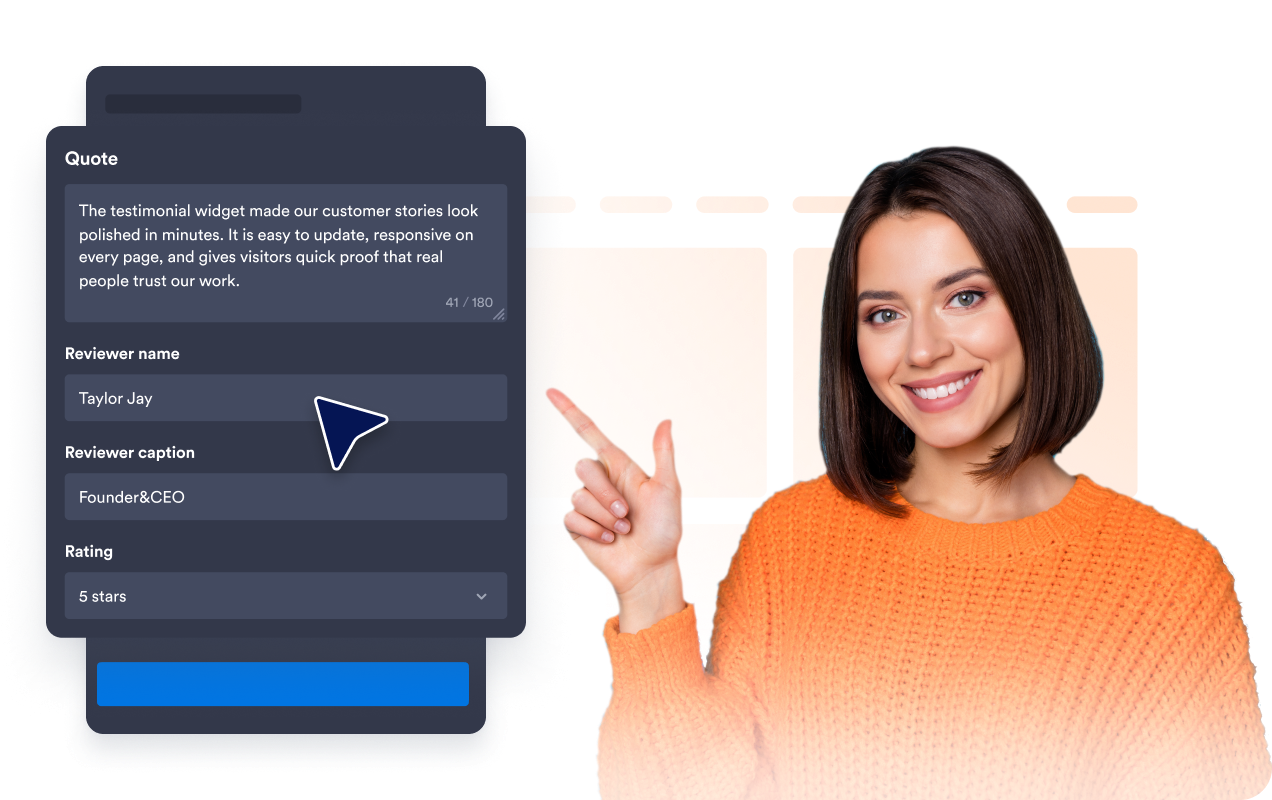
اختر تخطيطات شريط التمرير والشبكة
استخدم شريط تمرير متجاوبًا لشهادات العملاء لأقسام الصفحة الرئيسية المدمجة، أو عرض شرائح لشهادات العملاء لتدوير الاقتباسات، أو شبكة لأقسام الدليل الاجتماعي، أو تخطيط قائمة لقصص العملاء الأطول.

تحكم في تفاصيل بطاقة شهادة العميل
اختر التفاصيل التي تظهر في كل شريحة لشهادة العميل، بما في ذلك صور المراجعين، والأسماء، والتعليقات التوضيحية، والتواريخ، والتقييمات، وشارات التحقق، والشعارات، والصور، وروابط الملفات الشخصية، ونص القراءة المزيد.
اجعل شهادات العملاء متوافقة مع موقعك
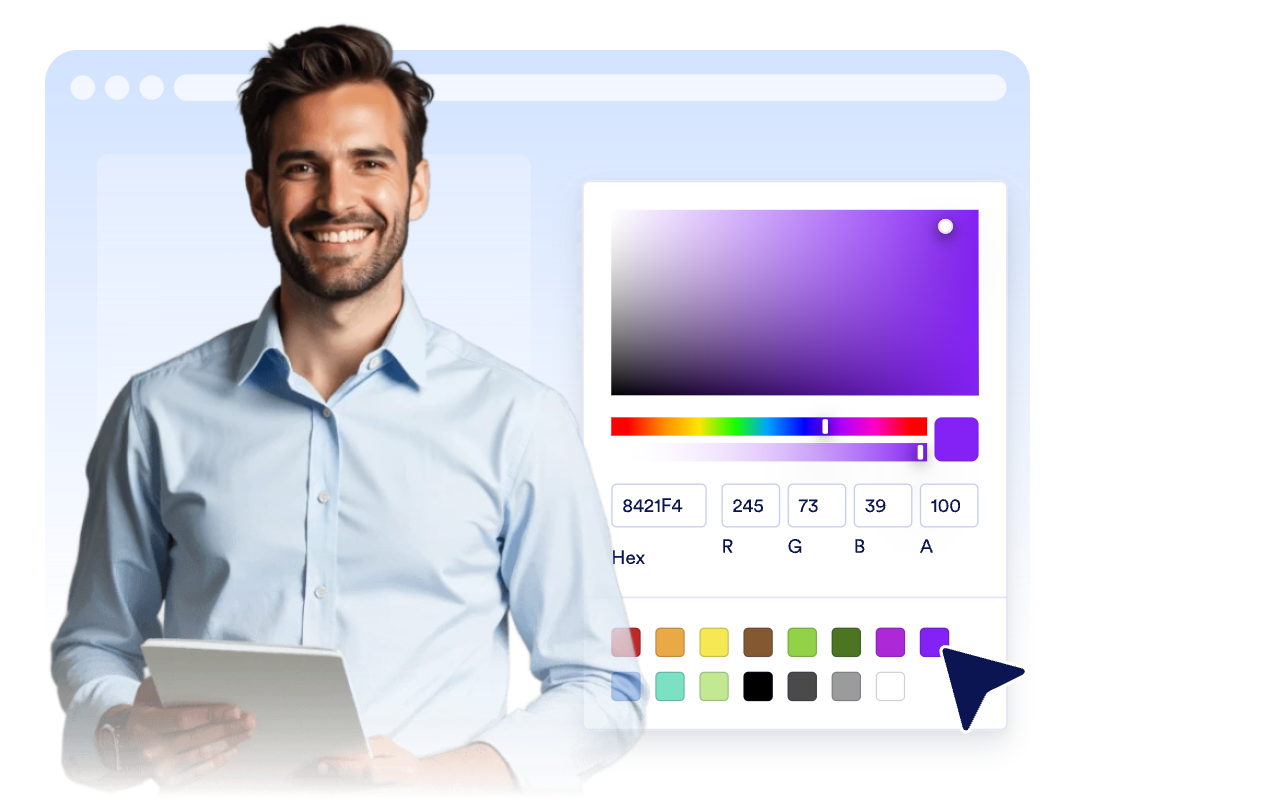
خصص الوضع الفاتح أو الداكن، ولون التمييز، ولون النجوم، وخلفية البطاقة، ولون نص شهادة العميل، ولون اسم المراجع، والعرض، والتنقل، والعلامة التجارية، بحيث تتوافق أداة شهادات العملاء مع موقعك الإلكتروني.
لماذا تتميز أدوات Jotform لمواقع الويب؟
تجعل أدوات Jotform موقع الويب الخاص بك أكثر تفاعلية وتساعد على زيادة معدلات التحويل. تتوفر العديد من الأدوات، بدءًا من تقييمات النجوم وأشرطة تمرير تقييمات العملاء، وصولًا إلى النوافذ المنبثقة التي تعرض تقييمات العملاء وتضمين الوسائط. أضف الأدوات إلى نماذجك أو صفحاتك المقصودة لجمع البيانات، وعرض آراء العملاء، وجمع العملاء المحتملين — دون الحاجة إلى كتابة أكواد.
أضف أدوات Jotform إلى موقعك الإلكتروني باستخدام كود تضمين بسيط. خصّص الأداة، واعرض معاينة لشكلها، ثم أدرجها في أي صفحة تدعم HTML المخصص أو حزم التضمين، وكل ذلك دون الحاجة إلى مطور.
استخدم أدوات مواقع الويب من Jotform لجمع بيانات العملاء المحتملين، وإظهار تقييمات العملاء، وعرض الآراء الاجتماعية، وتضمين ملفات الوسائط، أو إضافة أدوات مفيدة لصفحات ويب. تقوم كل أداة بمساعدة الزوار على التفاعل مع خدماتك مباشرةً من موقعك الإلكتروني.
إذا كنت بحاجة إلى مساعدة في إعداد أداتك أو تخصيصها أو تضمينها أو استكشاف المشكلات وإصلاحها، فإن فريق دعم العملاء في Jotform متاح على مدار الساعة طوال أيام الأسبوع. يمكنك المتابعة بثقة، مع العلم أن المساعدة متاحة عندما تحتاج إليها.
أين تستخدم أداة شهادات العملاء الخاصة بك؟
ضع شهادات العملاء في الأماكن التي يحتاج فيها الزوار إلى مؤشرات ثقة قبل التسجيل أو الشراء أو الحجز أو التواصل مع فريقك.
أقسام إثبات المصداقية الاجتماعية في الصفحة الرئيسية لتعزيز ثقة العملاء من خلال شريط تمرير لشهادات العملاء بالقرب من أعلى الصفحة.
صفحات المنتجات والخدمات لدعم قرارات الشراء من خلال عرض شرائح تحتوي على شهادات عملاء ذات صلة.
صفحات الأسعار لتقليل التردد عند مقارنة الباقات، وروابط الدفع، وأزرار الدعوة إلى اتخاذ إجراء.
صفحات الهبوط الخاصة بتوليد العملاء المحتملين لإضافة شريط عرض شهادات متجاوب بجانب النماذج ومطالبات التسجيل.
صفحات دراسات الحالة وقصص العملاء لتسليط الضوء على الاقتباسات الطويلة، والمناصب، وسياق الشركة، والصور الداعمة.
شعارات في التذييل أو الشريط الجانبي لإبقاء شهادات العملاء الموجزة مرئية في جميع أنحاء موقعك.
حوّل العملاء المحتملين إلى مبيعات حقيقية باستخدام منشئ النماذج من Jotform
حوّل التفاعل إلى نتائج فعلية مع Jotform. أنشئ نماذج قوية لجمع بيانات العملاء المحتملين، واستلام المدفوعات، وأتمتة الردود، كل ذلك في مكان واحد. تصل جميع البيانات المرسلة إلى صندوق الوارد في Jotform الخاص بك، حيث يمكنك المتابعة أو الربط مع تطبيقاتك المفضلة.
ابدأ - إنه مجاني!
أسئلة متكررة ومتداولة
ما هي أداة شهادات العملاء؟
تعرض أداة شهادات العملاء اقتباسات مختارة من العملاء، وتقييمات بالنجوم، وتفاصيل المراجعين، والصور، والشعارات، وصور القصص الاختيارية في أداة قابلة للتخصيص على موقع الويب.
هل يمكنني إنشاء شريط تمرير لشهادات العملاء؟
هل يمكنني إضافة شهادات العملاء يدويًا؟
ما التخطيطات المتاحة؟
هل يمكنني اختيار الحقول التي تظهر؟
هل تعمل الأداة على الأجهزة المحمولة؟
هل يمكنني تضمين شهادات العملاء على WordPress أو Shopify أو Wix أو Squarespace أو Webflow أو WooCommerce؟
هل أداة شهادات العملاء مجانية للاستخدام؟