أداة معرض فيديو Vimeo لموقعك الإلكتروني
ضمّن فيديو Vimeo في صفحات المواقع الإلكترونية باستخدام معرض متجاوب يحافظ على تركيز الزوار على محتواك. استخدم أداة معرض فيديو Vimeo لعرض مقاطع الفيديو من مستخدم عام أو قناة أو عرض أو مجموعة أو عنوان URL لفيديو، مع الصور المصغرة والعناوين والنوافذ المنبثقة والروابط والتنسيق المخصص.
ابدأ الآن — إنها خدمة مجانية!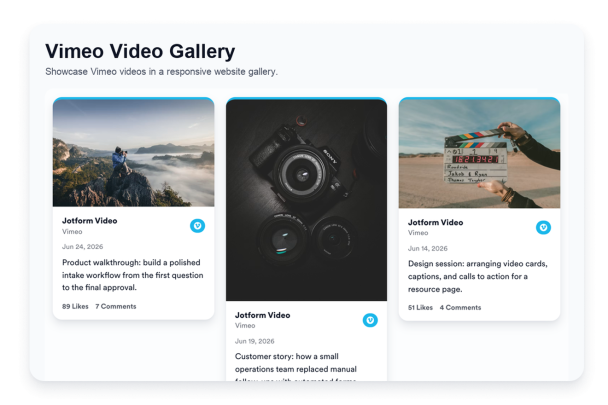

كيفية إنشاء عنصر واجهة معرض فيديو Vimeo
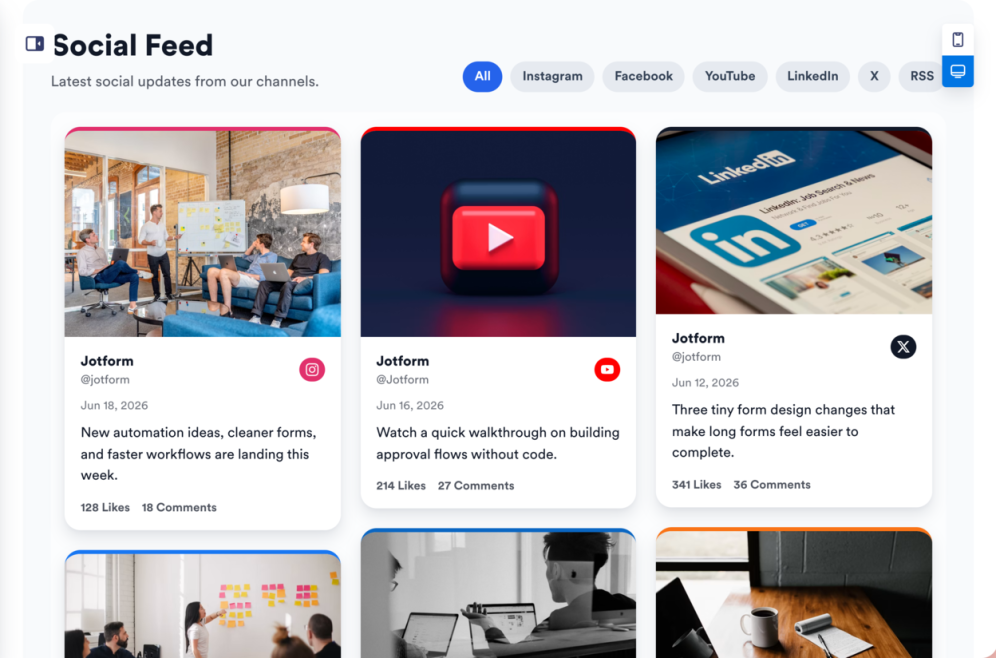
اربط مصدر Vimeo
أضف مستخدم Vimeo العام أو القناة أو العرض أو المجموعة أو عنوان URL للفيديو الذي تريد عرضه في معرض موقعك الإلكتروني.

خصص المعرض
اختر تخطيطًا، واضبط تفاصيل بطاقات الفيديو، وحدد سلوك النوافذ المنبثقة، وقم بتحديث الألوان حتى يتناسب معرض Vimeo مع صفحتك.

احصل على رمز التضمين
انسخ كود التضمين المُنشأ وانشر أداة معرض فيديو Vimeo على موقعك الإلكتروني.
حوّل مقاطع فيديو Vimeo إلى معارض على موقعك الإلكتروني
اربط مصادر فيديو Vimeo
اعرض مقاطع فيديو Vimeo الأكثر أهمية لزوارك. أضف مستخدمًا عامًا أو قناة أو عرضًا أو مجموعة أو عنوان URL لفيديو واحد حتى يتمكن الأشخاص من تصفح العروض التوضيحية أو البرامج التعليمية أو الأفلام أو المقابلات أو الندوات عبر الإنترنت أو مقاطع فيديو معرض الأعمال من موقعك الإلكتروني.
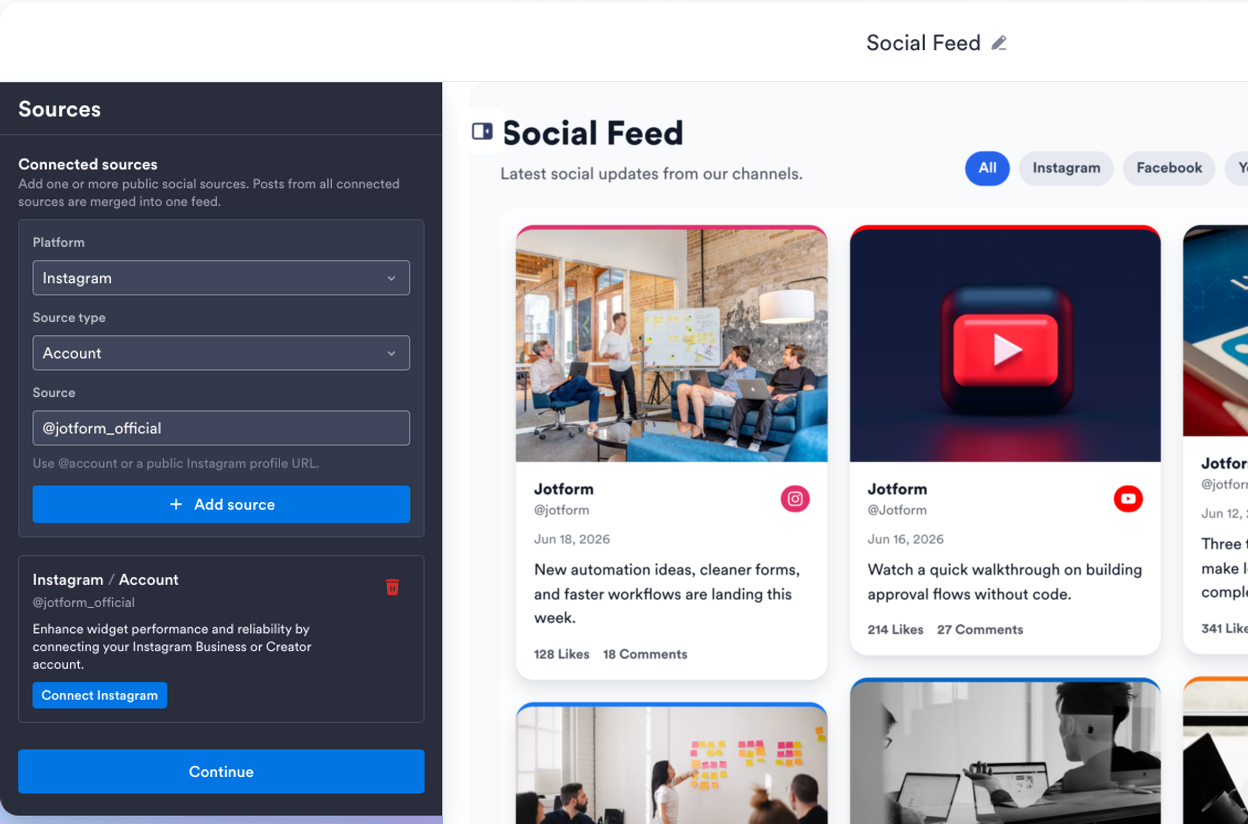
اجعل مقاطع الفيديو ملائمة لأي صفحة
اختر تخطيطات الشبكة أو البناء الحجري أو القائمة أو العرض الدائري أو شريط التمرير لتناسب المحتوى ومساحة الصفحة. استخدم معرض فيديو Vimeo كاملًا لصفحات الموارد أو عرضًا دائريًا مدمجًا لصفحات الهبوط ومعارض الأعمال وأقسام المنتجات.
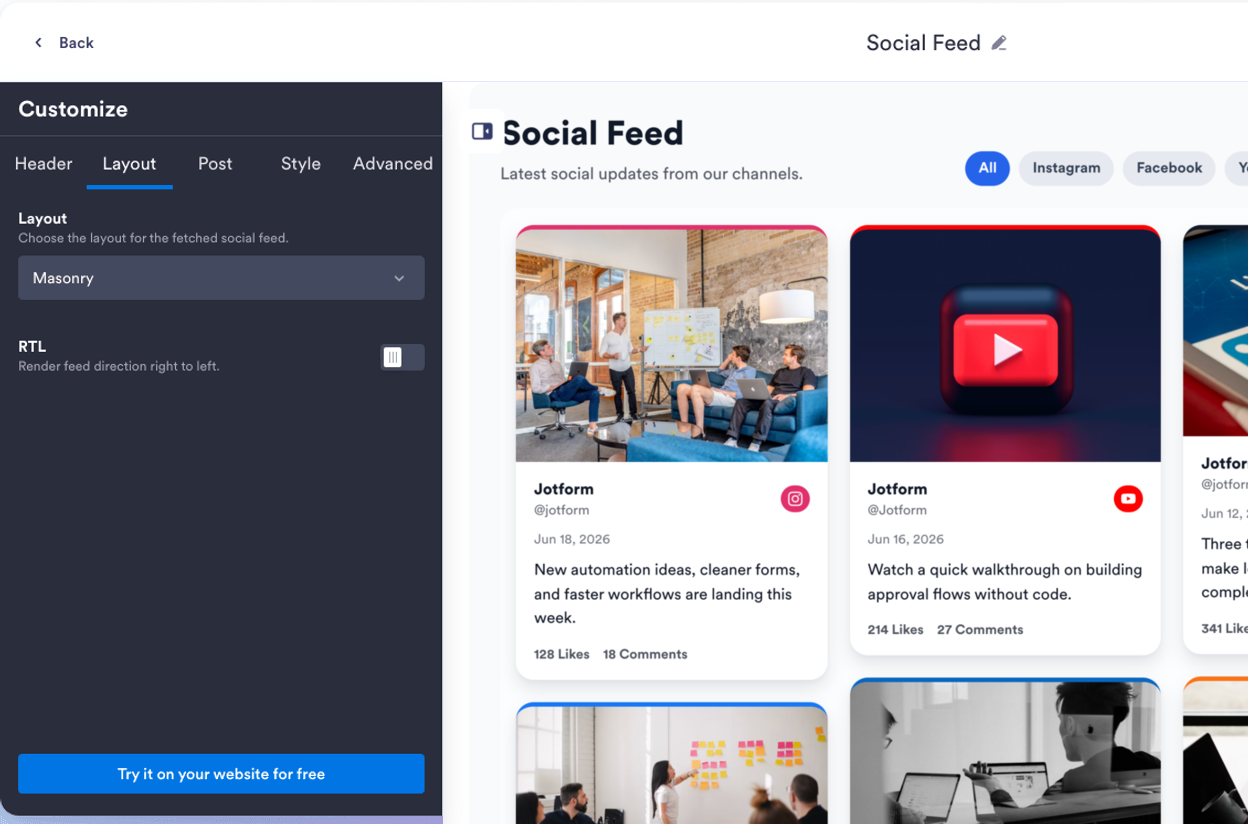
اختر تفاصيل الفيديو الظاهرة
تحكم فيما يراه الزوار قبل فتح الفيديو. أظهر أو أخفِ العناوين والتعليقات التوضيحية والتواريخ وتسميات المصدر والروابط وتفاصيل النافذة المنبثقة، بحيث توفر كل بطاقة فيديو القدر المناسب من السياق دون ازدحام الصفحة.
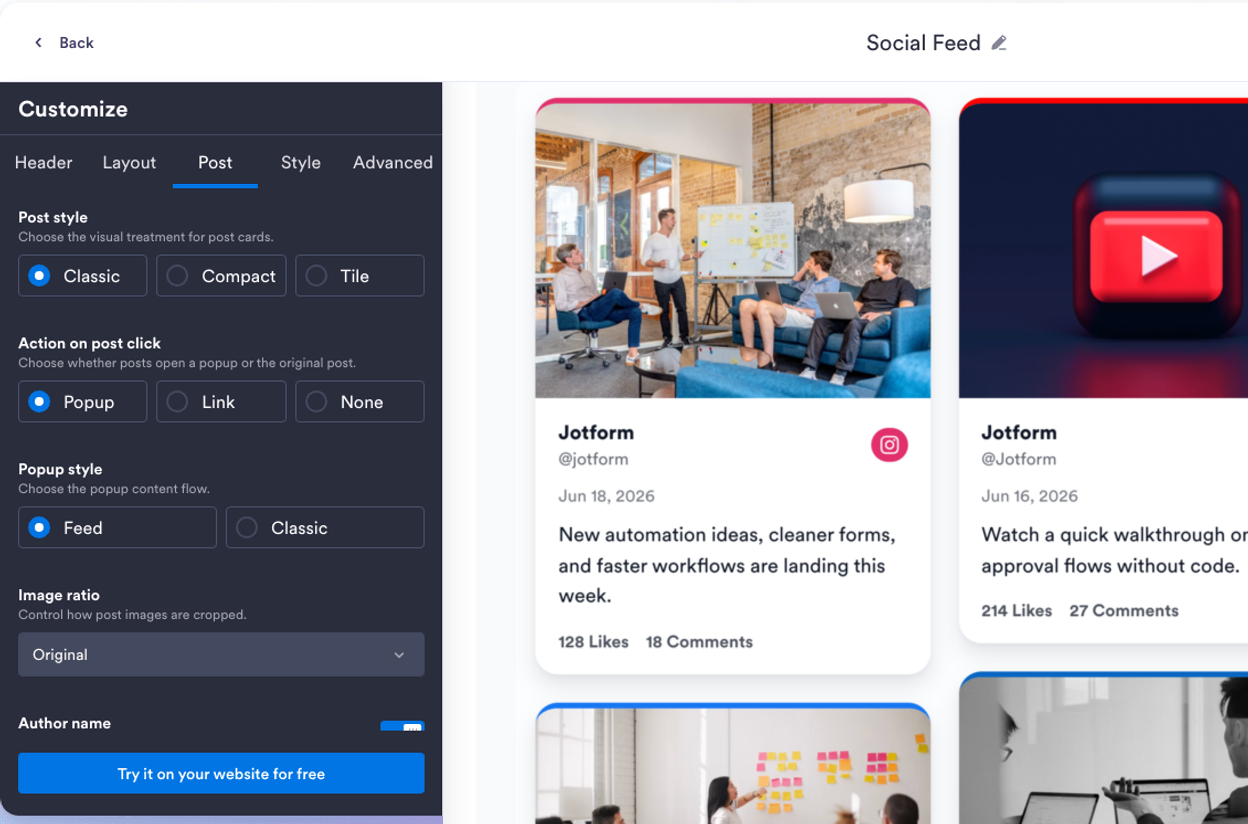
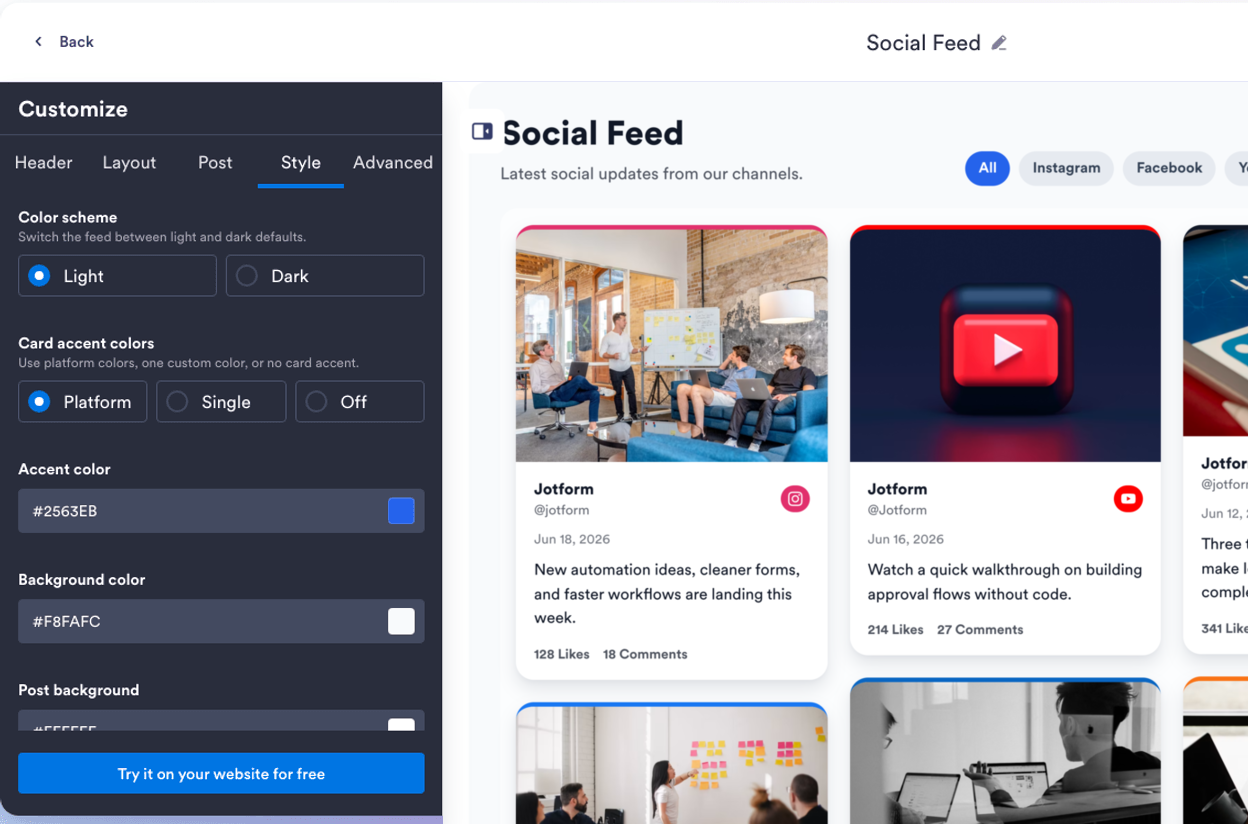
نسّق معرض Vimeo الخاص بك
اجعل المعرض متوافقًا مع موقعك الإلكتروني مع الحفاظ على سهولة تصفح مقاطع الفيديو. خصص المظاهر وألوان التمييز بأسلوب Vimeo وألوان البطاقات والأسهم والترقيم وتنسيق النوافذ المنبثقة وCSS المخصص للحصول على قسم فيديو مضمن بمظهر احترافي.
لماذا تتميز أدوات Jotform لمواقع الويب؟
تجعل أدوات Jotform موقع الويب الخاص بك أكثر تفاعلية وتساعد على زيادة معدلات التحويل. تتوفر العديد من الأدوات، بدءًا من تقييمات النجوم وأشرطة تمرير تقييمات العملاء، وصولًا إلى النوافذ المنبثقة التي تعرض تقييمات العملاء وتضمين الوسائط. أضف الأدوات إلى نماذجك أو صفحاتك المقصودة لجمع البيانات، وعرض آراء العملاء، وجمع العملاء المحتملين — دون الحاجة إلى كتابة أكواد.
أضف أدوات Jotform إلى موقعك الإلكتروني باستخدام كود تضمين بسيط. خصّص الأداة، واعرض معاينة لشكلها، ثم أدرجها في أي صفحة تدعم HTML المخصص أو حزم التضمين، وكل ذلك دون الحاجة إلى مطور.
استخدم أدوات مواقع الويب من Jotform لجمع بيانات العملاء المحتملين، وإظهار تقييمات العملاء، وعرض الآراء الاجتماعية، وتضمين ملفات الوسائط، أو إضافة أدوات مفيدة لصفحات ويب. تقوم كل أداة بمساعدة الزوار على التفاعل مع خدماتك مباشرةً من موقعك الإلكتروني.
إذا كنت بحاجة إلى مساعدة في إعداد أداتك أو تخصيصها أو تضمينها أو استكشاف المشكلات وإصلاحها، فإن فريق دعم العملاء في Jotform متاح على مدار الساعة طوال أيام الأسبوع. يمكنك المتابعة بثقة، مع العلم أن المساعدة متاحة عندما تحتاج إليها.
حوّل العملاء المحتملين إلى مبيعات حقيقية باستخدام منشئ النماذج من Jotform
حوّل التفاعل إلى نتائج فعلية مع Jotform. أنشئ نماذج قوية لجمع بيانات العملاء المحتملين، واستلام المدفوعات، وأتمتة الردود، كل ذلك في مكان واحد. تصل جميع البيانات المرسلة إلى صندوق الوارد في Jotform الخاص بك، حيث يمكنك المتابعة أو الربط مع تطبيقاتك المفضلة.
ابدأ - إنه مجاني!
أسئلة متكررة ومتداولة
ما هي أداة معرض فيديو Vimeo؟
تعرض أداة معرض فيديو Vimeo مقاطع فيديو Vimeo على موقعك الإلكتروني في معرض مضمّن ومتجاوب. وتساعد الزوار على تصفح مقاطع الفيديو المحددة، ومشاهدة المعاينات في نافذة منبثقة، والمتابعة إلى Vimeo عند الحاجة.
هل يمكنني تضمين فيديو Vimeo في صفحات المواقع الإلكترونية؟
ما مصادر Vimeo التي يمكنني ربطها؟
هل يمكنني تضمين فيديو Vimeo واحد؟
هل يمكنني تخصيص تخطيط معرض فيديو Vimeo؟
هل يمكن للزوار فتح مقاطع فيديو Vimeo في نافذة منبثقة؟
هل تعمل أداة معرض فيديو Vimeo على الأجهزة المحمولة؟
هل أحتاج إلى كتابة كود لتضمين مقاطع فيديو Vimeo؟
ما منصات المواقع الإلكترونية التي تدعم أداة معرض فيديو Vimeo؟
هل يمكنني الحصول على مساعدة في إعداد أداة معرض فيديو Vimeo الخاصة بي؟