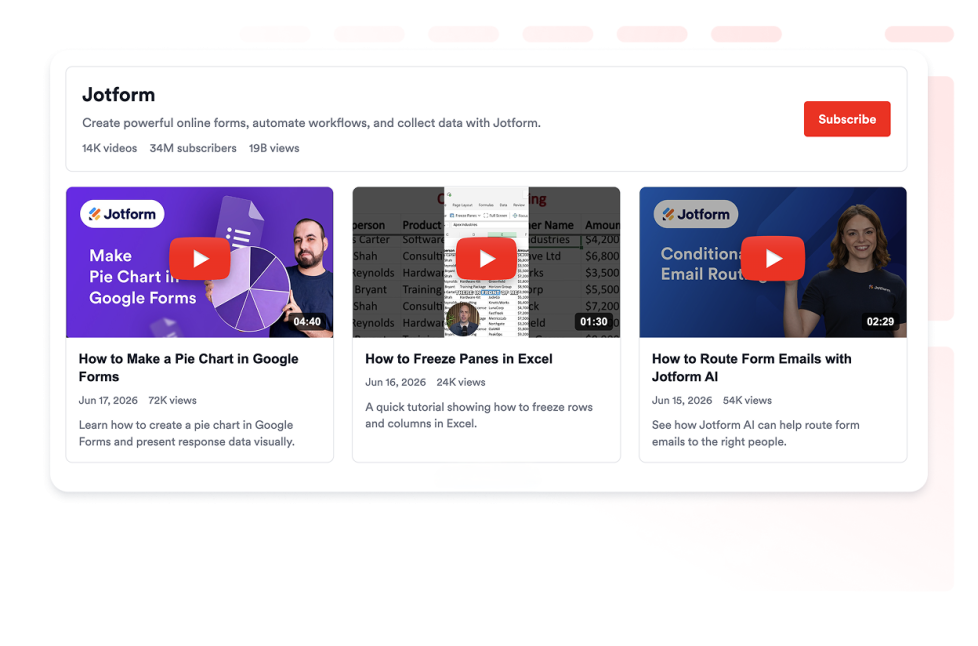
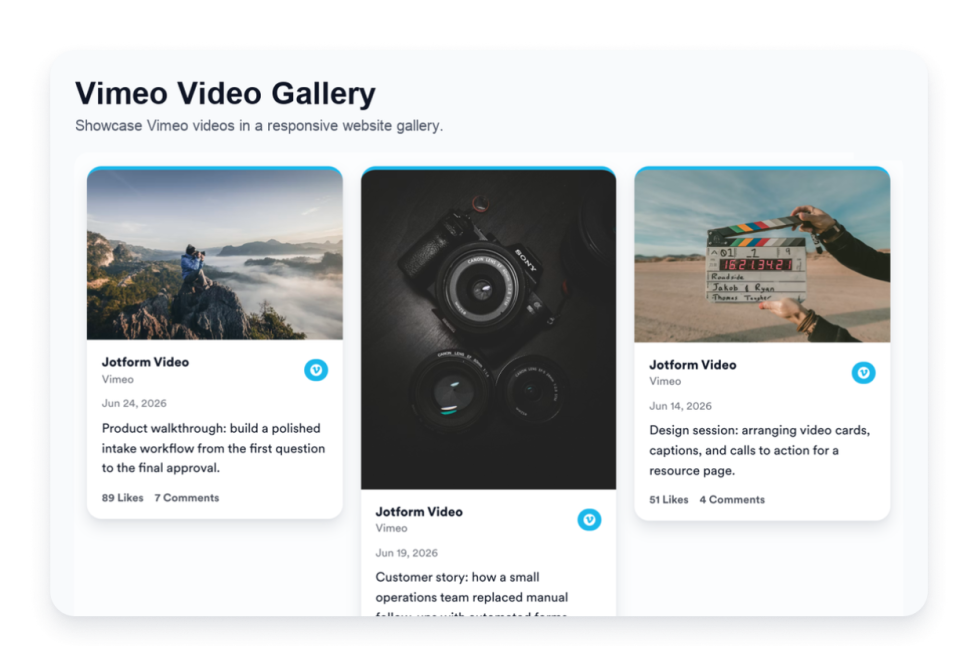
تساعد أدوات الفيديو على إضافة معارض الفيديو وقوائم التشغيل والقنوات والعروض التوضيحية والبرامج التعليمية وغيرها من المحتوى المرئي إلى موقعك الإلكتروني دون الحاجة إلى كتابة أكواد مخصصة. ويمكن لهذه الأدوات القابلة للتضمين دعم مجموعة متنوعة من محتوى الفيديو، بما في ذلك الفيديوهات التوضيحية للمنتجات، وأبرز لقطات الفعاليات، وقصص العملاء، والفيديوهات التعليمية، وفيديوهات العلامة التجارية، ومحتوى YouTube.
باستخدام أدوات الفيديو من Jotform، يمكنك اختيار أداة، وتخصيص إعداداتها، وضبط التصميم، وتضمينها في موقعك الإلكتروني. تعمل أدوات الفيديو بشكل جيد على الصفحات الرئيسية وصفحات الهبوط وصفحات المنتجات وصفحات الدورات وصفحات المساعدة وصفحات الفعاليات وصفحات الوسائط وصفحات معرض الأعمال ومواقع الشركات حيث قد يرغب الزوار في مشاهدة المحتوى مباشرةً على الصفحة.
ما الذي يمكنك فعله باستخدام أدوات الفيديو؟
يمكن أن تساعدك أدوات الفيديو في:
- أضف فيديوهات قابلة للتضمين إلى موقعك الإلكتروني دون الحاجة إلى كتابة أكواد برمجية.
- اعرض قنوات YouTube وقوائم التشغيل ومقاطع الفيديو في معرض متجاوب
- شارك البرامج التعليمية، ومقاطع فيديو المنتجات، والعروض التوضيحية، والمقابلات، وملخصات الفعاليات، أو محتوى العلامة التجارية
- اسمح للزوار بمشاهدة مقاطع الفيديو ذات الصلة مباشرةً من صفحة الويب الخاصة بك
- خصّص تخطيط المعرض وطريقة عرض الفيديوهات والمسافات والألوان وغيرها من خيارات التصميم وفقًا للأداة.
- أبقِ الزوار على موقعك الإلكتروني بدلًا من إرسالهم إلى منصة فيديو أخرى مباشرةً
حالات الاستخدام الشائعة لأدوات الفيديو
يمكن استخدام أدوات الفيديو في أجزاء مختلفة من الموقع الإلكتروني بناءً على ما يحتاج الزوار إلى مشاهدته. على سبيل المثال، يمكن أن تساعد أداة معرض YouTube الشركات ومنشئي المحتوى والمعلمين وفرق الفعاليات على عرض مقاطع الفيديو أو قوائم التشغيل أو محتوى القنوات في قسم واحد منظم.
تكون أدوات الفيديو مفيدة بشكل خاص عندما تحتاج الصفحة إلى شرح شيء ما بصريًا أو منح الزوار مزيدًا من السياق قبل اتخاذ إجراء. ويمكنها دعم التعريف بالمنتجات، ومعاينات الدورات، والترويج للفعاليات، ومحتوى المساعدة، وعروض معرض الأعمال، وقصص العملاء، وصفحات الوسائط، ومقاطع فيديو الحملات في قسم مدمج.
أدوات فيديو سهلة للمحتوى المرئي والتعريف بالمنتجات
تُعد أدوات الفيديو القابلة للتضمين مفيدة للفرق الصغيرة والشركات الصغيرة والمتوسطة ومنشئي المحتوى والمعلمين والوكالات والجهات غير الربحية وفرق تنظيم الفعاليات وفرق الإعلام وفرق المنتجات ومالكي المواقع الإلكترونية الشخصية الذين يرغبون في مشاركة محتوى الفيديو دون الحاجة إلى الاعتماد على مطور أو مصمم.
باستخدام Jotform، يمكن للمستخدمين اختيار أداة فيديو، وتخصيص محتوى المعرض وتصميمه، ونسخ كود التضمين، وإضافته إلى موقعهم الإلكتروني دون كتابة أكواد مخصصة. وهذا يجعل من السهل عرض البرامج التعليمية أو مقاطع فيديو المنتجات أو قوائم التشغيل أو العروض التوضيحية أو أبرز أحداث الفعاليات، وتوجيه الزوار نحو التسجيل أو الشراء أو الحجز أو الإجراء التالي من أداة إنشاء واحدة لا تتطلب كتابة كود.
أدلة ذات صلة
لمعرفة المزيد حول إعداد الأدوات وإدارتها، يمكن للمستخدمين الاطلاع على دليل Jotform لإدارة أدوات الموقع الإلكتروني. ويوضح الدليل كيفية إنشاء أدوات جديدة، وتعديل الأدوات الحالية، ونسخ رموز التضمين (Embed Codes)، والتحكم في ظهور الأدوات، وتنظيم جميع أدواتك من خلال صفحة My Website Widgets.
ما هي أدوات الفيديو؟
أدوات الفيديو هي أدوات قابلة للتضمين في المواقع الإلكترونية تتيح للزوار مشاهدة محتوى الفيديو مباشرةً على صفحة الويب. ويمكن استخدامها لمعارض الفيديو وقوائم التشغيل ومحتوى YouTube والبرامج التعليمية والعروض التوضيحية والدورات وملخصات الفعاليات وغيرها من المحتوى المرئي.
أين يجب أن أستخدم أدوات الفيديو؟
يمكنك استخدام أدوات الفيديو على الصفحات الرئيسية وصفحات الهبوط وصفحات المنتجات وصفحات الدورات وصفحات المساعدة وصفحات الفعاليات وصفحات معرض الأعمال وصفحات الوسائط ومواقع الشركات. يعتمد أفضل موضع على ما إذا كان الزوار بحاجة إلى التعلم أو المقارنة أو المشاهدة أو المعاينة أو فهم شيء ما قبل اتخاذ إجراء.
هل يمكنني تخصيص أدوات الفيديو؟
نعم. يمكن عادةً تخصيص أدوات الفيديو قبل تضمينها. وبناءً على الأداة، يمكنك ضبط تخطيط المعرض وعرض الفيديو والمسافات والألوان والأحجام والتسميات وخيارات التصميم الأخرى.
هل تتطلب أدوات الفيديو كتابة أكواد برمجية؟
لا. يمكن إضافة أدوات الفيديو من Jotform دون كتابة أكواد مخصصة. بعد تخصيص الأداة، يمكن للمستخدمين تضمينها في موقع إلكتروني باستخدام كود التضمين المقدم.