أداة الطقس المجانية لموقعك الإلكتروني
ساعد الزوار على الاطلاع على حالة الطقس الحالية والتوقعات القادمة دون مغادرة موقعك الإلكتروني. تتيح لك أداة الطقس من Jotform اختيار الموقع الجغرافي، وتحديد طريقة عرض بالساعة أو اليوم أو مفصلة أو لحالة الطقس الحالية أو لدرجة الحرارة فقط، وتخصيص التصميم، وتضمين أداة الموقع الإلكترونية المجانية دون الحاجة إلى كتابة تعليمات برمجية.
ابدأ الآن — إنها خدمة مجانية!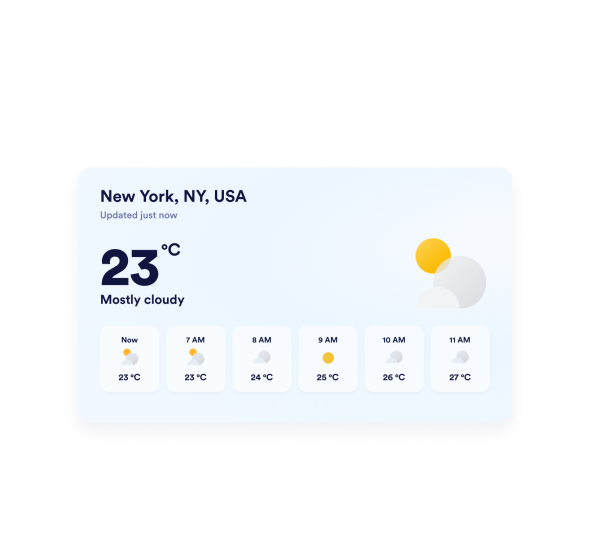

كيفية إنشاء عنصر واجهة الطقس
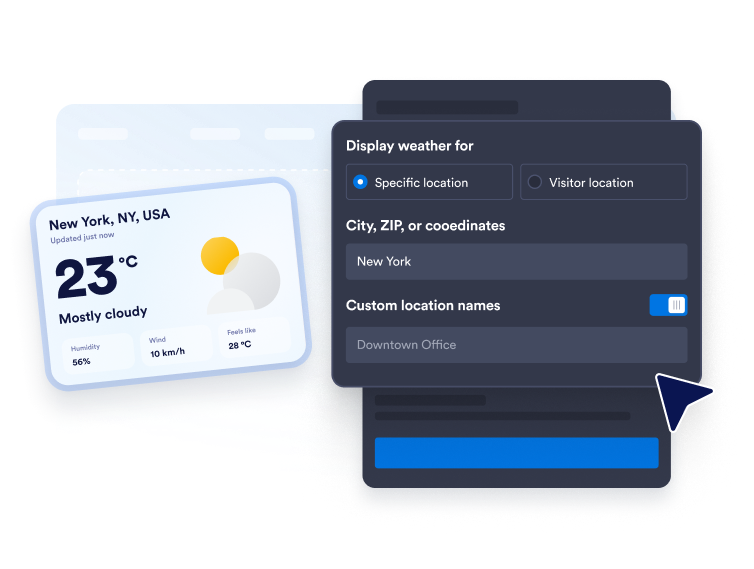
اختر الموقع الذي تريد معرفة حالة الطقس فيه
أدخل اسم مدينة، أو رمزًا بريديًا، أو إحداثيات لعرض توقعات جوية لموقع محدد. ويمكنك أيضًا استخدام وضع تحديد موقع الزائر عندما تريد أن تعرض الأداة حالة الطقس بناءً على الموقع الجغرافي للزائر.
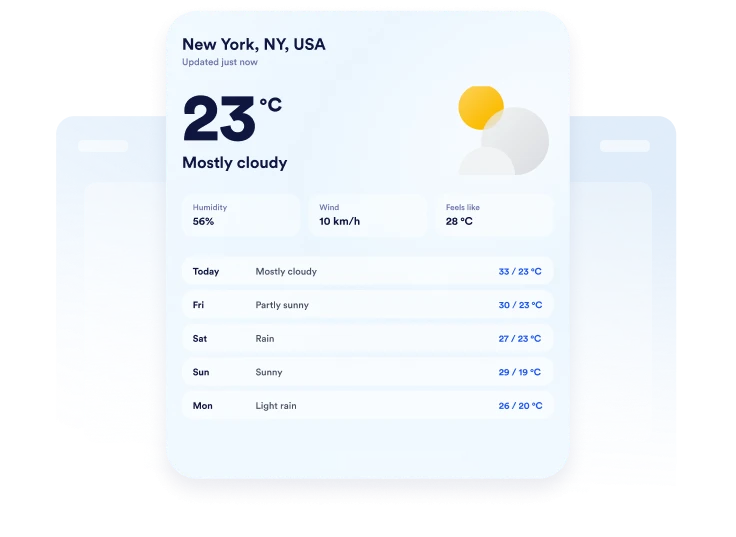
تخصيص طريقة عرض توقعات الطقس
اختر درجة فهرنهايت أو الدرجة المئوية، وحدد مدة التوقعات الجوية، واختر التفاصيل التي تريد عرضها. وبحسب التصميم، يمكنك عرض درجة الحرارة، ونسبة الرطوبة، وسرعة الرياح، ودرجة الحرارة المحسوسة.

قم بتضمينها في موقع الويب الخاص بك
قم بتخصيص الألوان، واطلع على معاينة بطاقة الطقس المتوافقة مع جميع الأجهزة، وانسخ رمز التضمين الذي تم إنشاؤه. الصقه في كتلة HTML مخصصة أو كتلة تضمين، ثم انشر صفحتك وتحقق من طريقة العرض.
اعرض حالة الطقس المحلية بتصميمات مرنة على موقعك الإلكتروني
اعرض حالة الطقس للمواقع التي تختارها
اعرض حالة الطقس لمدينة أو رمز بريدي أو مجموعة إحداثيات تهم جمهورك. أضف تسمية موقع مخصصة لجعل توقعات الطقس أكثر صلة بفندق أو مكان أو مدرسة أو وجهة سياحية أو نشاط تجاري محلي.
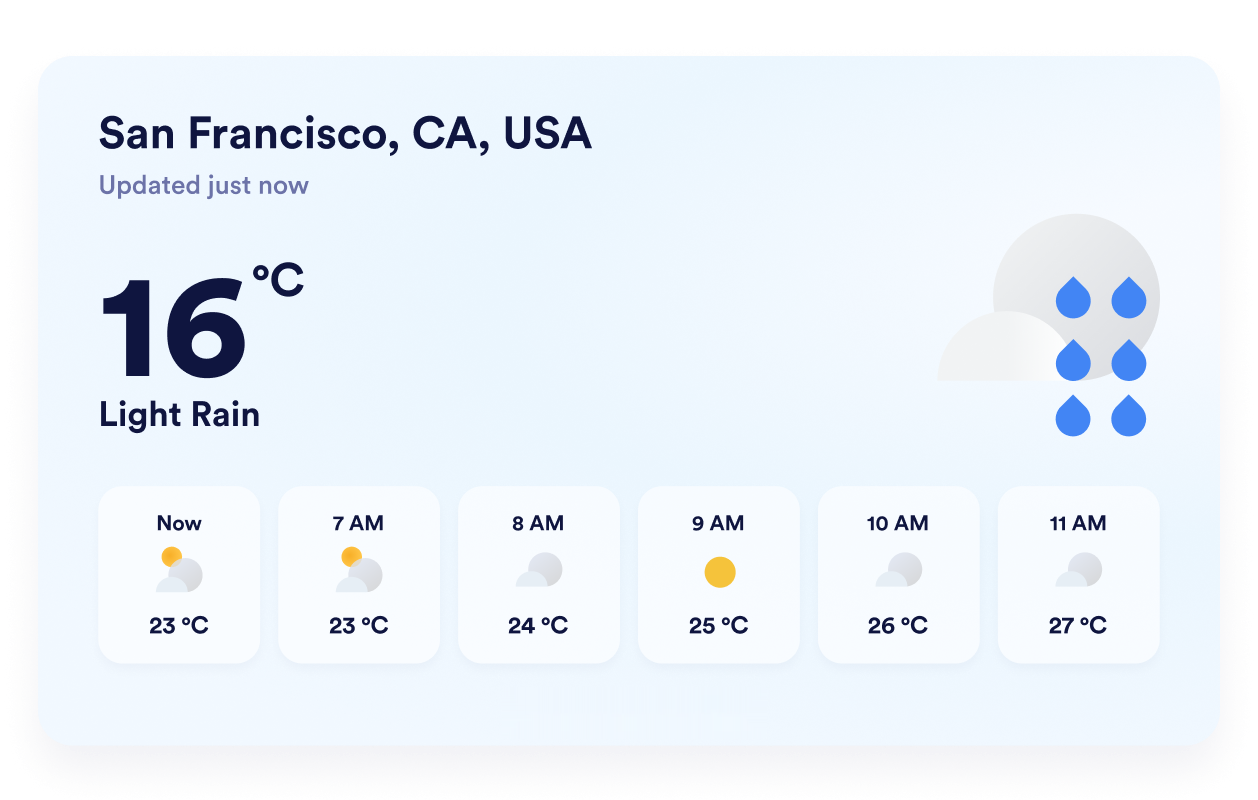
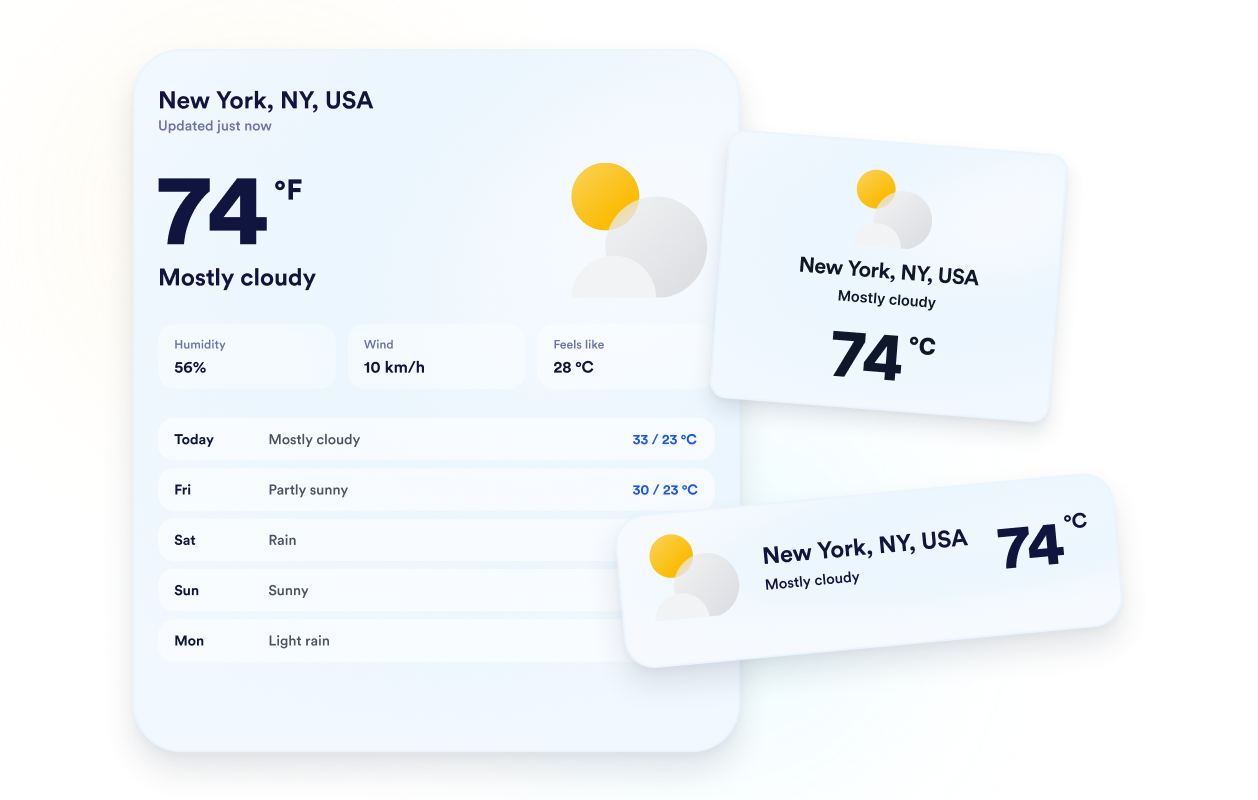
اختر طريقة عرض توقعات الطقس المناسبة
اختر من بين خيارات التصميمات ما يناسب المساحة المتاحة لديك، سواء كان عرضًا تفصيليًا، أو يوميًا، أو بالساعة، أو يعرض الطقس الحالي، أو يقتصر على درجات الحرارة فقط. تمنحك هذه المرونة عرض توقعات جوية كاملة أو التركيز على تفاصيل الطقس التي يحتاج إليها الزوار أكثر.
اجعل التوقعات متناسقة مع موقعك الإلكتروني
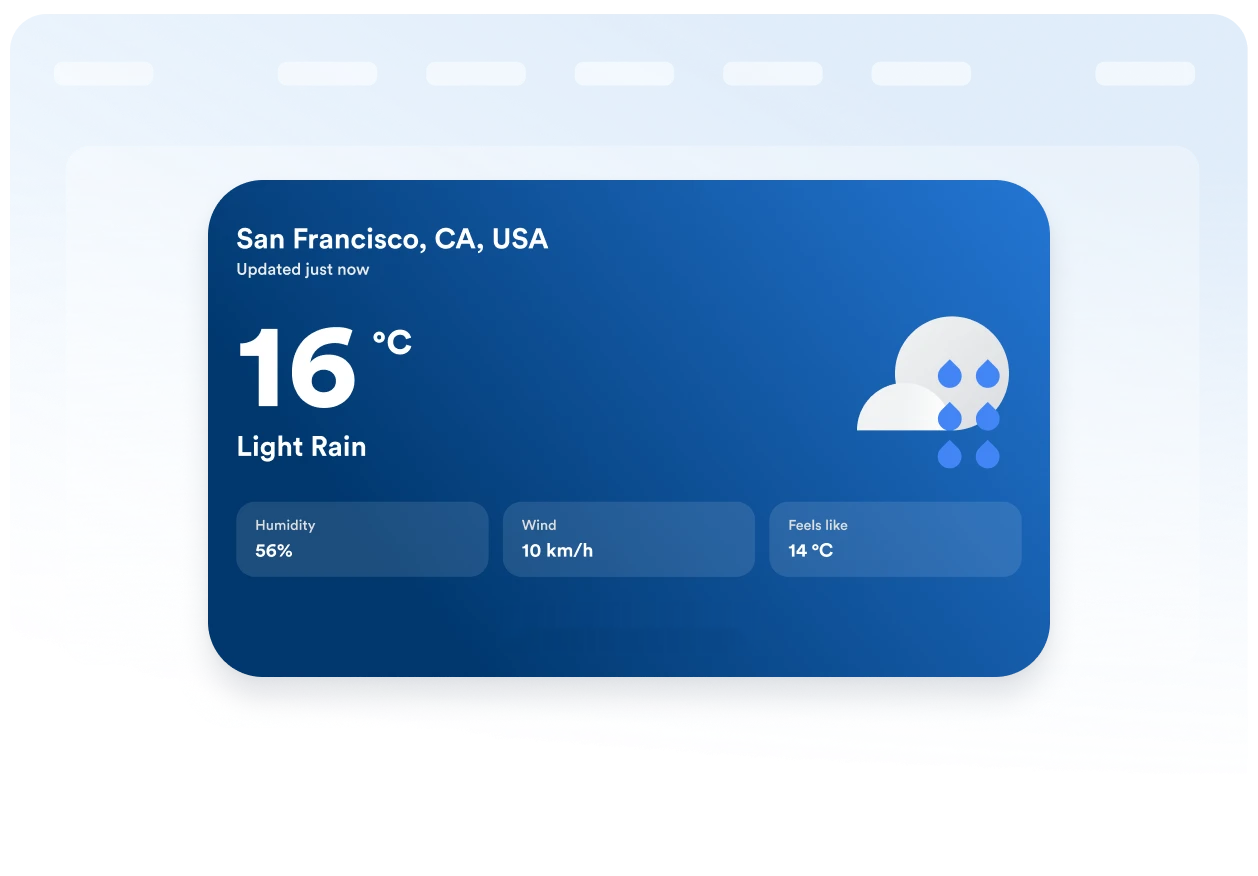
اختر خلفية ذات طابع معين أو لونًا موحدًا، ثم اضبط البطاقة، وصفوف التوقعات، والنص، وألوان التمييز، والعرض، ونصف قطر الزوايا. تساعد هذه العناصر المرئية على دمج أداة الطقس بسلاسة في تصميم صفحتك الحالي.
حافظ على وضوح وحدات القياس والعناوين
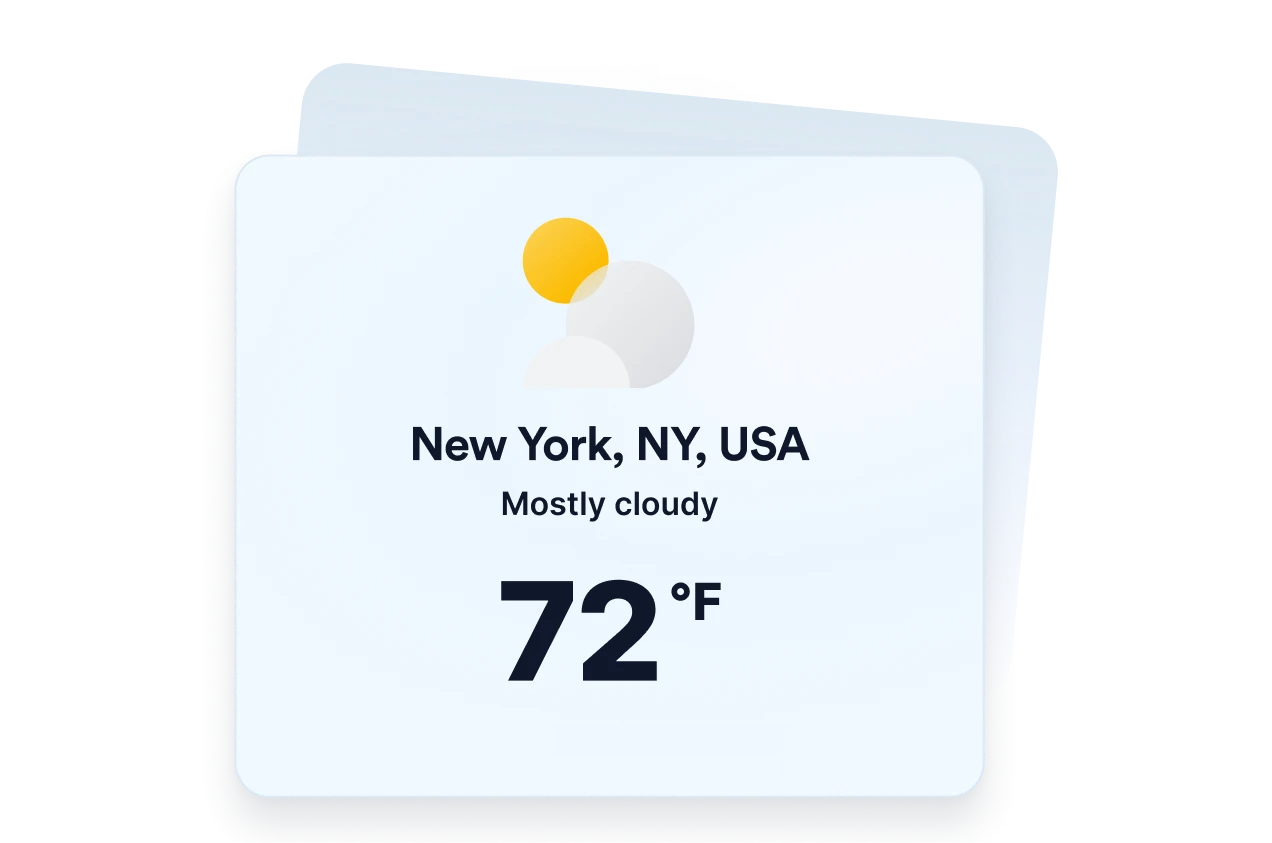
اعرض درجات الحرارة بمقياس الفهرنهايت أو الدرجة المئوية، وترجم العناوين الأساسية في الأداة بما يناسب جمهورك. كما تساعد الاستجابة التلقائية وإعدادات التحكم في ظهور الأداة على أجهزة الكمبيوتر والهواتف المحمولة في الحفاظ على وضوح معلومات الطقس على مختلف أحجام الشاشات.
لماذا تتميز أدوات Jotform لمواقع الويب؟
تجعل أدوات Jotform موقع الويب الخاص بك أكثر تفاعلية وتساعد على زيادة معدلات التحويل. تتوفر العديد من الأدوات، بدءًا من تقييمات النجوم وأشرطة تمرير تقييمات العملاء، وصولًا إلى النوافذ المنبثقة التي تعرض تقييمات العملاء وتضمين الوسائط. أضف الأدوات إلى نماذجك أو صفحاتك المقصودة لجمع البيانات، وعرض آراء العملاء، وجمع العملاء المحتملين — دون الحاجة إلى كتابة أكواد.
أضف أدوات Jotform إلى موقعك الإلكتروني باستخدام كود تضمين بسيط. خصّص الأداة، واعرض معاينة لشكلها، ثم أدرجها في أي صفحة تدعم HTML المخصص أو حزم التضمين، وكل ذلك دون الحاجة إلى مطور.
استخدم أدوات مواقع الويب من Jotform لجمع بيانات العملاء المحتملين، وإظهار تقييمات العملاء، وعرض الآراء الاجتماعية، وتضمين ملفات الوسائط، أو إضافة أدوات مفيدة لصفحات ويب. تقوم كل أداة بمساعدة الزوار على التفاعل مع خدماتك مباشرةً من موقعك الإلكتروني.
إذا كنت بحاجة إلى مساعدة في إعداد أداتك أو تخصيصها أو تضمينها أو استكشاف المشكلات وإصلاحها، فإن فريق دعم العملاء في Jotform متاح على مدار الساعة طوال أيام الأسبوع. يمكنك المتابعة بثقة، مع العلم أن المساعدة متاحة عندما تحتاج إليها.
أين يمكنك استخدام أداة الطقس؟
أضف معلومات الطقس ذات الصلة إلى الصفحات التي قد تؤثر فيها الأحوال الجوية على خطط الزائر أو استعداداته أو قراراته.
صفحات الفنادق والمنتجعات لمساعدة النزلاء على الاستعداد للظروف المحلية قبل إقامتهم.
صفحات الفعاليات لعرض حالة الطقس المتوقعة للحضور قبل الفعاليات الخارجية أو الحضورية.
صفحات الجولات والأنشطة لمساعدة المسافرين في التخطيط للملابس والمعدات وتحديد مواعيد الحجز.
صفحات المدارس والمجتمعات المحلية لتبادل المعلومات حول الأوضاع المحلية مع الأسر والطلاب والمقيمين.
صفحات الرياضة والترفيه لمساعدة الزوار على الاستعداد للألعاب أو المرافق أو الأنشطة في الهواء الطلق.
مواقع الأنشطة التجارية المحلية لتوفير معلومات مفيدة عن حالة الطقس قبل زيارة العملاء.
حوّل العملاء المحتملين إلى مبيعات حقيقية باستخدام منشئ النماذج من Jotform
حوّل التفاعل إلى نتائج فعلية مع Jotform. أنشئ نماذج قوية لجمع بيانات العملاء المحتملين، واستلام المدفوعات، وأتمتة الردود، كل ذلك في مكان واحد. تصل جميع البيانات المرسلة إلى صندوق الوارد في Jotform الخاص بك، حيث يمكنك المتابعة أو الربط مع تطبيقاتك المفضلة.
ابدأ - إنه مجاني!
أسئلة متكررة ومتداولة
ما هي أداة الطقس؟
تعرض أداة الطقس حالة الطقس الحالية وتوقعاته مباشرةً على الموقع الإلكتروني. وبحسب التخطيط المحدد، يمكن للزوار الاطلاع على درجات الحرارة، والتوقعات اليومية أو بالساعة، ونسبة الرطوبة، وسرعة الرياح، ودرجة الحرارة المحسوسة دون مغادرة الصفحة.
هل أداة الطقس من Jotform مجانية؟
هل يمكنني اختيار الموقع الذي تُعرض فيه الأداة المصغرة؟
هل يمكن للأداة استخدام موقع الزائر؟
ما هي تصميمات أداة توقع الطقس التي يمكنني استخدامها؟
هل يمكنني عرض تفاصيل الطقس إلى جانب درجة الحرارة؟
هل يمكنني استخدام درجة مئوية بدلًا من فهرنهايت؟
هل يمكنني تخصيص تصميم أداة الطقس؟
هل تعمل أداة الطقس على الأجهزة المحمولة؟
هل أحتاج إلى كتابة أكواد برمجية لإنشاء أداة الطقس؟
ما هي منصات المواقع الإلكترونية التي تدعم أداة الطقس؟
هل يمكنني الحصول على مساعدة في إعداد أداة الطقس؟