-
 claudiojaviergarciacjg
Como elimino mi cuenta
-
 Abdul Jotform Support
Hi Claudio,
Thanks for reaching out to Jotform Support. Unfortunately, our Spanish Support agents are busy helping other Jotform users at the moment. I'll try to assist you in English using Google Translate, but you can reply in whichever language you feel comfortable using. Or, if you'd prefer to receive support in Spanish, let us know and we can have them do that. But, keep in mind that you'd have to wait until they're available again.
Sure, you can delete your account, but keep in mind that it will also delete all of your forms and data. Let me help you do it:
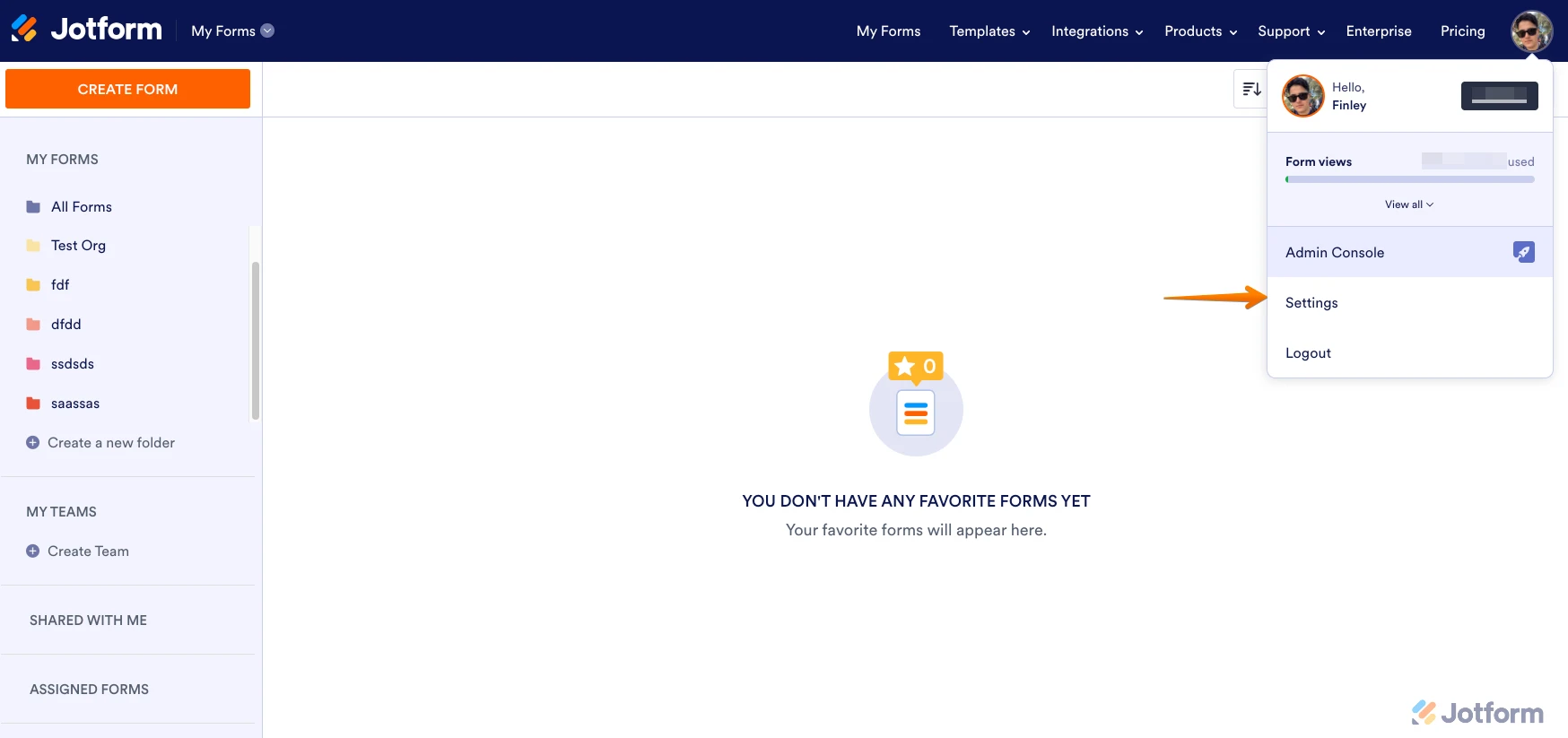
- On your My Forms page, click on your Profile Avatar at the top right corner of your screen.
- Then, click on Settings in the dropdown menu.

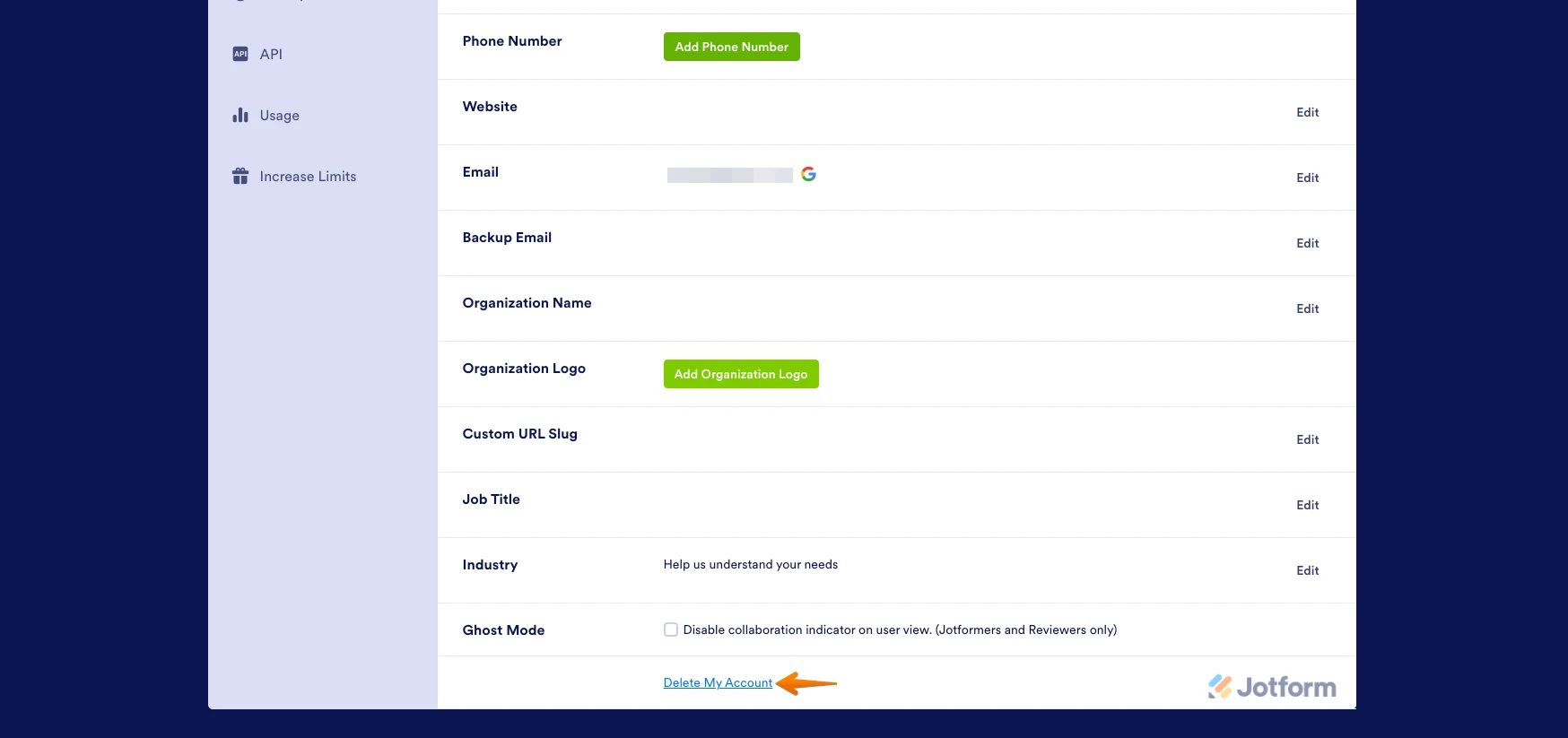
- On your Settings page, click on Account on the left side of the screen. Then, scroll down and click on Delete My Account.
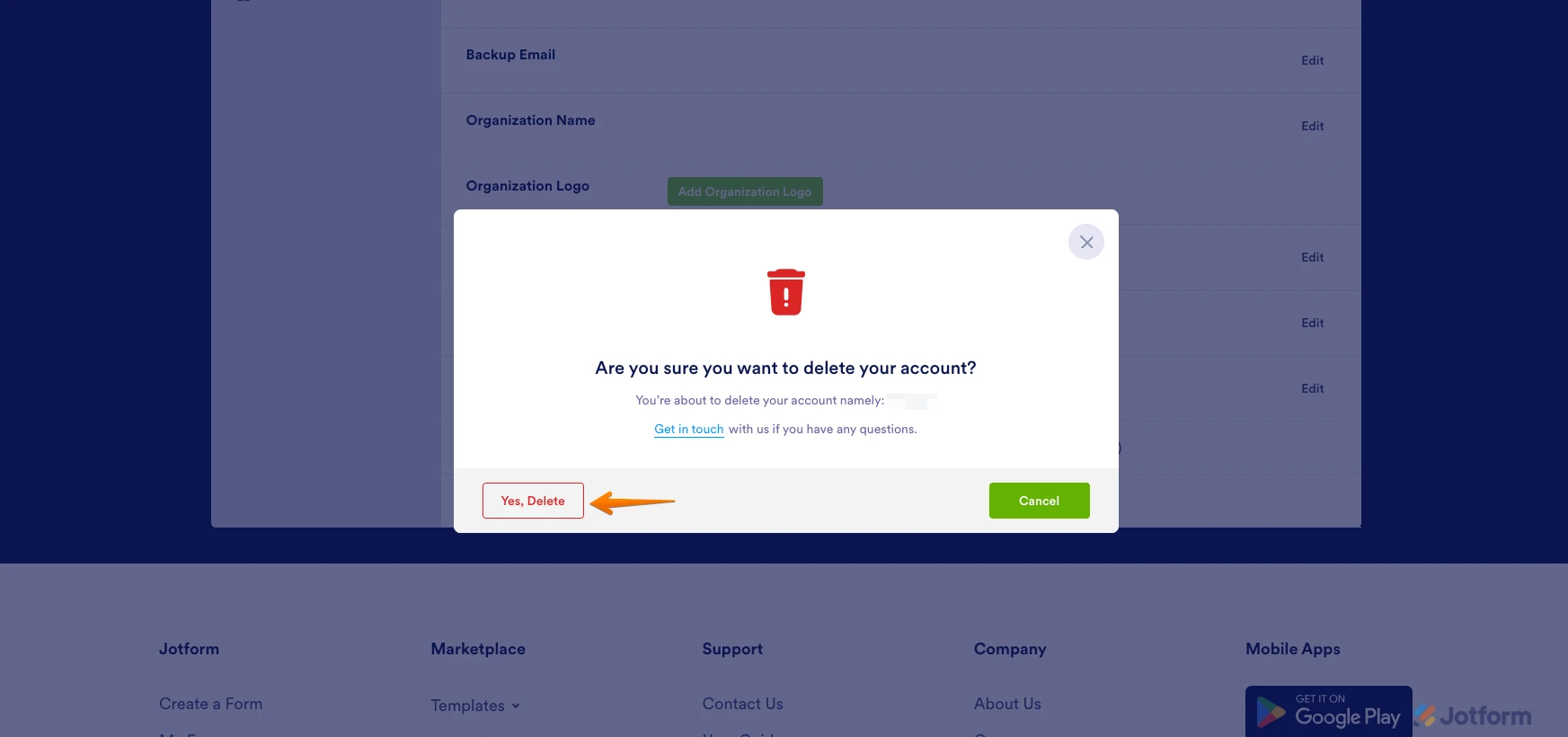
- Now, in the pop-up warning window, click on Yes, Delete.
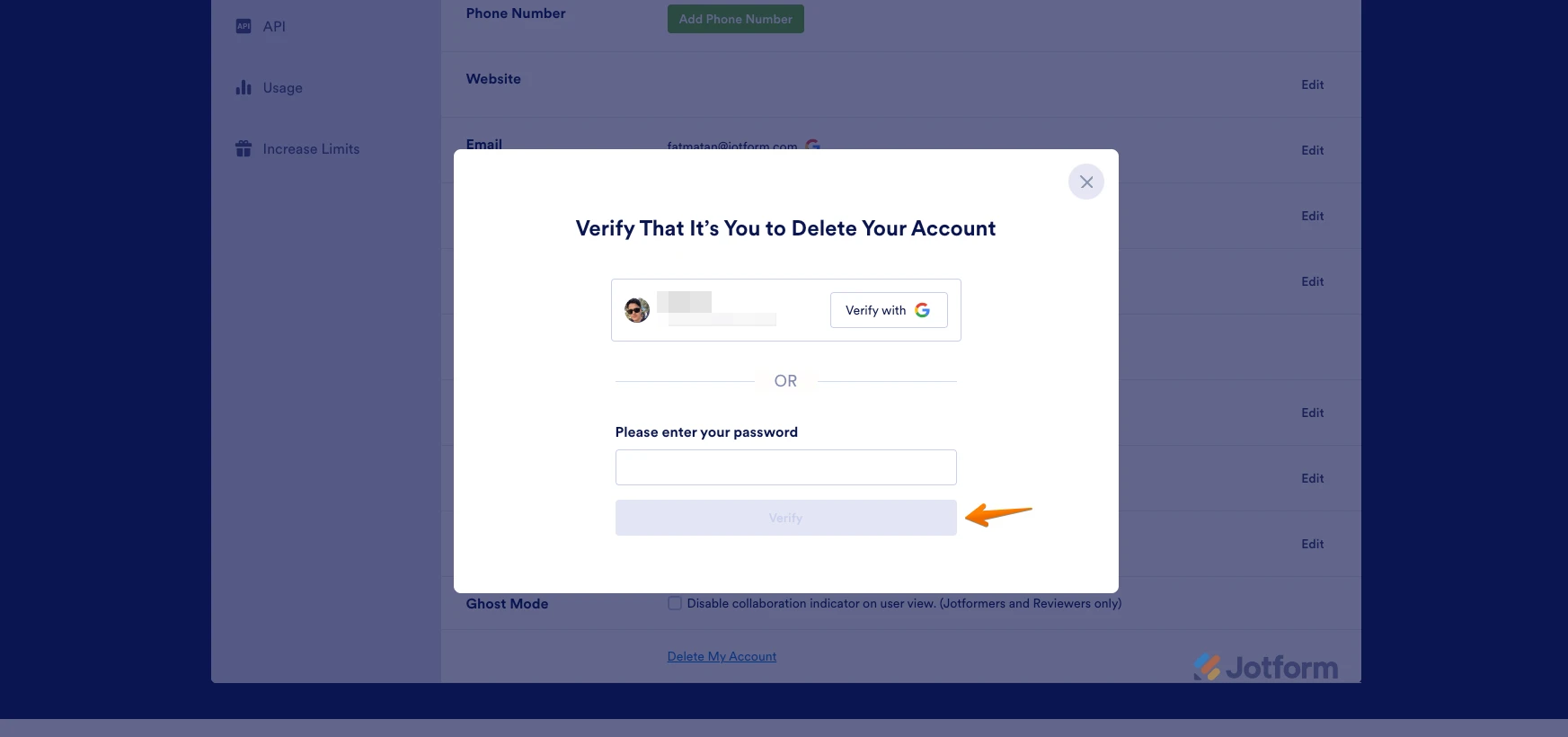
- After that, enter your account password and click on Verify. That's it.
Let us know if you need any other help.
-
claudiojaviergarciacjgQuiero q se eliminen mis datos y mi cuenta
El sáb, 29 de jul de 2023, 08:38, Jotform <noreply> escribió:
</noreply>... -
 Eiron_O Jotform Support
Hi Claudio,
Thanks for getting back to us. Once you deleted your account, it will stay in the system for 30 days. After that, your account including all your data will be permanently deleted.
Let us know if you have any other questions.