-
 Setec_ConsultingMobile Offline
1
Message
não consigo cancelar a subscrição. serei obrigado a apagar a conta.
Platform
Android
Appversion
2.12.36
Deviceinfo
User Device: samsung - SM-S711B - Handset - 16
Source
Report
App
Jotform
-
 Esma
EsmaHi Setec_Consulting,
Our Portuguese Support agents are busy helping other Jotform users right now, so I'll try to help you in English using Google Translate, but you can reply in whichever language you feel comfortable using. Or, if you'd rather have support in Portuguese, let us know and we can have them do that. But, it might take a while until they're available again.
Now, coming back to your question, You can easily cancel your subscription without deleting your account, but you'll need to do it on the Desktop version of Jotform, as it's not available on the mobile app yet.
However, I see that your account is currently Deleted. You will need to be active to log in and perform these steps. If you'd like, I can reactivate your account for you.
Once reactivated, here is how to Cancel Your Subscription:
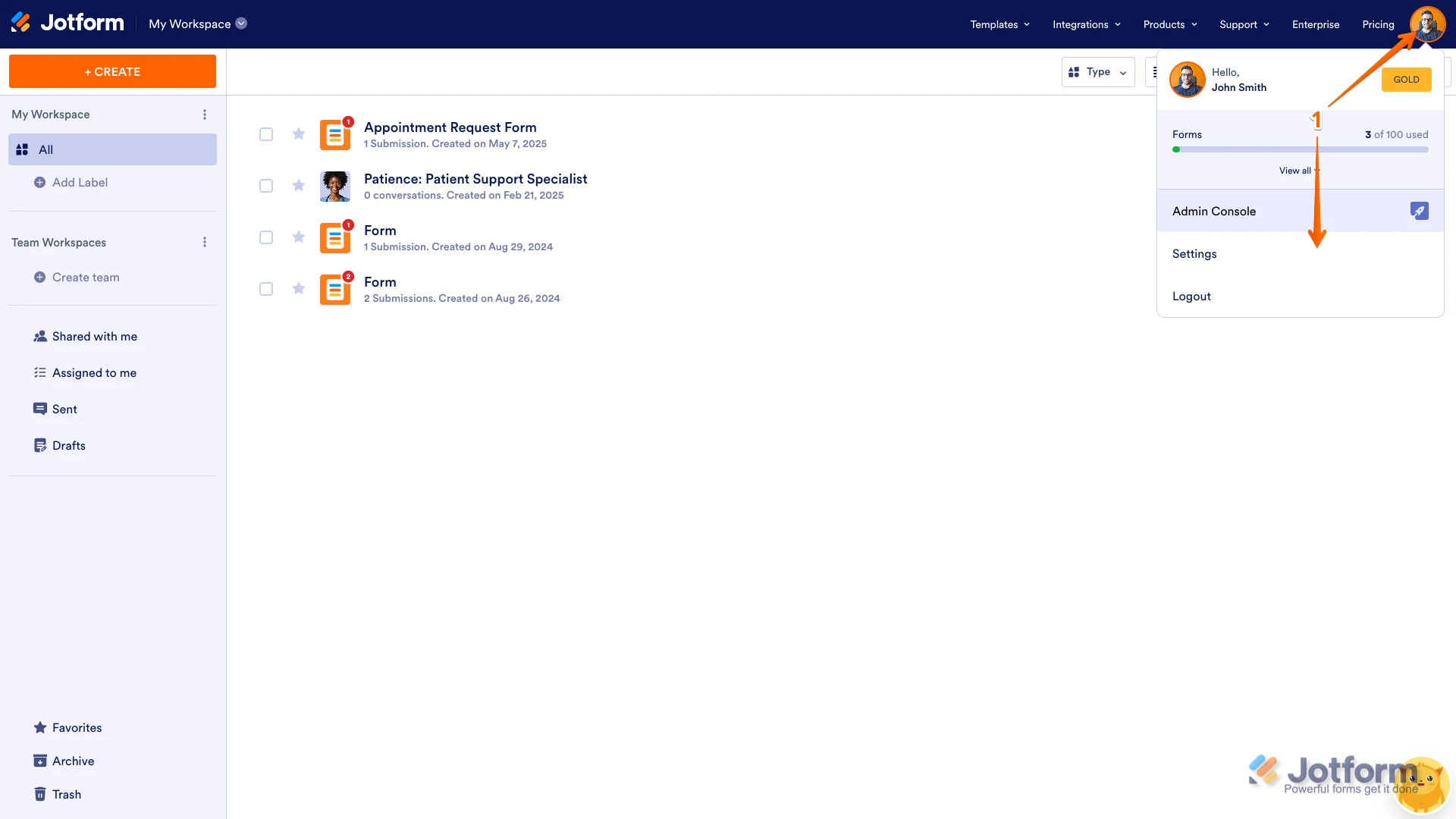
1. On your Workspace page, click on your Avatar/Profile Image on the top-right side of the page, and then click on Settings.

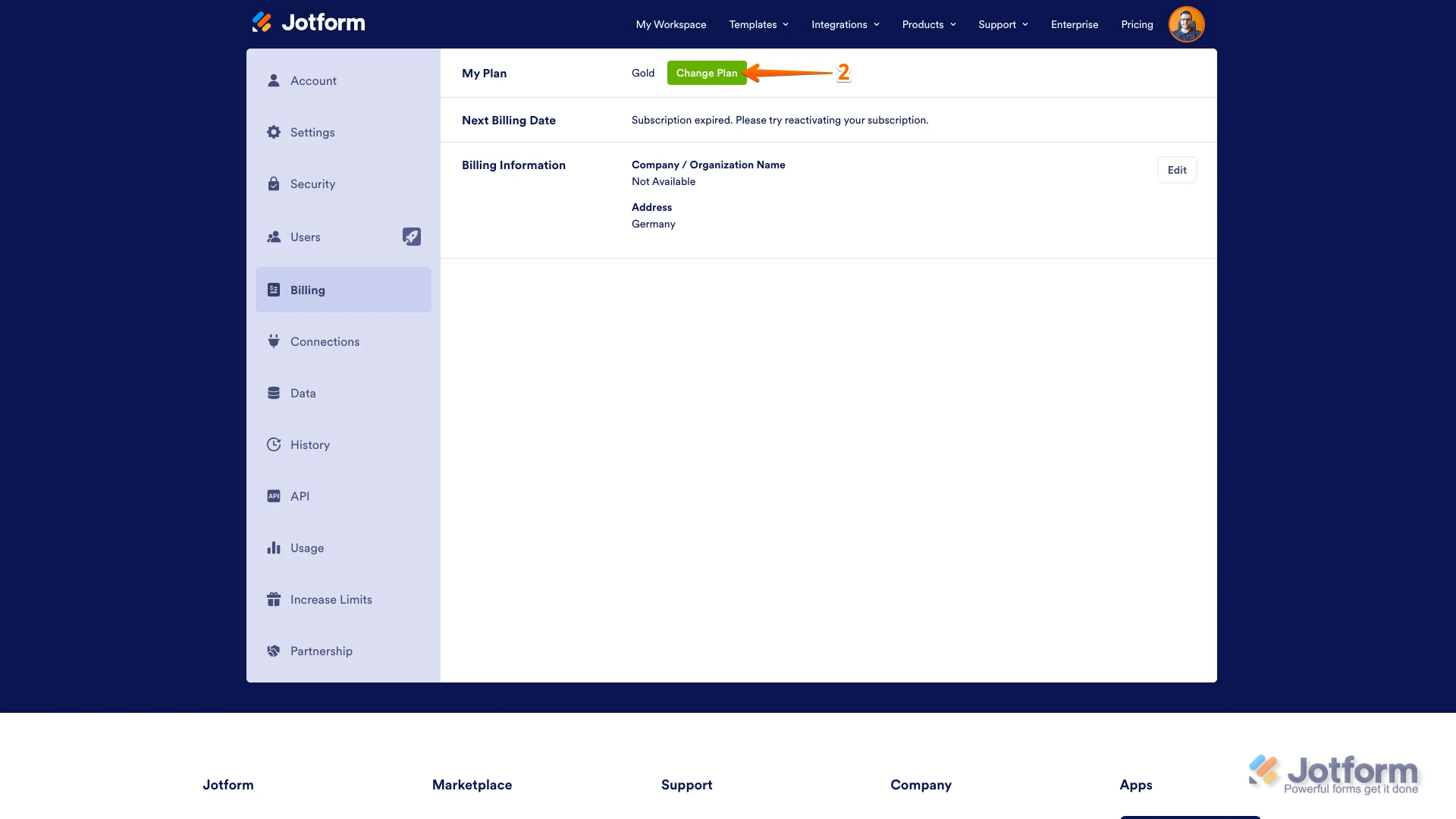
2. Under the Billing tab on the left, and beside the My Plan section, click on Change Plan.
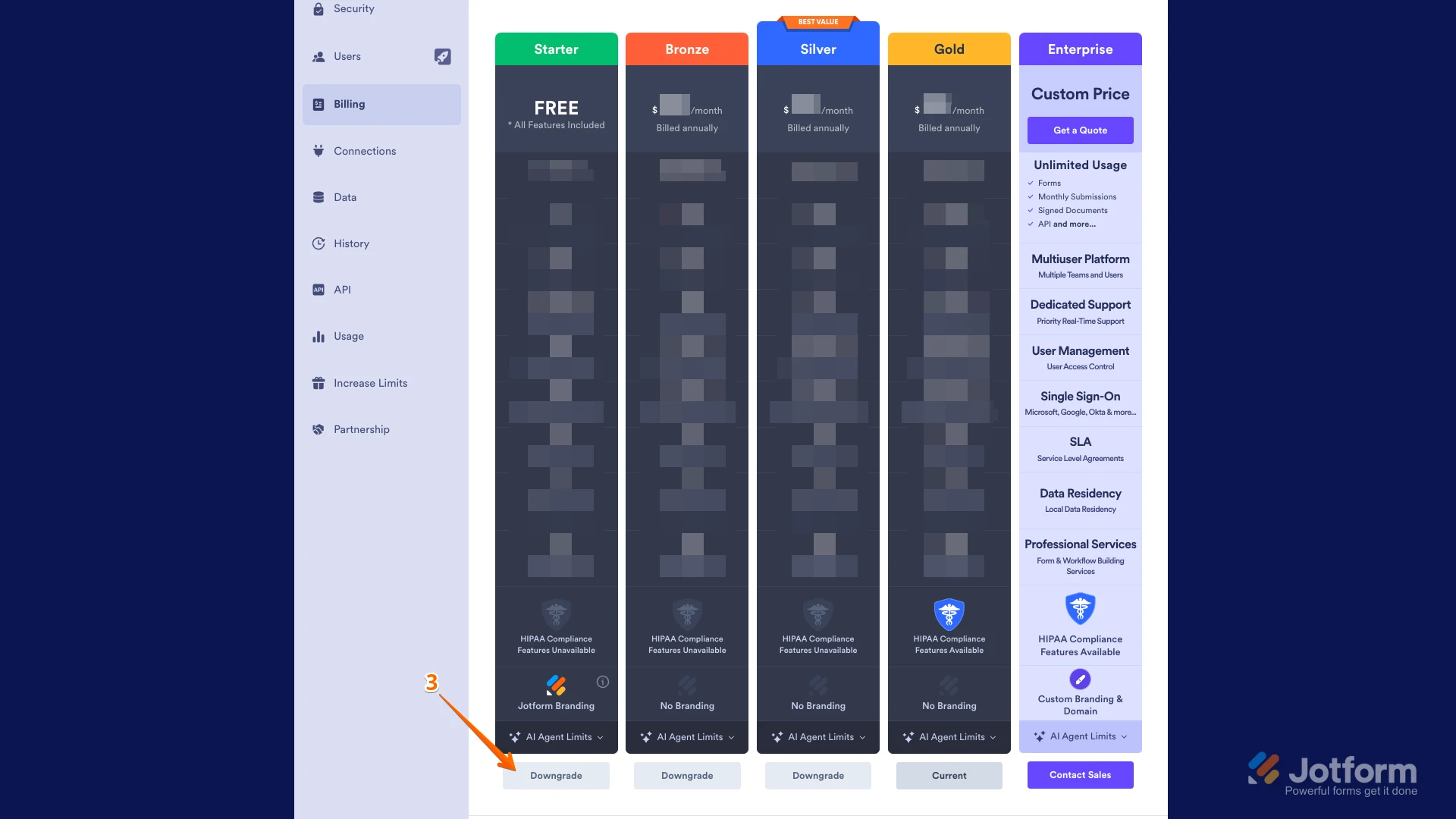
3. Now, click on the Downgrade button to switch to the Starter (Free) Plan.
Then, you’ll see a pop-up window with extra information about the downgrade. Just follow the instructions to continue canceling your plan.Let us know if you need any more help.
 Then, you’ll see a pop-up window with extra information about the downgrade. Just follow the instructions to continue canceling your plan.