-
 capgeilhavo
 -
 Vincenzo Jotform Support
Hi capgeilhavo,
Thanks for reaching out to Jotform Support. To clarify, are you trying to set a Group appointment type in your Appointment field synced with Google Calendar? If yes, do note that if you sync your Appointment field directly with your calendar, you won’t be able to use the Group appointment type. So, each slot can be booked only once.
As a workaround, you can use our Google Calendar integration. This way, you can still allow group bookings, and your submissions will be sent to your calendar. Let me show you how:
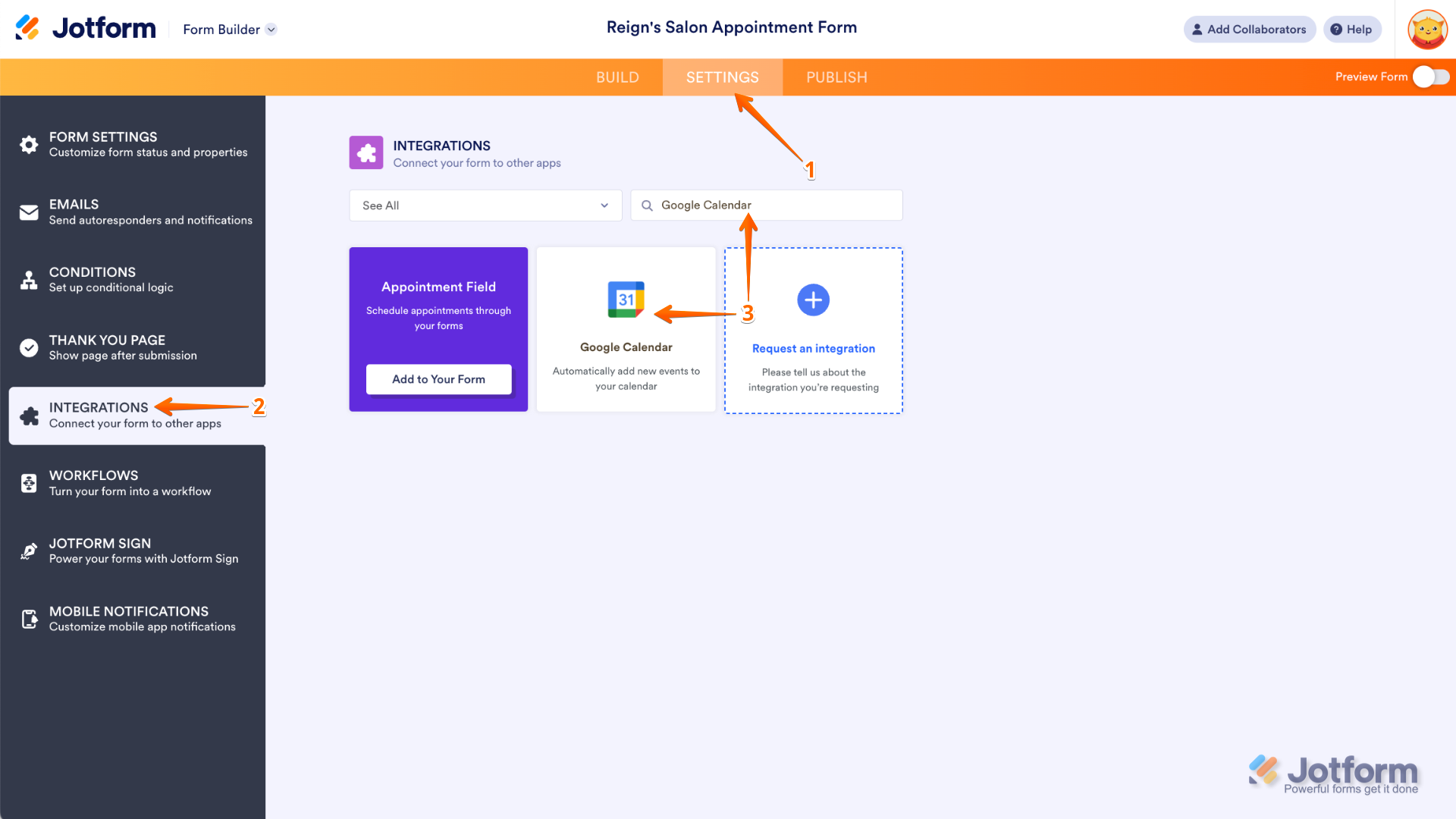
- In Form Builder, in the orange navigation bar at the top of the page, click on Settings.
- In the menu on the left side of the screen, click on the Integrations tab.
- In the search bar, enter Google Calendar, and then click on the Google Calendar icon.

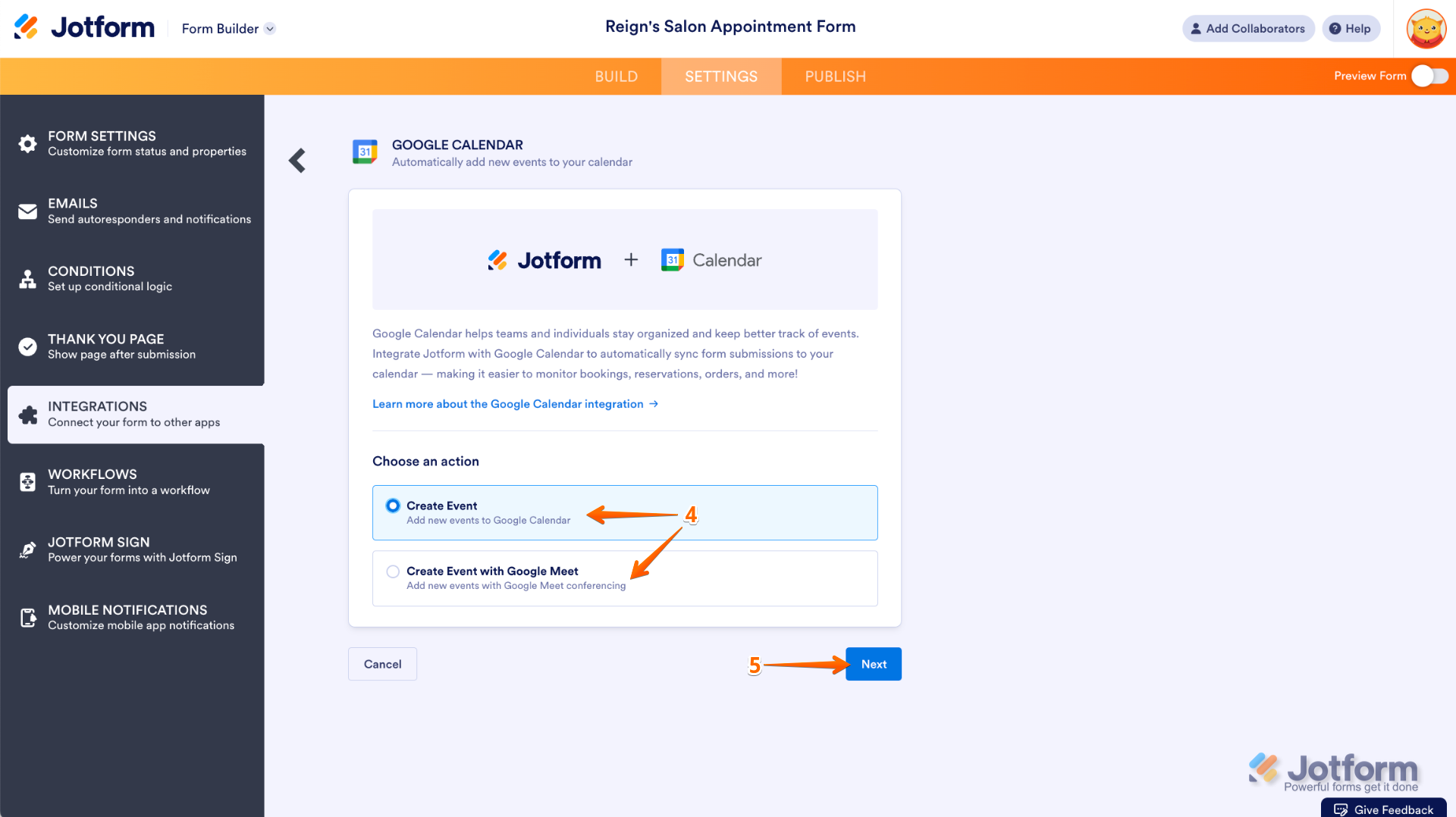
- Now, select Create Event or Create an Event with Google Meet:
- Then, click on Next to continue.
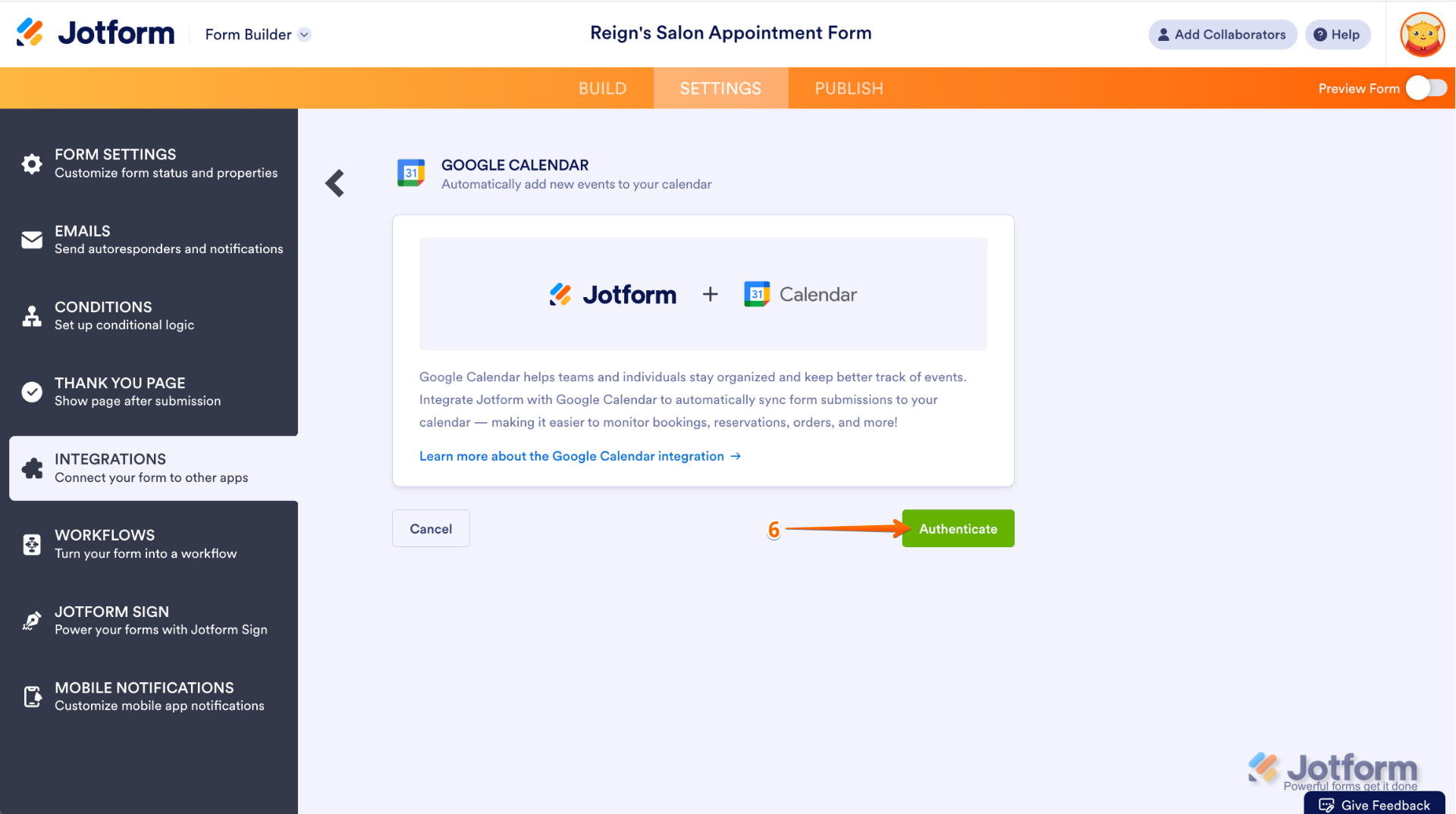
- Click on Authenticate and continue setting up the integration.
You can also check our complete guide on How to Integrate Your Form With Google Calendar.
Give it a try and let us know how it goes.