

Modelos para Recursos Humanos

Controle de férias e afastamentos
O controle de férias e afastamentos é utilizada para acompanhar os dias que um funcionário se afastou do serviço. Independente se você é dono de uma pequena start up ou é gerente de um RH de uma grande empresa, nossa planilha ajudará você a manter o controle dos afastamentos e férias dos funcionários. Quando um funcionário solicitar dias de afastamento, basta preencher na planilha o nome, departamento, cargo, e as datas de saída e retorno e a razão do afastamento. Você também pode compartilhar o link com os seus funcionários para eles enviarem as informações por conta própria. Você poderá abrir a planilha em qualquer dispositivo, mesmo sem acesso internet. A planilha de controle de férias e afastamento está pronta para ser usada, mas sinta-se livre para personalizá-la do modo que você preferir. Com o nosso sistema de arrastar e soltar é fácil adicionar linhas, colunas, abas e etiquetas para organizar as informações dos seus funcionários. Você pode até criar um formulário de folga que preencherá imediatamente sua planilha assim que os funcionários enviarem sua solicitação! Gerencie a presença de funcionários e simplifique seu processo de rastreamento de afastamentos com mais eficiência com nossa planilha de rastreamento de férias e afastamentos.
Ir para Categoria:Modelos para Recursos Humanos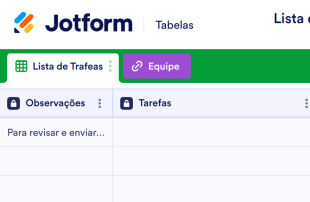
Lista de Tarefas para Funcionários
Atribua tarefas aos seus funcionários e acompanhe seu progresso com o Modelo de Lista de Tarefas para Funcionários gratuito. Fácil de personalizar. Disponível em visualização como planilha ou calendário.
Ir para Categoria:Modelos para Recursos HumanosSobre Modelos para Recursos Humanos
Nossos Modelos para Recursos Humanos gratuitos são planilhas desenvolvidas para ajudar empresas e departamentos de RH a gerenciar informações de funcionários, tais como informações para contato, solicitações de folga, folhas de pagamento e mais. Simplesmente selecione um Modelo para Recursos Humanos abaixo de acordo com suas necessidades, personalize-o perfeitamente e insira as informações de seus funcionários. Todas as informações serão armazenadas com segurança em sua conta Jotform, sendo de fácil visualização em uma planilha, cartão ou calendário profissional.
Comece escolhendo um dos modelos abaixo e personalize-o de acordo com suas necessidades. Sinta se livre para adicionar novas colunas, linhas ou alterar os nomes existentes — você pode até mesmo incluir rótulos coloridos para uma melhor organização! Com todas as informações de seus funcionários profissionalmente organizadas em seu Modelo de Planilha para Recursos Humanos, você ficará livre da papelada bagunçada e desfrutará de um departamento de RH mais eficiente, além de manter seus funcionários felizes.
Why Use Human Resources Templates?
- By managing form submissions within Jotform Tables, HR teams can eliminate the need for manual data entry, significantly reducing errors and saving time. This allows HR departments to focus on more strategic tasks rather than getting bogged down in administrative work.
- Submissions from Jotform Forms are automatically consolidated in one place, ensuring that all responses are kept together and easily accessible. This avoids the pitfalls of scattered documents and ensures that nothing slips through the cracks.
- With powerful search and filter options, finding specific records or sets of data becomes quick and effortless. This capability is particularly beneficial when dealing with large volumes of HR data that require frequent access and updates.
- Reviewing complete submission details becomes streamlined with the use of Table View and Detail View, providing comprehensive insights into each record. This thorough review process aids in making informed decisions based on complete and accurate data.
- Coordinating follow-up actions, such as setting up interviews or reviewing performance feedback, is made efficient by the ability to track changes and report on collected data. This ensures that all necessary steps are taken in a timely manner, enhancing overall HR operations.
Common Problems Solved by Human Resources Templates
- Manually copying submissions from forms into spreadsheets can be time-consuming and prone to errors. Jotform Tables automates this process, ensuring that all data is accurately captured without the need for manual intervention.
- Scattered responses across different systems make it difficult to maintain a cohesive overview of HR activities. By consolidating submissions into a single table, Jotform Tables provides a unified view that enhances visibility and control.
- Locating specific records quickly can be a challenge when dealing with a high volume of data. The search and filter capabilities in Jotform Tables make it easy to find exactly what you need, when you need it, improving efficiency and response times.
- Inconsistent review processes can lead to oversight and mismanagement of important HR tasks. With standardized views and the ability to track changes, Jotform Tables ensures a consistent approach to data management, reducing the risk of errors.
- Unclear ownership of records can delay important HR processes. With features like assignees and access settings, Jotform Tables clarifies responsibilities, ensuring that every entry is properly managed and acted upon.
Relacionando casos de uso dos envios de formulários aos recursos do Jotform Tabelas
- Job applications submitted via Jotform Forms are auto-populated into Jotform Tables, allowing HR teams to efficiently review and manage candidates in Table View or Detail View. This seamless integration facilitates quick decision-making and streamlined recruitment processes.
- Employee leave requests collected through forms can be organized using filters and data grouping in Jotform Tables, ensuring that HR managers can easily track and approve leave schedules. This organization prevents scheduling conflicts and ensures smooth operations.
- Performance feedback from employees can be reviewed and analyzed using various column types and formulas in Jotform Tables, providing HR with actionable insights for employee development. This analytical approach helps in crafting targeted improvement plans.
- Access settings enable HR teams to control who can view, edit, or manage entries in the table, ensuring data security and proper collaboration. This control is crucial in maintaining confidentiality and integrity of sensitive HR data.
- HR teams can generate reports from collected data using Report View, aiding in strategic planning and workforce analysis. This capability allows managers to present insightful summaries to stakeholders, driving informed decisions.
How to Use Human Resources Templates with Jotform Forms
- Start with a Human Resources Templates table or connect a Jotform Form to an existing table to begin collecting HR-specific information. As respondents submit their forms, new entries automatically appear in the connected table, ensuring a seamless data collection process.
- Configure the table by naming columns and selecting appropriate column types to suit the HR data being managed. Choose relevant views such as Table View for an overview, Detail View for in-depth examination, and Report View for reporting purposes, tailoring the table to your specific needs.
- Manage the collected submissions by utilizing search, filters, and data grouping to organize entries efficiently. Assign tasks using assignees, track changes with revision history, and use linked tables or action buttons for further data management, ensuring a comprehensive approach to HR data handling.
Top Use Cases for Human Resources Templates
- For Form Owners: The form owner is responsible for creating and maintaining the connected Jotform Form. They review incoming responses to ensure data accuracy and completeness, making any necessary edits to submission data. By checking details and uploads within Jotform Tables, they maintain organized records that are easy to access and manage. This role is critical in ensuring that all HR submissions are processed efficiently and correctly.
- For Teams: Authorized team members play a crucial role in maintaining and coordinating HR entries. They can easily find submissions using search functions and keep entries up-to-date through collaboration. Utilizing features like assignees and access settings, team members can coordinate responsibility and ensure that every submission is handled appropriately. Revision history supports shared work by providing a clear record of changes made to the data.
- For Managers: Managers utilize Jotform Tables to monitor collected HR data and analyze patterns relevant to their teams. They can review progress and ownership of tasks, ensuring that HR processes are on track. Using Report View and other relevant views, managers gain insights into workforce dynamics and outcomes, enabling them to provide oversight and make informed decisions based on comprehensive data.
Summarizing Human Resources Templates
Human Resources Templates provide a robust solution for collecting and managing HR-specific information through Jotform Forms and Jotform Tables. By facilitating the automatic transition of form submissions into organized tables, these templates enhance efficiency and accuracy in handling HR data. Jotform Tables offers a comprehensive workspace where HR teams can review, organize, and act on collected submissions, ensuring streamlined processes and informed decision-making.
Perguntas Frequentes
1) Is it free to use Human Resources Templates with Jotform Tables?
Jotform offers a Starter plan, which allows users to begin utilizing Human Resources Templates with Jotform Tables. This plan provides access to essential features without the need for upfront investment. Users can explore the capabilities of Jotform Tables and determine how it fits their HR management needs. For more advanced features, users can consider upgrading to a paid plan.
2) How do submissions from Jotform Forms appear in Human Resources Templates?
Submissions from Jotform Forms are seamlessly integrated into Human Resources Templates through a connected table. Each form submission automatically appears as an entry in the linked table, creating a continuous flow of data. This auto-populating feature ensures that responses are captured in real-time, allowing for immediate access and management.
3) Can I edit, search, filter, group, and calculate data in Human Resources Templates?
Yes, Human Resources Templates offer extensive capabilities for managing data. Users can edit submissions to ensure accuracy and completeness. Search and filter functions allow for quick location of specific entries, while data grouping organizes information logically. Formulas and calculations can be applied to analyze data and derive meaningful insights, enhancing overall data management.
4) Posso exportar os dados das tabelas como CSV ou Excel?
Absolutely, exporting data as CSV or Excel is supported within Human Resources Templates. This feature allows users to add existing information alongside form submissions or to share data with external systems. Exporting data ensures flexibility in data management, making it easier to collaborate and integrate with other tools.
5) Which Jotform Tables views can I use with Human Resources Templates?
Human Resources Templates support several views, including Table View, Detail View, Calendar View, and Report View. Table View provides an overview of all entries, while Detail View allows for in-depth examination of individual submissions. Calendar View is useful for date-specific records, and Report View aids in summarizing data for strategic analysis. Each view offers unique advantages in reviewing and organizing HR data.
6) Can teams collaborate on submissions in Human Resources Templates?
Teams can effectively collaborate on submissions using Human Resources Templates by utilizing access settings and assignees. These features ensure that the right team members have access to relevant data and responsibilities are clearly defined. Real-time tracking and revision history enable teams to work cohesively, maintaining an updated and accurate record of all HR activities.
7) Can I connect Human Resources Templates to related data or other applications?
Yes, Human Resources Templates support connections to related data through linked tables and integrations. Action buttons can facilitate interactions with other applications, streamlining workflows. This connectivity enhances data management by allowing integration across different platforms, ensuring that HR processes are efficient and cohesive.
8) Can I create reports, PDFs, and manage files from Human Resources Templates?
Human Resources Templates provide robust options for managing documents and reports. Users can create detailed reports using Report View, generate PDFs for sharing and documentation, and manage files through the Uploads View. These capabilities support comprehensive data management, ensuring that all necessary documents are easily accessible and organized.