-
 randdhassan
سلام عليكم
عيني عندي مسكلة بالبرنامج اني مسوي فورم مال حجز مواعيد المرضى
المشكلة المراجعين ديحجزون بس ميطلع عندي الوقت الي ديحجزون بي
كل ما اسئل المجيب الالي مالتكم ينطيني خطوات اسويهة كلهة وتبقة نفس المشكلة
قسك من المراجعين يحجزون ويطلع الحجز وقسم لا ميطلع
-
 Podo: أخصائي دعم
Hi wr_clinic,
Thanks for reaching out to Jotform Support. I'm an AI assistant here to assist you.
It’s easy to set a minimum notice period for appointments to help prevent last-minute bookings. Let me show you how:
- In Form Builder, click on the Appointment field, then click on the Gear icon to open its menu.
- In the menu that opens on the right side of the page, click on the Limits tab.
- Under Minimum Scheduling Notice, set up the minimum amount of notice as you want.

The date in the screenshot below is September 22, 2025, and with the Minimum Scheduling Notice, it’s only possible to book on September 25. Check it out below to see how it works:
Reach out again if there’s anything else we can help you with.
-
 Jotform Support Former Jotform Support
Hi randdhassan,
Our Arabic Support agents are busy helping other Jotform users right now, so I'll try to help you in English using Google Translate, but you can reply in whichever language you feel comfortable using. Or, if you'd rather have support in Arabic, let us know and we can have them do that. But, it might take a while until they're available again.
Now, coming back to your question,
-
randdhassan
My patient can not register
And if they register there time not appear to me
every time i ask podo ai
and gave me steps
i tried every steps but still the same problem
-
 Aylin
Aylin,Hi randdhassa
You can View Your Form Submissions from your Jotform Submissions Table in just a few easy steps. Let me show you how:
- On your Workspace page, check the box next to the form you want to view submissions for.
- Then, in the menu on the upper-left side of the page, click on Submissions to see all the submissions for that form in your Tables.
-
randdhassan
I have appointment form
But every time patient want to get one Say theres error
they cant
i want u to check my account
-
Jotform Support Former Jotform Support
Hi randdhassan,
The form seems to be disabled. To enable your disabled form and start collecting submissions again, follow these steps:
- Log in to your Jotform account and go to My Forms.
- Locate the form that is currently disabled.
- Click on the form's settings or the More button next to the form.
- Look for the option to enable or activate the form and select it to re-enable the form.
- Save your changes if necessary.
Once enabled, your form will start collecting submissions again.
If this is not the issue, take a screenshot of the error you're getting so we can help you further.Give it a try and let us know how it goes.
-
-
This patient register without time
plz i want someone check my account
-
 Jason Enterprise Support
Hi randdhassan,
Can you share with us the submission ID that booked the appointment without a time? We've got a guide here that'll show you Where to Find the Submission ID. Also, let me take a look at this for you. To do that, we’ll need your permission to access your account. Don’t worry, you can turn it off again once we’re done. Let me show you how to do it:
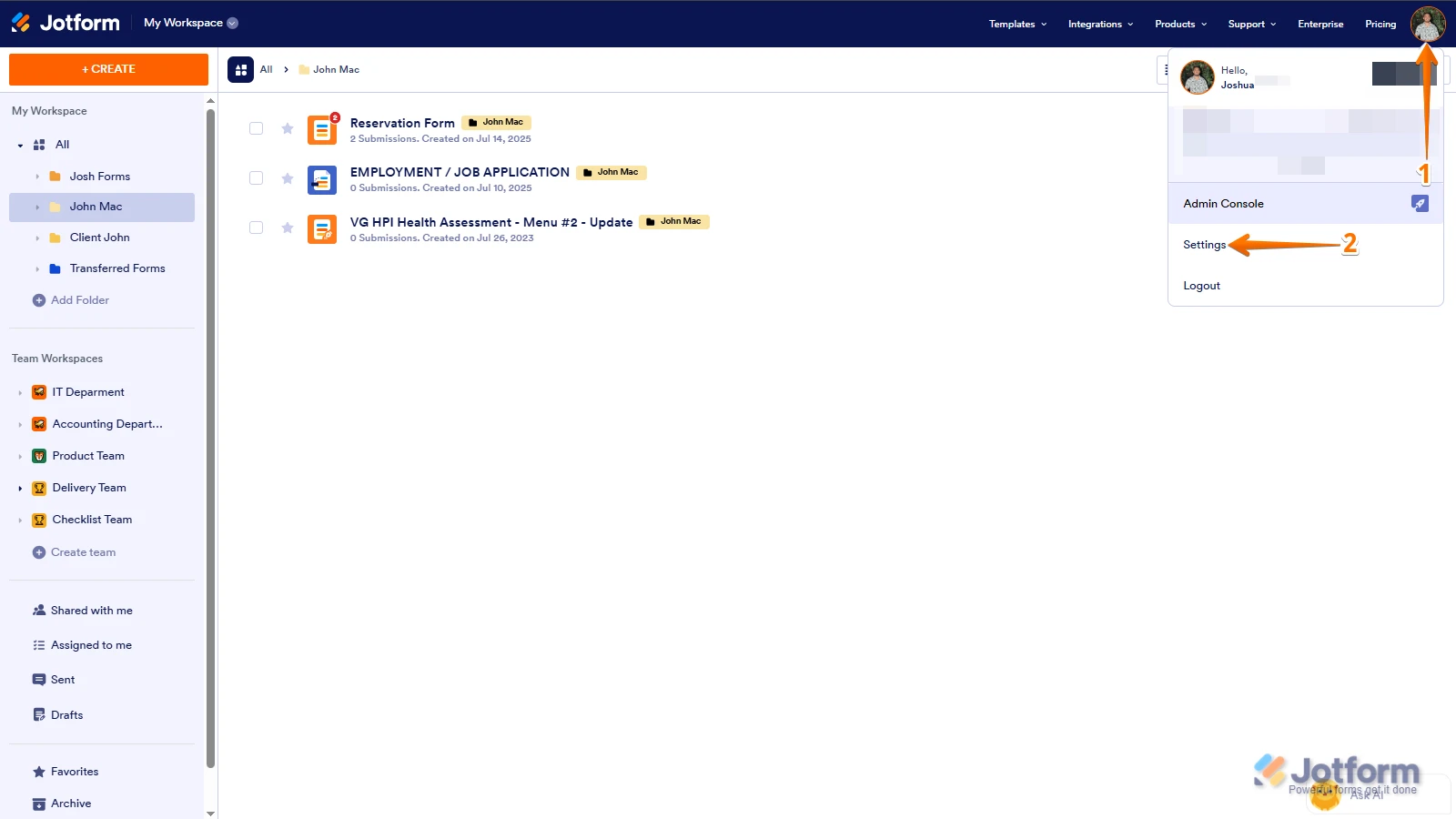
1. In the top-right corner of your Workspace page, click on your Avatar/Profile Image icon.
2. In the Dropdown menu that opens, click on Settings.
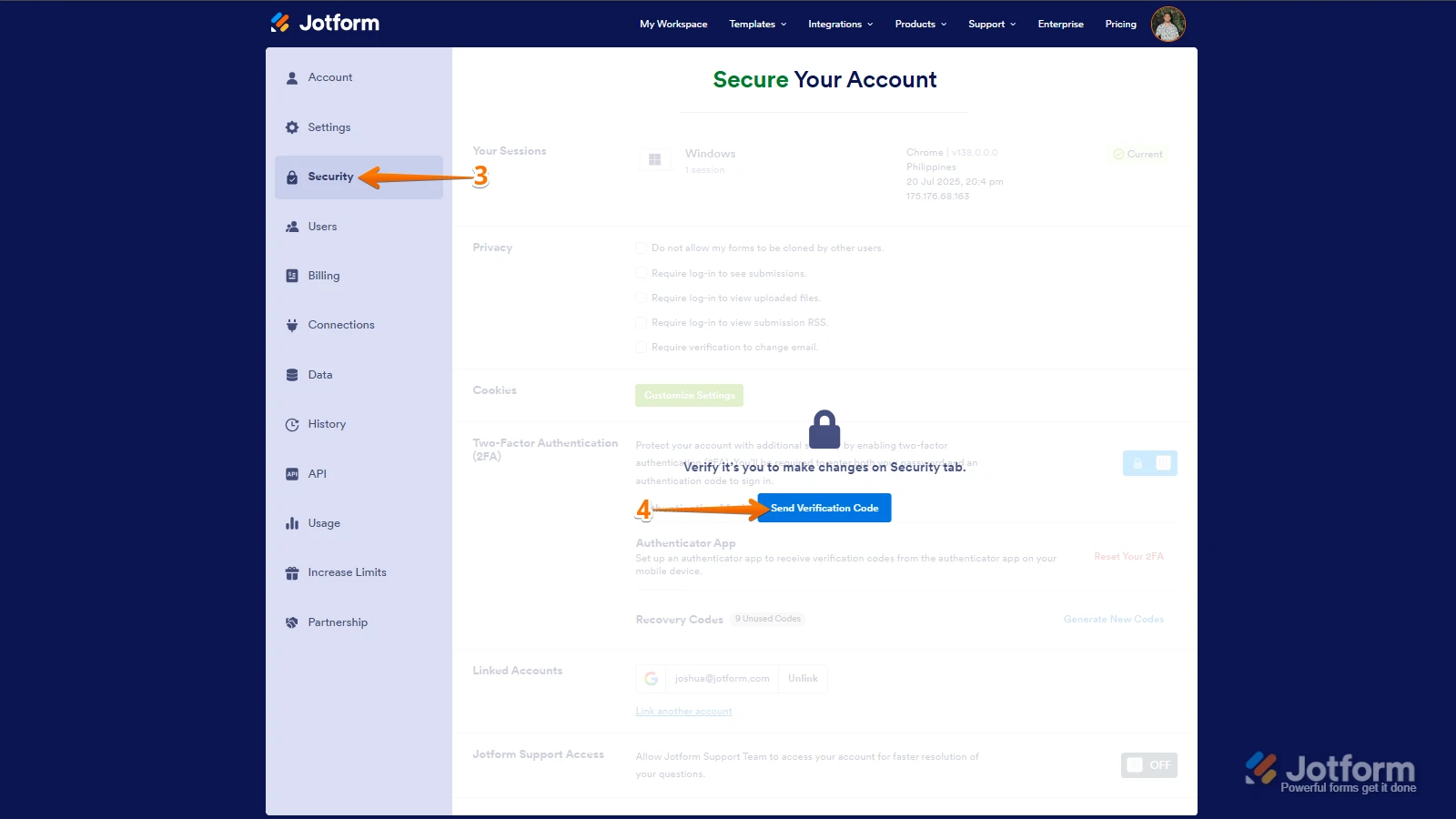
3. Next, in the panel on the left, click on the Security tab.
4. If you haven’t opened your Security page in a while, it’ll ask you to verify. To do that, click on Send Verification Code.
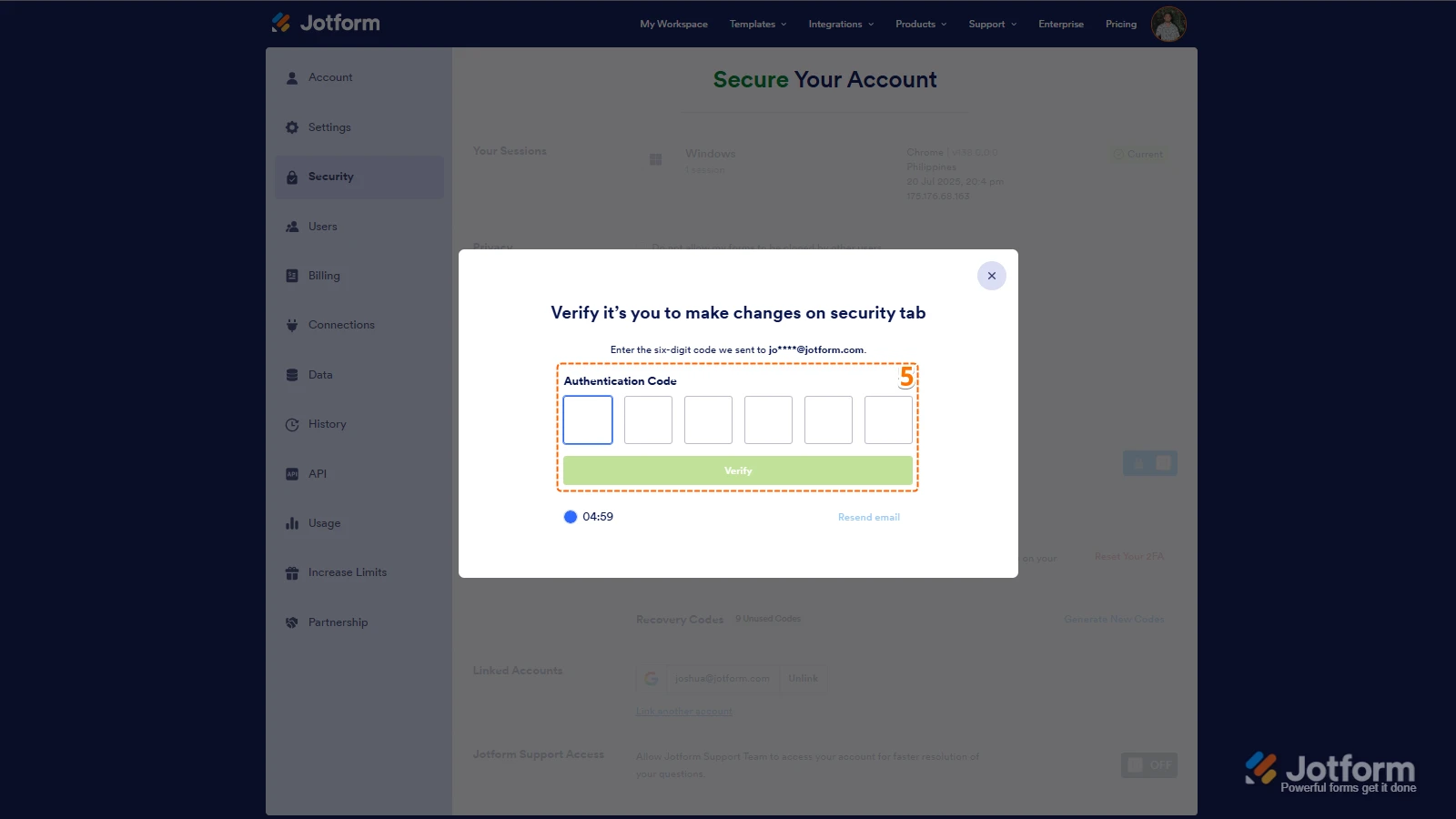
5. Then, enter the Verification Code you receive in your email.
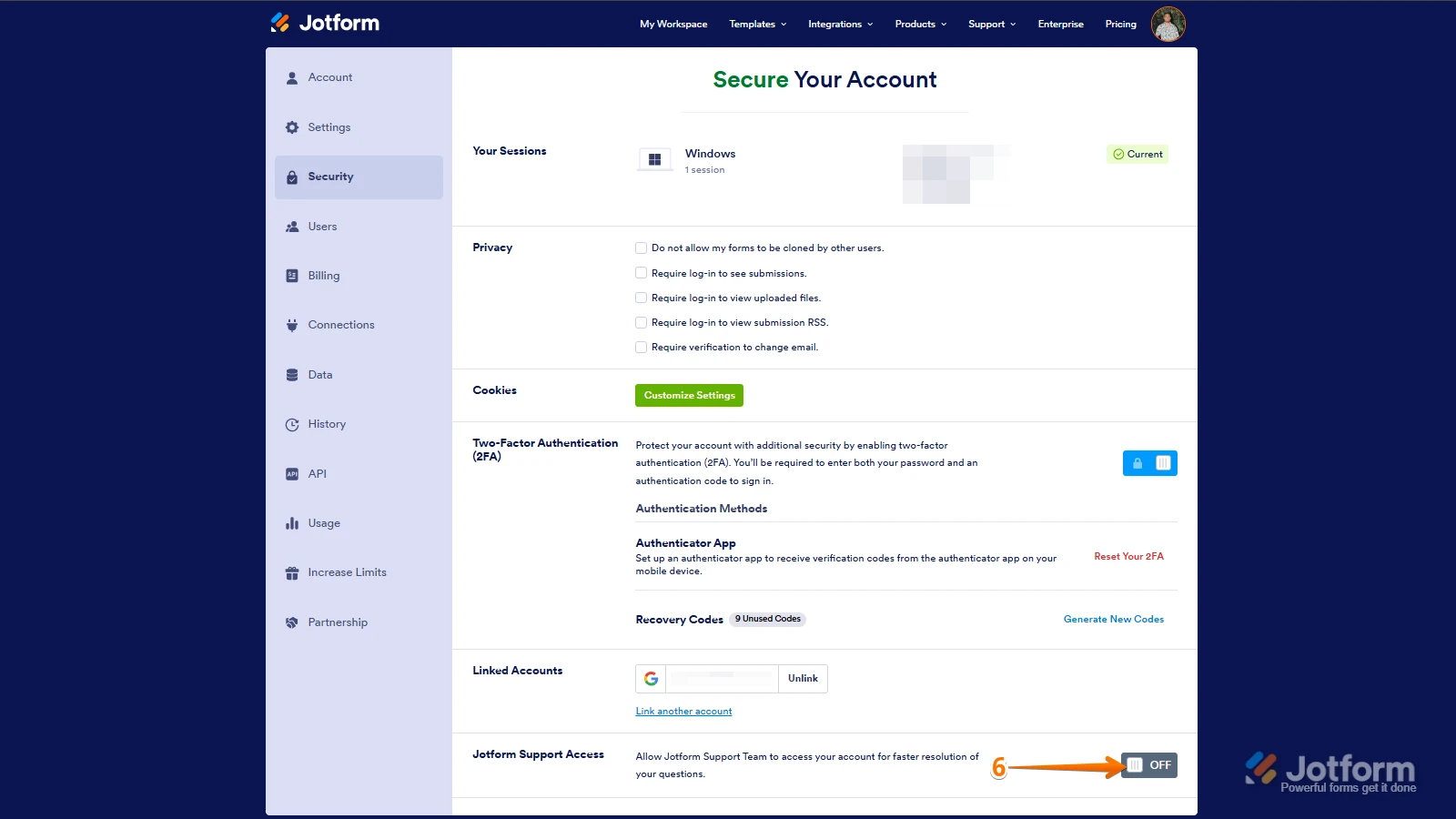
6. Finally, at the bottom of the page, toggle on Jotform Support Access.
After we hear back from you, we’ll have a better idea of what’s going on and how to help.


 After we hear back from you, we’ll have a better idea of what’s going on and how to help.