صانع اختبارات HTML مجاني
يعد منشئ الاختبارات HTML من Jotform أداة بدون كود تتيح لأي شخص إنشاء اختبارات تفاعلية وتضمينها مباشرة في المواقع الإلكترونية. استخدمه لـ تصميم تقييمات مخصصة من الصفر أو استخدام 20,000+ نموذج جاهز، مع تصحيح الإجابات تلقائيًا وجمع البيانات للتحليل. يقوم الأداة بإنشاء كود التضمين اللازم لك، مما يسهل نشر الاختبارات التي تتبع الأداء وتفاعل المستخدمين.
القوالب
استكشاف قوالب اختبارات HTML
ليس لديك وقت لإنشاء اختبارك الخاص؟ لا مشكلة! اختر أحد قوالب الاختبارات الجاهزة لدينا لإطلاق إبداعك. ثم خصص اختبارك ليتناسب مع احتياجاتك وأرسله إلى جمهورك لبدء جمع الردود.
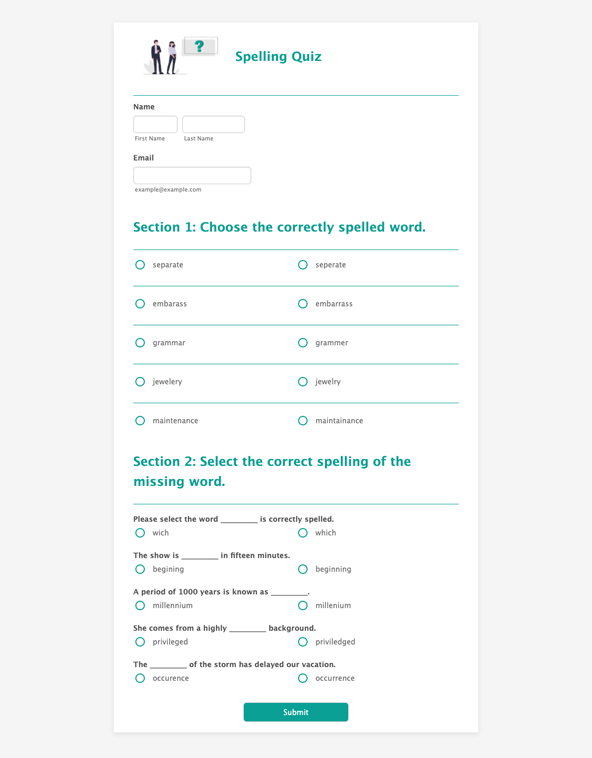
مسابقة إملائية
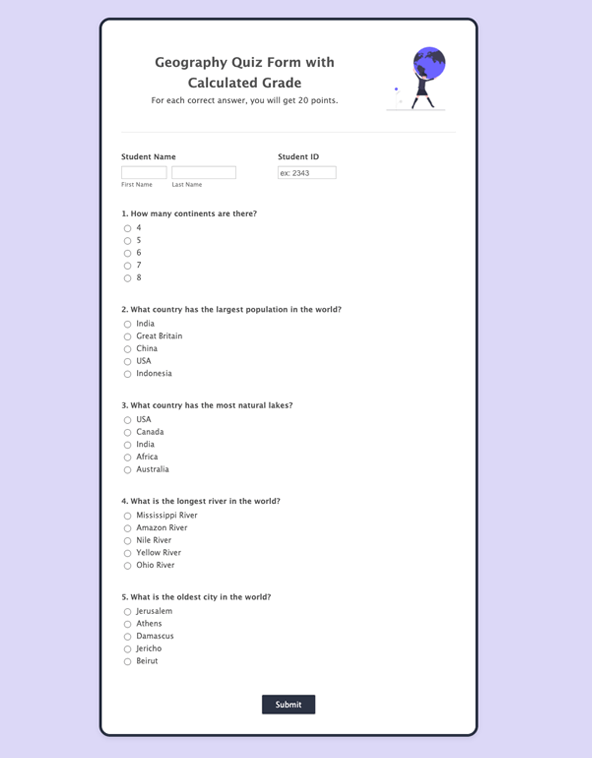
اختبار الجغرافيا
Friends Trivia

المزايا
أنشئ اختبارات مخصصة في ثوانٍ
منشئ اختبارات HTML بالسحب والإفلات
قم بإنشاء اختبار باستخدام منشئ اختبارات HTML الذي يستخدم أداة السحب والإفلات بدلًا من البرمجة. أضف الصور أو الفيديوهات، ثم اضبط الخطوط والألوان والشعارات لتتناسب مع تصميم الاختبار. يسهل هذا نشر اختبار يبدو متناسقًا مع باقي الموقع أو البوابة الإلكترونية.
إدارة البيانات وتصويرها
راجع ردود الاختبارات في مكان واحد بعد تقديم المشاركين لإجاباتهم. أرسل إدخالات النماذج إلى Jotform Tables بحيث تُنظم الردود في مساحة عمل بأسلوب جدول البيانات يمكن تصفيتها وتصنيفها. كما يمكن إنشاء تقارير مرئية من نفس بيانات الرد عندما يحتاج الفريق إلى ملخص قابل للمشاركة للنتائج.
تضمين اختباراتك
انشر الاختبارات من خلال تضمينها مباشرة في موقع ويب باستخدام كود التضمين الخاص بـ Jotform. شارك نفس الاختبار كرابط مباشر أو باستخدام رمز QR يمكن مسحه عندما يحتاج الأشخاص إلى الوصول السريع من الهاتف. تساعد هذه الخيارات الفرق على وضع الاختبار حيث يكون الجمهور بالفعل، بدلًا من إرسالهم إلى وجهة منفصلة.
تتبع النتائج من أي مكان
تحقق من نتائج الاختبارات من أي جهاز بحيث يمكن للفرق مراقبة الأداء دون الحاجة للبقاء أمام سطح المكتب. استخدم تنبيهات الإرسال على الجوال لتلقي إشعارات عند وصول ردود جديدة، ثم افتح بيانات الرد لمراجعة ما تغيّر. يسهّل هذا متابعة نشاط الاختبارات أثناء الفعاليات أو الدروس أو الحملات التي تُجرى خارج ساعات العمل المعتادة.
توصيات