أداة الرجوع لأعلى الصفحة لموقعك الإلكتروني
اجعل التنقل في الصفحات الطويلة أسهل باستخدام زر قابل للتخصيص يعيد الزوار إلى أعلى الصفحة. وتتيح لك أداة «العودة إلى الأعلى» من Jotform اختيار الرمز والحجم والألوان والموضع ومحفز التمرير وإمكانية الظهور على الأجهزة المختلفة، ثم تضمين الزر دون الحاجة إلى كتابة أي كود برمجي.
كيفية إنشاء عنصر واجهة الرجوع إلى الأعلى
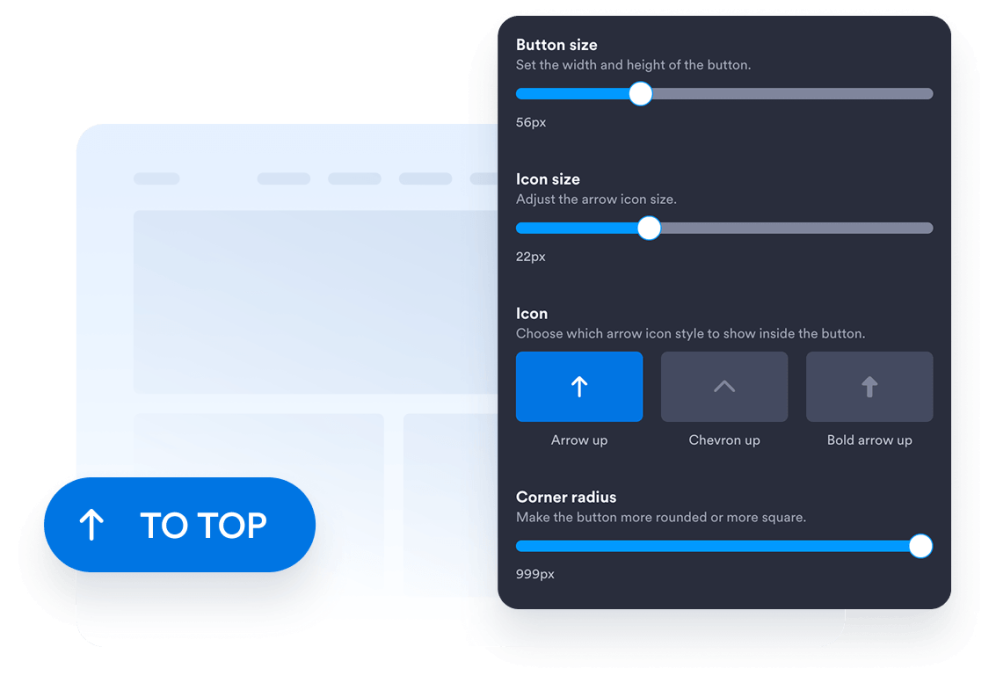
تخصيص تصميم الزر الخاص بك
اختر نمط الزر، والرمز، والحجم، والألوان، ونصف قطر الزوايا، وموضعه على الشاشة. اضبط التباعد بين العناصر ومظهرها بحيث يتناسب مع تصميم موقعك الإلكتروني.
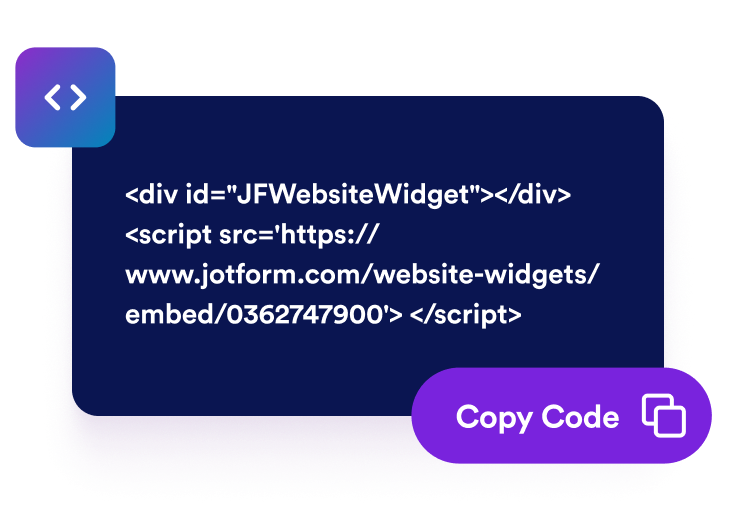
احصل على رمز التضمين
انسخ كود التضمين الجاهز للاستخدام الذي تم إنشاؤه بواسطة Jotform. لا حاجة إلى إعداد أو برمجة.
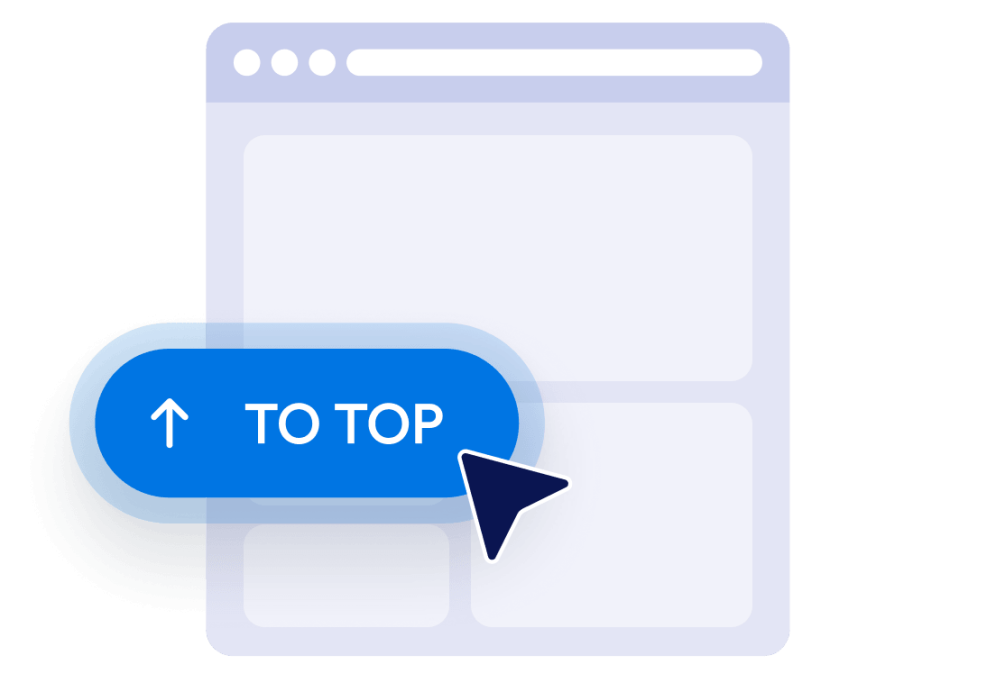
قم بتضمينها في موقع الويب الخاص بك
قم بمعاينة الزر، وانسخ رمز التضمين الذي تم إنشاؤه، ثم الصقه في كتلة HTML مخصصة أو كتلة تضمين. انشر الصفحة واختبر الزر على شاشات أجهزة الكمبيوتر المكتبية والأجهزة المحمولة.
تسهيل التنقل في صفحات المواقع الإلكترونية الطويلة
ساعد الزوار على العودة إلى أعلى الصفحة
امنح الزوار طريقة سريعة للعودة إلى بداية الصفحات الطويلة دون الحاجة إلى التمرير يدويًّا. يظل الزر في متناول اليد، ويقوم بنقل الزوار بسلاسة إلى أعلى الصفحة عند النقر عليه.

إظهار الأزرار بعد قيام الزوار بالتمرير
حدد مدى نزول الزوار في الصفحة قبل ظهور الزر. يساعد ذلك في إبقاء الزر بعيدًا عن طريقهم بالقرب من أعلى الصفحة، مع إتاحته عندما تصبح العودة إلى الأعلى مفيدة.

اختر الأزرار التي تتناسب مع تصميمك
قم بتخصيص الرمز والحجم والألوان ونصف قطر الزوايا والمسافات لإنشاء زر «العودة إلى الأعلى» الذي يناسب موقعك الإلكتروني. ضعه على الجانب الأيسر أو الأيمن وفقًا لتصميم صفحتك.

التحكم في ظهور المحتوى على أجهزة الكمبيوتر المكتبية والأجهزة المحمولة
اختر ما إذا كان الزر سيظهر على أجهزة سطح المكتب أم الأجهزة المحمولة أم كليهما. تساعدك عناصر التحكم في ظهور الزر وموضعه على تجنب إخفاء محتوى مهم من الصفحة مع الحفاظ على سهولة الوصول إلى عناصر التنقل على الشاشات الأصغر حجمًا.
لماذا تتميز أدوات Jotform لمواقع الويب؟
تجعل أدوات Jotform موقع الويب الخاص بك أكثر تفاعلية وتساعد على زيادة معدلات التحويل. تتوفر العديد من الأدوات، بدءًا من تقييمات النجوم وأشرطة تمرير تقييمات العملاء، وصولًا إلى النوافذ المنبثقة التي تعرض تقييمات العملاء وتضمين الوسائط. أضف الأدوات إلى نماذجك أو صفحاتك المقصودة لجمع البيانات، وعرض آراء العملاء، وجمع العملاء المحتملين — دون الحاجة إلى كتابة أكواد.
أضف أدوات Jotform إلى موقعك الإلكتروني باستخدام كود تضمين بسيط. خصّص الأداة، واعرض معاينة لشكلها، ثم أدرجها في أي صفحة تدعم HTML المخصص أو حزم التضمين، وكل ذلك دون الحاجة إلى مطور.
استخدم أدوات مواقع الويب من Jotform لجمع بيانات العملاء المحتملين، وإظهار تقييمات العملاء، وعرض الآراء الاجتماعية، وتضمين ملفات الوسائط، أو إضافة أدوات مفيدة لصفحات ويب. تقوم كل أداة بمساعدة الزوار على التفاعل مع خدماتك مباشرةً من موقعك الإلكتروني.
إذا كنت بحاجة إلى مساعدة في إعداد أداتك أو تخصيصها أو تضمينها أو استكشاف المشكلات وإصلاحها، فإن فريق دعم العملاء في Jotform متاح على مدار الساعة طوال أيام الأسبوع. يمكنك المتابعة بثقة، مع العلم أن المساعدة متاحة عندما تحتاج إليها.
أين تستخدم زر «العودة إلى الأعلى»؟
أضف الزر إلى الصفحات التي يتعين على الزوار فيها التمرير عبر محتوى ضخم أو قوائم أو صور أو معلومات داعمة.
منشورات المدونة والمقالات لمساعدة القراء على العودة إلى العنوان الرئيسي أو أداة التنقل أو جدول المحتويات.
صفحات فئات المنتجات لتمكين المتسوقين من العودة إلى عوامل التصفية أو عناصر التحكم في الترتيب أو التنقل بين الفئات.
صفحات الهبوط وصفحات المبيعات لمساعدة الزوار على إعادة الاطلاع على المحتوى التمهيدي وعبارات الحث الأساسية على اتخاذ إجراء.
صفحات التوثيق لتسهيل التنقل عبر الأدلة الطويلة والتعليمات والمواد المرجعية.
صفحات المحفظة والمعرض لمساعدة الزوار على استئناف تصفحهم بعد الاطلاع على مجموعة كبيرة من الأعمال.
صفحات الأسئلة الشائعة والموارد لتوفير مسار عودة سهل بعد أن يستكشف الزوار أقسامًا متعددة.
حوّل العملاء المحتملين إلى مبيعات حقيقية باستخدام منشئ النماذج من Jotform
حوّل التفاعل إلى نتائج فعلية مع Jotform. أنشئ نماذج قوية لجمع بيانات العملاء المحتملين، واستلام المدفوعات، وأتمتة الردود، كل ذلك في مكان واحد. تصل جميع البيانات المرسلة إلى صندوق الوارد في Jotform الخاص بك، حيث يمكنك المتابعة أو الربط مع تطبيقاتك المفضلة.
ابدأ - إنه مجاني!
أسئلة متكررة ومتداولة
ما هي أداة «العودة إلى الأعلى»؟
تضيف أداة العودة إلى الأعلى زرًا عائمًا يعيد الزوار إلى بداية الصفحة. وتكون مفيدة بشكل خاص في المقالات الطويلة وقوائم المنتجات والوثائق والمعارض وغيرها من الصفحات التي تتطلب تمريرًا طويلًا.
كيف يمكنني إضافة زر «العودة إلى الأعلى» إلى موقع الويب الخاص بي؟
هل أحتاج إلى كتابة كود لإنشاء الزر؟
هل يمكنني تخصيص تصميم زر «العودة إلى الأعلى»؟
متى يظهر زر «العودة إلى الأعلى»؟
هل يمكنني تغيير موضع الزر على الشاشة؟
هل يعمل الزر على الأجهزة المحمولة؟
هل أداة «العودة إلى الأعلى» من Jotform مجانية؟
هل يمكنني إضافة زر "العودة إلى الأعلى" إلى WordPress أو Elementor؟
ما هي منصات المواقع الإلكترونية التي تدعم أداة «العودة إلى الأعلى»؟