-
 alepostigo97Mobile Offline
1
Message
la sincronización
Platform
iOS
Appversion
2.12.40
Deviceinfo
User Device: Apple - iPhone - Handset - 18.6.2
Source
Review
App
Jotform
-
 Bojan Support Team Lead
Hi alepostigo97,
Thanks for reaching out to Jotform Support. Our Spanish Support agents are busy helping other Jotform users right now, so I'll try to help you in English using Google Translate, but you can reply in whichever language you feel comfortable using. Or, if you'd rather have support in Spanish, let us know and we can have them do that. But, it might take a while until they're available again.
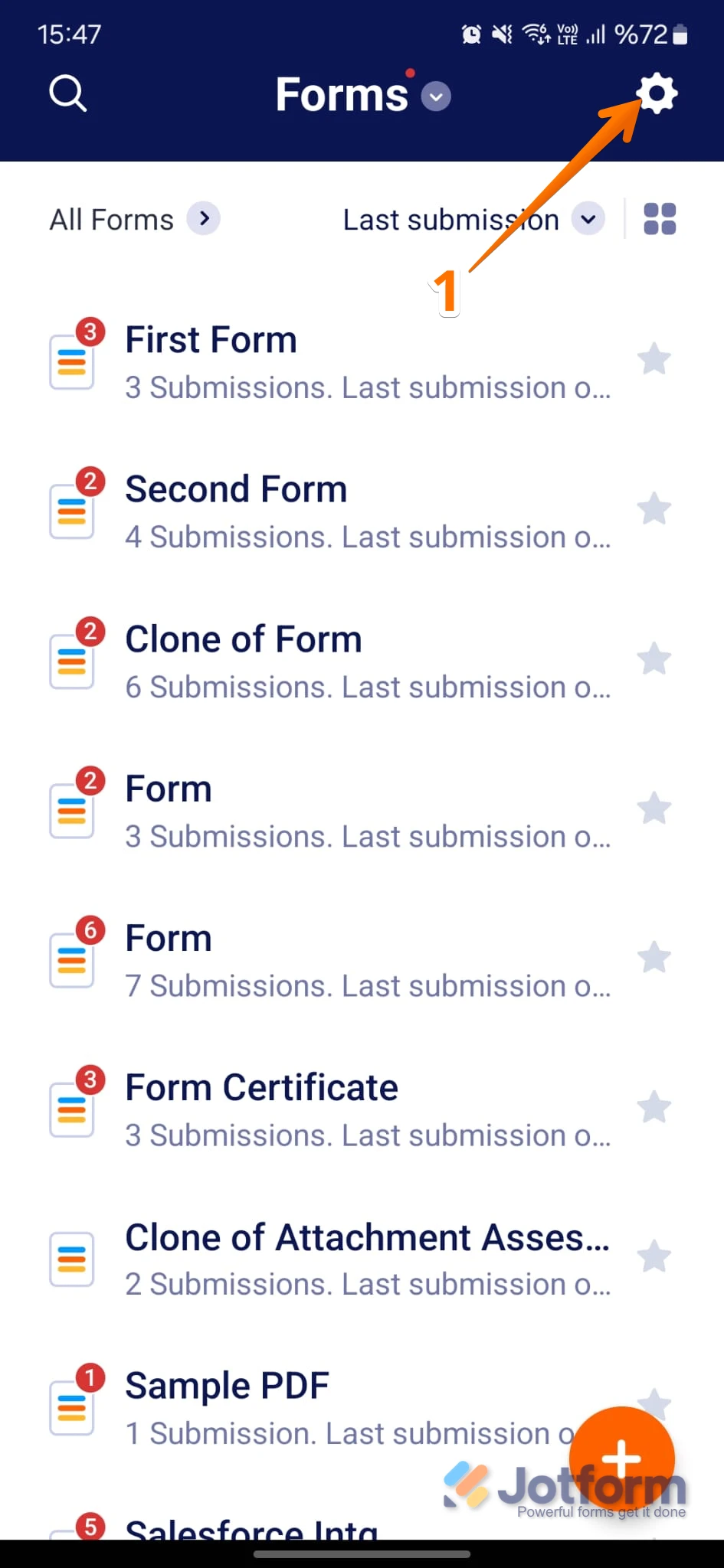
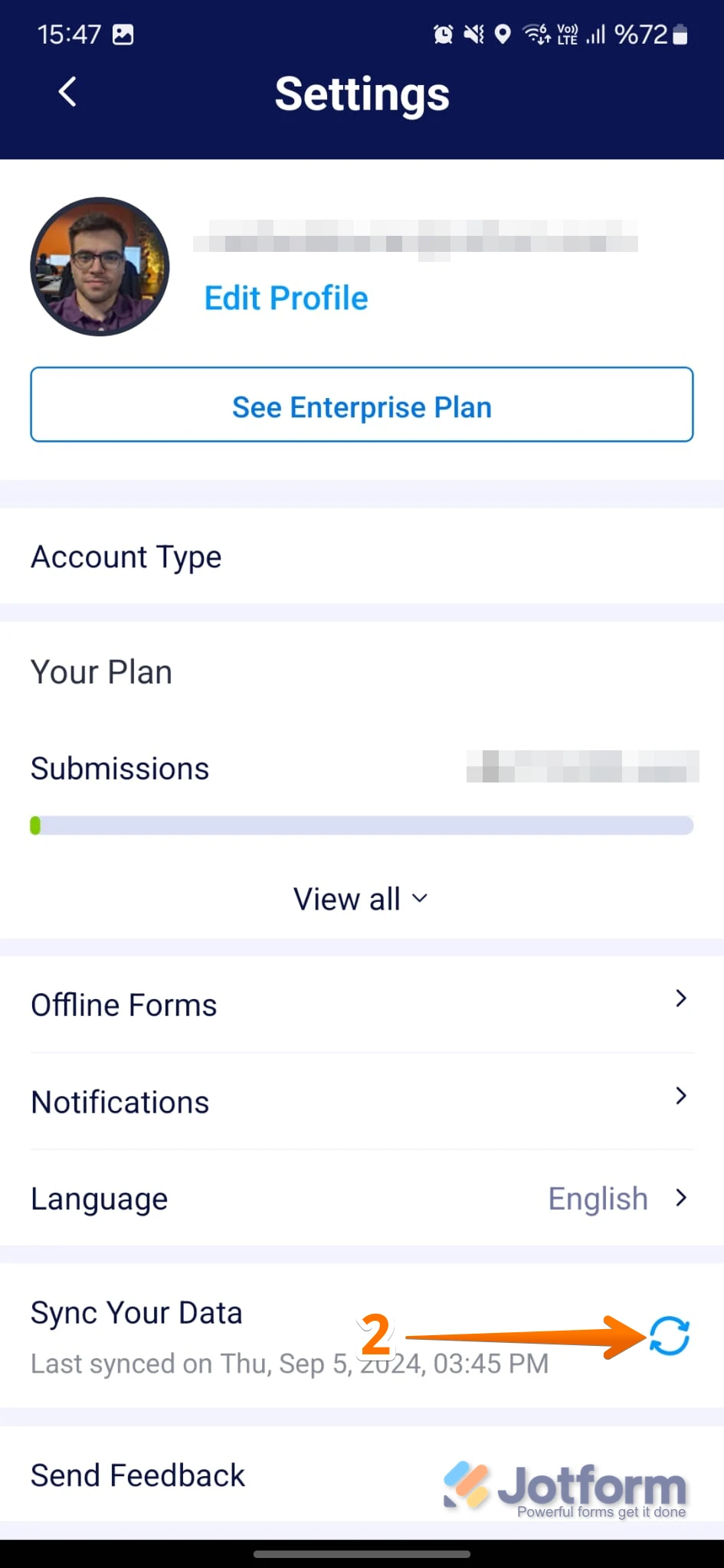
Now, coming back to your question, can you let us know, are you having issues with synchronizing submissions on the Jotform mobile app? If you do, here's how to do it manually:
1. On your My Forms page, tap on the Gear icon in the top right corner of the screen to open Settings.

2. While in Settings, scroll down and tap on the Refresh icon in the Sync Your Data section.
If you want the app to refresh and get the latest data without any issues, you should enable the Background App Refresh feature for the Jotform App in your phone settings.
If there are any other issues with this, share a screenshot with us so we understand better what's going on.
Reach out again if there’s anything else we can do for you.
Your Reply
Something Went Wrong
An error occurred while generating the AI response. Please try again!