

Plantillas de apps de listas de verificación

Servicio de Limpieza App
Una aplicación de servicio de limpieza se utiliza por propietarios y amos de casa para organizar las tareas y la organización de tareas desde una única ubicación. Esta aplicación de limpieza une dos formularios: una lista de limpieza para que así los amos de la casa puedan tomar notas de las zonas de la casa y de si es necesario comprar material, y el segundo formulario, que incluye una lista de la compra con los diferentes artículos que compraremos al ir a hacer la compra y tendremos ahí reflejado el coste total. Los envíos se realizan instantáneamente y están sincronizadas de manera segura a vuestra cuenta de Jotform. Esto permite tener un control de lo que se ha realizado, en qué zonas y cuando. Para hacer vuestra la aplicación, es muy sencillo, ya que con Jotform no necesitáis emplear código para construirla. Únicamente arrastrad y soltad los elementos, editad contenido de los formularios individuales, escoged las tipografías y colores, subid vuestro propio logo y poned un icono que vaya con vuestra imagen. Podéis personalizar la página de inicio para que así muestre un calendario rotatorio con las diferentes tareas a realizar en día diferentes. Una vez ya la hayáis modificado a vuestro gusto, compartid la app enviando el link por mail o mensaje de texto, y los amos de casa podrán descargarlo desde cualquier dispositivo. Organiza y gestiona las listas del mantenimiento de la casa y las listas de la compra desde una app que lo tenga todo y que sea totalmente personalizable.
Ir a la categoría:Apps de verificación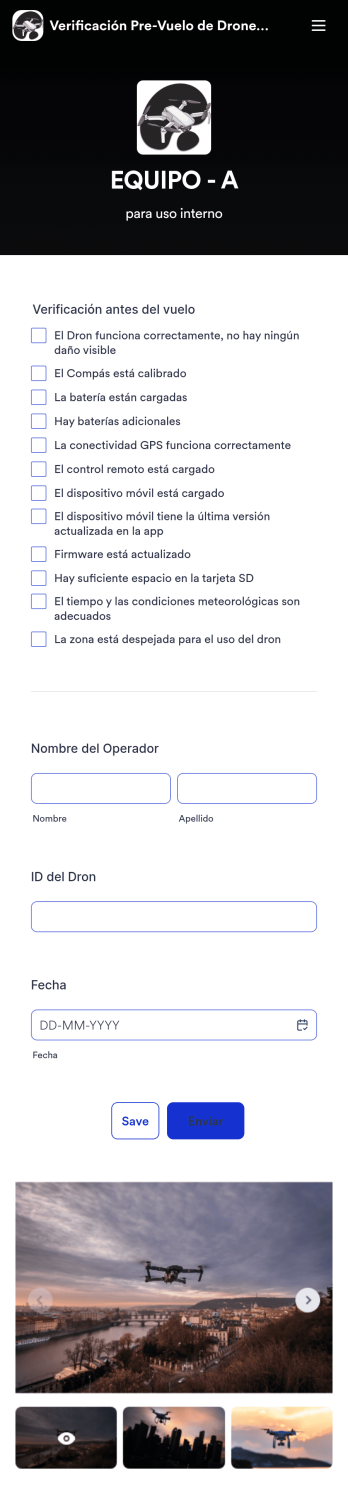
Verificación Pre-Vuelo de Drones App
Aplicación de lista de verificación previa al vuelo de drones asegura que los pilotos de drones siguen los pasos correctos para tener un vuelo controlado y seguro. Si eres un inspector de drones o un piloto, prepara tu próximo vuelo con nuestra plantilla gratuita de Jotform. Esta aplicación ya lista. Incluye una lista exhaustiva que requiere el nombre del operador, el ID del dron, la fecha de vuelo, entre otras. Puedes descargar la aplicación para rellenar el formulario desde cualquier dispositivo móvil, tablet u ordenador. Los envíos se almacenan de manera segura en vuestra cuenta de Jotform con vuestros registros. Esta aplicación de verificación antes del vuelo, ya está lista para ser utilizada tal y como está. Pero si estás buscando incluso más, personaliza la plantilla en solo un par de clics con nuestro creador de formularios de arrastrar y soltar. Podéis añadir nuevas filas a la lista de revisión, añadir nuevos formularios y tablas, modificar las tipografías, los colores e incluso actualizar el nombre de la aplicación, icono, y página de inicio para así tener un diseño personalizado. Una vez que os guste cómo queda, descargar la aplicación en el dispositivo que queráis en cualquier momento. Comprobad las condiciones, guardad las características de los vuelos, y prevenid cualquier tipo de daño utilizando una lista de verificación antes del vuelo.
Ir a la categoría:Apps de verificación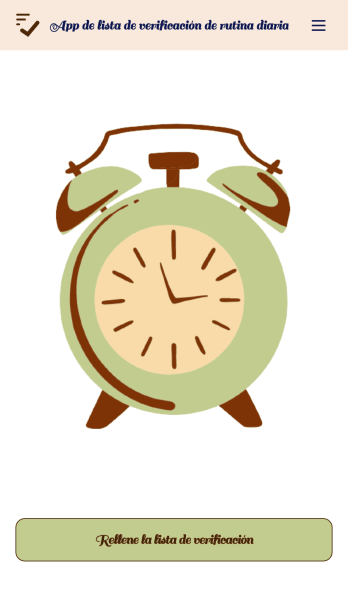
App de lista de verificación de rutina diaria
Una rutina diaria puede ayudar a reducir el estrés al proporcionar estructura y permitirle organizar su tiempo a lo largo del día. Con la app gratuita Lista de verificación de rutina diaria de Jotform, puede establecer con mayor facilidad una rutina diaria y marcar cada tarea pendiente desde cualquier dispositivo. Esta app móvil personalizable incluye listas de verificación para la mañana, la tarde y la noche. Puede completar el formulario adjunto Lista de verificación de rutina diaria para sincronizar automáticamente las entradas con su tabla, o ingresar la información directamente en la propia lista de verificación. Personalizar su app Lista de verificación de rutina diaria no le llevará nada de tiempo. Solo tiene que arrastrar y soltar para añadir formularios, tablas, enlaces, texto, imágenes y mucho más a su app. Puede descargar su app en cualquier dispositivo e incluso compartirla con otras personas para que le ayuden a cumplir con sus compromisos. Tanto si es estudiante, profesor o profesional en activo, nuestra app de Lista de verificación de rutina diaria le ayudará a llevar un control de su rutina diaria — ¡y a mejorarla!
Ir a la categoría:Apps de planificación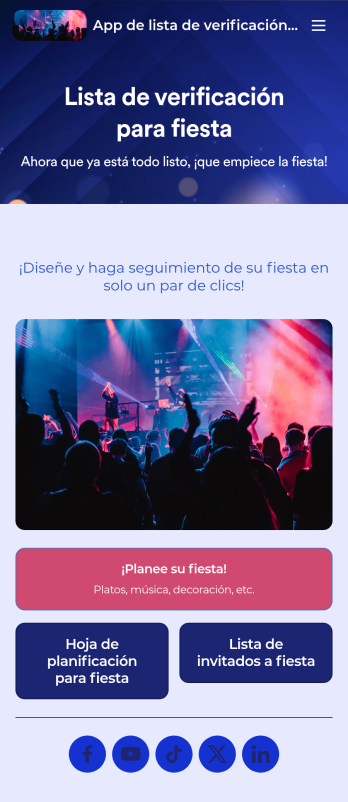
App de lista de verificación para fiesta
Tanto si está organizando una fiesta discreta como la mayor fiesta del año, ¡tenga todo listo a tiempo con nuestra app de Lista de verificación para fiesta! Esta plantilla de aplicación prefabricada incluye una lista de verificación para la planificación de fiestas y nuestra plantilla Lista de invitados a fiesta. Envíe su formulario de invitación a la fiesta por separado y vea cómo las solicitudes de los invitados se rellenan automáticamente en la tabla Lista de invitados a fiesta — ubicada en su app. Puede utilizar esta aplicación para sus propias fiestas o, si tiene un negocio de organización de fiestas, puede compartirla con sus clientes para recopilar rápidamente sus solicitudes en línea. Ya dedica mucho tiempo a crear la fiesta perfecta — así que ¿por qué no hacer lo mismo con su app de Lista de verificación para fiestas? Sin necesidad de programar, puede crear nuevos formularios, cargar una imagen de fondo diferente y personalizar el nombre, el icono y la página de inicio a su gusto. Cuando haya terminado, puede compartir su app a través de un enlace y acceder a los envíos en su cuenta de Jotform. ¡Haga que su próximo evento sea el mejor hasta ahora con una app personalizada de lista de verificación para fiestas diseñada para ayudarle a mantenerse organizado!
Ir a la categoría:Apps para planificación de eventos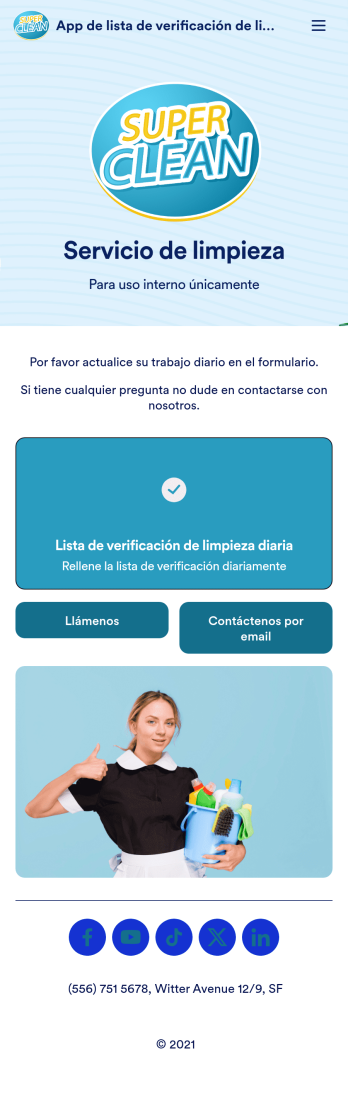
App de lista de verificación de limpieza diaria de oficina
Independientemente del tipo de negocio que tenga, mantenga limpias las oficinas y los espacios de trabajo compartidos con nuestra aplicación gratuita Lista de verificación diaria para la limpieza de oficinas. Esta app lista para usar incluye un formulario de lista de verificación de limpieza diaria de oficinas que usted y sus empleados pueden completar desde cualquier teléfono inteligente, tableta o computadora. Los envíos se recibirán al instante y se almacenarán en su cuenta de Jotform. Personalice su app Lista de verificación de limpieza diaria de oficinas con solo unos clics. Nuestra interfaz de arrastrar y soltar es tan fácil de usar que cualquiera puede añadir formularios, tablas, enlaces, imágenes, texto y mucho más. Una vez que esté lista para usar, comparta su app con otras personas enviándoles el enlace de la app o añadiéndola al sitio web interno de su empresa. Asegúrese de que se cumplan los requisitos de limpieza de su oficina todos los días con una app de lista de verificación de limpieza diaria de oficinas de fácil acceso para su negocio.
Ir a la categoría:Apps de verificación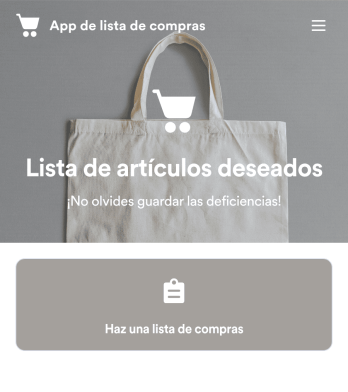
App de lista de compras
Lleve un control de su lista de compras con la aplicación gratuita Shopping List App de Jotform. Tanto si está reuniendo ingredientes para su restaurante como si está haciendo la compra para su hogar, anote rápidamente los artículos que necesita y guárdelos de forma segura en su cuenta en línea. La aplicación incluye secciones para frutas y verduras, carne y aves, y otros artículos como aperitivos, artículos de aseo y productos enlatados. Realice cambios en el diseño de la aplicación Lista de compras con nuestro creador de aplicaciones de arrastrar y soltar. No se requiere programación: puede actualizar formularios y añadir enlaces, hojas de cálculo, imágenes y otros elementos con solo tocar un botón. ¡Incluso puede cambiar el fondo y el icono de la aplicación para darle un toque personal! A continuación, descargue su app de Lista de compras personalizada al instante o compártala con un enlace para que sus empleados o familiares la rellenen en sus propios dispositivos.
Ir a la categoría:Apps de verificación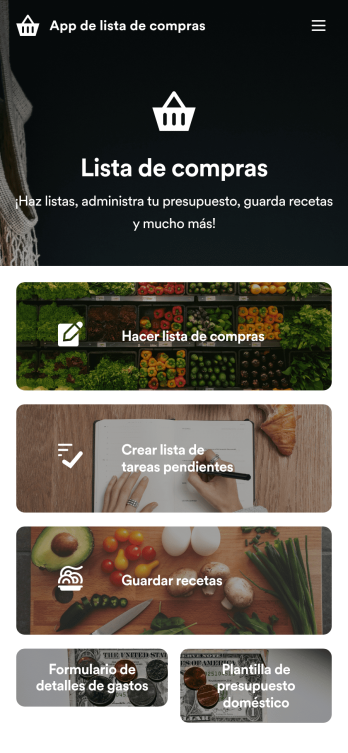
App de lista de compras
¡Una app de lista de compras facilita la compra desde cualquier dispositivo! Cree listas de compras, guarde recetas y controle sus gastos desde su dispositivo favorito con la app gratuita Lista de compras de Jotform. Esta plantilla de app lista para usar incluye formularios para listas de compras, listas de tareas pendientes, recetas y presupuestos. Puede descargar la app en su teléfono inteligente, tableta o computadora para acceder fácilmente a ella sin importar dónde se encuentre. Personalice esta app de compras con nuestro creador de arrastrar y soltar. Sin necesidad de programar, puede agregar formularios, enlaces a recetas, imágenes de productos, tablas o cuadrículas de datos, páginas y botones de la app, y muchos más elementos. Cuando esté satisfecho con el diseño de la app, guárdela en su dispositivo favorito para poder consultarla cuando vaya de compras. Incluso puede compartir la app con otras personas simplemente compartiendo el enlace de la app o enviando invitaciones por correo electrónico. Haga que su próxima compra sea muy fácil — y sin salirse del presupuesto — con una App de lista de compras totalmente personalizada.
Ir a la categoría:Apps de verificaciónAcerca de Plantillas de apps de listas de verificación
Las aplicaciones de listas de verificación son aplicaciones móviles y web versátiles que se han diseñado para optimizar y mejorar los procesos operativos en una gran variedad de sectores. Estas aplicaciones simplifican la gestión del flujo de trabajo al ofrecer una interfaz digital para el seguimiento de tareas, la gestión de inventarios y las comprobaciones de cumplimiento. Sectores como la salud, la fabricación y el comercio minorista usan aplicaciones de listas de verificación para sus operaciones diarias, lo que garantiza que las tareas se completen de manera eficaz y precisa. Los flujos de trabajo del mundo real se benefician de la estructura y la responsabilidad que aportan las aplicaciones de listas de verificación, ya que ofrecen a los equipos la posibilidad de gestionar las tareas de forma colaborativa y en tiempo real.
Jotform Apps es el creador de apps sin código definitivo para crear apps de listas de verificación, usando tecnología de apps web progresivas (PWA). Esto significa que los usuarios pueden instalar estas apps directamente desde un navegador sin necesidad de una tienda de apps, lo que garantiza una funcionalidad perfecta en iOS, Android, tablets y computadoras de escritorio. Jotform Apps también proporciona un centro de datos centralizado a través de Jotform Tablas, lo que permite una gestión y un análisis eficientes de los datos. Esta integración favorece un flujo de trabajo optimizado, potenciando la capacidad de los equipos para realizar un seguimiento, gestionar y optimizar sus tareas en tiempo real.
¿Por qué usar aplicaciones de listas de verificación?
- Las apps de listas de verificación mejoran considerablemente la eficiencia operativa al automatizar las tareas rutinarias y brindar actualizaciones en tiempo real. Esta automatización permite a las empresas centrarse en iniciativas estratégicas en lugar de en la gestión de tareas rutinarias.
- Mejoran la precisión en la realización de las tareas al proporcionar plantillas estructuradas que minimizan los errores humanos. Esta estructura asegura que se tenga en cuenta cada paso, lo que reduce el riesgo de que se pasen por alto tareas o de que los procesos queden incompletos.
- Gracias a las apps de listas de verificación, las empresas pueden escalar fácilmente sus operaciones sin que ello suponga un aumento proporcional de los gastos administrativos. La capacidad de estas apps para gestionar grandes volúmenes de datos y usuarios las convierte en la solución perfecta para empresas en expansión.
- Estas aplicaciones permiten mejorar la comunicación y la colaboración entre los miembros del equipo, ya que facilitan el acceso compartido a listas de verificación y a información sobre el estado de los trabajos. Este acceso compartido contribuye a mantener la transparencia y la responsabilidad dentro de los equipos.
- Las apps de listas de verificación se adaptan a diversos sectores, lo que las hace muy versátiles para satisfacer diferentes necesidades empresariales. Ya se trate de comprobaciones de cumplimiento normativo en el sector salud o de control de calidad en la industria manufacturera, estas apps pueden personalizarse según los requisitos específicos de cada sector.
Problemas comunes que resuelven las aplicaciones de listas de verificación
- Muchas empresas se enfrentan al reto que supone el seguimiento manual de las tareas, un proceso que consume mucho tiempo y es propenso a errores. Las aplicaciones de listas de verificación resuelven este problema automatizando el proceso, lo que permite garantizar que las tareas se completen con precisión y a tiempo.
- El cumplimiento de la normativa del sector puede resultar complejo y exige un registro meticuloso. Las apps de listas de verificación ofrecen una forma sistemática de documentar las actividades de cumplimiento, lo que disminuye el riesgo de multas y sanciones.
- Los fallos en la comunicación pueden provocar incumplimientos de plazos y una falta de coordinación en el trabajo. Las aplicaciones de listas de tareas proporcionan una plataforma centralizada para el seguimiento de tareas y las actualizaciones, mejorando la comunicación y la coordinación entre los miembros del equipo.
- Las listas de verificación convencionales en papel no son respetuosas con el medio ambiente y se pierden con facilidad. Las apps de listas de verificación digitalizan estos procesos, lo que supone un método más sostenible y fiable para la gestión de tareas.
Funciones según el caso de uso
- En los sectores que exigen actualizaciones y recordatorios periódicos, la función de notificaciones push garantiza que los miembros del equipo estén informados en tiempo real sobre los plazos y el estado de las tareas, mejorando así la productividad y la responsabilidad.
- En los procesos en los que las interacciones con los clientes implican pagos, las integraciones de pago como Stripe y PayPal permiten a las empresas cobrar los pagos directamente mediante la aplicación de un modo sencillo, lo que hace que las transacciones sean eficaces y seguras.
- La interfaz de arrastrar y soltar es perfecta para empresas que necesitan personalizar rápidamente sus aplicaciones para adaptarlas a necesidades operativas concretas, ya que permite realizar ajustes en tiempo real sin necesidad de conocimientos técnicos.
- La automatización de los flujos de trabajo resulta particularmente beneficiosa para los sectores en los que se realizan tareas repetitivas, ya que activa automáticamente las acciones posteriores en función de la finalización de las tareas, lo que optimiza los procesos y reduce la intervención manual.
- Los métodos para compartir, como el enlace directo, el correo electrónico y el código QR, permiten distribuir fácilmente la aplicación entre los usuarios, lo que asegura que los miembros del equipo y las partes interesadas tengan acceso inmediato a las listas de comprobación necesarias sin obstáculos técnicos.
Cómo crear una aplicación de lista de verificación
- Elija una plantilla relevante para la categoría de la Lista de Plantillas o comience desde cero.
- Personalice utilizando la Interfaz de Arrastrar y Soltar.
- Comparta mediante enlace, código QR o incrustación.
Principales casos de uso para aplicaciones de listas de verificación
- Para gerentes: Los gerentes pueden aprovechar las aplicaciones de listas de verificación para supervisar los plazos de los proyectos y garantizar que todos los miembros del equipo estén alineados con los objetivos del proyecto. Al realizar un seguimiento del progreso a partir de estas aplicaciones, los gerentes pueden identificar los cuellos de botella de forma temprana y redistribuir los recursos para mantener la eficiencia. Además, pueden utilizar los análisis de datos de Jotform Tablas para tomar decisiones informadas sobre los ajustes del proyecto y la asignación de recursos.
- Para equipos: Los equipos sacan partido de las aplicaciones de listas de tareas al disponer de una plataforma centralizada para realizar un seguimiento de sus tareas colectivas e individuales. Esto asegura que todos sean conscientes de sus responsabilidades y plazos, reduciendo la probabilidad de que se produzcan malentendidos. Los equipos también pueden colaborar de manera más eficaz, compartiendo ideas y novedades directamente dentro de la aplicación, lo que fomenta un entorno de trabajo más cohesionado.
- Para clientes: Los clientes que interactúan con empresas que emplean aplicaciones de listas de verificación disfrutan de una experiencia de servicio más ágil y transparente. Estas apps permiten a los clientes realizar un seguimiento en tiempo real del estado de sus solicitudes de servicio o pedidos, lo que se traduce en una mayor confianza y satisfacción. Por otra parte, gracias a las opciones de pago integradas, los clientes pueden completar sus transacciones de manera segura y sin complicaciones, lo que mejora su experiencia general.
Resumen de aplicaciones de listas de verificación
Las aplicaciones de listas de verificación constituyen una solución sólida para optimizar los flujos de trabajo y mejorar la eficiencia operativa en diversos sectores. Al aprovechar las capacidades de Jotform Apps, las empresas pueden crear y personalizar aplicaciones que satisfagan sus necesidades concretas sin necesidad de conocimientos de programación. Estas aplicaciones permiten una comunicación fluida, la gestión de datos y el seguimiento de tareas, lo que se traduce en una mayor productividad y responsabilidad. A medida que las empresas continúan evolucionando, las aplicaciones de listas de verificación serán fundamentales para impulsar mejoras en los procesos y garantizar el cumplimiento de las normas del sector.
Preguntas Frecuentes
¿Es gratuito crear y usar aplicaciones de Lista de Verificación en Jotform?
Jotform ofrece un plan Inicial que permite a los usuarios crear y utilizar aplicaciones de listas de verificación sin coste alguno. Este plan es idóneo para personas o equipos pequeños que deseen explorar las capacidades de Jotform Apps. Aunque el plan Inicial incluye funciones imprescindibles, al pasar a un plan de pago se pueden desbloquear funciones adicionales y límites de uso más altos, lo que resulta beneficioso para organizaciones más grandes.
2) ¿Los datos y pagos recopilados a través de la aplicación son seguros?
Sí, Jotform da prioridad a la seguridad y la privacidad de los datos de los usuarios, y emplea cifrado SSL y cumplimiento del RGPD para proteger la información sensible. Los datos de pago procesados a través de integraciones como Stripe y PayPal también se protegen mediante protocolos de cifrado estándar del sector. Esto asegura que todas las transacciones y los datos de los usuarios permanezcan confidenciales y protegidos contra el acceso no autorizado.
¿Necesito conocimientos de programación para crear una aplicación de lista de verificación con Jotform?
No se necesitan conocimientos de programación para crear una aplicación de listas de verificación con Jotform. La intuitiva interfaz de arrastrar y soltar de la plataforma permite a los usuarios personalizar sus apps con facilidad. Este diseño fácil de usar permite a cualquier persona, sin importar sus conocimientos técnicos, crear apps completamente funcionales adaptadas a sus necesidades operativas concretas.
4) Can I collect payments for services directly through the app?
Sí, Jotform admite el cobro directo de pagos dentro de la aplicación mediante integraciones con procesadores de pagos como Stripe y PayPal. Esta función permite a las empresas brindar a sus clientes experiencias de transacción fluidas, lo que reduce las fricciones y mejora la comodidad. Ya sea para servicios, productos o suscripciones, los pagos se pueden procesar de manera segura a través de la aplicación.
¿Jotform admite la recopilación de datos sin conexión para apps de lista de verificación?
Jotform permite recopilar datos sin conexión gracias a su función de formularios móviles, especialmente útil para operaciones sobre el terreno en las que el acceso a Internet puede ser limitado. Esta función permite a los usuarios seguir introduciendo y guardando datos incluso sin conexión a la red. Una vez restablecida la conexión, la aplicación sincroniza automáticamente los datos, lo que mantiene toda la información actualizada.
6) Are Jotform Apps compatible with both iOS and Android devices?
Sí, Jotform Apps está pensado para ser completamente compatible tanto con dispositivos iOS como con Android, gracias a su tecnología PWA. Esto garantiza que los usuarios puedan acceder a las apps sin problemas desde distintos sistemas operativos y dispositivos, incluidas tablets y computadoras de escritorio. De esta forma, las empresas pueden llegar a un público más amplio y brindar una experiencia de usuario uniforme en todas las plataformas.
¿Cómo pueden las aplicaciones de lista de verificación mejorar la eficiencia del flujo de trabajo en proyectos de construcción?
Las apps de listas de verificación en entornos de atención médica optimizan el cumplimiento al ofrecer listas de verificación estructuradas y de fácil acceso para procedimientos rutinarios y requisitos normativos. Esto garantiza que los profesionales de la salud puedan cumplir de manera consistente con los protocolos, lo que reduce el riesgo de incumplimiento. Adicionalmente, las apps pueden documentar las actividades de cumplimiento en tiempo real, lo que facilita las auditorías y la presentación de reportes.
8) ¿Cuáles son los beneficios de usar aplicaciones de lista de verificación en el sector de salud?
En el sector minorista, las apps de listas de verificación mejoran la gestión de inventario al permitir el seguimiento en tiempo real de los niveles de existencias y proporcionar actualizaciones automáticas sobre los cambios en el inventario. Esto asegura que las empresas puedan mantener unos niveles de existencias óptimos, reduciendo el riesgo de exceso de existencias o de roturas de stock. Las apps también permiten procesar los pedidos y realizar auditorías de inventario de manera eficiente, lo que se traduce en una mayor eficiencia operativa y una mayor satisfacción del cliente.