
Place WiFi QR codes on tables, menus, or counters so customers can connect without asking staff for the password.
Create a QR code for your Wi-Fi network so guests can connect instantly without entering a password. Perfect for homes, offices, restaurants, hotels, events, and public spaces.
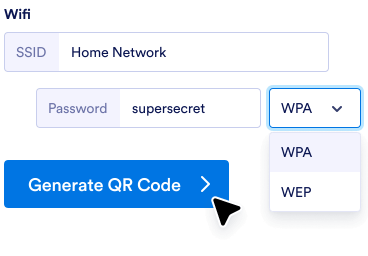
Add your network name, password, and security type into the QR code generator.
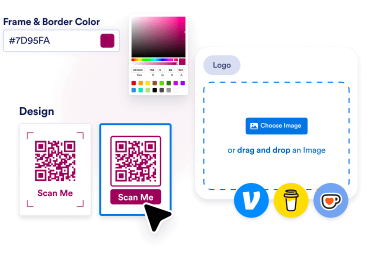
Sesuaikan warna, tambahkan logo Anda, atau pilih bingkai yang sesuai dengan branding dan gaya toko Anda.
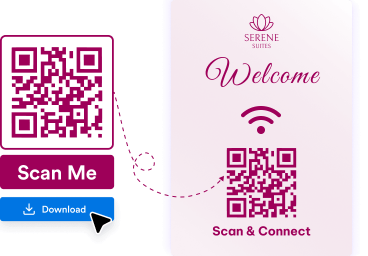
Download your QR code and place it on tables, walls, menus, signs, or printed materials so people can scan and connect quickly.
Guests can connect to your network instantly with a quick scan, instead of manually typing long passwords.
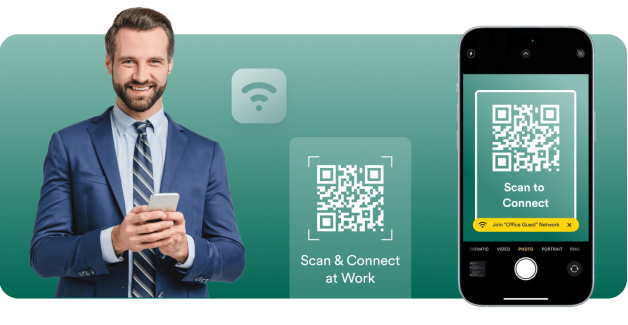
WiFi QR codes help customers, visitors, and attendees get online faster in cafes, offices, hotels, and events.
Jotform lets you create a WiFi QR code in just a few clicks without technical setup or extra software.
Buat, sesuaikan, dan bagikan kode QR dengan mudah
Temukan kode QR yang sesuai dengan kebutuhan Anda.
Generator kode QR
Buat kode QR yang dipersonalisasi dengan penyesuaian tanpa batas untuk tautan, halaman web, dan banyak lagi!
Tautkan ke kode QR
Buat Kode QR dengan cepat untuk tautan atau halaman web mana pun.
Kode QR Google Form
Hasilkan Kode QR yang tertaut langsung ke Google Form Anda.
Kode QR LinkedIn
Hasilkan Kode QR profil LinkedIn atau halaman perusahaan.
Kode QR Instagram
Bagikan profil atau postingan Instagram Anda dengan kode yang mudah dipindai.
Kode QR Facebook
Arahkan pengguna ke halaman Facebook Anda atau posting secara instan.
Kode QR dengan logo
Tambahkan logo Anda untuk Kode QR bermerek dan dipersonalisasi.
Kode QR YouTube
Bagikan video dengan mudah dengan membuat kode QR untuk tautan YouTube Anda.
Kode QR Transparan
Buat kode QR dengan latar belakang transparan.
Kode QR Putih
Hasilkan kode QR putih minimal dan bersih.
Kode QR Statis
Buat kode QR yang tidak berubah dan andal yang mengodekan data secara permanen, ideal untuk penggunaan jangka panjang.
Kode QR Google Docs
Arahkan orang lain ke halaman Google Docs Anda dengan cepat.
Kode QR Venmo
Bagikan profil Venmo Anda dengan mudah atau minta pembayaran dengan kode QR yang disesuaikan.
Kode QR Spotify
Buat kode QR untuk membagikan daftar putar, lagu, atau profil artis favorit Anda secara instan di Spotify.
Kode QR Pembayaran
Buat kode QR khusus dengan cepat untuk menerima pembayaran dengan mudah. Bagikan dengan siapa pun untuk menerima pembayaran secara instan.
Kode QR Social Media
Bagikan profil media sosial atau konten Anda secara instan dengan pemindaian yang cepat dan mudah!
Kode QR Linktree
Bagikan profil Linktree Anda dengan mudah dan hubungkan dengan semua tautan Anda menggunakan kode QR yang dapat disesuaikan.
Kode QR Video
Buat kode QR secara instan untuk membagikan video Anda dengan mudah. Pindai untuk menonton kapan saja, di mana saja!
Kode QR Menu Restoran
Buat kode QR untuk menu restoran Anda dan ubah pengalaman bersantap Anda dengan akses digital instan.
Kode QR PayPal
Buat kode QR PayPal untuk transaksi yang lancar. Bagikan kode dengan pelanggan, klien, atau teman dan terima pembayaran dengan aman tanpa perlu uang tunai atau menggesek kartu.
Kode QR Etsy
Buat kode QR Etsy Shop untuk akses instan ke toko. Bagikan kode dengan pelanggan dan tingkatkan trafik ke toko Anda dengan mudah.
Generator Kode QR CV
Buat kode QR CV untuk akses profesional instan. Bagikan kode dengan perekrut dan tunjukkan kualifikasi Anda dengan mudah.
Kode QR Audio
Tautkan ke musik, podcast, atau rekaman audio Anda dengan kode QR yang dapat dipindai siapa pun untuk mulai mendengarkan. Sempurna untuk seniman, pendidik, pemasar, dan bisnis yang ingin berbagi konten audio dengan mudah.
Kode QR TikTok
Ubah profil, video, atau toko TikTok Anda menjadi kode QR yang dapat dipindai dan langsung diakses oleh penggemar dan pelanggan. Baik jika Anda seorang kreator, influencer, atau pebisnis, kode QR TikTok memudahkan Anda mengembangkan audiens dan interaksi.
Kode QR Hitam
Tonjolkan kode QR Anda dengan desain hitam yang bersih, profesional, dan kompatibel di berbagai media. Sempurna untuk bisnis, acara, atau proyek pribadi yang menginginkan kode Anda fungsional sekaligus bergaya.
Kode QR X (Twitter)
Permudah orang-orang untuk mengikuti Anda, membaca tweet Anda, atau bergabung dalam percakapan Anda dengan kode QR X (Twitter). Sempurna untuk kreator, merek, dan pemasar yang ingin meningkatkan jangkauan dan interaksi mereka.
Kode QR Google Maps
Permudah orang untuk menemukan Anda dengan kode QR Google Maps yang dapat dipindai. Sempurna untuk bisnis, acara, dan penggunaan pribadi saat Anda ingin membagikan lokasi secara instan.
Kode QR Zoom
Bagikan pertemuan Zoom, webinar, atau rekaman Anda secara instan dengan kode QR yang dapat dipindai. Sempurna untuk tim jarak jauh, penyelenggara acara, dan pendidik yang menginginkan akses cepat dan lancar.
Kode QR Google Business review
Buat kode QR ulasan Google Business untuk pengumpulan umpan balik secara instan. Bagikan kode dengan pelanggan dan tingkatkan reputasi online Anda dengan mudah.
Kode QR Toko Shopify
Ubah toko Shopify Anda menjadi pengalaman yang dapat dipindai dengan kode QR yang terhubung langsung ke toko, halaman produk, atau kampanye diskon Anda. Sempurna untuk mendorong lalu lintas dan meningkatkan penjualan baik secara online maupun offline.
Kode QR TripAdvisor
Permudah pelanggan untuk menemukan daftar Tripadvisor Anda, memberikan ulasan, atau menjelajahi layanan Anda dengan kode QR. Sempurna untuk restoran, hotel, tempat wisata, dan bisnis perjalanan yang ingin membangun kepercayaan dan meningkatkan visibilitas.
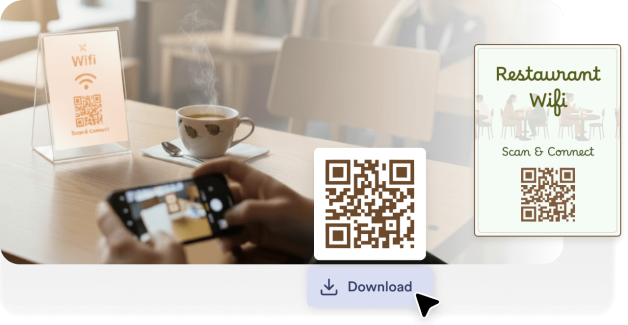
Place WiFi QR codes on tables, menus, or counters so customers can connect without asking staff for the password.

Help employees and visitors join the network quickly while reducing support requests and login confusion.

Display WiFi QR codes in guest rooms, reception areas, or welcome guides to make internet access easy.

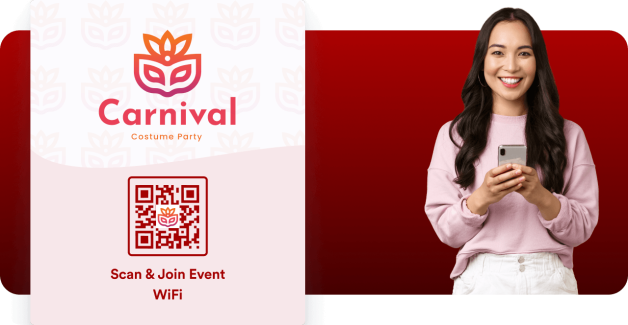
Allow attendees to connect to event WiFi instantly by placing QR codes on badges, posters, or presentation screens.
A WiFi QR code is a scannable code that automatically connects users to a wireless network. Instead of manually entering the network name and password, users can scan the code with their phone and join instantly.
WiFi QR codes are commonly used in restaurants, offices, hotels, and public spaces to provide faster, more convenient internet access for guests.
Make it easier for guests, customers, and visitors to connect to your WiFi network with a simple scan. Create your WiFi QR code in seconds and share it anywhere.