
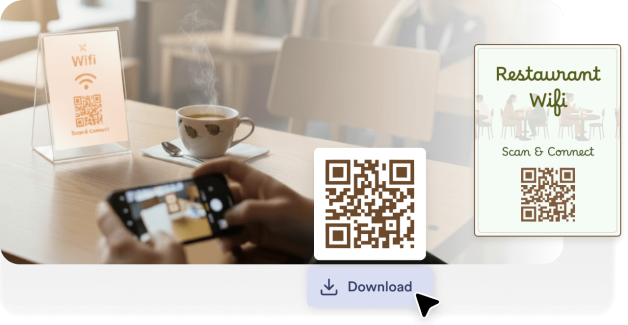
Place WiFi QR codes on tables, menus, or counters so customers can connect without asking staff for the password.
Create a QR code for your Wi-Fi network so guests can connect instantly without entering a password. Perfect for homes, offices, restaurants, hotels, events, and public spaces.
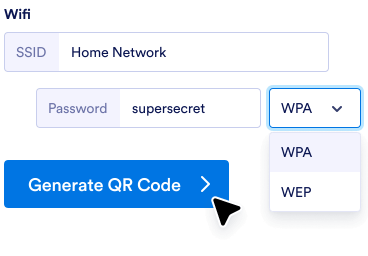
Add your network name, password, and security type into the QR code generator.
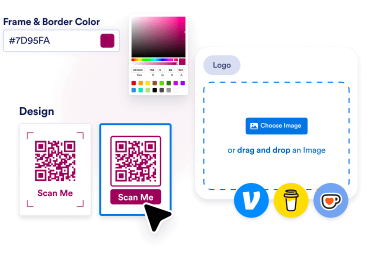
Personalizza i colori, aggiungi il tuo logo o scegli una cornice che si abbini al brand e allo stile del tuo negozio.
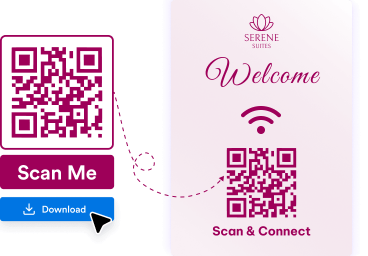
Download your QR code and place it on tables, walls, menus, signs, or printed materials so people can scan and connect quickly.
Guests can connect to your network instantly with a quick scan, instead of manually typing long passwords.
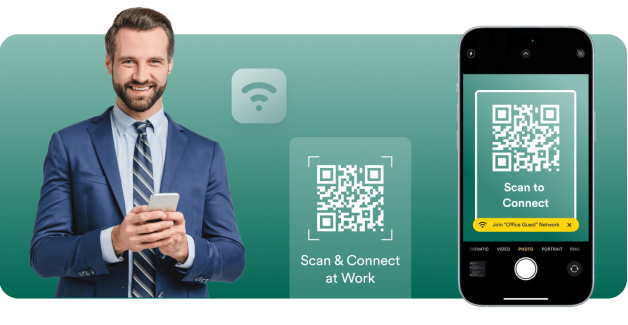
WiFi QR codes help customers, visitors, and attendees get online faster in cafes, offices, hotels, and events.
Jotform lets you create a WiFi QR code in just a few clicks without technical setup or extra software.
Crea, personalizza e condividi i QR code con facilità
Trova il QR code perfetto per le tue esigenze.
Generatore di QR code
Crea QR code con infinite personalizzazioni per link, pagine web e altro ancora!
QR code per i Link
Genera rapidamente un QR code per qualsiasi link o pagina web.
QR code per Google Moduli
Genera un QR code che rimanda direttamente al tuo modulo Google.
QR code per LinkedIn
Genera un QR code per un profilo LinkedIn o una pagina aziendale.
QR code per Instagram
Condividi un post o il tuo profilo Instagram con un semplice codice da scansionare.
QR code per Facebook
Indirizza gli utenti al tuo post o alla tua pagina Facebook all'istante.
QR code con logo
Aggiungi il tuo logo per QR code personalizzati.
QR code per YouTube
Condividi facilmente video creando un QR code per il tuo link YouTube.
QR code Trasparente
Crea QR code con sfondi trasparenti.
QR code per White
Genera QR code bianchi, minimali e puliti.
QR code Statico
Crea QR code stabili e affidabili che codificano dati permanenti, ideali per un uso a lungo termine.
QR code per Google Docs
Indirizza rapidamente gli utenti alle tue pagine Google Docs.
QR code per Venmo
Condividi facilmente il tuo profilo Venmo o richiedi pagamenti con un QR code personalizzato.
QR code per Spotify
Crea un QR code per condividere istantaneamente le tue playlist preferite, canzoni o profili di artisti su Spotify.
QR code per Pagamenti
Genera rapidamente un QR code personalizzato per accettare pagamenti senza problemi. Condividilo con chiunque per ricevere pagamenti all'istante.
QR code per i Social
Condividi all'istante il tuo profilo o i tuoi contenuti sui social, con una scansione semplice e veloce!
QR code per Linktree
Condividi facilmente il tuo profilo Linktree e connettiti con tutti i tuoi link utilizzando un QR code personalizzabile.
QR code per Video
Genera istantaneamente un QR code per condividere i tuoi video senza sforzo. Scansiona per guardare in qualsiasi momento!
QR Code per Menù del Ristorante
Crea QR code per il menù del tuo ristorante e offri ai tuoi clienti un accesso digitale immediato.
QR code per PayPal
Genera QR code PayPal per transazioni fluide. Condividi i codici con clienti, acquirenti o amici e accetta pagamenti in modo sicuro, senza bisogno di contanti o carte di credito.
QR code per Etsy
Genera QR code per negozi Etsy per un accesso immediato al negozio. Condividi i codici con i clienti e aumenta il traffico verso il tuo negozio senza sforzo.
QR Code Generator per Curriculum
Genera QR code del curriculum per un accesso professionale immediato. Condividi il QR code con i recruiter e mostra facilmente le tue qualifiche.
QR code per Musica
Collega la tua musica, i tuoi podcast o le tue registrazioni audio con un QR code che chiunque può scansionare per iniziare ad ascoltare. Perfetto per artisti, educatori, marketer e aziende che vogliono condividere contenuti audio con facilità.
QR code per TikTok
Trasforma il tuo profilo TikTok, i tuoi video o il tuo negozio con un QR code che i fan e i clienti possono scansionare immediatamente. Che tu sia un creator, un influencer o un'azienda, i QR code per TikTok semplificano la crescita del tuo pubblico e del coinvolgimento.
QR code per Black
Fai risaltare i tuoi QR code con un design pulito e professionale che funziona su più supporti. Perfetto per aziende, eventi o progetti personali in cui desideri che il tuo codice sia funzionale ed elegante.
QR code per X (ex Twitter)
Dai alle persone la possibilità di seguirti facilmente, leggere i tuoi tweet o unirsi alla tua conversazione con un QR code per X (Twitter). Perfetto per creator, brand e marketer che desiderano ampliare la loro portata ed engagement.
QR code per Google Maps
Rendi facile per le persone trovarti con un QR code scansionabile per Google Maps. Perfetto per aziende, eventi e per uso personale, quando desideri condividere immediatamente una posizione.
QR code per Zoom
Condividi le tue riunioni Zoom, webinar o registrazioni istantaneamente con un QR code scansionabile. Perfetto per i team remoti, gli organizzatori di eventi e gli educatori che desiderano un accesso rapido e senza complicazioni.
QR code per Recensioni Google
Genera QR code per recensioni Google Business per la raccolta istantanea di feedback. Condividi i codici con i clienti e migliora facilmente la tua reputazione online.
QR code per Negozi Shopify
Rivoluziona il tuo negozio Shopify con un QR code che rimanda direttamente al tuo negozio, alle pagine dei prodotti o alle campagne di sconto. Perfetto per aumentare il traffico e le vendite sia online che offline.
QR code per TripAdvisor
Permetti ai clienti di trovare facilmente il tuo annuncio su Tripadvisor, lasciare recensioni o esplorare i tuoi servizi con un QR code. Perfetto per ristoranti, hotel, attrazioni, e aziende del settore turistico che desiderano costruire fiducia e aumentare la visibilità.
Place WiFi QR codes on tables, menus, or counters so customers can connect without asking staff for the password.

Help employees and visitors join the network quickly while reducing support requests and login confusion.

Display WiFi QR codes in guest rooms, reception areas, or welcome guides to make internet access easy.

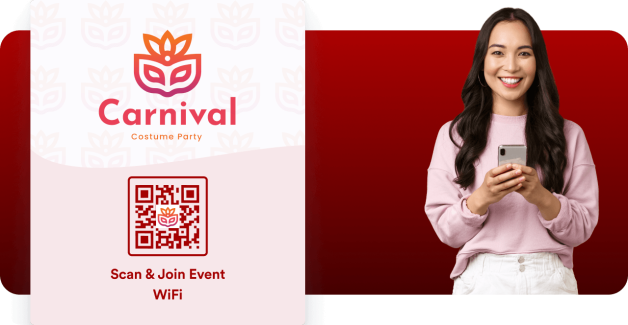
Allow attendees to connect to event WiFi instantly by placing QR codes on badges, posters, or presentation screens.
A WiFi QR code is a scannable code that automatically connects users to a wireless network. Instead of manually entering the network name and password, users can scan the code with their phone and join instantly.
WiFi QR codes are commonly used in restaurants, offices, hotels, and public spaces to provide faster, more convenient internet access for guests.
Make it easier for guests, customers, and visitors to connect to your WiFi network with a simple scan. Create your WiFi QR code in seconds and share it anywhere.