Widget Calendário de Eventos para seu site
Adicione eventos manualmente ou sincronize-os com o Google Agenda e ofereça aos visitantes uma programação clara e responsiva com detalhes dos eventos, a opção Adicionar ao Calendário e links de inscrição.
Crie já — [1[é grátis!]]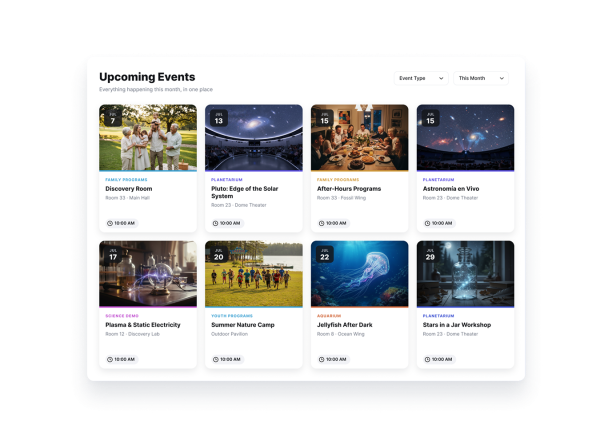

Como criar um widget Calendário de Eventos
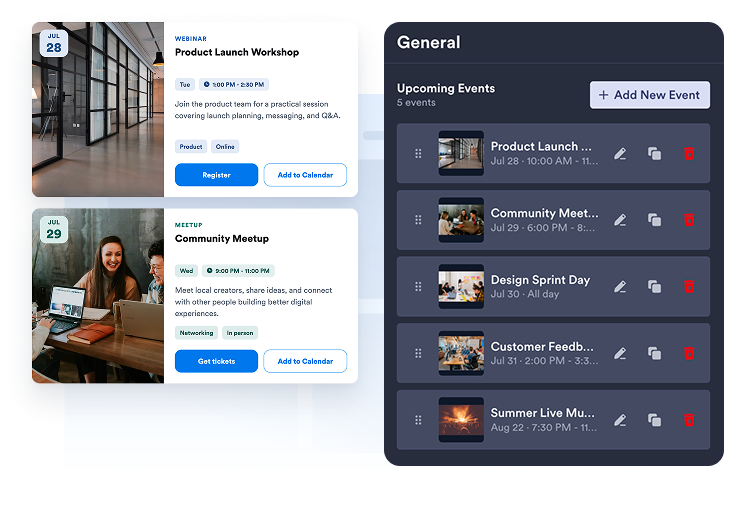
Adicione ou sincronize seus eventos
Crie eventos de um ou vários dias manualmente ou conecte o Google Agenda para sincronizar sua programação nos dois sentidos.
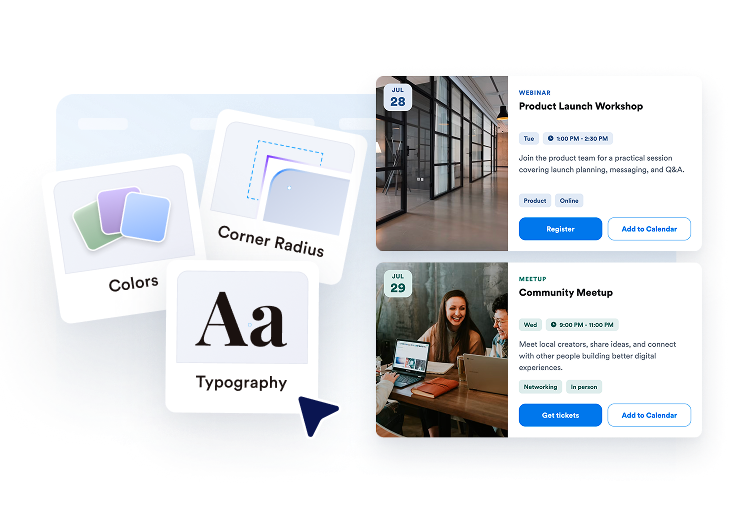
Personalize o calendário
Escolha um layout de grade, lista, carrossel, deslizador, mês ou semana e ajuste o tema, botões, elementos dos cartões e detalhes do pop-up.

Publique em qualquer lugar
Visualize o widget, copie o código de incorporação e adicione seu calendário de eventos a qualquer página do site.
Exiba eventos no layout que melhor se adapta à sua página
Use uma lista ou grade para navegar, um carrossel ou deslizador para destacar eventos ou as visualizações Mensal e Semanal para programações baseadas em datas.
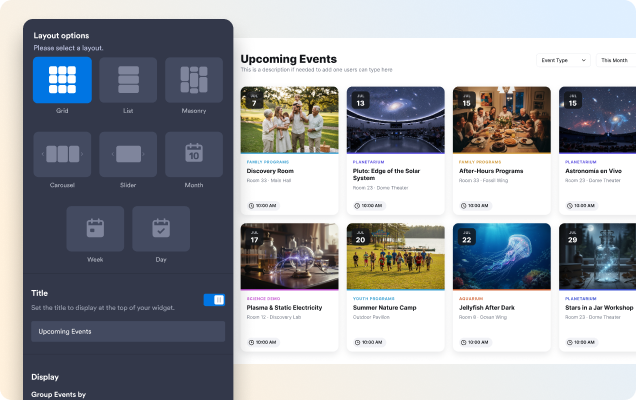
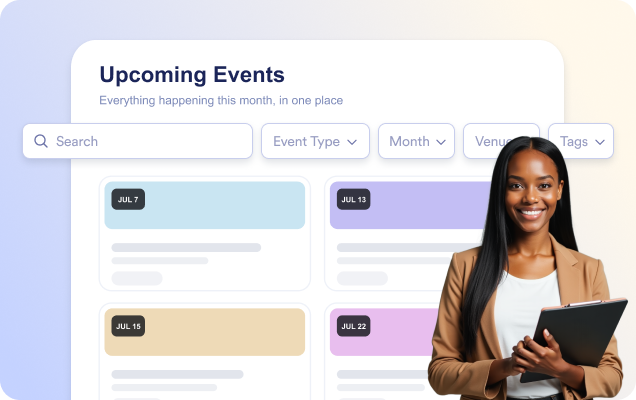
Ajude os visitantes a encontrar o evento certo mais rapidamente
Ative a pesquisa para que os visitantes encontrem eventos por título, descrição, local ou tags enquanto digitam.
Compartilhe todos os detalhes do evento em um pop-up
Abra um pop-up focado no evento com data e horário, local, descrição, mídia, tags, um botão de CTA e a opção Adicionar ao Calendário.

Deixe o calendário com a cara do seu site
Escolha um tema claro, escuro ou personalizado e personalize as cores dos cartões, textos e botões, além do raio dos cantos.

Por que os Widgets para Sites Jotform se destacam
Os widgets da Jotform tornam seu site mais interativo e aumentam as conversões. Há diversas opções disponíveis, desde avaliações com estrelas e deslizadores de depoimentos até pop-ups de prova social e incorporações de mídia. Adicione widgets aos seus formulários ou landing pages para coletar dados, exibir provas sociais e capturar leads — tudo sem precisar programar.
Adicione widgets da Jotform ao seu site com um simples código de incorporação. Personalize o widget, veja uma prévia de como ele ficará e cole-o em qualquer página que aceite HTML personalizado ou blocos de incorporação, sem precisar de um desenvolvedor.
Use os Widgets para Sites Jotform para coletar leads, exibir avaliações de clientes, expor provas sociais, incorporar mídia ou adicionar ferramentas úteis às suas páginas. Cada widget ajuda os visitantes a interagir com sua empresa diretamente no site.
Se precisar de ajuda para configurar, personalizar, incorporar ou solucionar problemas com o seu widget, a equipe de suporte Jotform está disponível 24h. Assim, você pode seguir em frente com confiança, sabendo que terá ajuda sempre que precisar.
Converta leads em clientes pagantes com o Criador de Formulários Jotform
Transforme engajamento em ação usando Jotform. Crie formulários poderosos para captar leads, receber pagamentos e automatizar respostas, tudo em um só lugar. Cada envio chega à sua Caixa de Envios Jotform, onde você pode fazer o acompanhamento ou conectar seus apps favoritos.
Comece já — é grátis!
Perguntas Frequentes
O que é o widget Calendário de Eventos da Jotform?
O widget Calendário de Eventos da Jotform permite exibir próximos eventos em um calendário ou lista visualmente organizada. Você pode destacar datas, horários, locais, descrições, imagens e links de inscrição dos eventos, facilitando para os visitantes descobrirem e participarem dos seus eventos.
Posso conectar o widget ao Google Agenda?
Posso adicionar eventos recorrentes e de vários dias?
Posso direcionar os visitantes para uma página de inscrição em um evento?
Posso personalizar a aparência do widget Calendário de Eventos?
Os visitantes podem pesquisar eventos?