

Anmeldungen App Vorlagen

Meeting Anmeldung App
Verfolgen Sie die Anwesenheit von Meetings Ihrer Firma mit Jotform’s Meeting Anmeldung App. Mitarbeiter oder HR Profis können die App kostenlos herunterladen um sich zu Meetings anzumelden, Feedback zu hinterlassen und die Anwesenheitstabelle zu sehen. Alle Antworten sind einfach zu sehen und in Jotform Tabellen zu verwalten, und werden mit Jotform’s fortschrittlichen Sicherheitsmaßnahmen sicher gehalten.Möchten Sie die App anpassen? Nutzen Sie Drag & Drop, um mehr Formulare oder Tabellen hinzuzufügen, das Logo Ihrer Firma einzufügen, ein neues Logo oder Begrüßungsbildschirm festzulegen und andere Design Änderungen ohne Programmierkenntnisse vorzunehmen. Sie können den Applink kopieren und Ihre benutzerdefinierte Meeting Anmeldung App mit Mitarbeitern teilen, die sie dann auf ihrem Smartphone, Tablet oder Computer mit einem Klick öffnen können, um Ihre Formulare schnell anzusehen und auszufüllen!
Zur Kategorie:Anmeldungen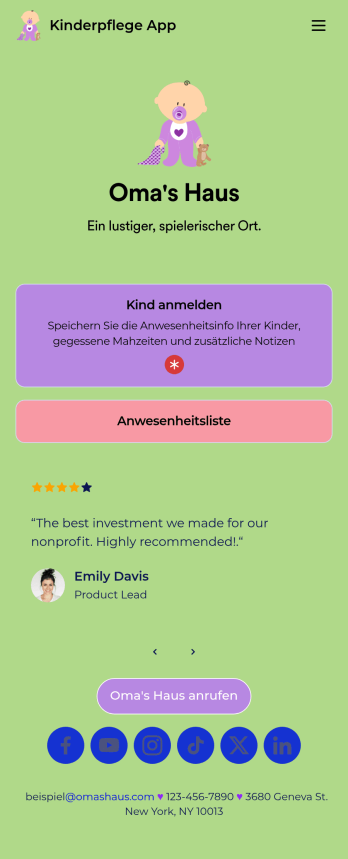
Kinderpflege App
Brauchen Sie eine besser Art, um Informationen für Ihre Tagesstätte zu erfassen? Machen Sie es mit Jotform’s kostenloser Kinderpflege App! Mitarbeiter Ihrer Tagesstätte können wichtige Details wie die Anwesenheit der Kinder, Ankunft und Abholzeit, gegessene Mahlzeiten und mehr eintragen. Alle Informationen werden sicher in Ihrem Jotform Konto gespeichert, und in Jotform Tabellen als Tabelle, Kalender oder individuelle Karten angesehen werden.
Zur Kategorie:Anmeldungen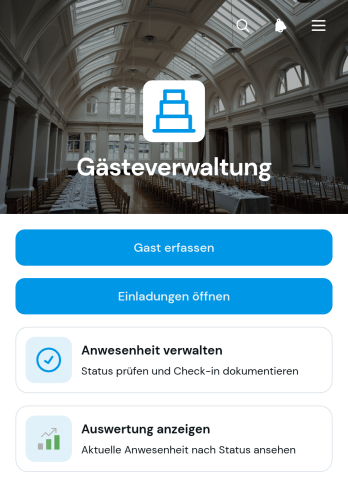
Gästeverwaltungs-App
Die Gästeverwaltungs-App ist eine zentrale Vorlage für Veranstaltungsplaner, Empfangsteams, Gastgewerbebetriebe und Organisationen, die Einladungen und Anwesenheiten übersichtlich koordinieren möchten. Gastdaten lassen sich erfassen, Einladungen mit Antwortfristen verwalten und Anwesenheiten für einzelne Veranstaltungen dokumentieren. Eine zusammengefasste Auswertung erleichtert den Überblick über erwartete und erschienene Personen. So ersetzt die App verstreute Listen, reduziert doppelte Einträge und unterstützt Teams bei privaten Feiern, geschäftlichen Veranstaltungen, Empfängen, Tagungen und wiederkehrenden Gästeterminen.Mit Jotform lässt sich diese App-Vorlage ohne Programmierung an den eigenen Ablauf anpassen. Über eine Bedienoberfläche zum Ziehen und Ablegen können Seiten, Karten, Buttons und Gestaltungselemente geändert sowie Formulare, Tabellen und Genehmigungsprozesse eingebunden werden. Die Datenerfassung bleibt dadurch mit den zugehörigen Arbeitsabläufen verbunden. Jotform bietet außerdem weitere Vorlagen für Apps, mobilfreundliche Nutzung und einfache Freigabe über einen direkten Link. Teams können damit eine einheitliche Anlaufstelle für die Gästeverwaltung bereitstellen und ausgewählte Schritte zur Selbstbedienung zugänglich machen.
Zur Kategorie:Event Management Apps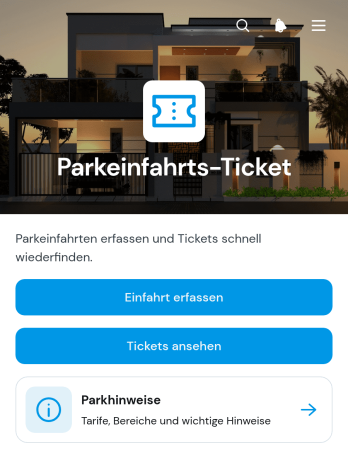
Parkeinfahrt-Ticket-App
Die Parkeinfahrt-Ticket-App unterstützt Parkhausbetreiber, Parkplatzverwaltungen, Hotels, Veranstaltungsorte und Unternehmen bei der digitalen Erfassung einfahrender Fahrzeuge. Mitarbeitende können eine Einfahrt aufnehmen und dabei Kennzeichen, Parkbereich, Datum, Uhrzeit sowie zusätzliche Angaben dokumentieren. Bereits erstellte Tickets lassen sich übersichtlich aufrufen und anhand ihrer Details prüfen. Parkhinweise und eine Kontaktmöglichkeit ergänzen den Ablauf, damit wichtige Informationen direkt erreichbar bleiben. Die App-Vorlage eignet sich für bewachte Parkflächen, Gästeparkplätze, Firmenareale und zeitlich begrenzte Parkzonen, in denen Einfahrten nachvollziehbar verwaltet werden sollen.Mit Jotform lässt sich die Parkeinfahrt-Ticket-App ohne Programmierung an den jeweiligen Betrieb anpassen. Über den App-Generator können Teams Seiten, Schaltflächen, Inhalte und verbundene Formulare mit einer drag-and-drop Bedienoberfläche bearbeiten. Erfasste Daten können zentral organisiert und in passende Workflows eingebunden werden, sodass Parkplatzpersonal und Verwaltung mit demselben Informationsstand arbeiten. Die fertige App ist mobilfreundlich und kann über einen direkten Verweis oder einen QR-Code geteilt werden. So entsteht aus einer anpassbaren App-Vorlage eine leicht zugängliche Lösung für Datenerfassung, Ticketprüfung und den täglichen Parkplatzbetrieb.
Zur Kategorie:Transportation Apps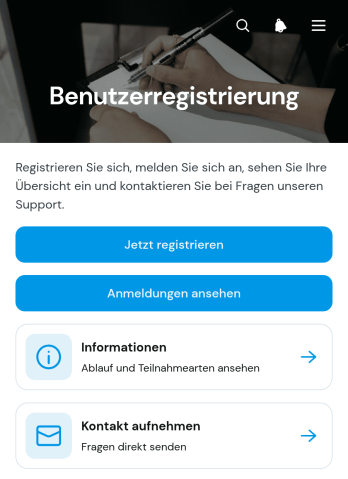
Benutzerregistrierungs-App
Die Benutzerregistrierungs-App ist eine anpassbare Vorlage für Veranstalter, Bildungseinrichtungen, Vereine, Dienstleistungsbetriebe und interne Verwaltungsbereiche, die Anmeldungen digital erfassen und übersichtlich bearbeiten möchten. Interessierte können sich über ein verbundenes Formular registrieren, während Verantwortliche eingegangene Anmeldungen mit Kontaktdaten, Teilnahmeart, Anmeldestatus und Kommentaren einsehen. Ergänzende Informations- und Kontaktbereiche geben Nutzern schnellen Zugriff auf wichtige Hinweise. Die App eignet sich für Veranstaltungen, Schulungen, Programme, Gemeinschaftsangebote oder interne Aktivitäten und ersetzt verstreute Nachrichten sowie unübersichtliche Listen durch einen zentralen Anmeldeablauf.Mit Jotform können Sie diese App-Vorlage ohne Programmierung an Ihre Abläufe anpassen. Der App-Generator erleichtert das Hinzufügen und Anordnen von Seiten, Karten, Formularen, Buttons und Informationsbereichen über eine intuitive Bedienoberfläche. Verbundene Formulare und Tabellen unterstützen die Datenerfassung und sorgen dafür, dass Registrierungsangaben an einem zentralen Ort verfügbar bleiben. Passen Sie Farben, Schriftarten und Inhalte an Ihre Gestaltung an und veröffentlichen Sie die mobilfreundliche App anschließend über eine persönliche Internetadresse. So entsteht aus einer praktischen App-Vorlage ein leicht zugänglicher Registrierungsbereich für Teilnehmende und zuständige Arbeitsgruppen.
Zur Kategorie:Eventanmeldungen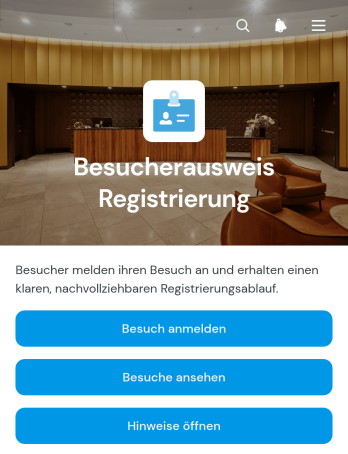
App zur Besucherpassregistrierung
Die App zur Besucherpassregistrierung ist eine anpassbare Vorlage für Unternehmen, Büros, Bildungseinrichtungen, Veranstaltungsorte und andere Organisationen, die geplante Besuche zentral erfassen und übersichtlich verwalten möchten. Empfangs-, Sicherheits- und Verwaltungsteams können Besuchende vorab anmelden, anstehende Besuche einsehen und wichtige Hinweise bereitstellen. Angaben wie Besuchsdatum, Uhrzeit, Kontaktperson und Bearbeitungsstand bleiben an einem Ort auffindbar, sodass der Empfang besser vorbereitet ist und interne Ansprechpartner frühzeitig informiert werden können. Die Vorlage eignet sich für Geschäftstermine, Bewerbungsgespräche, Lieferantenbesuche, Besichtigungen und Veranstaltungen. Sie ersetzt verstreute Nachrichten und manuelle Listen durch einen klaren Ablauf, der die Datenerfassung erleichtert und Besuchenden einen einfachen Zugang zur Anmeldung bietet.Mit Jotform lässt sich diese Anwendungsvorlage ohne Programmierung an die Abläufe und das Erscheinungsbild einer Organisation anpassen. Seiten, Schaltflächen, Formulare und Hinweise können durch Ziehen und Ablegen angeordnet und mit Tabellen, Freigaben oder automatischen Benachrichtigungen verbunden werden. Teams können die App über eine direkte Verknüpfung teilen und auf mobilen Geräten zugänglich machen. So entsteht aus einer fertigen Vorlage schnell eine zentrale Anlaufstelle für Besucheranmeldungen, interne Abstimmungen und aktuelle Besuchsinformationen.
Zur Kategorie:AnmeldungenÜber Anmeldungen App Vorlagen
Machen Sie mit der kostenlosen Vorlagen für Anmeldungs-App von Jotform das Erfassen von Anmeldungen einfach. Wählen Sie unten die App-Vorlage aus, die am besten zu Ihren Anforderungen passt und passen Sie sie mit unserem Drag-and-Drop-Builder an. Sie können Formulare hinzufügen oder entfernen, Dokumente oder andere Informationen einbauen, E-Unterschriften erfassen und das Hintergrundbild oder das App-Icon aktualisieren – alles ohne Programmierkenntnisse! Wenn Ihre App so aussieht, wie Sie es möchten, teilen Sie Ihre App mit einem Link, oder laden Sie diese auf Ihr eigenes Gerät herunter, um sofort Anmeldungen zu erfassen. Machen Sie Schluss mit Papierformularen und freuen Sie sich an einer effizienteren Lösung, mit einer kostenlosen Anmeldung-App von Jotform.
Jotform Apps ist dank seiner benutzerfreundlichen Oberfläche und der Nutzung der Progressive-Web-App-Technologie (PWA) ein No-Code-App-Generator für die Erstellung von Besucherregistrierung-Apps. So installieren Nutzer Apps direkt über ihren Browser, ohne einen Download aus dem App Store. Dieser Ansatz gewährleistet Kompatibilität mit iOS, Android, Tablets und Desktops. Zentralisiertes Datenmanagement über Jotform Tabellen unterstützt effiziente Datenverarbeitung. Organisationen optimieren damit ihre Workflows und behalten einfachen Zugriff auf Echtzeitinformationen.
Warum Registrierungs-Apps nutzen?
- Registrierungs-Apps optimieren den Check-in-Prozess, minimieren manuelle Schreibarbeit und verringern die Wahrscheinlichkeit menschlicher Fehler. Durch die Digitalisierung der Anwesenheitserfassung und Registrierung erfassen Unternehmen Daten präzise und effizient, was die betriebliche Produktivität steigert.
- Diese Apps bieten eine zentrale Plattform zur Überwachung und Verwaltung von Besucherdaten. So fällt es Organisationen leichter, die Datenschutz-Compliance einzuhalten. Dank sicherer Datenspeicherung und sicherem Datenzugriff können Organisationen vertrauliche Informationen verwalten, ohne das Risiko eines unbefugten Zugriffs eingehen zu müssen.
- Durch den Einsatz von Registrierungs-Apps können Unternehmen das Besuchererlebnis verbessern und eine moderne, benutzerfreundliche Oberfläche bieten, die eine schnelle und reibungslose Anmeldung ermöglicht. Dieser Ansatz steigert nicht nur die Kundenzufriedenheit, sondern vermittelt Kunden und Partnern zudem ein professionelles Image.
- Die Integration von Registrierungs-Apps in bestehende Unternehmenssysteme automatisiert Workflows. Sie reduziert den Verwaltungsaufwand und setzt Ressourcen für strategischere Aufgaben frei. Diese Integration senkt Kosten und verbessert die Ressourcenzuweisung.
- Dank Echtzeit-Datenaktualisierungen und Analysen liefern Registrierungs-Apps wertvolle Insights in Besuchertrends und -verhalten. So treffen Unternehmen fundierte Entscheidungen und stimmen ihre Dienstleistungen effektiver auf die Kundenbedürfnisse ab.
Häufige Probleme, die mit Registrierungs-Apps gelöst werden
- Manuelle Registrierungs- und Anmeldeverfahren führen häufig zu Rechtschreibfehlern, Datenverlusten und einem ineffizienten Datenabruf. Anmelde-Apps beseitigen diese Probleme, indem sie den Anmeldeprozess digitalisieren und automatisieren. So erfassen Sie alle Informationen korrekt und machen sie leicht zugänglich.
- Die Einhaltung der Datenschutzbestimmungen stellt bei der Verwendung von physischen Anwesenheitslisten eine Herausforderung dar. Registrierungs-Apps bieten eine sichere, DSGVO-konforme Plattform für das Datenmanagement. Sie helfen Organisationen, gesetzliche Anforderungen einzuhalten und sensible Informationen zu schützen.
- Hohe Besucherzahlen können herkömmliche Anmeldemethoden überfordern, was zu langen Wartezeiten und unzufriedenen Gästen führt. Registrierungs-Apps optimieren den Prozess, indem sie die gleichzeitige Anmeldung mehrerer Nutzer ermöglichen, wodurch die Wartezeiten erheblich verkürzt und das Besuchererlebnis verbessert werden.
- Organisationen haben häufig Schwierigkeiten, genaue Besucherunterlagen zu führen, insbesondere bei Veranstaltungen oder in Spitzenzeiten. Registrierungs- und Anmelde-Apps synchronisieren Daten automatisch und speichern sie zentral. So bleiben die Unterlagen stets aktuell und sind zur Einsichtnahme jederzeit verfügbar.
- Manuelle Besucherdatenverwaltung ist arbeitsintensiv und fehleranfällig. Dadurch sinkt die Gesamteffizienz. Registrierungs-Apps automatisieren die Datenerfassung und -verarbeitung. So gewinnen Ihre Mitarbeiter Zeit und Ressourcen für wichtigere Aufgaben.
Passende Anwendungsfälle für Features
- Im Veranstaltungsmanagement ist eine schnelle und effiziente Besucherregistrierung entscheidend. Mit der Drag-and-Drop-Oberfläche von Jotform Apps passen Organisatoren ihre Anmelde-App an die spezifischen Anforderungen jeder Veranstaltung an. So läuft die Registrierung reibungslos, was die Zufriedenheit der Teilnehmer steigert und die Abläufe optimiert.
- Für Einrichtungen des Gesundheitswesens ist es entscheidend, die Patientenaufnahme effizient zu verwalten. Mit der Funktion zur zentralen Datenspeicherung in Jotform Tabellen speichern und verwalten Sie Patienteninformationen sicher und zugänglich. So verbessern Sie Abläufe und die Patientenversorgung.
- Einzelhandelsumgebungen stärken die Kundenbindung mit Registrierungs-Apps. Unternehmen senden über Push-Benachrichtigungen gezielte Nachrichten und aktuelle Informationen an ihre Kunden. So fördern sie Interaktion und Kundenbindung.
- Büros, die einen sicheren und kontrollierten Zugang benötigen, können die Veröffentlichungsoptionen nutzen, um den Zugriff auf die App auf unternehmensinterne Nutzer zu beschränken. So erhalten nur autorisierte Personen Zugang zu sensiblen Bereichen. Das erhöht die Sicherheit und den Datenschutz.
- In Bereichen wie dem Bildungswesen, in denen die Anwesenheitserfassung von entscheidender Bedeutung ist, kann Prozessautomatisierung zu einem wesentlichen Merkmal werden. Durch die Automatisierung des Anmeldeprozesses können Bildungseinrichtungen die Anwesenheitsdaten ihrer Schüler effizient verwalten. So verringert sich der Verwaltungsaufwand und die Datengenauigkeit verbessert sich.
- Unternehmen, die ihre Anmelde-Apps monetarisieren möchten, können Zahlungen direkt in der App mit Zahlungsintegrationen wie Stripe und PayPal erfassen. Diese Funktion ist für Veranstaltungen, Mitgliedschaften oder alle Dienstleistungen, die eine Zahlungsabwicklung erfordern, unverzichtbar.
- Der Offline-Modus ist besonders vorteilhaft für Branchen, die in Gebieten mit unzuverlässigen Internetverbindungen tätig sind. Dadurch können Daten offline erfasst und gespeichert werden. So bleibt der Betrieb kontinuierlich und die Datenintegrität auch ohne Internetzugang gewährleistet.
So erstellen Sie eine Registrierungs-App
- Wählen Sie eine für Ihre Kategorie geeignete Vorlage aus der Vorlagenliste aus oder beginnen Sie neu.
- Passen Sie die Einstellungen über die Drag-and-Drop-Oberfläche an.
- Teilen per Link, QR-Code oder Einbettung.
Top Use Cases für Registrierungs-Apps
- Für Führungskräfte: Führungskräfte können Anmelde-Apps nutzen, um umfassende Insights in Anwesenheits- und Besuchermuster zu gewinnen und so datengestützte Entscheidungen zu treffen. Durch die Optimierung des Anmeldeprozesses können Führungskräfte Ressourcen effektiver zuweisen und sicherstellen, dass das Personal dort eingesetzt wird, wo es am dringendsten benötigt wird. Diese Effizienz verbessert nicht nur die Workflows der Organisation, sondern steigert auch die Gesamtproduktivität der Organisation.
- Für Teams: Anmelde-Apps unterstützen Teams, indem sie ihnen eine zuverlässige und effiziente Methode zur Erfassung der Anwesenheit und zur Verwaltung von Besucherdaten bieten. Diese Apps ermöglichen Zusammenarbeit, indem sie sicherstellen, dass alle Teammitglieder Zugriff auf aktuelle Informationen haben. So entsteht ein harmonisches Arbeitsumfeld. Teams können die gesammelten Daten nutzen, um Trends zu erkennen und die Teamleistung zu optimieren.
- Für Kunden: Kunden profitieren von der Bequemlichkeit und Schnelligkeit der Registrierungs-Apps, die ein reibungsloses Check-in-Erlebnis bieten. Das benutzerfreundliche Design und die schnellen Bearbeitungszeiten steigern die Kundenzufriedenheit und machen den Kontakt mit dem Unternehmen angenehmer. Darüber hinaus bleiben Kunden durch Echtzeit-Updates über die App stets auf dem Laufenden und eingebunden, was zu einer positiven Brand Experience beiträgt.
Registrierungs-Apps zusammengefasst
Registrierungs-Apps steigern die betriebliche Effizienz, erhöhen die Datengenauigkeit und gewährleisten die Compliance mit Datenschutzbestimmungen. Diese Apps optimieren den Anmeldeprozess, reduzieren den Verwaltungsaufwand und setzen Ressourcen für strategischere Initiativen frei. Mit dem No-Code-App-Generator von Jotform erstellen Organisationen maßgeschneiderte Registrierungs-Apps, die auf ihre spezifischen Anforderungen passen. So verbessern sich Kundenzufriedenheit und Gesamtleistung.
Häufig gestellte Fragen
1) Ist die Erstellung und Nutzung von Registrierungs-Apps auf Jotform kostenlos?
Jotform bietet einen Starter-Tarif an. Damit erstellen und nutzen Sie Registrierungs-Apps kostenlos. So steht diese Lösung Unternehmen jeder Größe offen. Das kostenlose Abo umfasst wesentliche Funktionen für den Einstieg in die Erstellung und Bereitstellung von Apps. Es gibt jedoch ein Limit hinsichtlich der Anzahl der Formularantworten und der Speicherkapazität. Benötigen Unternehmen umfangreichere Funktionen, bietet Jotform mehrere Premium-Tarife an. Diese Tarife umfassen zusätzliche Funktionen und Support.
2) Sind die über die App erfassten Daten und Zahlungen sicher?
Ja, Jotform gewährleistet, dass alle über seine Apps erfassten Daten und Zahlungen sicher sind und den Branchenstandards für Datenschutz und Privatsphäre entsprechen. Die Plattform erfüllt die Bestimmungen der DSGVO und bietet den Nutzern somit Gewissheit hinsichtlich der Sicherheit ihrer Daten. Jotform setzt zudem Verschlüsselung und weitere Sicherheitsmaßnahmen ein, um sensible Daten zu schützen und unbefugten Zugriff zu verhindern.
3) Benötigen Sie Programmierkenntnisse, um mit Jotform eine Registrierungs-App zu erstellen?
Für die Erstellung einer Registrierungs-App mit Jotform sind keine Programmierkenntnisse erforderlich. Dank der intuitiven Drag-and-Drop-Oberfläche der Plattform können Nutzer ihre Apps einfach und ohne technische Vorkenntnisse anpassen. Mit dem No-Code-Ansatz entwickeln Unternehmen schnell Apps, die exakt zu ihren Anforderungen passen, und stellen sie unmittelbar bereit. So steigern sie die betriebliche Effizienz und verkürzen die Entwicklungszeit.
4) Can I collect payments for services directly through the app?
Ja, Jotform bietet Zahlungsintegrationen mit gängigen Plattformen wie Stripe und PayPal an. So erfassen Unternehmen Zahlungen direkt über ihre Registrierungs-Apps. Diese Funktion ist vorteilhaft für Veranstaltungen, Mitgliedschaften oder Dienstleistungen, die eine Zahlungsabwicklung erfordern, und bietet Kunden eine bequeme Möglichkeit, Transaktionen abzuschließen.
5) Unterstützt Jotform die Offline-Datenerfassung für Registrierungs-Apps?
Jotform unterstützt die Offline-Datenerfassung über Mobile Formulare. Dadurch funktionieren Registrierungs-Apps auch ohne Internetverbindung. Diese Funktion ist für Unternehmen, die in Gebieten mit unzuverlässiger Internetverbindung tätig sind, von entscheidender Bedeutung, da sie die Kontinuität des Betriebs und die Datenintegrität gewährleistet. Sobald das Gerät wieder eine Verbindung zum Internet herstellt, werden die erfassten Daten automatisch mit der Hauptdatenbank synchronisiert.
6) Are Jotform Apps compatible with both iOS and Android devices?
Ja, Jotform Apps sind dank Progressive-Web-App-Technologie (PWA) sowohl mit iOS- als auch mit Android-Geräten kompatibel. So greifen Nutzer auf verschiedenen Geräten auf die Apps zu und arbeiten plattformübergreifend mit einer einheitlichen und zuverlässigen Erfahrung. Die Möglichkeit, Apps direkt über den Browser ohne Umweg über einen Shop zu installieren, verbessert die Zugänglichkeit und den Nutzerkomfort.
7) Wie können Registrierungs-Apps die Sicherheit in Unternehmensumgebungen verbessern?
Registrierungs-Apps erhöhen die Sicherheit in Unternehmensumgebungen. Sie bieten einen kontrollierten und überwachten Anmeldeprozess. So erhalten nur autorisierte Personen Zugang zu bestimmten Bereichen. Mit Funktionen wie Veröffentlichungsoptionen können Organisationen den Zugriff auf die App auf eigene Mitarbeiter beschränken und so sensible Informationen und Einrichtungen zusätzlich schützen. Diese Kontrollmaßnahme trägt dazu bei, unbefugten Zugriff zu verhindern und die allgemeinen Sicherheitsprotokolle zu verbessern.
8) Können Registrierungs-Apps in bestehende CRM-Systeme integriert werden?
Ja, Sie können Registrierungs-Apps in bestehende CRM-Systeme integrieren. So fließen die Daten ohne manuelle Übertragung in das CRM. Die Integration aktualisiert die über die App erfassten Besucher- und Kundendaten automatisch und macht sie im CRM abrufbar. Unternehmen behalten so einen besseren Überblick über ihre Interaktionen und verbessern den Kundenservice.