

Bauwesen App Vorlagen

Abhakliste App
Eine Abhakliste ist eine Liste voller Dinge, die gemacht werden müssen, um ein Bauprojekt fertigzustellen. Werden Sie mit unserer kostenlosen Abhakliste App organisierter! Diese vorgefertigte Vorlage enthält verschiedene Formular- und Tabellenvorlagen, sodass Sie Ihre Closeout Checkliste und Projekt Closeout Checkliste einfach teilen können. Die App kann auf jedem Gerät verwendet werden, sodass Sie auch unterwegs Antworten einreichen und darauf zugreifen können. Passen Sie die Abhakliste App an, damit sie besser zu Ihren Bedürfnissen passt. Unser Drag & Drop Interface ist einfach zu benutzen, sodass Sie keine Programmierkenntnisse benötigen, um Formulare zu erstellen und hinzuzufügen, Links zu anderen Seiten einzubetten und das Appdesign zu ändern, damit es zu Ihrem Branding passt. Sobald sie bereit ist, können Sie und Ihr Bauteam die App herunterladen und von jedem Smartphone, Tablet oder Desktop aus benutzen. Stellen Sie Bauprojekte rechtzeitig fertig und sind Sie dabei effizienter mit einer voll-angepassten Abhakliste App für Ihr Bauunternehmen oder Ihre Dienste!
Zur Kategorie:Construction Apps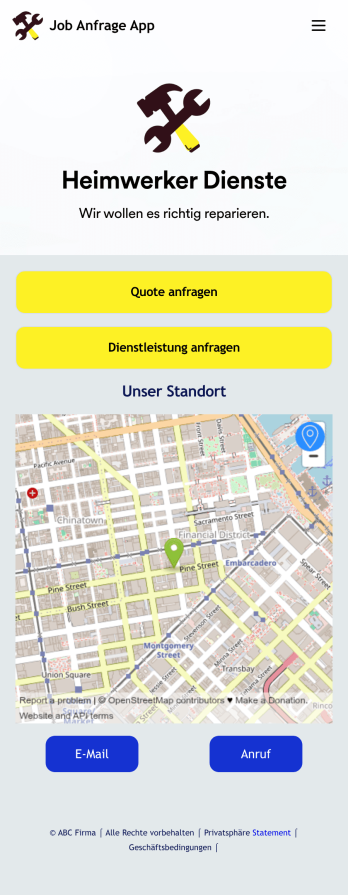
Jobanfrage App
Eine Jobanfrage App wird von Handwerksbetrieben dazu genutzt, dass ihre Kunden Jobquoten und Dienstleistungen anfragen können. Mit dieser kostenlosen Jobanfrage App können Kunden allgemeine Kontaktinformationen ausfüllen, die Arbeit beschreiben, die sie brauchen und relevante Fotos hochladen. Sobald das eingereicht wurde, wird eine PDF der Jobanfrage des Kunden automatisch mit dieser Handwerker Vorschlag Vorlage generiert. Kunden können dann das Dienstleistungsanfrage Formular nutzen, um ein Projekt zu planen. Diese Jobanfrage App kann voll angepasst werden, damit sie zum Branding Ihres Unternehmens passt. Keine Programmierkenntnisse sind notwendig - nutzen Sie einfach unseren Drag & Drop Formulargenerator, um Formulare hinzuzufügen oder zu ändern, Ihr Logo hochzuladen, Farben zu wählen, Ihren Begrüßungsbildschirm anzupassen und mehr. Ihre Kunden können dann die App auf jedem Smartphone, Tablet und Computer mit einem teilbaren Link herunterladen. Beginnen Sie mit dieser Jobanfrage App noch heute damit, Job Quoten und Dienstleistungsanfragen von Ihrer eigenen App zu erhalten.
Zur Kategorie:Construction Apps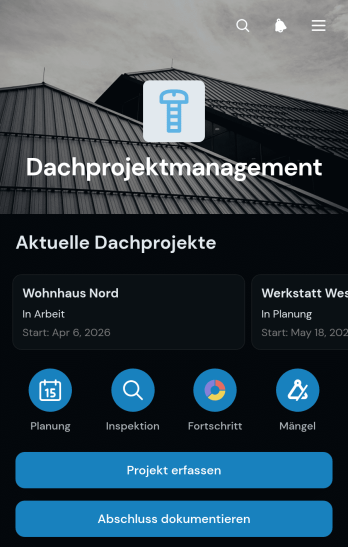
App für Dachprojektmanagement
Die App für Dachprojektmanagement ist eine zentrale Vorlage zur Koordination von Dacharbeiten vom ersten Projektentwurf bis zum dokumentierten Abschluss. Dachdeckerbetriebe, Bauunternehmen, Projektleitungen und Teams im Außendienst können Projekte übersichtlich aufrufen, Planungs- und Inspektionsstände festhalten sowie Mängel und Abschlüsse dokumentieren. Dadurch bleiben wichtige Informationen zu Einsatzorten, Arbeitsumfang und Baufortschritt an einem zugänglichen Ort. Die Vorlage unterstützt eine einheitliche Datenerfassung, erleichtert die Abstimmung zwischen Büro und Baustelle und hilft Verantwortlichen, offene Aufgaben oder Probleme frühzeitig zu erkennen.Mit Jotform lässt sich diese App-Vorlage ohne Programmierung an betriebliche Abläufe anpassen. Der App-Generator bietet eine übersichtliche Benutzeroberfläche, über die Seiten, Buttons, Formulare und Tabellen ergänzt oder neu angeordnet werden können. Verknüpfte Formulare erfassen Angaben direkt auf der Baustelle, während Tabellen den aktuellen Projektstand zentral darstellen. Unternehmen können die Anwendung mit eigenen Farben und Inhalten versehen und per persönlicher Internetadresse an Beschäftigte oder Auftragnehmer weitergeben. So entsteht eine mobilfreundliche Arbeitsumgebung, die Planung, Zusammenarbeit und Selbstbedienung bei wiederkehrenden Dachprojekten unterstützt.
Zur Kategorie:Construction Apps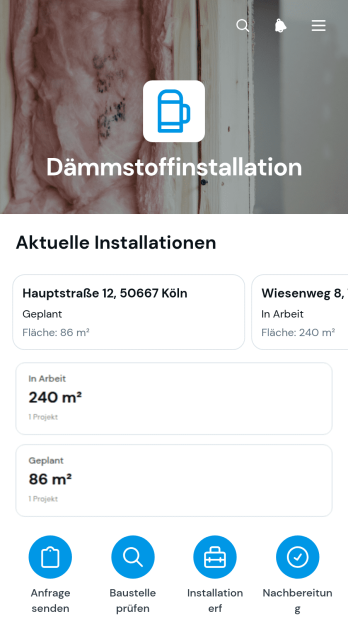
App zur Dämmungsinstallation
Die App zur Dämmungsinstallation bündelt die Erfassung und Nachverfolgung von Dämmarbeiten auf Baustellen in einer zentralen, mobilfreundlichen Arbeitsumgebung. Sie eignet sich für Dämmfachbetriebe, Bauunternehmen, Handwerksbetriebe, Bauleitungen und Außendienstkräfte, die mehrere Objekte betreuen. Eine Projektstatusübersicht erleichtert die laufende Koordination, während neue Anfragen, Baustellenprüfungen, Installationen und Berichte direkt erfasst werden können. Angaben zu Objektadressen, Ansprechpersonen, Flächen, empfohlenen Dämmstoffen, verlegten Flächen und Prüfergebnissen bleiben projektbezogen verfügbar. Dadurch erhalten Büro und Baustelle einen gemeinsamen Informationsstand, Dokumentationslücken werden reduziert und nächste Arbeitsschritte lassen sich verlässlicher planen.Mit Jotform lässt sich diese Vorlage ohne Programmierkenntnisse an betriebliche Abläufe anpassen. Seiten, Karten, Buttons und Navigationselemente können übersichtlich angeordnet und mit Formularen, Tabellen, Benachrichtigungen oder Freigabeschritten verbunden werden. So entstehen aus Jotform App-Vorlagen praktische Anwendungen für Datenerfassung, Baustellendokumentation und eigenständigen Informationszugriff. Farben, Schriftarten und Inhalte lassen sich an das Erscheinungsbild des Betriebs anpassen. Anschließend kann die App über einen direkten Link geteilt oder in eine bestehende Internetseite eingebunden werden, damit Bürokräfte, Monteure und Prüfer auch unterwegs auf die benötigten Funktionen zugreifen können.
Zur Kategorie:Construction Apps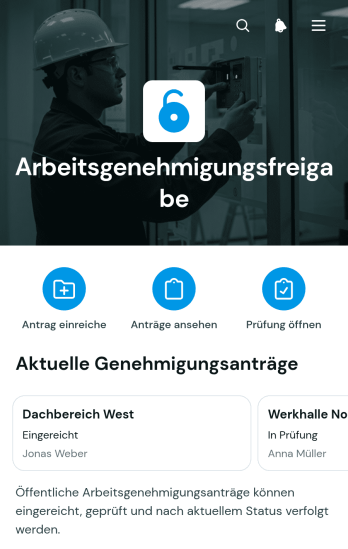
App zur Genehmigung von Arbeitserlaubnissen
Die App zur Genehmigung von Arbeitserlaubnissen bündelt betriebliche Arbeitsfreigaben für Bauunternehmen, Industriebetriebe, Instandhaltungsteams, Gebäudemanagement und externe Auftragnehmer. Verantwortliche können Anträge zentral prüfen, den aktuellen Status verfolgen und wichtige Sicherheitsangaben zu Gefährdungen und Schutzmaßnahmen einsehen. Angaben zum Arbeitsbereich, Arbeitsumfang und geplanten Zeitraum schaffen eine verlässliche Grundlage für Entscheidungen vor Beginn einer Tätigkeit. So werden fehlende Informationen schneller erkannt, Zuständigkeiten klarer zugeordnet und sicherheitsrelevante Arbeiten nachvollziehbar vorbereitet.Mit Jotform lässt sich diese Anwendungsvorlage ohne Programmierung an betriebliche Abläufe anpassen. Der visuelle Anwendungsgenerator unterstützt eigene Seiten, Schaltflächen, Farben und Navigationselemente, während Formulare, Tabellen, Genehmigungsschritte und Benachrichtigungen miteinander verbunden werden können. Teams erhalten dadurch eine mobilfreundliche Umgebung für Datenerfassung, Zusammenarbeit und Selbstbedienungszugriff. Die Anwendung kann über eine eigene Internetadresse veröffentlicht und für Beschäftigte, Prüfer oder Auftragnehmer bereitgestellt werden.
Zur Kategorie:Safety and Compliance Apps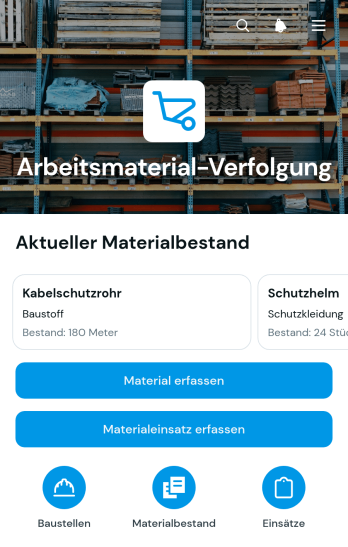
App zur Materialverfolgung für Aufträge
Die App zur Materialverfolgung für Aufträge unterstützt Bauunternehmen, Handwerksbetriebe, Projektleitungen und Außendienstteams dabei, Materialien für laufende Baustellen und Aufträge übersichtlich zu verwalten. Mitarbeitende können neue Materialien und Baustellen erfassen, aktuelle Bestände sowie Mindestbestände einsehen und den Materialeinsatz mit Menge, Bearbeitungsstand und zuständiger Person dokumentieren. Dadurch bleibt nachvollziehbar, welches Material verfügbar ist, wo es lagert und für welchen Auftrag es eingesetzt wurde. Die App-Vorlage eignet sich besonders für Betriebe, die verstreute Notizen und unübersichtliche Tabellen ersetzen, Fehlbestände früher erkennen und ihre Beschaffung besser vorbereiten möchten.Mit Jotform lässt sich diese App-Vorlage ohne Programmierung an betriebliche Abläufe anpassen. Über die grafische Bedienoberfläche können Seiten, Schaltflächen, Formulare und Navigationselemente bearbeitet und mit der eigenen Gestaltung versehen werden. Erfasste Angaben lassen sich zentral organisieren und mit weiteren Formularen, Freigabeschritten oder Benachrichtigungen verbinden. Die fertige App kann über eine Webadresse geteilt und auf Mobilgeräten genutzt werden, sodass Büro, Lager und Baustellenteams auf dieselben Informationen zugreifen. So entsteht eine praktische Umgebung für Datenerfassung, Bestandskontrolle und die tägliche Zusammenarbeit.
Zur Kategorie:Inventory Management Apps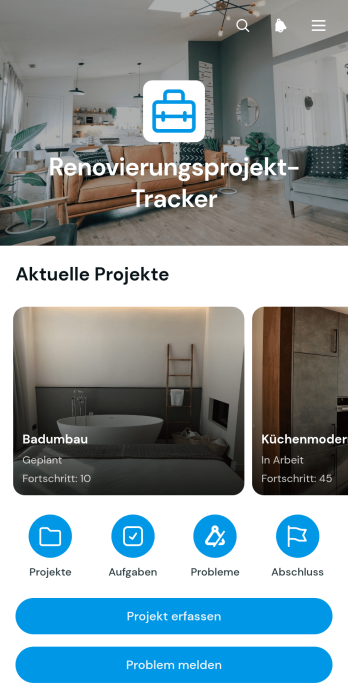
App zur Verfolgung von Renovierungsprojekten
Die App zur Verfolgung von Renovierungsprojekten bündelt Fortschritte, Aufgaben und gemeldete Probleme für Renovierungsarbeiten an einem zentralen Ort. Sie eignet sich für Bauunternehmen, Handwerksbetriebe, Projektleitungen, Immobilienverwaltungen und Eigentümer, die mehrere Arbeiten und Beteiligte koordinieren. Neue Projekte und Aufgaben lassen sich erfassen, Verantwortlichen und Fälligkeitsterminen zuordnen und über übersichtliche Projektseiten aufrufen. Probleme können direkt gemeldet und ihre Behebung anschließend dokumentiert werden. So erhalten Teams einen klaren Überblick über offene Arbeiten, wichtige Projektdaten und Hindernisse, ohne Informationen aus verschiedenen Unterlagen zusammensuchen zu müssen.Mit Jotform lässt sich diese App-Vorlage ohne Programmierung an unterschiedliche Renovierungsabläufe anpassen. Über die grafische Bedienoberfläche können Seiten, Karten, Schaltflächen, Formulare und Navigationselemente passend angeordnet und mit dem eigenen Erscheinungsbild versehen werden. Verknüpfte Formulare unterstützen die Datenerfassung, während Tabellen und automatisierte Abläufe Projektinformationen geordnet weiterverarbeiten können. Die fertige App kann per Link geteilt und auf mobilen Geräten genutzt werden, damit Bürokräfte, Bauleitungen und Teams vor Ort jederzeit auf aktuelle Angaben zugreifen. Damit bietet Jotform eine praktische Grundlage für koordinierte Zusammenarbeit und eine nachvollziehbare Projektsteuerung.
Zur Kategorie:Construction Apps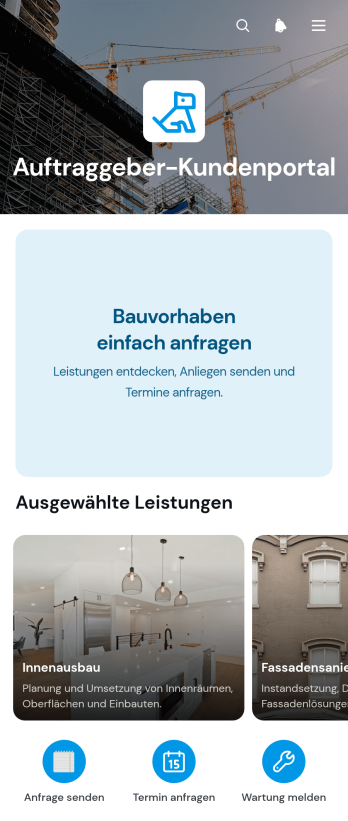
Kundenportal-App für Auftragnehmer
Die Kundenportal-App für Auftragnehmer ist eine zentrale Anlaufstelle für Bau- und Handwerksbetriebe, die Interessenten und Kunden einen einfachen digitalen Zugang zu ihren Leistungen bieten möchten. Nutzer können verfügbare Leistungen übersichtlich ansehen, ein passendes Bauvorhaben anfragen und die erforderlichen Angaben über verbundene Formulare übermitteln. Die App-Vorlage eignet sich für selbstständige Auftragnehmer, Baubetriebe, Renovierungsdienste und Projektteams, die neue Anfragen geordnet erfassen und Kunden gezielt zur richtigen Leistung führen möchten. So werden verstreute Kontaktwege gebündelt, unvollständige Projektanfragen reduziert und die Vorbereitung von Angeboten erleichtert.Mit Jotform lässt sich die Vorlage ohne Programmierung an den eigenen Betrieb anpassen. Seiten, Karten, Texte, Bilder und Schaltflächen können über eine visuelle Bedienoberfläche angeordnet und mit Formularen, Tabellen, Genehmigungsschritten oder weiteren Abläufen verbunden werden. Unternehmen können Farben und Inhalte an ihr Erscheinungsbild anpassen und die fertige Anwendung über einen direkten Verweis oder einen QR-Code teilen. Dadurch entsteht ein mobilfreundliches Kundenportal, das die Datenerfassung unterstützt, Selbstbedienung ermöglicht und wichtige Schritte von der ersten Anfrage bis zur internen Bearbeitung zusammenführt.
Zur Kategorie:Contractor Apps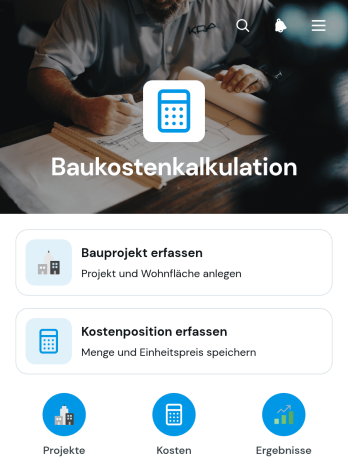
App zur Baukostenschätzung
Die App zur Baukostenschätzung ist eine mobilfreundliche App-Vorlage für Bauunternehmen, Handwerksbetriebe, Projektleitungen und selbstständige Fachkräfte, die voraussichtliche Projektkosten zentral erfassen und übersichtlich ordnen möchten. Neue Bauprojekte lassen sich mit grundlegenden Angaben anlegen und anschließend um einzelne Kostenpositionen ergänzen. Mengen, Einheitspreise und Kostenbereiche schaffen eine nachvollziehbare Grundlage für Kalkulationen. Dadurch bleiben mehrere Vorhaben getrennt organisiert, während Verantwortliche Kostenannahmen schneller prüfen, ergänzen und für die weitere Projektplanung nutzen können. Die Vorlage eignet sich für frühe Kostenschätzungen, interne Budgetabstimmungen und die Vorbereitung von Angeboten.Mit Jotform können Unternehmen diese App ohne Programmierkenntnisse an ihre eigenen Abläufe anpassen. Der App-Generator bietet eine Drag-and-drop-Oberfläche, über die sich Seiten, Schaltflächen, Formulare und Navigationselemente bearbeiten lassen. Verbundene Formulare unterstützen die Datenerfassung, während Tabellen und automatisierte Workflows Informationen für zuständige Mitarbeitende bereitstellen können. Die App kann über einen direkten Verweis geteilt und auf mobilen Geräten geöffnet werden. So entsteht aus einer praktischen App-Vorlage ein zentraler Zugang für Baukostenschätzungen, Zusammenarbeit und wiederkehrende Kalkulationsprozesse.
Zur Kategorie:Construction Apps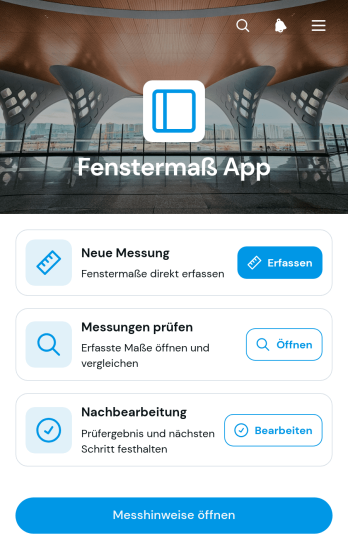
Fenstervermessungs-App
Die Fenstervermessungs-App ist eine mobilfreundliche Vorlage für die Erfassung, Prüfung und Nachbearbeitung von Fenstermaßen direkt am Einsatzort. Sie eignet sich für Fensterbaubetriebe, Handwerksunternehmen, Montageteams, Bauunternehmen und selbstständige Fachkräfte, die Aufmaße für Angebote, Fertigung oder Einbau dokumentieren. Anwender können neue Messungen aufnehmen, vorhandene Angaben nach Raum durchsuchen und Prüfergebnisse festhalten. Maße zu Breite, Höhe und Laibungstiefe lassen sich gemeinsam mit Angaben zum Fensteraufbau und relevanten Messnotizen verwalten. So bleiben Außendienst und Büro auf demselben Stand, unvollständige Einträge werden leichter erkannt und notwendige Nachbearbeitungen gehen nicht verloren.Mit Jotform Apps können Unternehmen diese App-Vorlage ohne Programmierung an ihre Abläufe anpassen. Der App Generator bietet eine intuitive Zieh-und-Ablege-Oberfläche, mit der sich Seiten, Karten, Buttons und Hinweise neu anordnen oder ergänzen lassen. Verknüpfte Formulare und Tabellen unterstützen eine geordnete Datenerfassung, während automatische Benachrichtigungen interne Abläufe beschleunigen können. Die fertige App lässt sich per direktem Link oder QR-Code mit Monteuren, Prüfern und Projektverantwortlichen teilen. Farben, Schriften, Inhalte und Navigation können passend zum eigenen Aufmaßprozess gestaltet werden.
Zur Kategorie:Construction Apps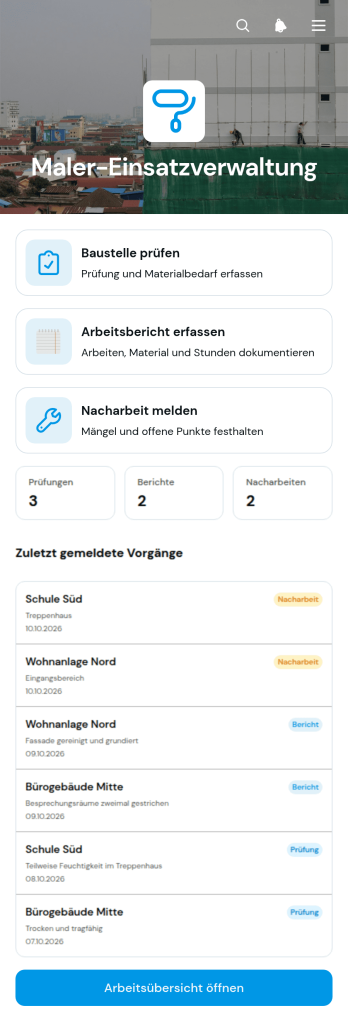
App für Außeneinsätze im Malerhandwerk
Die App für Außeneinsätze im Malerhandwerk unterstützt Malerbetriebe, Bauleiter und ausführende Fachkräfte bei der Dokumentation laufender Arbeiten auf Baustellen. Sie bündelt Baustellenprüfungen, Arbeitsberichte und Nacharbeitsmeldungen in einer übersichtlichen mobilen Anwendung. Angaben zu Untergründen und Materialbedarf helfen bei der Vorbereitung, während ausgeführte Arbeiten, verbrauchte Materialien und Arbeitsstunden nachvollziehbar erfasst werden können. Verantwortliche erhalten dadurch einen aktuellen Überblick über Einsätze, erkennen offene Nacharbeiten früher und reduzieren unvollständige oder verstreute Aufzeichnungen.Mit Jotform lässt sich diese App-Vorlage ohne Programmierung an betriebliche Abläufe anpassen. Der App Generator mit Drag-and-drop-Bedienung erleichtert das Bearbeiten von Seiten, Karten, Schaltflächen und Navigationselementen. Verknüpfte Formulare unterstützen die Datenerfassung vor Ort, während Übersichten und Workflows Informationen für Büro und Baustelle zusammenführen. Betriebe können die Anwendung mit eigenen Farben und Inhalten gestalten und per direktem Verweis oder QR-Code teilen. So entsteht eine mobilfreundliche Anlaufstelle für die Selbstbedienung, die wiederkehrende Außendienstprozesse vereinheitlicht und die Zusammenarbeit zwischen Fachkräften, Bauleitung und Verwaltung verbessert.
Zur Kategorie:Field Service Apps
App zur Meldung von Straßenarbeiten
Die App zur Meldung von Straßenarbeiten ist eine mobilfreundliche App-Vorlage für Kommunalverwaltungen, Bauunternehmen, Straßenbetriebe und Außendienstkräfte, die Beobachtungen, Störungen und Arbeitsstände an Straßen zentral dokumentieren möchten. Nutzer können neue Meldungen erfassen, vorhandene Einträge nach Ort aufrufen und den jeweiligen Bearbeitungsstand in einer übersichtlichen Ansicht verfolgen. Dadurch bleiben wichtige Angaben zu Meldungsart, Standort und Meldezeitpunkt leichter auffindbar. Die Vorlage eignet sich für laufende Baumaßnahmen, Instandhaltungsarbeiten, Verkehrsbeeinträchtigungen und interne Kontrollgänge. Sie unterstützt eine einheitliche Datenerfassung, verbessert die Abstimmung zwischen Büro und Einsatzkräften und erleichtert die Priorisierung offener Vorgänge.Mit Jotform lässt sich diese App-Vorlage über einen App-Generator ohne Programmierung an die Abläufe einer Organisation anpassen. Seiten, Schaltflächen, Formulare und Navigationsbereiche können visuell angeordnet sowie mit Tabellen, Benachrichtigungen und Genehmigungsschritten verbunden werden. So entsteht aus einer der anpassbaren App-Vorlagen eine zentrale Anlaufstelle für Meldungen und Selbstbedienung. Die fertige App kann über eine direkte Internetadresse geteilt oder in bestehende Internetseiten eingebettet werden. Farben, Schriftarten und Inhalte lassen sich passend zum eigenen Erscheinungsbild gestalten, während verbundene Abläufe neue Antworten unmittelbar für die weitere Bearbeitung bereitstellen.
Zur Kategorie:Berichte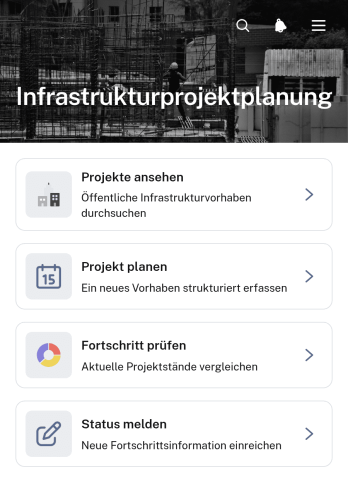
App zur Planung von Infrastrukturprojekten
Die App zur Planung von Infrastrukturprojekten ist eine zentrale Arbeitsumgebung für Bauunternehmen, Ingenieurbüros, öffentliche Auftraggeber und Projektteams, die Infrastrukturvorhaben übersichtlich vorbereiten und begleiten möchten. Nutzer können Projekte ansehen, neue Vorhaben erfassen und planen sowie Fortschritte prüfen und Statusmeldungen einreichen. Einzelne Projektseiten bündeln wichtige Planungsdaten wie Ort, Projektphase und vorgesehenen Abschluss. Dadurch eignet sich die App-Vorlage für Verkehrswege, Versorgungsanlagen, öffentliche Einrichtungen und andere bauliche Maßnahmen. Sie reduziert verstreute Informationen, erleichtert die Abstimmung zwischen Beteiligten und schafft eine verlässliche Grundlage für Entscheidungen im Projektverlauf.Mit Jotform lässt sich diese Vorlage ohne Programmierkenntnisse an interne Planungs- und Berichtsabläufe anpassen. Der App-Generator bietet eine visuelle Oberfläche, über die Seiten, Karten, Schaltflächen und Formulare angeordnet sowie Farben und Schriften angepasst werden können. Verknüpfte Formulare unterstützen die Datenerfassung und können Benachrichtigungen oder weitere Abläufe auslösen. Teams können die fertige App über einen direkten Verweis teilen und auf mobilen Geräten nutzen. So wird aus einer der anpassbaren Vorlagen für Apps eine gebündelte Anlaufstelle für Projektplanung, Fortschrittskontrolle und Selbstbedienung.
Zur Kategorie:Construction Apps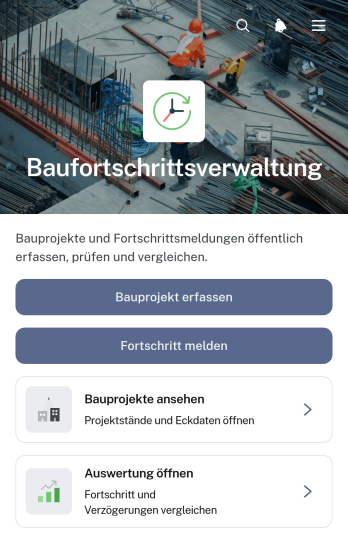
Anwendung zur Baufortschrittsverfolgung
Die Anwendung zur Baufortschrittsverfolgung dient dazu, laufende Bauvorhaben zentral zu erfassen, Fortschrittsmeldungen zu dokumentieren und den aktuellen Projektstand übersichtlich auszuwerten. Bauunternehmen, Projektleitungen, Generalunternehmen und Außendienstteams können neue Projekte anlegen, einzelne Meldungen den passenden Vorhaben zuordnen und Angaben zu Fortschritt, Arbeitsbereich und aktuellen Notizen abrufen. Dadurch entsteht eine einheitliche Informationsquelle für Baustellenbesprechungen, interne Abstimmungen und Berichte an Auftraggebende. Die Anwendungsvorlage reduziert verstreute Aufzeichnungen, erleichtert die Nachverfolgung geplanter Termine und schafft mehr Transparenz bei mehreren gleichzeitig laufenden Bauprojekten.Mit Jotform lässt sich diese Vorlage ohne Programmierung an die Abläufe eines Betriebs anpassen. Seiten, Schaltflächen, Formulare und Übersichten können über eine leicht bedienbare Oberfläche angeordnet und mit individuellen Farben, Schriften und Inhalten versehen werden. Erfasste Projektdaten und Fortschrittsmeldungen lassen sich in verbundenen Tabellen organisieren, während Benachrichtigungen zuständige Personen über neue Einträge informieren können. Die fertige Anwendung ist mobilfreundlich und kann per direktem Verweis oder QR-Code mit Bauleitung, Baustellenteams und weiteren Beteiligten geteilt werden. So unterstützt Jotform eine zentrale Datenerfassung und einen nachvollziehbaren Arbeitsablauf vom Projektstart bis zur abschließenden Auswertung.
Zur Kategorie:Construction Apps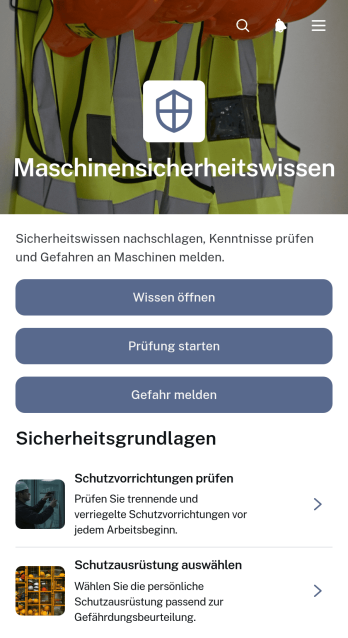
Wissens-App für Maschinensicherheit
Die Wissens-App für Maschinensicherheit ist eine zentrale Informations- und Meldeanwendung für Produktionsbetriebe, Werkstätten, technische Abteilungen und Schulungseinrichtungen. Beschäftigte, Sicherheitsbeauftragte, Instandhaltungspersonal und Führungskräfte können relevantes Wissen zu Maschinengefahren aufrufen, ihr Verständnis mit einer Prüfung kontrollieren und erkannte Gefahren über ein verbundenes Formular melden. Öffentliche Meldungen machen wiederkehrende Risiken und praktische Beobachtungen für berechtigte Nutzer sichtbar. Dadurch bleiben Sicherheitshinweise leichter auffindbar, Lerninhalte näher am Arbeitsalltag und Gefahrenmeldungen an einem gemeinsamen Ort verfügbar.Mit Jotform lässt sich diese App-Vorlage ohne Programmierung an betriebliche Abläufe, Maschinentypen und unterschiedliche Nutzergruppen anpassen. Der App-Generator bietet eine Zieh-und-ableg-Oberfläche, mit der Seiten, Karten, Schaltflächen und Navigationselemente geändert werden können. Formulare, Tabellen, Benachrichtigungen und Genehmigungsprozesse lassen sich zu einem zusammenhängenden Ablauf verbinden. Die fertige Anwendung ist mobilfreundlich und kann über einen direkten Verweis geteilt werden. So eignen sich die App-Vorlagen von Jotform für Wissensvermittlung, Datenerfassung und Selbstbedienung direkt am Arbeitsplatz.
App zur Energieerfassung von Kälteanlagen
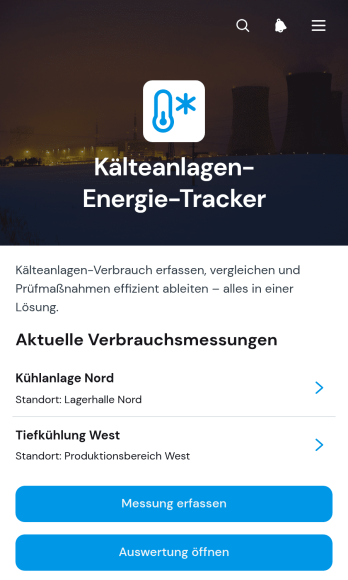
Die „App zur Energieerfassung von Kälteanlagen“ ist eine digitale Vorlage zur laufenden Dokumentation und Auswertung des Energieverbrauchs gewerblicher Kälteanlagen. Sie eignet sich für technische Betriebe, Gebäudeverwaltungen, Lebensmittelunternehmen, Gastronomiebetriebe und Wartungsteams, die Messungen an einem zentralen Ort organisieren möchten. Verantwortliche können Anlagen nach Namen aufrufen, neue Messungen erfassen und Auswertungen einsehen. Angaben zu Standort, Betriebszustand, Betriebsstunden und Außentemperatur liefern dabei wichtigen Kontext. So lassen sich Messreihen leichter vergleichen, auffällige Entwicklungen früher erkennen und Entscheidungen zu Betrieb oder Wartung auf nachvollziehbare Aufzeichnungen stützen.Mit Jotform lässt sich diese App-Vorlage ohne Programmierung an betriebliche Abläufe anpassen. Über die übersichtliche Bedienoberfläche können Seiten, Schaltflächen, Formulare und Auswertungsbereiche ergänzt oder neu angeordnet werden. Erfasste Daten lassen sich mit Tabellen, Benachrichtigungen und weiteren Prozessschritten verbinden, damit technische Teams Informationen nicht mehrfach übertragen müssen. Die mobilfreundliche Anwendung kann per Webadresse geteilt werden und unterstützt Messungen direkt am Anlagenstandort. Dadurch entsteht eine zentrale Lösung für Datenerfassung, betriebliche Zusammenarbeit und den selbstständigen Zugriff auf aktuelle Anlageninformationen.
App zur Verfolgung von Weltraummissionen
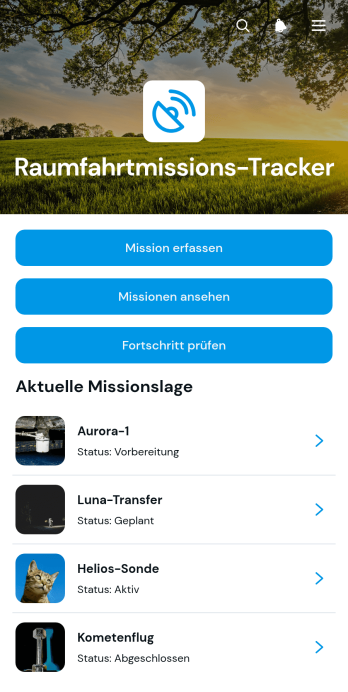
Die App zur Verfolgung von Weltraummissionen unterstützt Forschungseinrichtungen, Bildungseinrichtungen, technische Arbeitsgruppen und Raumfahrtbegeisterte dabei, geplante sowie laufende Missionen übersichtlich zu dokumentieren. Nutzer können neue Missionen erfassen, bestehende Missionen durchsuchen und den jeweiligen Fortschritt prüfen. Angaben zu Missionsziel, aktuellem Status, Startdatum und Missionsüberblick schaffen eine zentrale Informationsquelle für Vorhaben, Unterrichtsprojekte oder öffentliche Informationsangebote. Dadurch bleiben wichtige Eckdaten leichter auffindbar, Entwicklungen werden nachvollziehbar und Beteiligte erhalten einen einheitlichen Überblick, ohne Informationen aus verschiedenen Dokumenten zusammentragen zu müssen.Mit Jotform lässt sich diese App-Vorlage über einen programmierfreien app generator an unterschiedliche Abläufe und Zielgruppen anpassen. Die drag-and-drop Bedienung erleichtert das Bearbeiten von Seiten, Karten, Buttons und Navigationselementen, während verbundene Formulare die Datenerfassung unterstützen. Missionsangaben können zentral organisiert und für die mobile Nutzung bereitgestellt werden. Nach der Anpassung lässt sich die App per direktem Link, Einbettung oder QR-Code veröffentlichen. So entsteht ohne Programmierung eine gebündelte, mobilfreundliche Anlaufstelle für Selbstbedienung, Informationszugriff und fortlaufende Aktualisierungen.
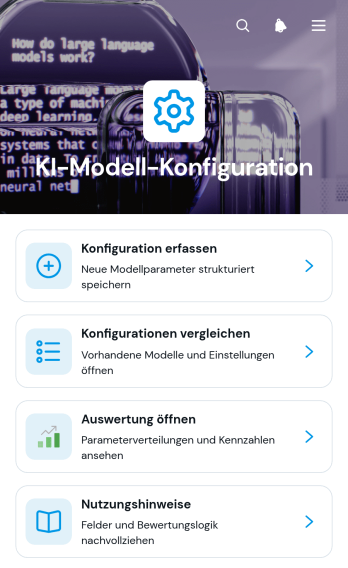
App zur Konfiguration von KI-Modellen
Die App zur Konfiguration von KI-Modellen ist eine zentrale Arbeitsumgebung für Entwicklungsabteilungen, Fachleute der Informationstechnik, Datenverantwortliche und beratende Arbeitsgruppen, die Einstellungen verschiedener KI-Modelle nachvollziehbar dokumentieren und bewerten möchten. Neue Konfigurationen lassen sich erfassen, übersichtlich vergleichen und über eine Auswertung untersuchen. So können Beteiligte geeignete Einstellungen für unterschiedliche Einsatzgebiete leichter auswählen, Änderungen zwischen Versionen erkennen und Bemerkungen an einem gemeinsamen Ort festhalten. Nutzungshinweise unterstützen zudem eine einheitliche Vorgehensweise bei Versuchen, internen Prüfungen und wiederkehrenden Modellbewertungen.Mit Jotform lässt sich diese App-Vorlage ohne Programmierung an eigene Abläufe anpassen. Der App Generator bietet eine visuelle Bedienoberfläche, mit der Seiten, Karten, Buttons und Navigationselemente angeordnet sowie Formulare und Tabellen für die Datenerfassung verbunden werden können. Verantwortliche können Inhalte aktualisieren, Arbeitsabläufe durch Genehmigungsschritte ergänzen und die mobilfreundliche App über einen direkten Verweis teilen. Dadurch entsteht eine einheitliche Anlaufstelle, über die Arbeitsgruppen Konfigurationen erfassen, Informationen eigenständig abrufen und Ergebnisse gemeinsam auswerten können.
Über Bauwesen App Vorlagen
Bau-Apps sind mobile und Web-Anwendungen für die Baubranche, die Abläufe vereinfachen. Sie unterstützen zahlreiche Aufgaben – von Projektmanagement und Zeiterfassung bis zu Bestandsverwaltung und Kommunikation mit Auftraggebern. Profitieren können unter anderem Bauunternehmen und Generalunternehmer, Architektur- und Ingenieurbüros sowie Projektentwickler – überall dort, wo komplexe Projekte effiziente Abläufe und eine gute Zusammenarbeit mit Teams und allen Beteiligten erfordern.
Jotform Apps bietet einen App-Baukasten ohne Programmierung, der sich gut für Bau-Apps eignet. Dank Progressive-Web-App-Technologie (PWA) lassen sich Jotform Apps direkt über den Browser installieren, ohne App Store – auf iOS- und Android-Geräten, Tablets und Desktop-Rechnern. Jotform Tabellen führt alle Daten zentral zusammen, sodass Projektinformationen an einem leicht zugänglichen Ort liegen und Abläufe effizienter werden. Das vereinfacht die Datenverwaltung und erleichtert die Zusammenarbeit im Team.
Warum sollten Sie Bau-Apps nutzen?
- Bau-Apps ermöglichen ein effizientes Projektmanagement: Nutzende verfolgen den Fortschritt, verteilen Aufgaben und planen Ressourcen laufend, was die Produktivität steigert und Verzögerungen verringert. Weil alle Projektinformationen an einem Ort liegen, können Teams schnell fundierte Entscheidungen treffen.
- Die Apps verbessern die Kommunikation zwischen den Teams auf der Baustelle, der Projektleitung und den Auftraggebern. So sind alle auf demselben Stand, und Missverständnisse, die zu teuren Fehlern oder Verzögerungen führen können, werden seltener.
- Bau-Apps erfassen Daten laufend und werten sie aus, sodass Unternehmen Budgets und Zeitpläne ihrer Projekte im Blick behalten. Probleme lassen sich so früh erkennen und Entscheidungen rechtzeitig treffen, damit Projekte im Zeit- und Kostenrahmen bleiben.
- Mit integrierten Zahlungsfunktionen vereinfachen Bau-Apps die Rechnungsstellung und den Zahlungseingang. Das beschleunigt den Geldfluss, und die Zahlungen laufen über angebundene Zahlungsdienste.
- Mit dem App-Baukasten von Jotform erstellen Unternehmen individuelle Apps für ihre betrieblichen Anforderungen – ohne große IT-Ressourcen oder Programmierkenntnisse. So können sie schnell auf veränderte Projektanforderungen und Marktbedingungen reagieren.
Häufige Probleme, die Bau-Apps lösen
- Eine große Herausforderung in der Baubranche ist die gleichzeitige Steuerung mehrerer Projekte, die zu Reibungsverlusten und Missverständnissen führen kann. Bau-Apps bieten dafür eine zentrale Plattform, auf der sich der Projektfortschritt verfolgen und die Kommunikation zwischen Teams und Beteiligten bündeln lässt – so bleiben alle informiert und abgestimmt.
- Arbeitsschutz und Sicherheitsvorgaben spielen auf Baustellen eine zentrale Rolle. Die Apps unterstützen die Dokumentation: Sicherheitsbegehungen und Vorfälle lassen sich erfassen, und die zugehörigen Unterlagen sind schnell zur Hand.
- Bauprojekte verzögern sich oft durch unvorhergesehene Umstände oder fehlende Ressourcen. Bau-Apps helfen, diese Risiken zu verringern: Mit Werkzeugen für Ressourcen- und Terminplanung erkennt die Projektleitung mögliche Probleme früher und passt Pläne an, um die Auswirkungen gering zu halten.
- Kostenüberschreitungen sind in der Baubranche häufig, oft infolge unzureichender Budgetplanung oder unerwarteter Ausgaben. Mit laufender Budgetverfolgung und Finanzberichten behalten Unternehmen ihre Ausgaben genau im Blick und treffen datenbasierte Entscheidungen, damit Projekte im Kostenrahmen bleiben.
Passende Anwendungsfälle für Features
- Projektleitungen, die mehrere Baustellen betreuen, können Apps über die Veröffentlichungsoptionen öffentlich oder nur für bestimmte Teams freigeben. So haben alle Mitglieder Zugriff auf die aktuellen Projektinformationen, was die Transparenz und die Zusammenarbeit über Standorte hinweg fördert.
- Bauunternehmen, die ihre Auftraggeber stärker einbinden möchten, können mit Push-Benachrichtigungen zeitnah über Meilensteine oder Änderungen im Projekt informieren und an Termine erinnern. So bleiben Auftraggeber während des gesamten Projekts auf dem Laufenden, was Zufriedenheit und Vertrauen stärken kann.
- Unternehmen, die ihre Beschaffung vereinfachen möchten, nutzen die Zahlungsintegrationen für direkte Zahlungen über Anbieter wie Stripe und PayPal; das erleichtert den Einkauf von Material und Leistungen. Das macht Zahlungsabläufe effizienter und verringert den Verwaltungsaufwand.
- Teams auf der Baustelle profitieren vom Offlinemodus: Daten lassen sich auch bei schwacher Internetverbindung erfassen. Sobald das Gerät wieder online ist, werden sie automatisch synchronisiert.
- Die Drag-and-Drop-Oberfläche eignet sich gut, um Apps an die Anforderungen eines Projekts anzupassen: Elemente lassen sich ohne technische Vorkenntnisse hinzufügen oder ändern. So kann die App mit den Projektanforderungen mitwachsen.
So erstellen Sie eine Bau-App
- Wählen Sie eine für Ihre Kategorie geeignete Vorlage aus der Vorlagenliste aus oder beginnen Sie neu.
- Passen Sie die Einstellungen über die Drag-and-Drop-Oberfläche an.
- Teilen per Link, QR-Code oder Einbettung.
Die wichtigsten Einsatzbereiche von Bau-Apps
- Für Führungskräfte: Bau-Apps unterstützen Führungskräfte mit Tools für Projektüberwachung und Ressourcenmanagement. Sie verfolgen den Fortschritt mehrerer Projekte, weisen Ressourcen effizient zu und gewährleisten die Einhaltung branchenspezifischer Vorschriften. Diese ganzheitliche Sicht hilft Führungskräften, fundierte Entscheidungen zu treffen, die Produktivität und Rentabilität steigern.
- Für Teams: Für Teams vor Ort bieten Bau-Apps einen optimierten Ansatz für das Task-Management und die Kommunikation. Teammitglieder greifen in Echtzeit auf Projektdetails zu, ändern Statusberichte und kommunizieren mit Kollegen und Vorgesetzten. So reduzieren Sie Verzögerungen und verbessern die Zusammenarbeit. So arbeiten alle auf dem gleichen Stand und auf gemeinsame Projektziele hin.
- Für Kunden: Kunden erhalten mit Bau-Apps zeitnah Updates und sehen Projektzeitpläne sowie Meilensteine transparent ein. Diese Einbindung stärkt Vertrauen und Zufriedenheit, weil sie sich informiert und beteiligt fühlen. Zahlungen lassen sich direkt in der App abwickeln. Das vereinfacht finanzielle Transaktionen und verbessert die Customer Experience.
Bau-Apps zusammengefasst
Bau-Apps, die mit dem App-Baukasten von Jotform erstellt werden, machen Abläufe effizienter, verbessern die Kommunikation und vereinfachen das Projektmanagement. Sie unterstützen bei typischen Herausforderungen der Branche wie Dokumentationspflichten, Ressourcenplanung und Kommunikation mit Auftraggebern und lassen sich an die Anforderungen des Baugewerbes anpassen. Mit den Funktionen von Jotform erstellen Unternehmen individuelle Apps, die die Produktivität fördern und zum Projekterfolg beitragen können.
Häufig gestellte Fragen
1) Ist die Erstellung und Nutzung von Bau-Apps bei Jotform kostenlos?
Mit dem kostenlosen Starter-Tarif erstellen und nutzen Sie Bau-Apps ohne Kosten. Der Tarif enthält die grundlegenden Funktionen, sodass Unternehmen die Plattform unverbindlich testen können. Wächst der Bedarf, stehen kostenpflichtige Tarife mit zusätzlichen Funktionen und höheren Nutzungsgrenzen zur Verfügung.
2) Sind die über die App erfassten Daten und Zahlungen sicher?
Jotform überträgt Formulare und Einsendungen verschlüsselt, hält die DSGVO ein, bietet einen Auftragsverarbeitungsvertrag an und ermöglicht die Speicherung Ihrer Daten auf europäischen Servern. Zahlungen wickeln Sie über angebundene Anbieter wie Stripe und PayPal ab. Für den datenschutzgerechten Einsatz bleiben Sie selbst verantwortlich.
3) Benötige ich Programmierkenntnisse, um mit Jotform eine Bau-App zu erstellen?
Für eine Bau-App mit Jotform sind keine Programmierkenntnisse nötig. Mit der intuitiven Drag-and-Drop-Oberfläche erstellen und gestalten Sie Apps ganz einfach – so entstehen funktionale, professionelle Apps, unabhängig von technischen Vorkenntnissen.
4) Can I collect payments for services directly through the app?
Ja, Jotform Apps unterstützen die direkte Zahlungsabwicklung über Zahlungsanbieter wie Stripe und PayPal. So können Unternehmen ihren Auftraggebern Rechnungen stellen und Zahlungen direkt in der App abwickeln – das vereinfacht die Finanzabläufe und verbessert den Überblick über Zahlungseingänge.
5) Unterstützt Jotform die Offline-Datenerfassung für Bau-Apps?
Jotform unterstützt die Offline-Datenerfassung über Jotform Mobile Formulare. So lassen sich Daten auch ohne Internetverbindung erfassen – besonders praktisch auf abgelegenen Baustellen. Sobald das Gerät wieder online ist, werden die Daten automatisch synchronisiert.
6) Are Jotform Apps compatible with both iOS and Android devices?
Ja, Jotform Apps funktionieren auf iOS- und Android-Geräten. Dank Progressive-Web-App-Technologie (PWA) lassen sie sich auf jedem Gerät über den Browser installieren und plattformübergreifend nutzen, auch auf Tablets und Desktop-Rechnern.
7) Wie machen Bau-Apps das Projektmanagement effizienter?
Bau-Apps machen das Projektmanagement effizienter: Sie bündeln alle Projektinformationen an einem Ort, erleichtern die Abstimmung und bieten Werkzeuge für Aufgabenverwaltung und Fortschrittskontrolle. So behalten Projektleitungen die Abläufe im Blick, verringern Verzögerungen und tragen dazu bei, dass Projekte im Zeit- und Kostenrahmen bleiben.
8) Wie unterstützen Bau-Apps die Dokumentation zu Arbeitsschutz und Sicherheit?
Bau-Apps unterstützen die Dokumentation: Sicherheitsbegehungen, Dokumente und Vorfälle lassen sich erfassen und zentral ablegen, sodass die Unterlagen bei Bedarf schnell zur Hand sind. Ob die Dokumentation den rechtlichen Vorgaben entspricht, prüfen Sie selbst.