

Vorlagen für Planungs-Apps

Checklisten-App für die Partyplanung
Ob gemütliches Beisammensein oder die größte Party des Jahres – mit unserer Partyplanungs-App sind Sie bestens vorbereitet! Diese vorgefertigte App-Vorlage enthält eine Checkliste für die Partyplanung und unsere Gästelisten-Vorlage. Versenden Sie Ihre Einladungen separat und sehen Sie zu, wie die Gästeanmeldungen automatisch in die Gästeliste Ihrer App eingetragen werden. Nutzen Sie die App für Ihre eigenen Partys oder, falls Sie ein Partyplanungsunternehmen führen, teilen Sie sie mit Ihren Kunden, um deren Anfragen schnell und einfach online zu erfassen. Sie investieren viel Zeit in die Planung der perfekten Party – warum also nicht auch in Ihre Partyplanungs-App? Ganz ohne Programmierkenntnisse können Sie neue Formulare erstellen, ein anderes Hintergrundbild hochladen und Name, Symbol und Startseite nach Ihren Wünschen anpassen. Anschließend teilen Sie Ihre App per Link und greifen in Ihrem Jotform-Konto auf die Anmeldungen zu. Machen Sie Ihre nächste Veranstaltung mit einer individuellen Partyplanungs-App zum absoluten Highlight – für optimale Organisation!
Zur Kategorie:Checklisten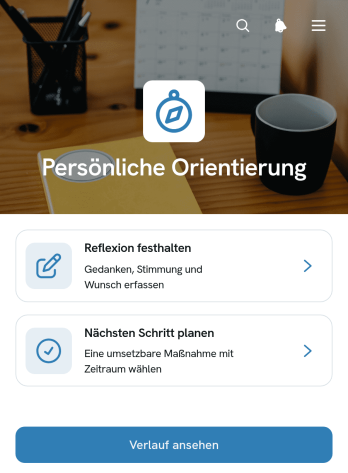
App zur Persönlichen Orientierung
Die App zur Persönlichen Orientierung ist eine anpassbare Vorlage für Menschen, die Gedanken ordnen, persönliche Wünsche klären und konkrete Vorhaben verfolgen möchten. Sie eignet sich für die eigenständige persönliche Entwicklung ebenso wie für Beratende, Bildungseinrichtungen und Fachkräfte, die Personen bei Veränderungsprozessen begleiten. Nutzer können Reflexionen festhalten, nächste Schritte planen und ihren bisherigen Verlauf aufrufen. Themen, Gedanken, Wünsche und Erfolgskriterien bleiben dadurch übersichtlich miteinander verbunden. Die Vorlage unterstützt regelmäßige Standortbestimmungen, fördert bewusstes Handeln und erleichtert es, aus Erkenntnissen umsetzbare Maßnahmen abzuleiten.Mit Jotform lässt sich diese App-Vorlage ohne Programmierkenntnisse an unterschiedliche Begleitungsangebote und persönliche Ziele anpassen. Seiten, Karten, Schaltflächen und Formulare können über eine intuitive Bedienoberfläche angeordnet und mit automatisierten Abläufen verknüpft werden. Erfasste Angaben lassen sich zentral organisieren, während Benachrichtigungen und verbundene Prozesse die weitere Bearbeitung unterstützen. Die fertige App kann über einen direkten Verweis geteilt oder in bestehende Internetseiten eingebunden werden. So entsteht ein mobilfreundlicher Selbstbedienungszugang, der Reflexion, Datenerfassung und persönliche Planung an einem Ort zusammenführt.
Zur Kategorie:Self Care Apps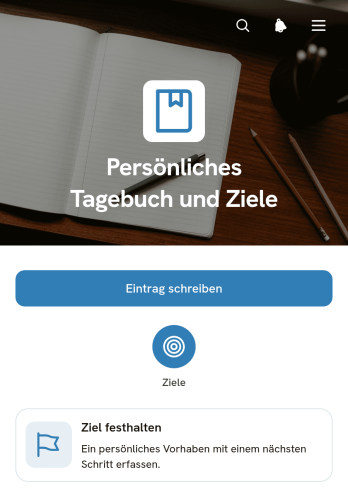
App für Persönliches Tagebuch und Ziele
Die App für Persönliches Tagebuch und Ziele ist eine digitale App-Vorlage für Menschen, die Gedanken festhalten, persönliche Entwicklungen reflektieren und Vorhaben bewusst verfolgen möchten. Sie eignet sich für die tägliche Selbstreflexion, die Planung privater Ziele, das Festhalten wichtiger Erlebnisse sowie die Begleitung neuer Gewohnheiten. Nutzende können Tagebucheinträge anlegen und bearbeiten, Ziele mit einem nächsten Schritt und einem Zieltermin dokumentieren und ihre Inhalte übersichtlich aufrufen. Dadurch bleiben Beweggründe, Fortschritte und persönliche Erkenntnisse an einem zentralen Ort sichtbar. Die Vorlage unterstützt Einzelpersonen, Lernende, Teilnehmende an Beratungsangeboten und alle, die mehr Klarheit in ihre persönliche Planung bringen möchten.Mit Jotform lässt sich diese App-Vorlage über einen App-Generator ohne Programmierung an die eigenen Vorstellungen anpassen. Seiten, Karten, Schaltflächen und Navigationselemente können neu angeordnet und mit verbundenen Formularen sowie passenden Workflows ergänzt werden. Die Datenerfassung für Einträge und Ziele erfolgt mobilfreundlich, während die übersichtliche Navigation einen einfachen Zugriff zur Selbstbedienung ermöglicht. Nutzende können Farben, Schriftarten und Inhalte verändern und die fertige App über einen direkten Link oder einen QR-Code teilen. So bieten die App-Vorlagen von Jotform einen schnellen Ausgangspunkt für ein persönliches digitales Journal mit individueller Zielplanung.
Zur Kategorie:Journal Apps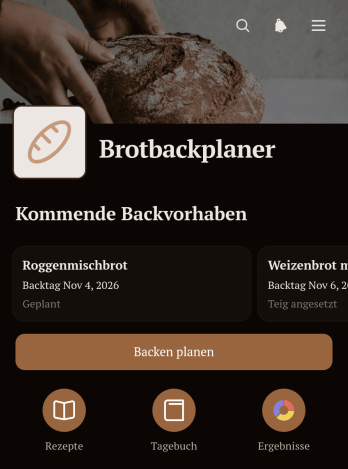
Brotbackplaner-App
Die Brotbackplaner-App ist eine Anwendungsvorlage für Hobbybäcker, kleine Backstuben, Kochgruppen und alle, die ihre Brotrezepte und Backtermine übersichtlich organisieren möchten. Sie bündelt geplante Backvorhaben, gespeicherte Rezepte und dokumentierte Ergebnisse an einem zentralen Ort. Nutzer können neue Vorhaben anlegen, Angaben zu Teigruhe und Planstatus verfolgen sowie Rezeptdetails wie Mehlmischung, Teigausbeute und Zubereitung festhalten. Eine Ergebnisübersicht erleichtert es, vergangene Brote zu vergleichen und Erkenntnisse für kommende Backtage zu nutzen. Dadurch gehen wichtige Notizen nicht verloren und wiederkehrende Abläufe lassen sich verlässlicher vorbereiten.Mit Jotform lässt sich diese Vorlage ohne Programmierkenntnisse an persönliche oder betriebliche Anforderungen anpassen. Über die drag-and-drop Bedienung können Seiten, Karten, Texte und Buttons neu angeordnet oder ergänzt werden. Verknüpfte Formulare unterstützen die Datenerfassung für Rezepte, Planungen und Backergebnisse, während gespeicherte Angaben übersichtlich verfügbar bleiben. Die fertige Anwendung kann über einen direkten Link oder einen QR-Code geteilt und auf mobilen Geräten genutzt werden. So entsteht in kurzer Zeit ein individueller digitaler Begleiter für die Planung, Dokumentation und fortlaufende Verbesserung beim Brotbacken.
Zur Kategorie:Lebensmittel & Getränke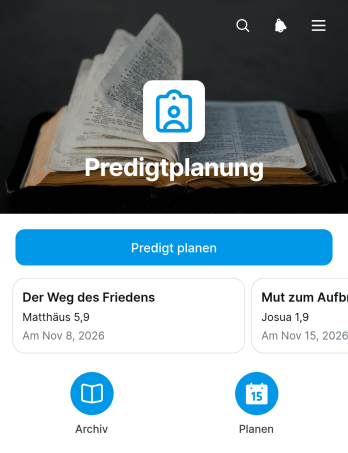
Predigtplanungs-App
Die Predigtplanungs-App unterstützt Pastorinnen und Pastoren, Predigtteams sowie kirchliche Gemeinden bei der Vorbereitung und Dokumentation kommender Predigten. Über eine zentrale Planung können Predigttitel, Datum und Leitgedanke erfasst und anschließend in einer übersichtlichen Gliederung ausgearbeitet werden. Ein ergänzender Rückblick hält Erkenntnisse und Notizen nach der Predigt fest. Dadurch bleiben Ideen, Entwürfe und abgeschlossene Inhalte an einem gemeinsamen Ort verfügbar. Die App-Vorlage eignet sich für regelmäßige Gottesdienste, Predigtreihen, besondere Andachten und die Zusammenarbeit mehrerer Beteiligter. Sie reduziert verstreute Aufzeichnungen, erleichtert die inhaltliche Abstimmung und schafft einen verlässlichen Ablauf von der ersten Idee bis zur späteren Auswertung.Mit Jotform lässt sich diese App-Vorlage ohne Programmierung an die Arbeitsweise einer Gemeinde oder eines Predigtteams anpassen. Der App-Generator bietet eine Drag-and-drop-Oberfläche, mit der Seiten, Karten, Formulare und Navigationselemente geändert werden können. Verknüpfte Formulare erleichtern die Datenerfassung, während übersichtliche Einträge den Zugriff auf geplante und frühere Predigten ermöglichen. Die mobilfreundliche App kann über einen direkten Verweis oder einen scanbaren Code geteilt werden. So entstehen mit anpassbaren App-Vorlagen zentrale Arbeitsbereiche, die Planung, Zusammenarbeit und wiederkehrende Workflows sinnvoll miteinander verbinden.
Zur Kategorie:Scheduling and Planning Apps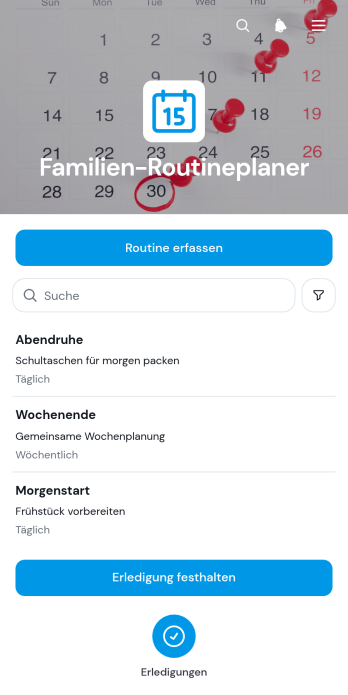
App zur Planung von Familienroutinen
Die App zur Planung von Familienroutinen ist eine anpassbare App-Vorlage für Familien, Eltern, Erziehungsberechtigte und Betreuungspersonen, die wiederkehrende Aufgaben übersichtlich koordinieren möchten. Routinen lassen sich erfassen, in einer gemeinsamen Liste anzeigen und nach ihrer Erledigung dokumentieren. Dadurch eignet sich die App für Morgen- und Abendabläufe, Hausarbeiten, Lernzeiten, Haustierpflege oder regelmäßige Vorbereitungen. Alle Beteiligten erhalten eine klare Orientierung, Zuständigkeiten werden leichter nachvollziehbar und wichtige Aufgaben geraten im lebhaften Familienalltag seltener in Vergessenheit.Mit dem App-Generator von Jotform kann diese Vorlage ohne Programmierung an unterschiedliche Haushalte und Tagesabläufe angepasst werden. Die Drag-and-drop-Oberfläche erleichtert das Ändern von Seiten, Buttons, Farben und Inhalten. Verknüpfte Formulare unterstützen die Datenerfassung, während Listen und Workflows Angaben geordnet zusammenführen und bei Bedarf Benachrichtigungen auslösen. Die fertige App kann über einen Link geteilt und auf Mobilgeräten genutzt werden. So wird aus einer der Vorlagen für Apps ein persönlicher Bereich zur Selbstbedienung, der Familienroutinen transparent und alltagstauglich organisiert.
Zur Kategorie:Planungs-Apps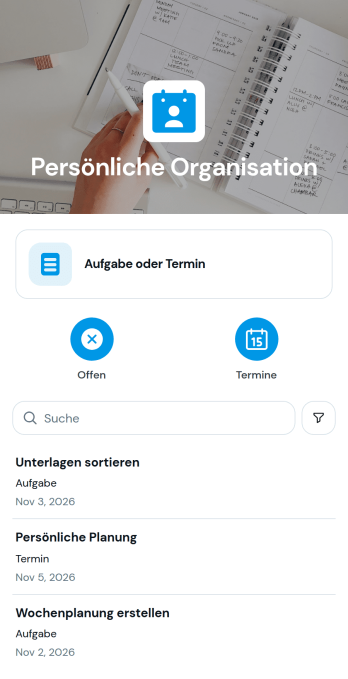
Personal Organization App
Die Vorlage für persönliche Organisation bündelt private Aufgaben, Termine und wiederkehrende Erledigungen in einer leicht zugänglichen Anwendung. Sie eignet sich für Einzelpersonen, Familien, Studierende und Freiberufliche, die Verpflichtungen ordnen und Fälligkeiten zuverlässig im Blick behalten möchten. Eine übersichtliche Aufgabenliste mit Art und Fälligkeitsdatum, Schnellzugriffe sowie ein verbundenes Formular zum Erfassen neuer Einträge unterstützen die tägliche Planung. So gehen Informationen nicht in Notizen oder verstreuten Listen verloren, Prioritäten werden schneller sichtbar und Routinen lassen sich konsequenter verfolgen. Auch für Haushaltsaufgaben, Lernziele, persönliche Vorhaben oder wiederkehrende Besorgungen bietet die Anwendung einen zentralen Ausgangspunkt.Mit Jotform lässt sich diese Anwendungsvorlage ohne Programmierkenntnisse an den eigenen Alltag anpassen. Im visuellen Anwendungsbaukasten können Seiten, Karten, Schaltflächen und Navigation durch Ziehen und Ablegen angeordnet sowie Farben und Schriftarten passend gestaltet werden. Formulare, Tabellen, Benachrichtigungen und Genehmigungsschritte lassen sich zu zusammenhängenden Arbeitsabläufen verbinden, damit neue Aufgaben direkt erfasst und geordnet weiterbearbeitet werden. Die fertige Anwendung kann über einen direkten Verweis geteilt und auf mobilen Geräten genutzt werden. Dadurch wird aus einer Vorlage rasch eine persönliche Zentrale für Datenerfassung, Selbstbedienung und planbares Handeln.
Zur Kategorie:Organisations-Apps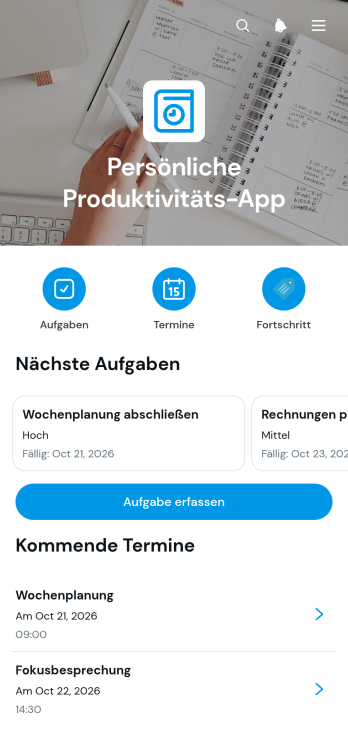
App für persönliche Produktivität
Die App für persönliche Produktivität ist eine anpassbare Vorlage für Einzelpersonen, Freiberufler, Studierende und Beschäftigte, die ihre täglichen Aufgaben, Termine und Ziele an einem zentralen Ort organisieren möchten. Nutzer können neue Aufgaben mit Fälligkeit und Priorität erfassen, Termine samt Ort und Uhrzeit planen sowie Fortschritte nach Datum dokumentieren. Angaben zu Hindernissen und nächsten Schritten machen Entwicklungen nachvollziehbar und helfen dabei, Vorhaben konsequent weiterzuführen. So eignet sich die App für die persönliche Tagesplanung, Lernorganisation, selbstständige Arbeit oder die Koordination beruflicher und privater Verpflichtungen.Mit dem App Generator von Jotform lässt sich diese App-Vorlage ohne Programmierung an individuelle Gewohnheiten anpassen. Über die übersichtliche Bedienoberfläche können Seiten, Karten, Buttons, Formulare und Navigationselemente neu angeordnet oder ergänzt werden. Erfasste Daten lassen sich zentral verwalten und für verbundene Abläufe nutzen. Anwender können ihre App über einen direkten Verweis teilen und auf Mobilgeräten öffnen, sodass Aufgaben, Termine und Fortschritte auch unterwegs erreichbar bleiben. Praktische App-Vorlagen von Jotform erleichtern den Einstieg und schaffen eine flexible Grundlage für persönliche Organisation und Selbstbedienung.
Zur Kategorie:Planungs-Apps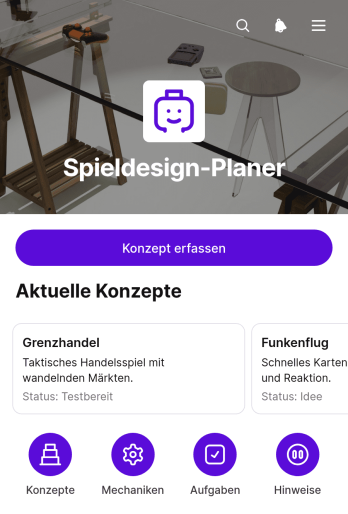
Game Design Planner App
Die Spielentwicklungsplaner-App unterstützt unabhängige Entwickler, Kreativteams, Studierende und Lehrkräfte dabei, Spielideen von der ersten Skizze bis zur Erprobung übersichtlich auszuarbeiten. Neue Konzepte lassen sich zentral erfassen und anschließend nach Titel durchsuchen. Detailansichten bündeln wichtige Angaben zu Zielgruppe, Kernmechanik und Spielablauf, während Aufgaben und Testpläne die nächsten Arbeitsschritte festhalten. Dadurch bleiben kreative Entscheidungen nachvollziehbar, Ideen gehen nicht in verstreuten Notizen verloren und Teams können Entwürfe leichter vergleichen, besprechen und weiterentwickeln.Mit Jotform kann diese App-Vorlage ohne Programmierung an unterschiedliche Entwicklungsprozesse angepasst werden. Über eine Oberfläche zum Ziehen und Ablegen lassen sich Seiten, Karten, Schaltflächen, Texte und Navigationselemente neu anordnen oder mit einem eigenen Erscheinungsbild versehen. Formulare und Tabellen unterstützen die Datenerfassung, während Benachrichtigungen und verbundene Arbeitsabläufe die Zusammenarbeit erleichtern. Die fertige App kann über einen direkten Link oder einen QR-Code geteilt und auf mobilen Geräten genutzt werden. So entsteht ein zentraler Arbeitsbereich für Planung, Dokumentation und gemeinsame Konzeptarbeit.
Zur Kategorie:Planungs-Apps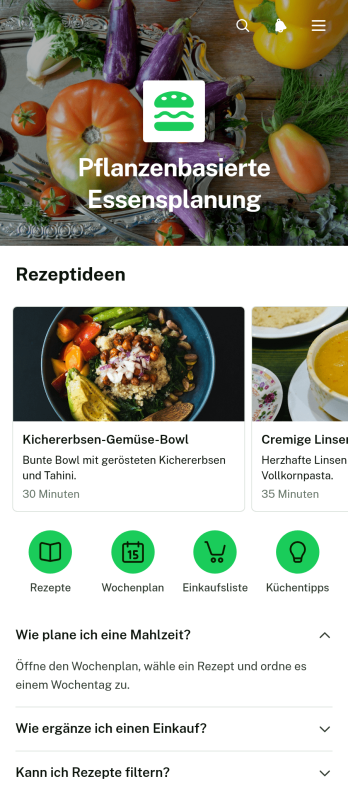
App zur Planung Pflanzenbasierter Mahlzeiten
Diese App-Vorlage unterstützt Einzelpersonen, Ernährungsberatungen und Wellness-Teams bei der Planung abwechslungsreicher pflanzenbasierter Mahlzeiten. Nutzer können Rezepte nach Kategorien durchsuchen, Angaben zu Zutaten und Zubereitungszeiten aufrufen und geplante Mahlzeiten übersichtlich zusammenstellen. Ergänzende Einkaufslisten erleichtern die Vorbereitung und helfen dabei, benötigte Lebensmittel rechtzeitig zu besorgen und frisch zu halten. Die App zur Planung Pflanzenbasierter Mahlzeiten eignet sich für die persönliche Wochenplanung ebenso wie für Beratungsangebote, Ernährungskurse oder gemeinschaftliche Kochprogramme. Alle wichtigen Informationen bleiben an einem Ort verfügbar, sodass weniger Zeit für die Suche nach Rezepten und die Abstimmung von Einkäufen benötigt wird.Mit Jotform Apps lässt sich diese App-Vorlage ohne Programmierung an individuelle Ernährungsziele, Zielgruppen und Inhalte anpassen. Der App-Generator bietet eine intuitive Drag-and-drop-Oberfläche, über die Seiten, Karten, Formulare und Navigationselemente geändert werden können. Verknüpfte Formulare unterstützen die Datenerfassung, während übersichtlich angeordnete Inhalte eine komfortable Selbstbedienung ermöglichen. Die fertige App kann über einen direkten Link oder einen QR-Code geteilt und auf mobilen Geräten genutzt werden. So entstehen mit den App-Vorlagen von Jotform praktische digitale Abläufe für die Essensplanung, Rezeptverwaltung und Einkaufsvorbereitung.
Zur Kategorie:Food and Nutrition Tracking Apps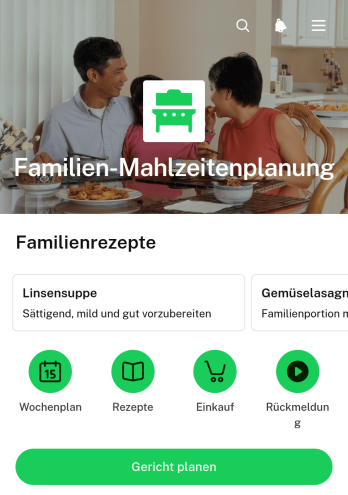
App zur Familien-Essensplanung
Die App zur Familien-Essensplanung unterstützt Familien, Haushalte und Wohngemeinschaften dabei, Mahlzeiten gemeinsam vorzubereiten und übersichtlich zu organisieren. Rezepte lassen sich zentral durchsehen, Gerichte bestimmten Tagen zuordnen und nach dem Essen bewerten. So können Familienmitglieder leichter abstimmen, was gekocht wird, bewährte Ideen wiederfinden und abwechslungsreiche Wochenpläne zusammenstellen. Die App-Vorlage eignet sich für den täglichen Speiseplan ebenso wie für die Vorbereitung einer ganzen Woche und schafft eine gemeinsame Anlaufstelle für Rezeptideen, geplante Gerichte und hilfreiche Inhalte. Das reduziert spontane Entscheidungen, verbessert die Abstimmung im Haushalt und erleichtert eine vorausschauende Essensplanung.Mit Jotform kann diese Vorlage ohne Programmierkenntnisse an unterschiedliche Haushaltsroutinen angepasst werden. Über eine leicht bedienbare Oberfläche zum Ziehen und Ablegen lassen sich Seiten, Karten, Schaltflächen und Verknüpfungen verändern sowie verbundene Formulare für die Datenerfassung einrichten. Inhalte können mobilfreundlich bereitgestellt und über einen direkten Verweis mit Familienmitgliedern geteilt werden. Auch Tabellen, Benachrichtigungen und weitere Abläufe lassen sich mit der App verbinden, damit neue Planungen und Bewertungen geordnet erfasst werden. Dadurch entsteht in kurzer Zeit eine persönliche Anwendung für gemeinsame Planung, übersichtliche Selbstbedienung und verlässliche Alltagsorganisation.
Zur Kategorie:Food and Nutrition Tracking Apps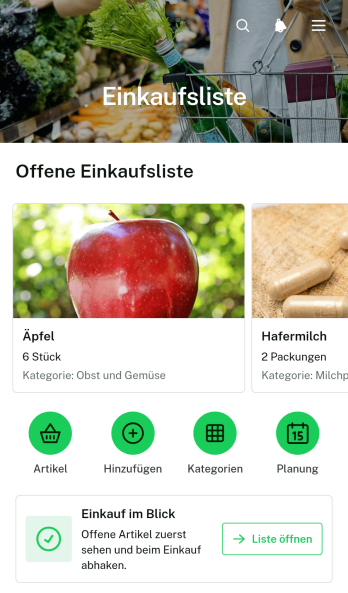
Einkaufslisten-App für Lebensmittel
Die Einkaufslisten-App für Lebensmittel unterstützt Einzelpersonen, Familien, Wohngemeinschaften und Betreuungspersonen dabei, geplante Einkäufe übersichtlich an einem zentralen Ort festzuhalten. Artikel lassen sich hinzufügen oder bearbeiten und mit Angaben wie Kategorie und Menge ordnen. Dadurch bleibt beim Einkauf sichtbar, was benötigt wird, und wichtige Produkte geraten seltener in Vergessenheit. Die Vorlage eignet sich für den wöchentlichen Lebensmitteleinkauf, spontane Besorgungen, gemeinsam geführte Haushaltslisten und die Vorbereitung größerer Vorratseinkäufe. Sie erleichtert die Abstimmung, vermeidet doppelte Käufe und ersetzt unübersichtliche Notizzettel durch eine jederzeit erreichbare Liste.Mit Jotform Apps kann diese App-Vorlage ohne Programmierung an persönliche oder organisatorische Anforderungen angepasst werden. Der App Generator bietet eine Drag-and-drop-Oberfläche, mit der Seiten, Karten, Buttons, Bilder und Navigationselemente geändert und passend angeordnet werden können. Formulare und Jotform Tabellen lassen sich für die Datenerfassung und Verwaltung von Artikeln verknüpfen. Anschließend kann die Anwendung über eine direkte Freigabeadresse geteilt und auf mobilen Geräten genutzt werden. So entsteht in kurzer Zeit eine mobilfreundliche Einkaufshilfe, die sich optisch anpassen, gemeinsam verwenden und bei veränderten Einkaufsgewohnheiten jederzeit erweitern lässt.
Zur Kategorie:Checklisten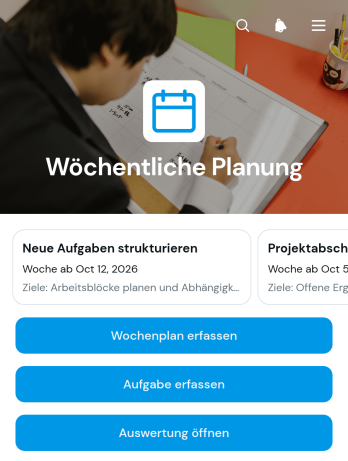
Wochenplanungs-App
Die Wochenplanungs-App ist eine anpassbare Vorlage für Einzelpersonen, Selbstständige und Arbeitsgruppen, die Ziele und Aufgaben für jede Woche zentral organisieren möchten. Wochenpläne lassen sich erfassen und bearbeiten, während einzelne Aufgaben mit Fälligkeit und Priorität ergänzt werden können. Eine integrierte Auswertung unterstützt den regelmäßigen Rückblick. Dadurch bleiben Schwerpunkte, Ziele, Prioritäten und Notizen übersichtlich an einem Ort. Die Vorlage eignet sich für persönliche Planung, Projektarbeit, betriebliche Abläufe, Lernvorhaben und wiederkehrende Wochenbesprechungen. Sie verringert den Aufwand durch verstreute Notizen und erleichtert es, Fortschritte zu erkennen und die nächste Woche gezielt vorzubereiten.Mit Jotform können Nutzer diese App-Vorlage ohne Programmierkenntnisse an ihre eigenen Planungsabläufe anpassen. Der App-Generator bietet eine leicht bedienbare Oberfläche, über die Seiten, Karten, Buttons und Navigationselemente verändert werden können. Formulare zur Datenerfassung, Tabellen, Benachrichtigungen und weitere Workflow-Schritte lassen sich mit der App verbinden. Anschließend kann die fertige Lösung über einen direkten Link geteilt und auf mobilen Geräten genutzt werden. So entsteht eine zentrale, mobilfreundliche Arbeitsumgebung, die persönliche Selbstbedienung ebenso unterstützt wie die gemeinsame Wochenplanung in kleinen und mittleren Organisationen.
Zur Kategorie:Scheduling and Planning Apps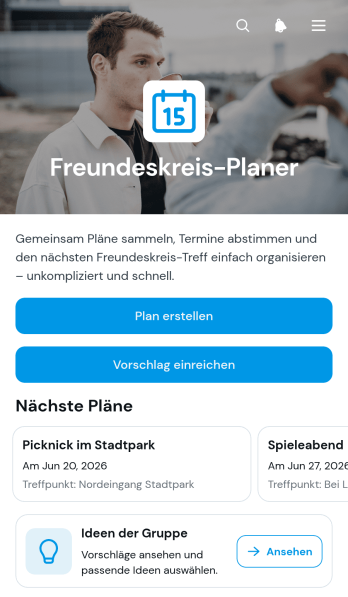
Freundesgruppen-Planer-App
Die Freundesgruppen-Planer-App bündelt die gemeinsame Freizeitplanung für Freundeskreise, die Ausflüge, Treffen, Feiern oder andere Aktivitäten abstimmen möchten. Mitglieder können neue Pläne anlegen, Vorschläge für die Gruppe einreichen und bestehende Ideen übersichtlich aufrufen. Angaben wie Datum, Treffpunkt, Beschreibung und aktueller Stand schaffen eine gemeinsame Informationsquelle. Dadurch gehen Ideen nicht in langen Nachrichtenverläufen verloren und alle Beteiligten können leichter nachvollziehen, welche Optionen zur Auswahl stehen. Die App-Vorlage eignet sich für kleine und große Freundesgruppen, Reisegemeinschaften, Vereine sowie private Organisationsteams, die Entscheidungen gemeinsam vorbereiten möchten.Mit Jotform lässt sich diese Vorlage über einen codefreien App-Generator an die Bedürfnisse der Gruppe anpassen. Die drag-and-drop Bedienoberfläche erleichtert das Ändern von Seiten, Karten, Buttons, Farben und Schriftarten, während verbundene Formulare die Datenerfassung für Pläne und Vorschläge unterstützen. Inhalte können mobilfreundlich bereitgestellt und über einen direkten Verweis oder einen quadratischen Zugriffscode geteilt werden. So entsteht ohne Programmierung eine zentrale, moderne Anlaufstelle, die gemeinsame Planung, Selbstbedienung und transparente Abstimmung miteinander verbindet.
Zur Kategorie:Planungs-Apps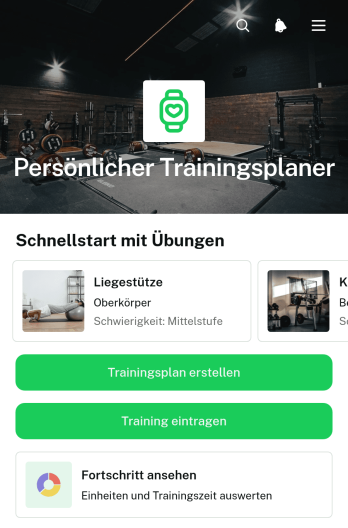
Persönliche Trainingsplaner-App
Die Persönliche Trainingsplaner-App unterstützt Einzelpersonen, Trainerinnen und Trainer sowie Sportstudios bei der Planung und Dokumentation individueller Trainingseinheiten. Nutzer können Trainingspläne anhand ihrer Ziele und Trainingstage anlegen, absolvierte Einheiten mit Datum, Dauer und Notizen erfassen sowie ihren Fortschritt in einer eigenen Ansicht verfolgen. Übungsseiten bündeln Beschreibungen, Muskelgruppen und Schwierigkeitsgrade, damit geeignete Übungen leichter ausgewählt werden. Die App-Vorlage eignet sich für selbstständig Trainierende, persönliche Trainingsbetreuung und Gesundheitsprogramme, die verstreute Notizen, unklare Routinen und schwer nachvollziehbare Entwicklungen durch eine zentrale Planung ersetzen möchten.Mit Jotform lässt sich diese App-Vorlage über einen App-Generator ohne Programmierung an unterschiedliche Trainingskonzepte anpassen. Eine Oberfläche zum Ziehen und Ablegen erleichtert die Bearbeitung von Seiten, Karten, Schaltflächen und Navigationselementen. Formulare für Trainingspläne und Trainingseinträge können direkt mit der App verbunden werden, sodass Datenerfassung und Selbstbedienung an einem Ort zusammenkommen. Inhalte lassen sich mobil aufrufen und über eine persönliche Webadresse teilen. So bieten die App-Vorlagen von Jotform eine praktische Grundlage für organisierte Trainingsabläufe, fortlaufende Dokumentation und eine übersichtliche Betreuung.
Zur Kategorie:Personal Training Apps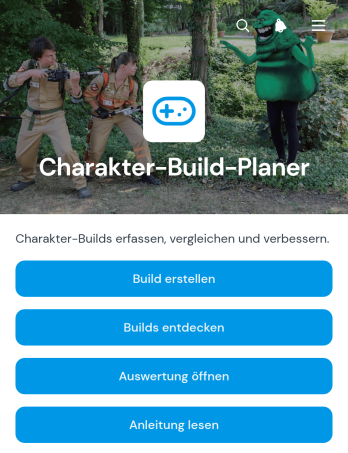
App zur Planung von Charakteraufbauten
Die App zur Planung von Charakteraufbauten bietet Rollenspielbegeisterten, Spielgruppen und Inhaltsverantwortlichen einen zentralen Ort, um Charakterkonfigurationen vorzubereiten und zu vergleichen. Nutzer können neue Charakteraufbauten erstellen, vorhandene Zusammenstellungen durchsuchen und deren Auswertung aufrufen. Ausrüstung und Fähigkeiten bleiben dadurch übersichtlich miteinander verknüpft. Die App-Vorlage eignet sich für die Vorbereitung neuer Figuren, das Erproben verschiedener Spielweisen und den Austausch hilfreicher Zusammenstellungen innerhalb einer Gemeinschaft. Statt Informationen über einzelne Notizen und Nachrichten zu verteilen, entsteht eine leicht zugängliche Sammlung für Planung und Orientierung.Mit Jotform lässt sich diese Vorlage ohne Programmierung an unterschiedliche Spielsysteme und Zielgruppen anpassen. Der visuelle App Generator erleichtert das Bearbeiten von Seiten, Schaltflächen, Farben und Navigation. Formulare unterstützen die Datenerfassung, während verbundene Tabellen und automatisierte Arbeitsabläufe neue Einträge geordnet weiterverarbeiten können. Die fertige App kann über eine eigene Webadresse geteilt und auf Mobilgeräten genutzt werden. So helfen Jotform App-Vorlagen dabei, interaktive Angebote für Selbstbedienung, Zusammenarbeit und übersichtlichen Ressourcenzugriff schnell zu veröffentlichen.
Zur Kategorie:Planungs-Apps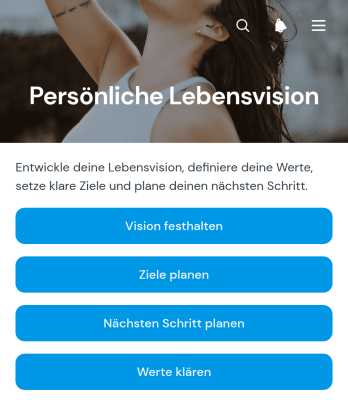
App für die persönliche Lebensvision
Die App für die persönliche Lebensvision ist eine digitale Vorlage für Menschen, die ihr gewünschtes Leben bewusster gestalten und persönliche Vorhaben übersichtlich verfolgen möchten. Sie eignet sich für Einzelpersonen, Beratende, Bildungseinrichtungen und Gruppenangebote zur persönlichen Entwicklung. Nutzer können ihre Vision festhalten, grundlegende Werte klären sowie Ziele und konkrete nächste Schritte planen. Gespeicherte Einträge bleiben in verbundenen Tabellen geordnet und lassen sich später erneut aufrufen. So entsteht ein zentraler Ort, der Gedanken in nachvollziehbare Vorhaben überführt, Orientierung bei Entscheidungen gibt und regelmäßige Rückblicke auf die eigene Entwicklung erleichtert.Mit Jotform lässt sich diese App-Vorlage ohne Programmierkenntnisse an persönliche Methoden oder Beratungsangebote anpassen. Der App-Generator bietet eine intuitive Bedienung, mit der Seiten, Schaltflächen, Farben, Schriftarten und Inhalte verändert werden können. Formulare und Tabellen unterstützen die geordnete Datenerfassung, während verbundene Arbeitsabläufe auf Wunsch Benachrichtigungen oder weitere Schritte auslösen. Die fertige App kann über eine eigene Webadresse geteilt und auf Mobilgeräten geöffnet werden. Dadurch entsteht in kurzer Zeit eine moderne, mobilfreundliche Umgebung für persönliche Planung, Selbstreflexion und fortlaufende Zielarbeit.
Zur Kategorie:Self Care Apps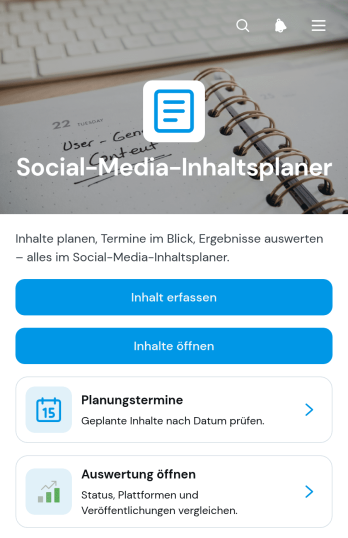
App zur Planung von Inhalten für soziale Medien
Die App zur Planung von Inhalten für soziale Medien ist eine zentrale App-Vorlage, mit der Marketingteams, Inhaltserstellende, Freiberufliche und kleine bis mittlere Unternehmen ihre Veröffentlichungen koordinieren können. Inhalte lassen sich erfassen, mit Planungsterminen versehen und über eine gebündelte Auswertung prüfen. Die Vorlage eignet sich für laufende Redaktionspläne, saisonale Kampagnen, Produkteinführungen und wiederkehrende Beiträge. Sie schafft einen gemeinsamen Überblick über geplante Themen, Veröffentlichungskanäle und Bearbeitungsstände, sodass Verantwortliche Prioritäten leichter abstimmen und Lücken im Inhaltsplan frühzeitig erkennen können.Mit Jotform können Teams diese Vorlage über einen App-Generator ohne Programmierkenntnisse an ihre Abläufe anpassen. Eine Oberfläche zum Ziehen und Ablegen erleichtert die Gestaltung von Seiten, Karten, Schaltflächen und Navigationselementen. Verknüpfte Formulare unterstützen die Datenerfassung, während Tabellen und automatisierte Benachrichtigungen den Workflow begleiten. Die fertige App kann über einen Internetlink geteilt und auf mobilen Geräten genutzt werden. So entsteht ein zugänglicher Arbeitsbereich, der Planung, Zusammenarbeit und Selbstbedienung an einem Ort zusammenführt.
Zur Kategorie:Social Media Management Apps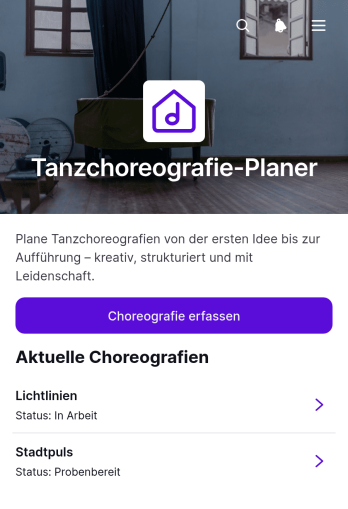
Tanzchoreografie-Planer-App
Die Tanzchoreografie-Planer-App ist eine zentrale Planungshilfe für Tanzlehrkräfte, Choreografinnen und Choreografen, Tanzschulen, Ensembles sowie Veranstaltungsteams. Neue Choreografien lassen sich erfassen, gespeicherte Abläufe übersichtlich aufrufen und mit wichtigen Angaben zu Musik, Dauer, Termin und Veranstaltung organisieren. Dadurch bleiben Ideen, Probenpläne und Auftrittsinformationen an einem gemeinsamen Ort zugänglich. Die App-Vorlage eignet sich für Unterricht, Proben, Wettbewerbe, Bühnenauftritte und Freizeitgruppen. Sie erleichtert die Vorbereitung mehrerer Tänze und hilft Beteiligten, aktuelle Informationen ohne verstreute Notizen oder unübersichtliche Nachrichten zu finden.Mit Jotform können Nutzer diese Vorlage ohne Programmierung an ihre Arbeitsweise anpassen. Der App-Generator bietet eine Oberfläche zum Ziehen und Ablegen, über die Seiten, Schaltflächen, Formulare und visuelle Inhalte ergänzt oder neu angeordnet werden können. Erfasste Angaben lassen sich mit Tabellen und automatisierten Arbeitsabläufen verbinden, sodass die Datenerfassung und laufende Organisation besser zusammenspielen. Jotform App-Vorlagen unterstützen außerdem den mobilen Zugriff und die Selbstbedienung. Die fertige Tanzchoreografie-Planer-App kann über eine eigene Webadresse mit Lehrkräften, Tänzerinnen, Tänzern oder Produktionsteams geteilt und bei neuen Proben oder Veranstaltungen fortlaufend aktualisiert werden.
Zur Kategorie:Planungs-Apps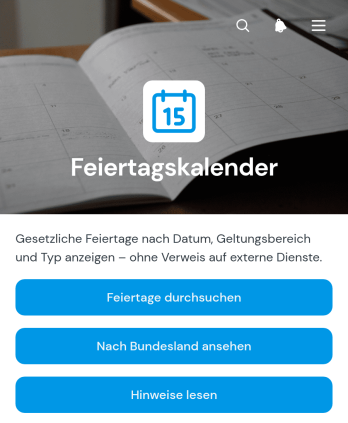
Feiertagskalender-App
Die Feiertagskalender-App ist eine zentrale Informationsquelle für gesetzliche Feiertage und deren regionale Geltung. Unternehmen, Personalabteilungen, Bildungseinrichtungen, Vereine und verteilte Arbeitsgruppen können Feiertage durchsuchen, nach Bundesland ansehen und wichtige Angaben zu Datum, Feiertagstyp und Geltungsbereich prüfen. Ergänzende Hinweise schaffen Klarheit bei regionalen Unterschieden. So unterstützt die App eine verlässlichere Personal-, Termin- und Veranstaltungsplanung, erleichtert die Abstimmung von Öffnungszeiten und hilft dabei, vermeidbare Planungskonflikte rund um arbeitsfreie Tage zu reduzieren.Mit Jotform lässt sich diese App-Vorlage über einen codefreien App-Generator an den eigenen Bedarf anpassen. Die drag-and-drop-Oberfläche erleichtert das Bearbeiten von Seiten, Schaltflächen, Karten und Navigationselementen, während Farben, Schriftarten und Inhalte an den eigenen Markenauftritt angepasst werden können. Bei Bedarf lassen sich Formulare, Tabellen und Workflows ergänzen, um Datenerfassung, Änderungsanfragen oder interne Abstimmungen einzubinden. Die fertige Feiertagskalender-App ist mobilfreundlich und kann per direktem Verweis oder Einbettung für Beschäftigte, Mitglieder und andere Zielgruppen bereitgestellt werden.
Zur Kategorie:Scheduling and Planning Apps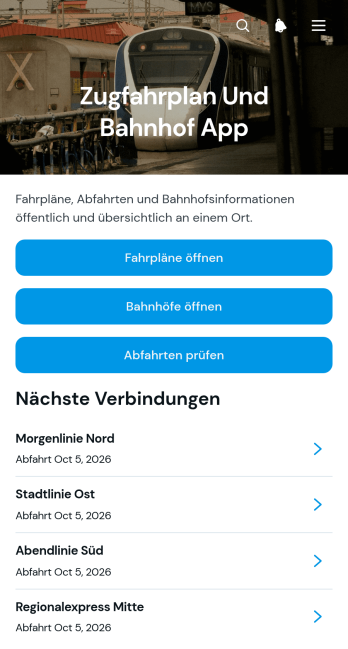
Zugfahrplan- und Bahnhofs-App
Die Zugfahrplan- und Bahnhofs-App ist eine mobilfreundliche Vorlage zur übersichtlichen Bereitstellung von Verbindungen, Abfahrtsinformationen und Bahnhofsdaten. Sie eignet sich für Verkehrsbetriebe, Bahnhofsverwaltungen, regionale Verkehrsinitiativen, Tourismusstellen, Veranstalter und Bildungseinrichtungen, die Reisenden eine zentrale Informationsquelle anbieten möchten. Nutzer können Fahrpläne durchsuchen, Angaben zu Bahnhöfen aufrufen und aktuelle Abfahrtshinweise prüfen. So lassen sich verstreute Informationen bündeln, häufige Rückfragen reduzieren und die Reiseplanung für Pendler, Besucher, Schüler sowie andere Fahrgäste erleichtern.Mit Jotform lässt sich diese App-Vorlage ohne Programmierkenntnisse an unterschiedliche Streckennetze, Regionen und Zielgruppen anpassen. Der programmierfreie App Generator bietet eine Drag-and-drop-Oberfläche, mit der Seiten, Karten, Buttons, Bilder und Navigationselemente flexibel angeordnet werden können. Fahrplan- und Bahnhofsdaten lassen sich über verknüpfte Tabellen organisieren, während Formulare bei Bedarf die Datenerfassung oder interne Änderungsanfragen unterstützen. Anschließend kann die fertige App über eine Webadresse veröffentlicht und auf mobilen Endgeräten genutzt werden. Dadurch entsteht eine individuell gestaltete Selbstbedienungsanwendung, die Informationen zugänglich hält und betriebliche Abläufe unterstützt.
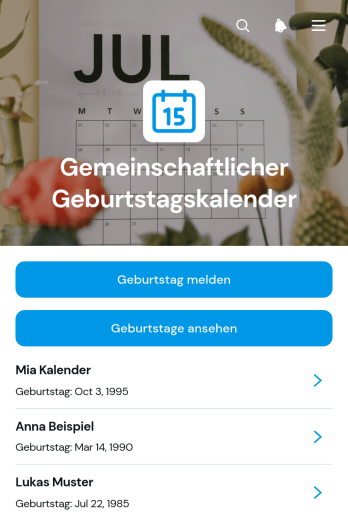
Geburtstagskalender-App für Gemeinschaften
Die Geburtstagskalender-App für Gemeinschaften bündelt Geburtstage von Mitgliedern an einem leicht zugänglichen Ort. Vereine, Nachbarschaftsgruppen, gemeinnützige Initiativen, Bildungsgemeinschaften und interne Gruppen können damit persönliche Anlässe besser im Blick behalten und ihre Verbundenheit stärken. Mitglieder melden ihren Geburtstag über ein verknüpftes Formular, sehen anstehende Geburtstage in einer übersichtlichen Liste und rufen bei Bedarf Angaben zu Person, Ort und Kontakt auf. So müssen Termine nicht mehr in unterschiedlichen Kalendern, Nachrichtenverläufen oder Tabellen gesucht werden. Die App-Vorlage unterstützt eine verlässliche Planung von Glückwünschen, kleinen Feiern und gemeinschaftlichen Aktivitäten und bietet Mitgliedern zugleich einen praktischen Zugang zur Selbstbedienung.Mit Jotform lässt sich diese App-Vorlage ohne Programmierung an die jeweilige Gemeinschaft anpassen. Im App-Generator können Verantwortliche Inhalte über eine drag-and-drop Oberfläche anordnen, Farben und Schriftarten abstimmen sowie Formulare, Jotform Tabellen und passende Workflows verbinden. Die Datenerfassung bleibt dadurch mit der Geburtstagsübersicht verknüpft, während Benachrichtigungen und interne Abläufe nach Bedarf eingerichtet werden können. Anschließend lässt sich die mobilfreundliche Anwendung über einen direkten Verweis teilen. So entsteht in kurzer Zeit ein moderner, zentraler Geburtstagskalender, den Mitglieder auf verschiedenen Geräten aufrufen können.
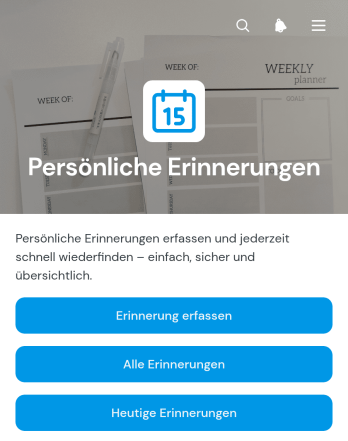
Persönliche Erinnerungs-App
Die Persönliche Erinnerungs-App ist eine App-Vorlage für Einzelpersonen, Familien, Studierende, Selbstständige und Beschäftigte, die private oder berufliche Aufgaben zuverlässig im Blick behalten möchten. Neue Erinnerungen lassen sich schnell erfassen, nach heutigen und allen Einträgen durchsuchen sowie anhand von Kategorie, Fälligkeitsdatum, Priorität und Status einordnen. Dadurch entsteht eine zentrale Übersicht für Termine, Besorgungen, Fristen, Routinen oder wiederkehrende Verpflichtungen. Erledigte Aufgaben können eindeutig gekennzeichnet und vorhandene Angaben bei Änderungen bearbeitet werden. Die Vorlage reduziert vergessene Vorhaben und erleichtert die tägliche Planung, ohne dass verstreute Notizen oder mehrere Listen gepflegt werden müssen.Mit Jotform lässt sich die Persönliche Erinnerungs-App ohne Programmierung an persönliche Abläufe anpassen. Der App Generator bietet eine drag-and-drop Oberfläche, mit der Seiten, Buttons, Karten und Navigationselemente neu angeordnet oder optisch gestaltet werden können. Formulare und Tabellen unterstützen die Datenerfassung und übersichtliche Verwaltung der Einträge, während verbundene Workflows weitere Abläufe auslösen können. Die fertige App kann über eine direkte Verknüpfung geteilt und mobil aufgerufen werden. So wird aus einer praktischen App-Vorlage eine individuell gestaltete Selbstbedienungslösung für die Tagesorganisation. Weitere App-Vorlagen können als Ausgangspunkt für ähnliche Planungsaufgaben dienen.
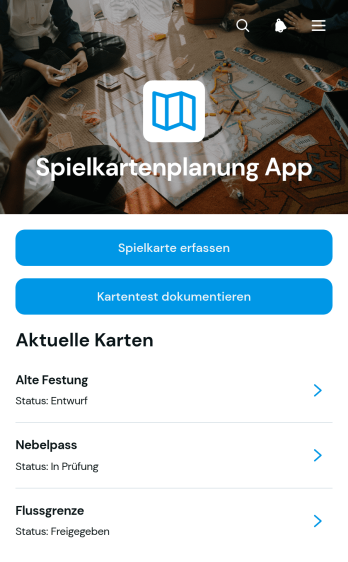
App zur Spielkartenplanung
Die App zur Spielkartenplanung ist eine zentrale Arbeitsumgebung für Entwickler, Gestalter und Prüfgruppen, die Karten für digitale oder analoge Spiele planen, erfassen und bewerten. Neue Spielkarten lassen sich mit ihren wesentlichen Angaben anlegen, in einer übersichtlichen Sammlung aufrufen und durch dokumentierte Kartentests prüfen. So bleiben Entwürfe, Wege, Bereiche und Prüfungsergebnisse miteinander verbunden. Die App-Vorlage eignet sich für kleine Entwicklungsstudios, unabhängige Kreative, Unterrichtsprojekte und Arbeitsgruppen, die Ideen nachvollziehbar weiterentwickeln, doppelte Arbeit vermeiden und Entscheidungen auf Grundlage festgehaltener Prüfergebnisse treffen möchten.Mit Jotform lässt sich diese Vorlage ohne Programmierung an den eigenen Planungsablauf anpassen. Seiten, Schaltflächen, Kartenansichten und Formulare können durch Ziehen und Ablegen verändert und mit Datenerfassung, Freigabeschritten oder Benachrichtigungen verknüpft werden. Dadurch entsteht eine mobilfreundliche Anwendung, die Planung, Dokumentation und Zusammenarbeit an einem Ort zusammenführt. Die fertige App kann über eine direkte Verknüpfung geteilt oder in eine bestehende Internetseite eingebettet werden, sodass Beteiligte Karten erfassen, Prüfungen dokumentieren und Informationen selbstständig abrufen können.

App zur Veranstaltungsregistrierung
Die Event-Registrierungs-App von Jotform zählt 2025 zu den besten Apps für Eventplaner und unterstützt Sie bei der Organisation jeder Veranstaltung. Weltweit vertrauen Tausende Eventplaner auf diese sofort einsatzbereite App, die Registrierung, Sponsoring und Feedback-Formulare auf einer zuverlässigen Plattform vereint. Gäste können sich bequem per Smartphone, Tablet oder Computer registrieren, Feedback geben oder Details anfragen – für ein reibungsloses Erlebnis auf allen Geräten. Sie möchten die Event-Registrierungs-App anpassen? Ohne Programmierkenntnisse können Sie Formulare und Seiten an Ihr Event-Branding anpassen: Logos hochladen, Icons aktualisieren, Startseiten anpassen und vieles mehr. Sobald Ihre App fertig ist, teilen Sie sie, indem Sie den Link auf Ihrer Event-Website einbetten. Bereiten Sie sich 2025 mit der Event-Registrierungs-App von Jotform auf Ihr nächstes Event vor – eine Top-Wahl unter den Event-Registrierungsplattformen für Planer, die eine schnelle und professionelle Lösung benötigen.
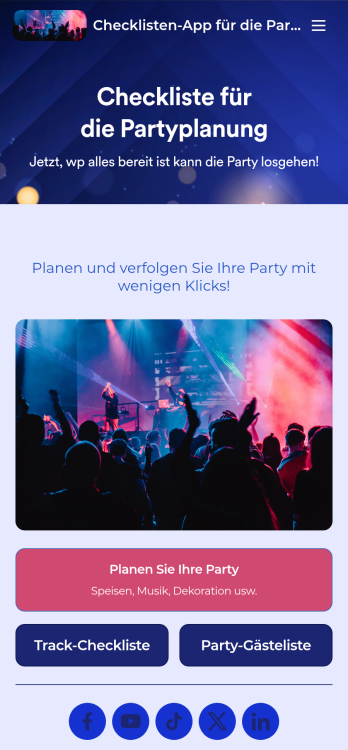
Checklisten-App für die Partyplanung
Ob gemütliches Beisammensein oder die größte Party des Jahres – mit unserer Partyplanungs-App sind Sie bestens vorbereitet! Diese vorgefertigte App-Vorlage enthält eine Checkliste für die Partyplanung und unsere Gästelisten-Vorlage. Versenden Sie Ihre Einladungen separat und sehen Sie zu, wie die Gästeanmeldungen automatisch in die Gästeliste Ihrer App eingetragen werden. Nutzen Sie die App für Ihre eigenen Partys oder, falls Sie ein Partyplanungsunternehmen führen, teilen Sie sie mit Ihren Kunden, um deren Anfragen schnell und einfach online zu erfassen. Sie investieren viel Zeit in die Planung der perfekten Party – warum also nicht auch in Ihre Partyplanungs-App? Ganz ohne Programmierkenntnisse können Sie neue Formulare erstellen, ein anderes Hintergrundbild hochladen und Name, Symbol und Startseite nach Ihren Wünschen anpassen. Anschließend teilen Sie Ihre App per Link und greifen in Ihrem Jotform-Konto auf die Anmeldungen zu. Machen Sie Ihre nächste Veranstaltung mit einer individuellen Partyplanungs-App zum absoluten Highlight – für optimale Organisation!
Veranstaltungssitzplan-App
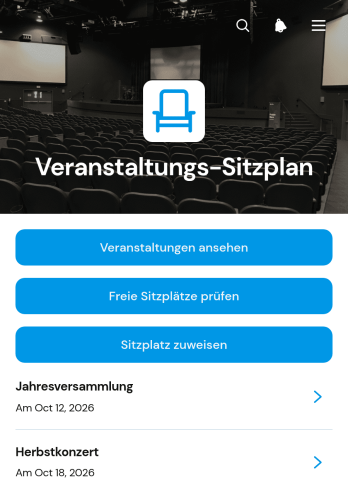
Die Veranstaltungssitzplan-App unterstützt Veranstaltungsplaner, Gastronomiebetriebe, Tagungsorte und interne Organisationsteams bei der übersichtlichen Vergabe von Sitzplätzen. Nutzer können Veranstaltungen aufrufen, freie Plätze mit Belegungsstand und Hinweisen prüfen sowie Gästen einen passenden Sitzplatz zuweisen. Auch bereits vorgenommene Zuordnungen lassen sich zusammen mit Sitzplatz- und Kontaktdaten nachvollziehen. Die Vorlage eignet sich für Hochzeiten, Tagungen, Abendveranstaltungen, Preisverleihungen und andere Anlässe mit fester Sitzordnung. Sie verringert doppelte Vergaben, erleichtert kurzfristige Änderungen und schafft eine gemeinsame Informationsgrundlage für Empfang, Planung und Gästebetreuung.Mit Jotform lässt sich diese App-Vorlage ohne Programmierung an unterschiedliche Veranstaltungsgrößen und Abläufe anpassen. Seiten, Schaltflächen, Listen, Farben und Schriftarten können über eine intuitive Oberfläche bearbeitet und mit Formularen, Tabellen oder Genehmigungsprozessen verbunden werden. Veranstalter können die mobilfreundliche Anwendung über einen direkten Link teilen und Sitzplatzdaten zentral erfassen. So entsteht eine praktische Selbstbedienungs- und Arbeitsumgebung, die Veranstaltungsinformationen, Platzprüfung und Zuweisung an einem Ort zusammenführt.
App zum Sammeln von Hochzeitsfotos
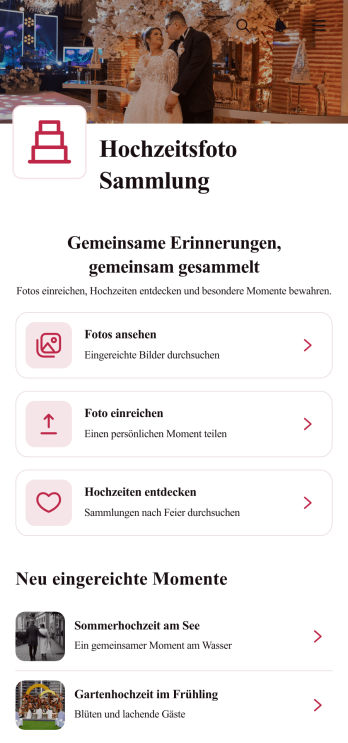
Die App zum Sammeln von Hochzeitsfotos bündelt die Aufnahmen von Gästen an einem übersichtlichen Ort. Sie eignet sich für Hochzeitspaare, Veranstaltungsplaner, Fotografie-Teams und Personen, die Erinnerungen mehrerer Feiern verwalten möchten. Gäste können Fotos einreichen, während eingeladene Personen vorhandene Bilder ansehen und verschiedene Hochzeiten entdecken. Bildunterschriften sowie Angaben zur einreichenden Person, zum Datum und zum Ort schaffen einen hilfreichen Zusammenhang. So gehen spontane Aufnahmen nicht in einzelnen Nachrichten verloren und alle Beteiligten erhalten einen gemeinsamen Zugang zur Fotosammlung.Mit den App-Vorlagen von Jotform lässt sich diese App-Vorlage ohne Programmierung an das Erscheinungsbild und den Ablauf einer Feier anpassen. Der App-Generator bietet eine Oberfläche zum Ziehen und Ablegen, über die Seiten, Karten, Buttons, Bilder und Formulare bearbeitet werden können. Eingereichte Fotos und begleitende Daten lassen sich geordnet erfassen und für die weitere Bearbeitung zentral verwalten. Die fertige App kann über einen direkten Link geteilt und auf Mobilgeräten geöffnet werden. Dadurch unterstützt Jotform eine bequeme Selbstbedienung für Gäste und vereinfacht die Datenerfassung rund um Hochzeitsfotos.
Über Vorlagen für Planungs-Apps
Planer-Apps sind mobile und webbasierte Anwendungen, die Aufgaben und Projekte in verschiedenen Branchen bündeln und nachverfolgen. Sie helfen bei der Koordination von Teamprojekten, der Organisation von Veranstaltungen oder der Terminplanung mit Kundinnen und Kunden. Vom Gesundheitswesen über die Bildung bis zum Unternehmenssektor nutzen Teams diese Apps, um Abläufe zu ordnen und die Zusammenarbeit zu erleichtern.
Mit Jotform Apps lassen sich Planungs-Apps ohne Programmierung erstellen. Die Lösung setzt auf Progressive-Web-App-Technologie (PWA), sodass die Installation direkt im Browser erfolgt – ohne Umweg über einen App Store. Die Apps laufen auf iOS, Android, Tablets und Desktops. Über die integrierte Tabellenfunktion von Jotform lässt sich Daten zentral verwalten, wodurch Abläufe übersichtlich bleiben und man schnell auf Informationen zugreift.
Warum sollte man Planer-Apps nutzen?
- Planungs-Apps steigern die organisatorische Effizienz, weil sie Termine und Aufgaben auf einer Plattform bündeln und so den Aufwand für manuelle Koordination verringern. Durch diese Integration können Unternehmen ihre Abläufe verbessern, die Produktivität erhöhen und Projekttermine besser einhalten.
- Mit diesen Apps können Teams ortsunabhängig zusammenarbeiten, weil alle relevanten Informationen an einem Ort zusammengeführt werden. Indem sie den Austausch von Informationen erleichtern, helfen die Planer-Apps, Kommunikationsengpässe zu vermeiden und dafür zu sorgen, dass alle Beteiligten die Projektziele im Blick behalten.
- Planer-Apps senden Erinnerungen und Benachrichtigungen, damit Fristen eingehalten und Aufgaben rechtzeitig erledigt werden. Diese Funktion ist wichtig, um den Arbeitsfluss aufrechtzuerhalten und die Folgen versäumter Fristen zu vermeiden.
- Planer-Apps bieten Analysefunktionen, mit denen Unternehmen Fortschritte und Kennzahlen in Echtzeit verfolgen können. Dieser datengestützte Ansatz erleichtert Entscheidungen und hilft Organisationen, ihre Strategien und die Ressourcenzuweisung zu verbessern.
- Die anpassbaren Vorlagen in den Planer-Apps lassen sich auf spezifische Unternehmens- und Branchenanforderungen zuschneiden. So kann die App mit dem Unternehmen mitwachsen und bleibt auch langfristig nützlich.
Häufige Probleme, die Planer-Apps lösen
- Viele Teams kämpfen mit unübersichtlichen Terminplänen, wodurch Termine versäumt werden und Zeit verloren geht. Terminplanungs-Apps bieten dafür eine gemeinsame Plattform, die alle Beteiligten auf dem Laufenden hält und hilft, Termine zuverlässig einzuhalten.
- In Branchen, in denen Projektfristen kritisch sind, kosten Verspätungen Geld und schaden dem Ruf. Planungs-Apps reduzieren dieses Risiko, indem sie in Echtzeit informieren und an Aufgaben erinnern.
- In Unternehmen, die auf Zusammenarbeit angewiesen sind, führt zersplitterte Kommunikation oft zu unkoordinierten Abläufen und Projektverzögerungen. Planer-Apps bündeln die Kommunikation und stellen sicher, dass alle Beteiligten auf dieselben Informationen zugreifen.
- Viele Unternehmen möchten den Projektfortschritt und die Ressourcenauslastung nachvollziehen. Planungs-Apps liefern dafür übersichtliche Berichte zu Kennzahlen, sodass Teams Verbesserungspotenziale erkennen und den Ressourceneinsatz anpassen können.
Passende Anwendungsfälle für Features
- Die Drag-and-Drop-Oberfläche in den Jotform Apps erleichtert Unternehmen die Erstellung und Bearbeitung von Zeitplänen und Aufgaben. Damit lassen sich Aufgaben schnell neu anordnen und priorisieren, wodurch das Projektmanagement flexibler wird.
- Organisationen, die auf konsistente Kommunikation angewiesen sind, können Push-Benachrichtigungen nutzen, um ihr Team über Änderungen und Aktualisierungen auf dem Laufenden zu halten. So kommen wichtige Informationen zur richtigen Zeit bei den richtigen Personen an, was die operative Effizienz steigert.
- Unternehmen im E-Commerce oder im Dienstleistungsbereich können Stripe, PayPal und andere Zahlungsdienste direkt in ihre App integrieren. So laufen Finanztransaktionen reibungslos, der Zahlungsprozess wird schneller, und sowohl die Kundenerfahrung als auch der Umsatzfluss profitieren.
- Unternehmen mit mehreren Standorten oder Bedarf an privatem Zugriff können über die Veröffentlichungsoptionen festlegen, wie Apps freigegeben werden. Sie wählen zwischen öffentlichem, privatem und internem Zugriff und kontrollieren so, wer auf sensible Informationen zugreift.
- Workflow-Automatisierung hilft Unternehmen, manuelle Schritte bei sich wiederholenden Aufgaben zu verringern. Planer-Apps übernehmen Routineprozesse, verringern damit das Fehlerrisiko und schaffen Kapazitäten für strategische Aufgaben.
- Mit Funktionen zum Teilen wie „Direkter Link“, „E-Mail“, „QR-Code“ und „Social Media“ können Unternehmen ihre Planer-Apps einfach weitergeben. Nutzer gelangen so über ihren bevorzugten Kanal zur App, wodurch sich Reichweite und Bedienkomfort erhöhen.
So bauen Sie eine Planer-App
- Wählen Sie eine passende Vorlage aus der Vorlagenliste oder starten Sie ohne Vorlage.
- Passen Sie die App mithilfe der Drag-and-Drop-Oberfläche an Ihre Anforderungen an.
- Teilen Sie den Inhalt über einen Link, einen QR-Code oder eine Einbettung, um einfachen Zugriff und einfache Verbreitung zu ermöglichen.
Die wichtigsten Einsatzbereiche für Planer-Apps
- Für Führungskräfte: Führungskräfte können Planer-Apps nutzen, um die Aktivitäten ihres Teams zu überwachen und die Ausrichtung auf die Unternehmensziele sicherzustellen. Diese Apps liefern einen klaren Überblick über Taskzuweisungen und Projektzeitpläne. So weisen Führungskräfte Ressourcen effizient zu und treffen fundierte Entscheidungen. Das zentralisierte Dashboard hilft, den Fortschritt zu überwachen und potenzielle Engpässe früh zu erkennen. So schließen Projekte termingerecht und im Rahmen des Budgets ab.
- Für Teams: Planer-Apps sind ein unverzichtbares Collaboration-Tool für die Zusammenarbeit in Teams. Sie ermöglichen Kommunikation und Task-Management. Teams tauschen damit aktuelle Informationen aus, verfolgen Beiträge nach und stimmen ihre Bemühungen zur Erreichung gemeinsamer Ziele ab. Der bessere Überblick über Projektstatus und Fristen stärkt das Verantwortungsbewusstsein der Teammitglieder und fördert ein kooperatives und produktives Arbeitsumfeld.
- Für Kunden: Kunden profitieren von Planer-Apps durch bessere Servicebereitstellung und Kommunikation. Unternehmen können diese Apps nutzen, um Termine zu vereinbaren, Bestätigungen zu versenden und Echtzeit-Updates bereitzustellen. So verbessert sich die Customer Experience insgesamt. Durch die Optimierung der Interaktionen und die Verkürzung der Wartezeiten tragen Planner-Apps zu einer höheren Kundenzufriedenheit und -bindung bei.
Zusammenfassung der Planer-Apps
Planer-Apps können die Terminplanung und Aufgabenverwaltung in vielen Branchen effizienter machen. Sie fördern die Kommunikation, erhöhen die Produktivität und liefern aktuelle Daten, die bei Entscheidungen helfen. Mit Jotform Apps lassen sich ohne Programmierkenntnisse passgenaue Planer-Apps bauen, die sich an veränderte Anforderungen anpassen und so langfristig den Betrieb unterstützen.
Häufig gestellte Fragen
1) Ist die Erstellung und Nutzung von Planer-Apps auf Jotform kostenlos?
Mit dem Starter-Tarif von Jotform können Sie Planer-Apps kostenlos erstellen und nutzen. So lassen sich die Plattform-Funktionen ohne finanzielle Verpflichtung ausprobieren. Der Tarif enthält alle wichtigen Funktionen, um eigene Planer-Apps zu bauen und zu veröffentlichen. Wer mehr Funktionen und höhere Grenzen braucht, etwa für komplexere Abläufe oder größere Teams, kann jederzeit auf einen Premium-Tarif upgraden.
2) Sind die über die App erfassten Daten und Zahlungen sicher?
Ja, Jotform legt großen Wert auf die Sicherheit der über seine Apps erfassten Daten und Zahlungen. Alle Daten werden durch Verschlüsselungsprotokolle nach Industriestandard geschützt, und Jotform hält sich an die Bestimmungen der DSGVO, um die Privatsphäre der Nutzer und den Datenschutz zu gewährleisten. Darüber hinaus bieten Zahlungsintegrationen mit vertrauenswürdigen Plattformen wie Stripe und PayPal eine zusätzliche Sicherheitsebene und gewährleisten sichere und zuverlässige Transaktionen.
3) Brauche ich Programmierkenntnisse, um mit Jotform eine Planer-App zu erstellen?
Um mit Jotform eine Planer-App zu bauen, brauchen Sie keine Programmierkenntnisse. Dank der intuitiven Drag-and-Drop-Oberfläche können Sie Ihre App schnell zusammenstellen und anpassen. Das gilt unabhängig davon, wie viel technische Erfahrung Sie mitbringen. Mit diesem No-Code-Ansatz erstellen Unternehmen funktionale und individuell angepasste Planer-Apps in kurzer Zeit – ohne Coding-Skills.
4) Can I collect payments for services directly through the app?
Ja, Jotform ermöglicht über Planer-Apps direkte Zahlungen, indem es sich an gängige Zahlungsportale wie Stripe und PayPal anbindet. Damit können Unternehmen ihre Finanztransaktionen direkt in der App abwickeln – das verbessert die Kundenerfahrung und vereinfacht die Abläufe beim Zahlungseingang. Sichere und bequeme Zahlungsoptionen helfen ihnen, den Cashflow zu stabilisieren und ihre Prozesse effizienter zu gestalten.
5) Kann ich mit Jotform auch offline Daten in Planer-Apps erfassen?
Mit der Funktion „Mobile Formulare“ lässt sich Jotform auch offline nutzen, sodass Planer-Apps auch ohne Internetverbindung laufen. Das hilft Firmen, die an abgelegenen Orten oder in Gebieten mit unzuverlässigem Netz arbeiten, weil sie ihre Datenerfassung ohne Unterbrechungen fortsetzen können. Sobald die Verbindung wieder steht, synchronisiert die App die gesammelten Daten automatisch mit der zentralen Datenbank, wodurch Datenintegrität und Verfügbarkeit erhalten bleiben.
6) Are Jotform Apps compatible with both iOS and Android devices?
Ja, Jotform Apps sind so aufgebaut, dass sie sowohl auf iOS- als auch auf Android-Geräten laufen und damit breiten Zugang bieten. Dank der Progressive-Web-App-Technologie (PWA) lassen sie sich direkt über den Browser installieren, ein Besuch im App Store ist also nicht nötig. Diese plattformübergreifende Kompatibilität sorgt für eine reibungslose Nutzung auf verschiedenen Geräten und passt sich unterschiedlichen betrieblichen Anforderungen an.
7) Inwiefern profitieren Planer-Apps die Gesundheitsbranche?
Planer-Apps erleichtern im Gesundheitswesen die Terminplanung, das Patientenmanagement und die Koordination des Personals. Sie verringern den Verwaltungsaufwand, verbessern die Kommunikation mit den Patienten und erhöhen die Effizienz. Durch Echtzeit-Aktualisierungen und ein zentrales Datenmanagement können medizinische Fachkräfte mehr Zeit in die Patientenversorgung investieren und sich weniger um logistische Fragen kümmern.
8) Lassen sich Planer-Apps für das Veranstaltungsmanagement einsetzen?
Ja, Planer-Apps sind praktisch für das Veranstaltungsmanagement. Sie bieten Funktionen, die Planung und Durchführung erleichtern. Damit können Veranstalter Aktivitäten planen, Anmeldungen verwalten und die Lieferantenlogistik abstimmen. Eine zentrale Plattform für Kommunikation und Aufgaben hilft, Veranstaltungen reibungsloser zu gestalten – das steigert die Zufriedenheit der Teilnehmenden und verbessert oft auch die Ergebnisse.